

Best AI Debugging Tools to Fix Code Faster and Smarter
🛠️ToolsExplore top AI debugging tools that help developers detect bugs, analyze code, and fix issues quickly. From real-time monitoring to automated fixes, these tools make debugging faster and more efficient.


The AI debugging tools function as additional eyes that assist you in reviewing your code. The tools enable you to detect programming errors that would lead to application crashes. The program analyzes your code to identify dangerous programming methods.
The program predicts potential locations where programming errors will occur. The system tracks errors through complicated logical pathways. The system analyzes log files and stack traces to identify the main problem.
The solution provides precise minor corrections instead of providing general improvement suggestions. The tools create tests that identify performance problems while simultaneously protecting against security threats.
Quick Comparison of AI Debugging Tools
| Tool Name | Key Features | Good For |
|---|---|---|
| Cursor | AI code editor, debug mode, full project analysis | Developers fixing bugs quickly |
| Sentry Seer | Telemetry analysis, runtime debugging, autofixes | Production monitoring |
| Qodo | Test analysis, PR reviews, context engine | Pre-deployment bug detection |
| Snyk Code | Security scanning, AI vulnerability detection | Secure coding |
| Windsurf | Multi-file debugging, refactoring, AI IDE | Full project debugging |
| Replit Agent | Browser-based debugging, AI assistant | Beginners & web devs |
| Jam AI | Bug reporting, session tracking | Team collaboration |
| Sourcegraph Cody | Code search, multi-repo debugging | Large codebases |
| Warp AI | AI terminal, command suggestions | DevOps & terminal users |
| Pieces | Local AI, snippet memory, offline support | Privacy-focused developers |
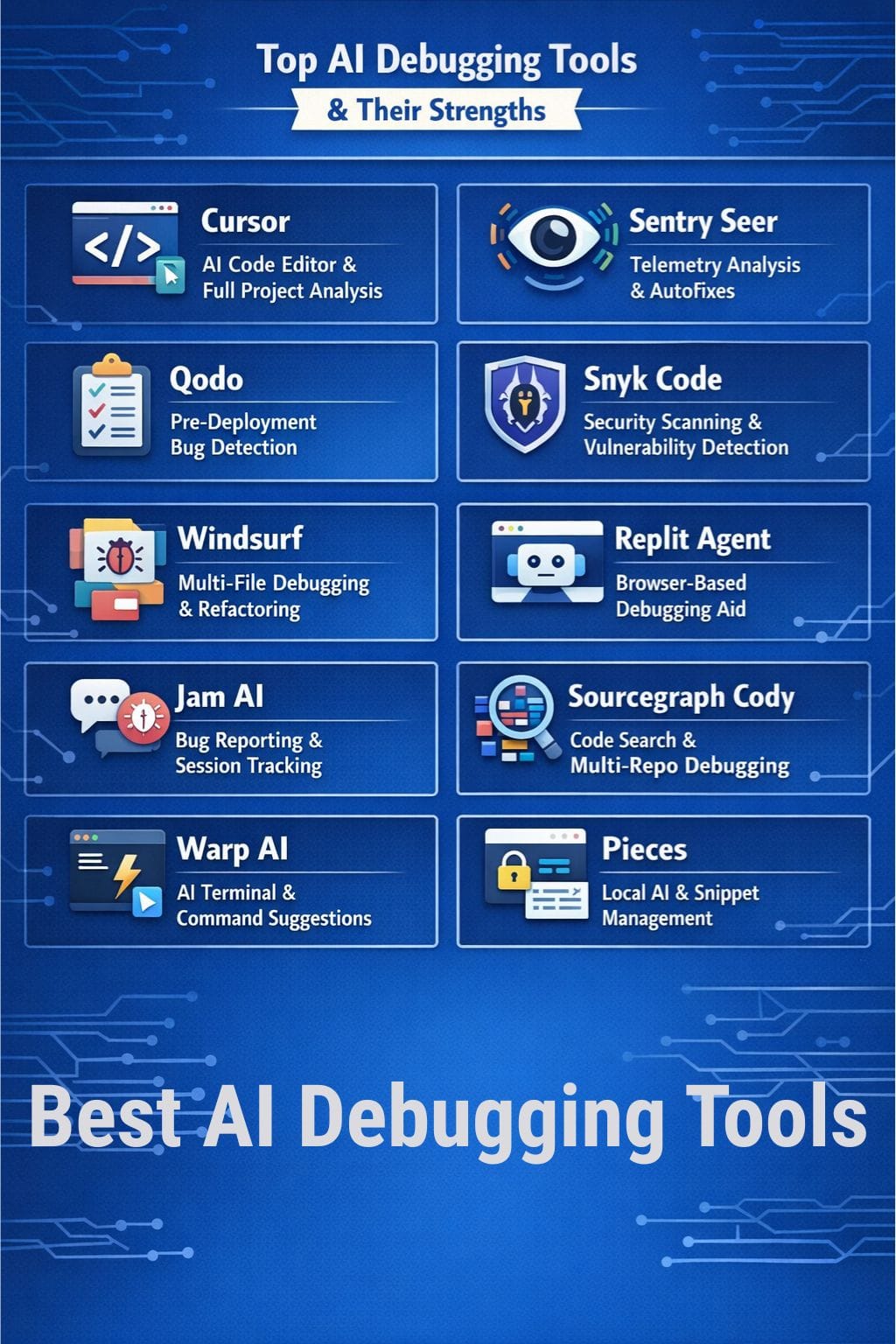
Top AI Debugging Tools
Cursor
The AI code editor Cursor enables users to resolve software defects at an accelerated rate. The system analyzes your entire project instead of just one file. The system allows you to write in plain language, which it uses to provide direct operational instructions.
The system uses Debug Mode to observe your application during its operation while it analyzes logs to find faults and determine their origins. The solution provides automated repair recommendations directly within your programming environment. Cursor can access multiple documents to identify all components of your technical stack.
Pros
- Debugging abilities enhance database performance through Debug Mode
- Enables developers to access project knowledge, resulting in context-specific solutions
- Users can solve their debugging problems by entering error messages
Cons
- The system will experience performance issues when working with extremely large codebases
- Extended communication exchanges through multiple messages will reduce the quality
Pricing
| Plan | Pricing |
|---|---|
| Pro | $20/month |
| Pro+ | $60/month |
| Ultra | $200/month |
 Vivek Dev Jacob
Sentry Seer
Sentry Seer operates as an AI debugging assistant by examining live telemetry data from errors, traces, logs, and metrics to identify the actual problem sources. The system functions across all environments, which include local development, pull requests, and production.
The system accesses your codebase together with GitHub to assess potential production breakages that result from code alterations. The system requires actual runtime information because it does not depend on static code to discover.
The system offers three options, which include clear solution proposals, merge-ready patch development, and issue transfer to your coding agent.
Pros
- Utilizes complete Sentry telemetry data, including errors, spans, and logs
- The system operates through all stages of software development
- The system can create autofixes or assign autofixes to other parties
Cons
- The system requires Sentry since it needs this base to function properly
- The pricing model based on per-contributor costs becomes expensive for large teams
Pricing
| Plan | Pricing |
|---|---|
| Team | $29/month |
| Business | $89/month |
| Enterprise | Custom |
Qodo
Qodo functions as an AI-first tool that assists developers in locating software bugs before their code deployment. It conducts its evaluation of test deficiencies and testing of dangerous modifications at the initial stage.
Qodo operates through your IDE, CLI, and Git platform. The system assesses pull requests while it recommends problem solutions and provides code explanations in basic terms.
The intelligent context engine examines extensive multi-repository projects through its advanced searching capabilities. The system maintains its clarity and correctness through feedback mechanisms that operate under large system conditions. Teams can use built-in agents to create tests and refactor code.
Pros
- The system provides effective context-based assessment capabilities
- Automatically perform bug identification testing and pull request operations
- Enterprise-level capabilities through its single sign-on feature
Cons
- Minimal benefits to organizations that work on small projects
- The process requires extended periods to complete
Pricing
| Plan | Pricing |
|---|---|
| Teams | $38/user/month |
| Enterprise | Contact Sales |
Snyk Code
Snyk Code, which DeepCode AI powers, detects actual security vulnerabilities in your code during your development process. The product operates through both your integrated development environment and continuous integration testing system.
The application employs dual methods of scanning through its rules and artificial intelligence capabilities. The system generates data-flow graphs to track data movement within your software code. The system uses this method to identify actual threats instead of basic safety alerts.
The system indicates which specific code sections require maintenance and provides straightforward solutions. The system provides solutions that artificial intelligence methods have established.
Pros
- Effective vulnerability detection through its SAST configuration
- The hybrid engine combines program analysis with LLMs
- The IDE plugins provide extensive support for VS Code and JetBrains
Cons
- The solution does not meet the requirements of teams that need strong data security
- Steep learning curve for novice users
Pricing
| Plan | Pricing |
|---|---|
| Team | $25/month |
| Ignite | $1260/year |
| Enterprise | Contact Sales |
Windsurf
The AI coding IDE named Windsurf provides users with advanced debugging tools that can be used throughout entire projects. The system uses flows together with Cascade and a full multi-file context to deliver rapid bug detection and resolution.
The system can trace errors across multiple files while providing specific patch recommendations and improving performance through code refactoring. The system enables users to create tests while maintaining their original code style and structure.
The system converts ambiguous stack traces into detailed step-by-step solutions through its chat feature, smart autocomplete system, and natural-language command functionality.
Pros
- Uniform codebase repairs throughout the entire codebase.
- The system offers complete refactoring and optimization services
- The system provides strong IDE integration with a user interface
Cons
- Users who provide their agents without any instructions will get vague results
- Advanced features can be overwhelming
Pricing
| Plan | Pricing |
|---|---|
| Pro | $15/month |
| Teams | $30/user/month |
| Enterprise | Contact Sales |
Rishi Mundra
Replit Agent
The Replit Agent functions as an AI programming assistant that operates directly from your web browser. It monitors your coding progress by reading the code you enter.
The system detects mistakes quickly while offering basic solutions to fix them. The system can analyze entire projects to find problems and explain technical issues using straightforward language.
The tool performs browser-based tests that simulate real user interactions with your application through automated clicking. The system monitors your entire project progress to enable code refactoring and performance enhancement, and API connection establishment with reduced workload.
Pros
- Easy-to-use interface
- Explains solutions in simple terms to understand the debugging process better
- Handles over 19 languages and 25 million data-flow cases
Cons
- Tendency to repeat ineffective solutions
- The process of debugging extended periods becomes slower
Pricing
| Plan | Pricing |
|---|---|
| Replit Core | $25/month |
| Teams | $40/user/month |
| Enterprise | Contact Sales |
Jam AI
The bug-fixing process becomes faster for teams because Jam AI helps them. The software transforms disorganized bug reports into precise and valuable tickets with a single button operation.
The system records every screen movement together with logs and device information, which enables engineers to identify the exact failure points. The process requires no extended dialogue between participants.
The system automatically generates titles and reproducing steps to describe the problem. The system integrates with your existing software, which enables it to transmit complete session information to its artificial intelligence debugging tool.
Pros
- Enables users to create detailed bug reports, which include technical information
- The AI generates testing documentation through its automated creation of the title and description
- AI debugger provides automatic identification of root problems together with specific solutions
Cons
- Fewer benefits for native applications and backend-only problems.
- The system becomes more valuable when multiple team members start using it
Pricing
| Plan | Pricing |
|---|---|
| Team | $14/creator/month |
| Enterprise | Contact Sales |
Sourcegraph Cody
Sourcegraph Cody functions as an artificial intelligence coding assistant that developers can use to work with extensive and intricate software projects. The system operates as an intelligent assistant for debugging tasks.
Cody employs its deep code search capability together with its multi-repo context knowledge to locate bugs throughout all files, services, and branches of code. The software operates within established integrated development environments.
Users can use straightforward English questions to inquire about specific code problems. The system provides users with specific repair suggestions that are derived from actual code found in their personal repositories.
Pros
- Multi-repository support, which helps engineers solve problems
- The system enables engineers to comprehend and transform legacy systems
- The system provides chat and search capabilities, together with autocomplete features
Cons
- Steep learning curve
- The system demonstrates performance problems when users encounter delays
Pricing
Request for pricing (RFP)
Warp AI
Warp AI terminal system functions as a contemporary terminal that includes artificial intelligence assistance. The system operates as a coding assistant that helps programmers during their work.
The system provides error explanations through its use of simple language. The system predicts your upcoming command needs, which you should execute next. The system enables users to automate their shell tasks, which they need to perform repeatedly, by using normal speech commands.
The system helps users navigate through difficult workflows by providing them with a complete set of guidance. The system analyzes your codebase to deliver specific solutions.
Pros
- Allows users to access AI functions through all command output and errors
- The system enables users to share their work sessions and complete workflows
- Multiple agents can assist with all tasks, including setup, testing, and troubleshooting
Cons
- AI credits are insufficient for heavy debugging
- Only suitable for macOS and Linux
Pricing
| Plan | Pricing |
|---|---|
| Build | $20/month |
| Max | $200/month |
Pieces
Pieces is an AI tool that helps developers fix bugs faster. The software operates on your device, which enables it to protect your code from unauthorized access. The system monitors your IDE and browser, and documentation to determine which tasks you are currently performing.
The system provides you with solutions, code fragments, and understandable explanations that match your actual work needs. The system retains previous code and solutions, which enables you to access them for future use. The system maintains its effective performance even when users operate it without internet connectivity.
Pros
- Protects private information through its ability to process data locally
- Auto-organised snippets and rich context recall
- Customizes its operation according to the user’s routine activities
Cons
- Steep learning curve
- The application requires heavy processing power, which leads to performance problems
Pricing
Request for pricing (RFP)
Vivek Dev Jacob
Final Thoughts
AI debugging tools have become essential components for software development because they now serve as fundamental requirements. The system detects hidden patterns that humans cannot perceive while it processes unclear failures to create specific actions that need to be taken.
The system performs a complete analysis by examining all code, test results, log files, and runtime data, and provides immediate solutions that users can implement.
The proper usage of the tools enables teams to deliver products more quickly while experiencing fewer operational issues and gaining more rest time.
FAQs
What are AI debugging tools?
AI debugging tools help developers find and fix coding errors automatically using smart analysis.
Can AI debugging tools fix bugs automatically?
Yes, many tools suggest fixes or generate patches, but developers should review them before applying.
Are AI debugging tools useful for beginners?
Yes, they explain errors in simple language and help beginners understand and fix issues faster.
Do AI debugging tools improve code performance?
Yes, they detect inefficiencies, security risks, and performance issues in the code.