

Best AI Report Generators for Faster Insights & Smarter Decisions
🛠️ToolsDiscover the best AI report generation tools that turn raw data into clear insights. Compare top platforms, features, strengths, and limitations to create smarter reports faster.


AI report creators turn messy data into clear, trusted stories. They read the numbers, find patterns, and explain what matters in plain language.
You receive delivery of three elements, which include clean structure, sharp visuals, and short summaries presented in your selected tone.
Reports that took hours to complete now take only minutes. You can quickly edit all sections without needing to begin from the start. Your existing dashboards work with multiple tools that provide real-time data updates. Your brand remains constant across all pages in every instance. The result: clearer insights and faster decision-making.
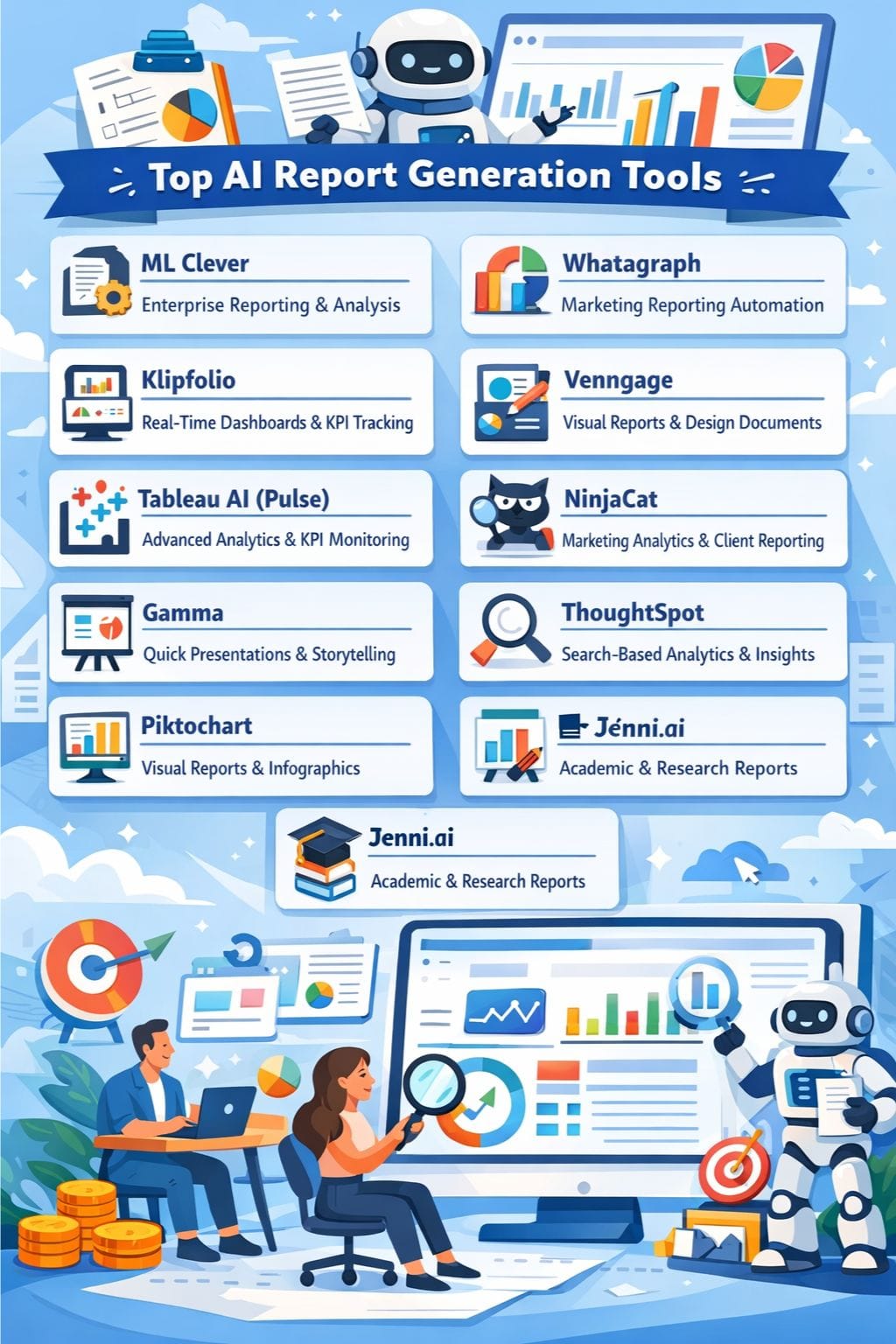
Quick Comparison: AI Report Tools
| Tool Name | Strengths | Limitations |
|---|---|---|
| ML Clever | Structured reporting, enterprise-grade analysis, unified platform | Not ideal for simple reports, better suited for teams |
| Whatagraph | Fast report generation, strong integrations, AI summaries | High pricing, limited design flexibility |
| Klipfolio | Custom dashboards, real-time data tracking, strong integrations | Requires technical skills, performance issues |
| Venngage | Easy visual reports, strong templates, brand consistency | Premium required for full features, needs manual edits |
| Tableau AI (Pulse) | Advanced analytics, real-time insights, strong governance | Expensive, best within Tableau ecosystem |
| NinjaCat | Marketing-focused analytics, clear dashboards, AI insights | Costly for small teams, can slow with large data |
| Gamma | Fast content creation, modern design, easy editing | Limited for complex data, export cleanup needed |
| ThoughtSpot | Search-based insights, scalable analytics, real-time data | Limited visualization options, needs structured data setup |
| Piktochart | Beginner-friendly, strong templates, AI visuals | Limited collaboration, restricted free plan |
| Jenni.ai | Academic writing support, citations, structured reports | Needs fact-checking, limited business use |
Why AI Report Tools Are Important
- Save Time: Reports are generated in minutes instead of hours
- Better Accuracy: AI reduces manual errors in data analysis
- Clear Insights: Converts complex data into simple explanations
- Consistency: Maintains brand tone and structure across reports
- Faster Decisions: Real-time updates help teams act quickly
ML Clever
ML Clever functions as a business intelligence platform that generates structured, evidence-based reports, along with dashboards and presentations, from data and document inputs through a single operational process.
It transforms user prompts into structured outlines, which include source material to produce executive summaries and official findings and recommendations through fast section-based editing.
Users can query the system in common English while generating multi-page reports with charts and tables, and create client-ready presentations and PDF documents from the same platform. The use of templates and playbooks enables teams to deliver standardized decision-ready reports.
Pros
- Strong structured reporting
- Reliable evaluation system
- Unified analytics platform
Cons
- Better suited for teams
- Not ideal for simple one-page drafts
Pricing
Request for Pricing (RFP)
Best for: Enterprise reporting & structured analysis
Whatagraph
The AI reporting tool, Whatagraph, generates dashboards and reports that present marketing data through its automatic process. The system extracts data from multiple sources and performs automatic data cleaning.
Users can create complete reports through a single command or by using the drag-and-drop interface. The team uses AI summaries together with chat-style questions to present their findings in a fast manner without having to analyze detailed data.
The automated insights system identifies the most important information to present. The reporting system maintains its professional appearance through automatic branding and its collection of pre-designed templates.
Pros
- Fast report creation
- Strong integrations
- AI summaries
Cons
- Expensive for agencies
- Limited customization
Pricing
| Plan | Pricing |
|---|---|
| Starter | $286/month |
| Boost | $724/month |
| Max | Custom |
Best for: Marketing reporting automation
Klipfolio
Klipfolio enables teams to create precise dashboards and client-ready reports by transforming real-time data into visualized information. The system connects to more than 100 data sources, which it combines with data processing abilities to provide AI chatbot functions and automated summary generation that simplifies result explanation through simple language.
You can create automated email deliveries of exports while providing stakeholders with access to shared links and the ability to download PDFs or images. The system requires initial effort to establish, but provides agencies and SaaS teams with a solution that lets them monitor multiple KPIs.
Pros
- Custom dashboards
- 100+ integrations
- Easy sharing
Cons
- Requires technical knowledge
- Performance issues
Pricing
| Plan | Pricing |
|---|---|
| Starter | $286/month |
| Boost | $724/month |
| Max | Custom |
Best for: Real-time dashboards & KPI tracking
 Muskaan Kapoor
Venngage
Venngage uses AI to transform a brief prompt into a polished report that matches brand standards. The tool manages all aspects of document creation from design to content development.
You retain complete authority over the situation. You can adjust the text, visuals, and tone to match different audience needs. Brand kits enable users to maintain uniformity in color palette, font selection, and logo display.
Users can choose between pre-designed templates and quick design creation through intelligent design tools. Teams create visual reports that take only minutes to complete instead of spending hours on the task.
Pros
- Easy prompt-based creation
- Large template library
- Strong branding tools
Cons
- Premium needed
- Requires manual edits
Pricing
| Plan | Pricing |
|---|---|
| Premium | $19/month |
| Business | $49/user/month |
| Enterprise | $499/month |
Best for: Real-time dashboards & KPI tracking
Tableau AI (Pulse)
Tableau AI with Pulse transforms data into a basic language that all users can comprehend. The system delivers insights to their existing tools, which enable teams to take swift action. The system detects emerging patterns and identifies key factors and unusual data points.
The system explains numerical changes by detailing both the causes and the specific elements that changed. Users can monitor important KPIs while receiving notifications about metric changes, which they can investigate through structured questions. The system uses built-in generative AI to maintain report content, which includes fresh and relevant information.
Pros
- Real-time insights
- Strong governance
- Natural-language explanations
Cons
- Expensive
- Works best with the Tableau ecosystem
Pricing
Request for Pricing (RFP)
Best for: Advanced analytics & KPI monitoring
Rishi Mundra
NinjaCat
NinjaCat serves as a marketing analytics platform that unifies advertising data from multiple channels into a centralized system. The system creates understandable dashboard displays and basic reporting tools from the collected data.
The AI Insights Generator uses brief storytelling to explain performance results. The system identifies patterns while it reduces time requirements for standard reporting tasks.
Agencies can reuse templates and schedule reports to run on their own. Teams can track budgets and monitor all campaigns from a single view. This system operates without requiring users to do manual data exports or work with disorganized spreadsheet documents.
Pros
- Clear dashboards
- Marketing-focused
- AI explanations
Cons
- Expensive
- Slows with large dashboards
Pricing
Request for Pricing (RFP)
Best for: Advanced analytics & KPI monitoring
Gamma
Gamma converts unfinished concepts into complete professional documents, which include reports, decks, and documents within a time frame of minutes. You can begin your work by entering basic instructions or by bringing in your document.
Gamma creates the entire design framework together with its visual elements and design style for your use. This feature allows you to concentrate on storytelling while bypassing the need to make slide presentations.
The AI editor enables you to quickly transform content through three different methods, which include rewriting, shortening, and expanding content. You can create interactive components that all users can access.
Pros
- Fast draft generation
- Clean design
- Smart layouts
Cons
- Weak for complex data
- Export cleanup needed
Pricing
| Plan | Pricing |
|---|---|
| Plus | $12/seat/month |
| Pro | $25/seat/month |
| Ultra | $100/seat/month |
Best for: Quick presentations & storytelling
ThoughtSpot
ThoughtSpot enables all business users to create interactive reports from their raw data through its AI and search capabilities. Users can enter their questions using common language to receive immediate visual data, patterns, and system-generated analysis.
SpotIQ examines extensive data sets to identify unusual patterns and important factors that create predictions that users would not observe in traditional dashboard displays. The platform enables teams to incorporate real-time data analysis into their products and operational processes while maintaining security through controlled access to validated information.
The solution offers users fast access to reports through self-service capabilities.
Pros
- Instant insights
- Strong analytics
- Scalable governance
Cons
- Limited visuals
- Needs data setup
Pricing
| Plan | Pricing |
|---|---|
| Essentials | $25/user/month |
| Pro | $50/user/month |
| Enterprise | Contact Sales |
Best for: Search-based analytics & insights
Vivek Dev Jacob
Piktochart
Piktochart uses AI to create visual reports from text and data within a time frame of three minutes. You don’t need design skills to get started. Users must first provide a brief prompt or file their content.
The platform offers business and finance, and marketing template options for users to select from. The drag-and-drop editor makes edits easy.
The user interface enables quick modifications for layout design, color selection, icon changes, and chart updates. The system allows users to create multi-page documents, which assist in creating comprehensive reports.
Pros
- Beginner-friendly
- Strong templates
- AI-generated visuals
Cons
- Limited collaboration
- Free plan restrictions
Pricing
| Plan | Pricing |
|---|---|
| Pro | $29/member/month |
| Business | $49/member/month |
| Enterprise | Custom |
Best for: Search-based analytics & insights
Jenni.ai
Jenni.ai transforms research materials, data, and rough notes into organized report documents. The document maintains a serious academic style while including appropriate scholarly references.
The tool helps you move fast from an idea to a finished draft. The system provides users with tools for creating outlines and writing paragraphs, conducting PDF discussions, and generating automatic source citations.
The built-in editing tools enable users to enhance their writing through improved clarity and grammar, and better flow of their content. The system provides users with two functions that display main points and opposing arguments.
Pros
- Strong academic support
- Auto citations
- PDF insights
Cons
- Needs fact-checking
- Limited business use
Pricing
| Plan | Pricing |
|---|---|
| Unlimited | $30/month |
| Team & Institutional | Custom |
Best for: Academic & research reports
Final Thoughts
The current state of AI proposal tools functions as the main component for contemporary deal-making processes, which transform lengthy and mistake-prone procedures into quick and precise sales advantages for entrepreneurs and sales teams.
The software enables teams to create precise proposals together with exact pricing structures and customer proof elements that fulfill their unique needs. The win rates increase while stress levels decrease, and brand identity remains constant throughout all presentations when organizations implement these tools according to effective strategic plans and human decision-making processes.
The teams that acquire these skills today will advance their work rate.
FAQs
What are AI report generation tools?
AI report generation tools convert raw data into structured reports with summaries, visuals, and insights automatically.
Can AI tools create reports from multiple data sources?
Yes, many tools integrate with different platforms to collect, clean, and analyze data from multiple sources in one place.
Are AI report tools useful for non-technical users?
Yes, most tools use simple language prompts and visual dashboards, making them easy for beginners to use.
Do AI report tools improve decision-making?
Yes, they highlight key trends and insights quickly, helping teams make faster and more informed decisions.