
How Brands Reuse Old Product Videos with Vmake AI Video Enhancers
📰 News
Marketing budgets are tight. Brands often have libraries of old product videos that sit unused. Reshooting every clip wastes time and money. Instead, forward‑thinking teams now turn old footage into fresh content. They do this by enhancing quality and cleaning visuals with smart tools.
One leader in this space is Vmake, a video toolkit that helps brands upgrade old product videos without reshooting them.
Vmake works in a web browser. It gives tools that help fix blurry footage, scale low‑res clips, and erase unwanted marks. Brands can reuse videos for social ads, online shops, and product pages. The result feels polished and modern. With tools like the free video enhancer and AI watermark remover, Vmake helps product clips look new again.
Old Footage vs. Fresh Shoot: How the Numbers Stack Up
Here's an honest comparison of what brands are looking at when they decide between reshooting and upgrading:
The gap widens fast when a brand has dozens or hundreds of product videos to refresh. Reshooting at scale is a budget nightmare. Enhancement at scale is a workflow decision.
Tools That Bring Old Videos Back to Life
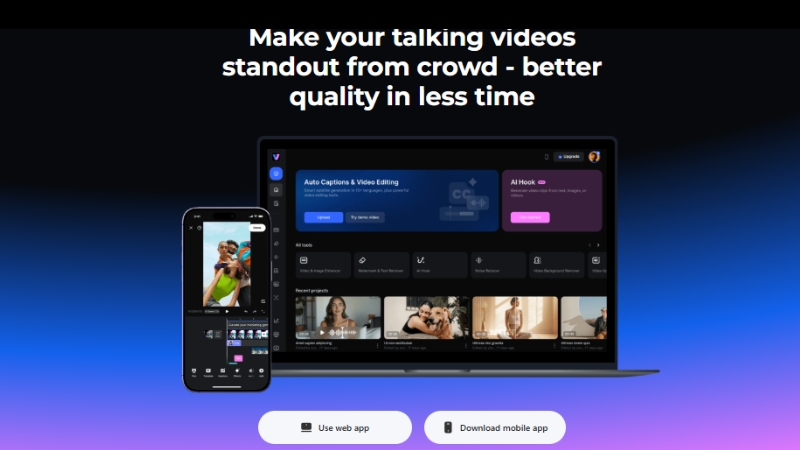
Vmake is a multi‑tool platform for video creators and brands. It includes systems that enhance video quality and clean visuals fast. The interface is simple and built for everyday use. Brands don’t need expert editing skills to get better visuals.
Vmake offers features like:
- Video enhancer (clarity, color, sharpness)
- Video watermark remover
- Background remover
- Auto captions and transcript tools
- Upscaler for higher resolution exports
These features help brands reuse old footage for ads, product pages, or social posts.
How to Actually Run This Workflow
Here's the step-by-step process brands use to turn old product footage into current-quality assets:
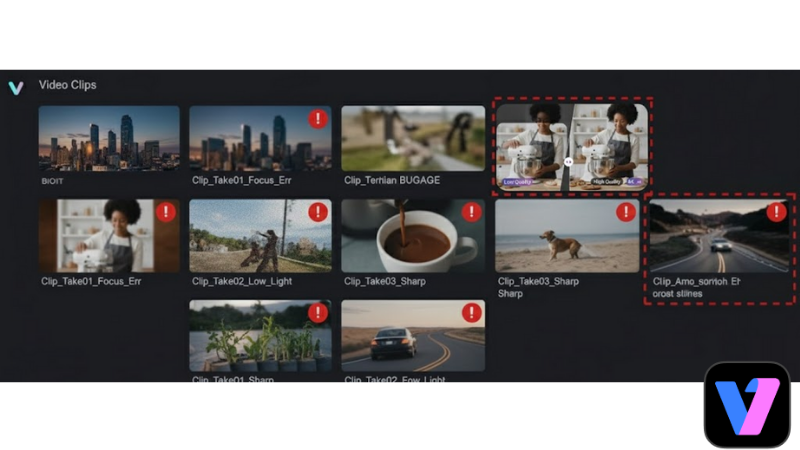
Step 1: Gather existing footage.
Scan your video archive. Pick clips that still show the product correctly but fall short on resolution or overall polish.
Step 2: Remove marks and overlays
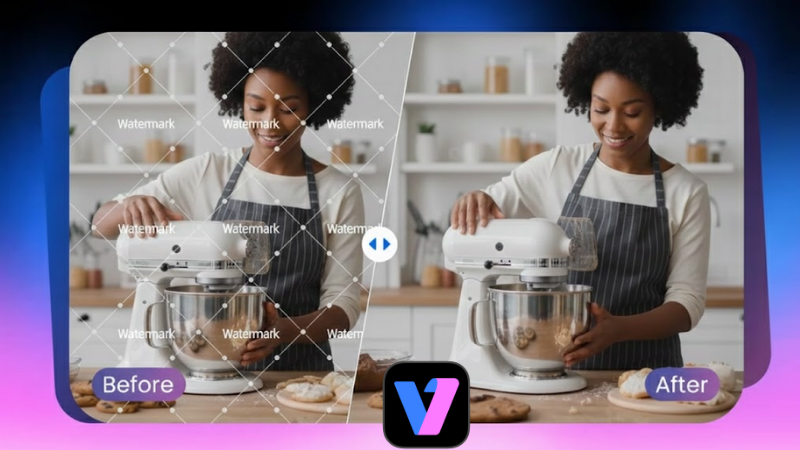
Clean the footage before any visual upgrades. Open Vmake video watermark remover and upload your selected clips. The tool removes logos, timestamps, captions, and any old branding that no longer fits. Take a moment to check the preview. Make sure all visible marks are gone before moving forward.
Step 3: Enhance the video quality.
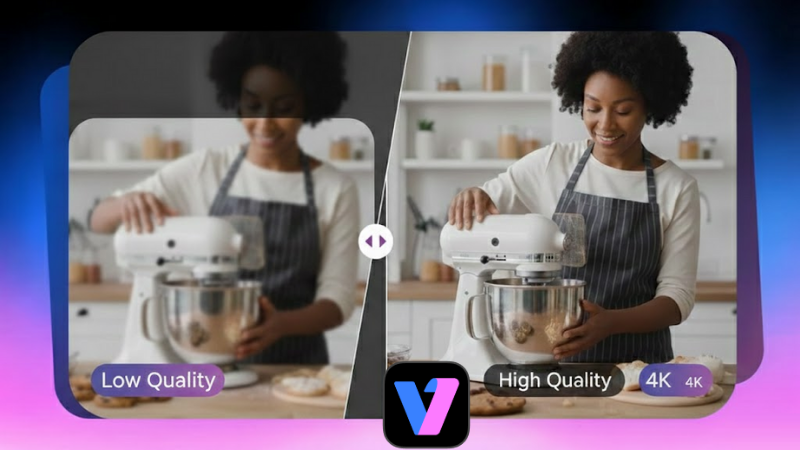
Move the cleaned files to the Vmake video enhancer. It cleans up the footage without changing how it looks. The image looks clearer, details don’t blur as much, and shaky moments feel toned down. Pick the export quality that fits your platform.
Step 4: Review and export.
Watch the final version. Make small format or timing changes if needed. Export the file. Final files can be saved in 2K, 4K, or 4K+.
Tips for Better Results
- Start with the highest quality source available
- Export in the resolution your platform prefers
- Preview before publishing on ads or stores
- Use consistent color grading across clips
Better visuals build trust. These small moves help brand videos stand out.
Platform Compatibility: Where Your Upgraded Videos Can Go
One of the biggest advantages of AI-enhanced product videos is how well they fit into multi-platform distribution. A single upgraded clip can be reformatted and redeployed across several channels at once.
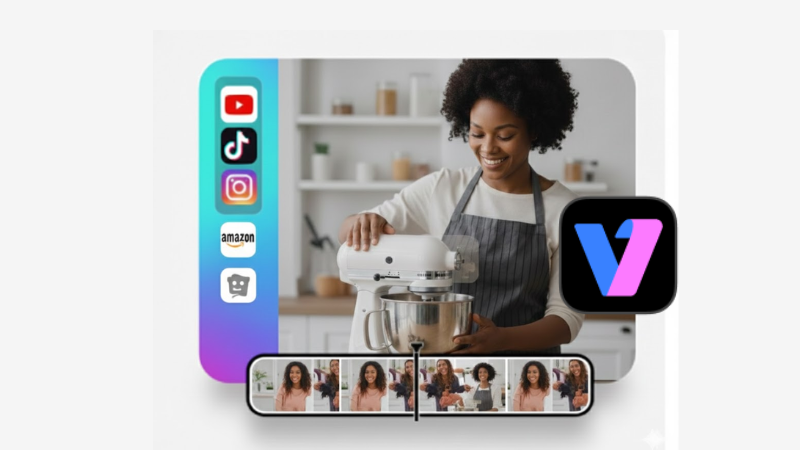
Vmake supports output tailored for the major platforms brands actually sell on:
- Amazon: Product listing videos need specific resolutions and aspect ratios. Vmake's enhanced clips meet those specs cleanly.
- Shopify stores: Product page videos benefit from crisp 4K visuals. Old footage enhanced through Vmake looks native to the platform.
- Instagram and TikTok: Short-form product clips need to be sharp enough to stop a scroll. Enhanced footage holds up on mobile screens where compression is aggressive.
- YouTube: Longer product demos and brand videos look noticeably better when upscaled from old recordings.
The same source clip can serve all of these destinations. You enhance it once. Then you format it for each platform as needed.
Common Questions Brands Ask Before Starting
Can Vmake handle supplier-provided footage?
Yes. Supplier clips, influencer content, and self-shot product demos all work. The watermark remover strips out supplier logos and branding. The enhancer cleans up whatever quality issues came with the original file.
Does enhancement change the product's actual appearance?
No. The Vmake sharpens and restores what's already in the frame. It doesn't add or alter product details. A blue jacket stays blue. A matte finish stays matte.
What video formats does Vmake accept?
MP4, MOV, M4V, 3GP, and AVI. These cover the vast majority of footage brands already have saved.
Will the enhanced video look obviously processed?
The result looks natural and clean, not artificial. The footage keeps its original look, just sharper and more refined. The AI targets technical flaws — not the overall aesthetic.
Can I use Vmake for batch editing across a product catalog?
Absolutely. Instead of handling files one by one, you can process several videos in a single run. That alone cuts hours off the workflow for larger catalogs.
The Bottom Line
Reshooting is an option. It's an expensive one.
Vmake's Video Enhancer rebuilds old product footage into 4K+ quality. The Watermark Remover strips out everything that shouldn't be there. Together, they turn a two-year-old clip into something that looks like it was shot this week.
The pricing is accessible. The workflow takes minutes. And the results hold up across every major platform brands sell on.
Your old product videos aren't dead assets. They're waiting to be upgraded.
Start at vmake.ai, browser-based, no install required, results in minutes.
 Rishi Mundra