

Top AI Video Summarization Tools: Compare Features, Pricing & Picks
lists-rankings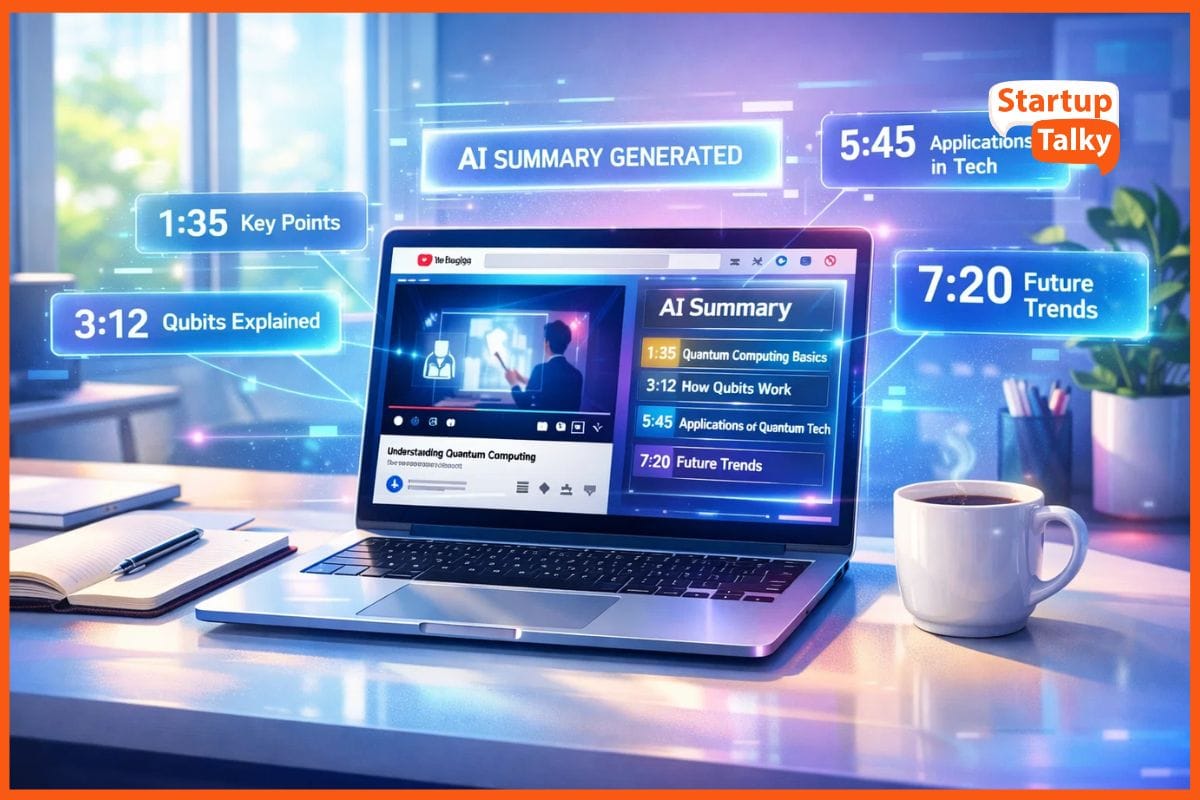
The digital world revolves largely around video content. Whether it is a three-hour technical lecture on YouTube, a deep-dive marketing podcast, or a series of internal corporate training sessions, the sheer volume of content is overwhelming. I have found that keeping up with everything is practically a full-time job. This is where AI video summarization tools have become my absolute lifesavers.
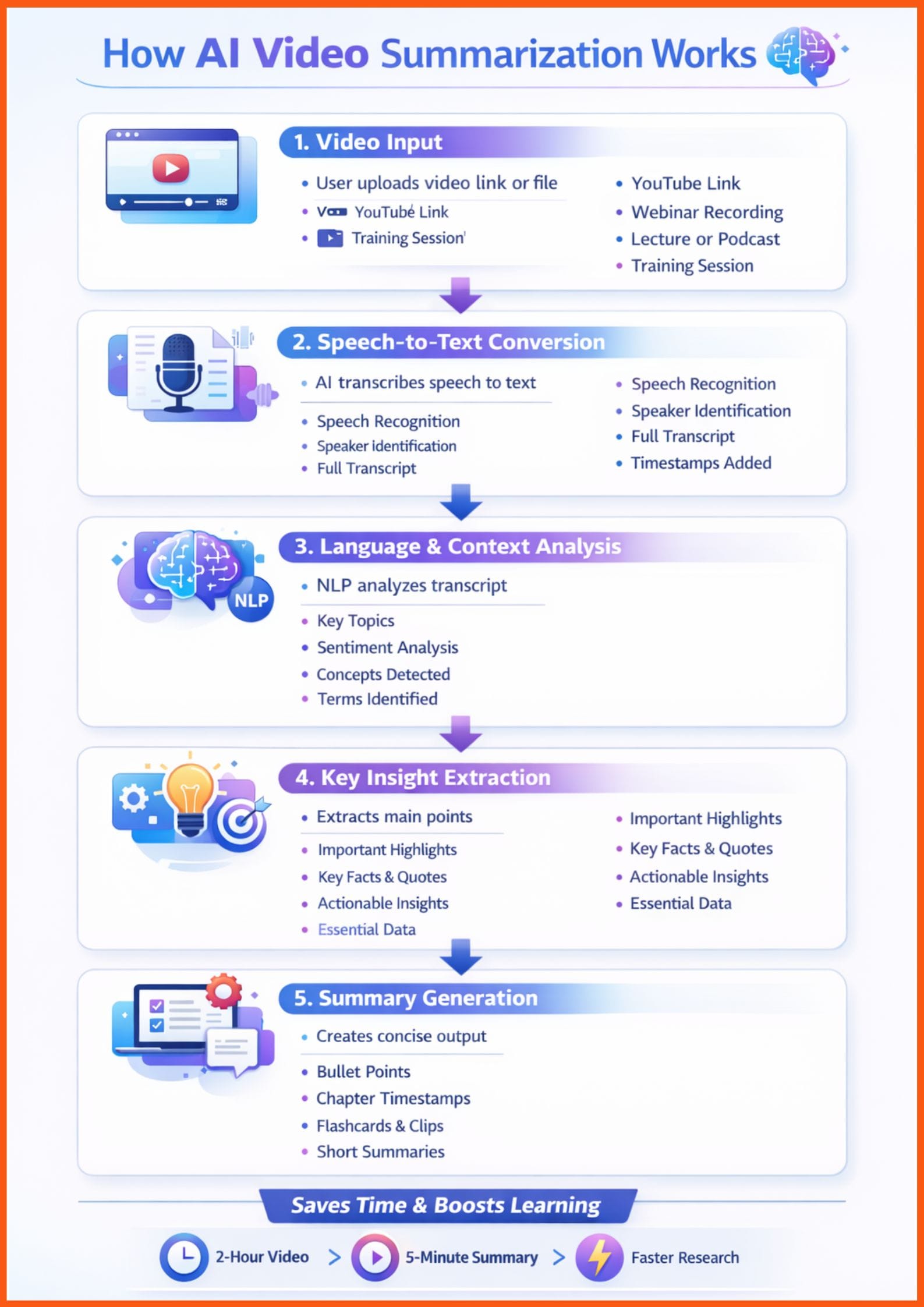
These tools use advanced natural language processing to "watch" videos for you, extracting the core ideas, timestamps, and even creating study materials in seconds. For students, researchers, and busy professionals, they are no longer just a luxury, they are a necessity for survival in the information age.
Top AI Video Summarization Tools Comparison
| Tool Name | Summary Types | Max Video Length | Free Tier Available | Starting Price | Best For |
|---|---|---|---|---|---|
| NoteGPT | Text, Notes | 3+ Hours | Yes | $8/month | Students |
| Mindgrasp | Text, Quizzes | 4+ Hours | 4-Day Trial | $9.99/month | Academic Study |
| Eightify | Text, Insights | Unlimited | Yes (Limited) | $5/month (Annual) | Quick Insights |
| Descript | Text, Video | Unlimited | Yes | $15/month | Professionals |
| Pictory | Video, Text | 3+ Hours | Trial (3 Projects) | $29/month | Marketers |
How I Chose These Tools
When I set out to find the best tools for this list, I did not just look at the most popular names. I tested over 50 different videos ranging from short tutorials to marathon-length webinars, to see which tools actually held up under pressure. My evaluation criteria were strict because I know how frustrating a "hallucinated" summary can be. I focused on summary quality, processing speed, language support, and value for money. I also looked for unique integrations like Chrome extensions that live right on YouTube or tools that turn summaries into interactive quizzes. In my experience, the best tool is the one that fits seamlessly into your existing workflow without adding extra steps.
Best AI Video Summarization Tools
NoteGPT: The Ultimate Learning Companion
NoteGPT positions itself as a comprehensive AI learning assistant designed to help users "learn 10x faster." In my testing, it lived up to this claim by providing some of the most structured notes I have seen. It does not just give you a block of text; it organizes the video into logical sections with associated timestamps.
Key Features:
- Instant AI-generated summaries with hierarchical bullet points.
- Integrated AI Chat that allows you to ask specific questions about the video content.
- A robust Chrome extension that displays summaries directly on the YouTube interface.
- Support for over 40 languages, making it ideal for global content.
| Pros | Cons |
|---|---|
| Extremely accurate timestamping for easy navigation. | The user interface can feel a bit cluttered with too many options. |
| Excellent integration with note-taking apps like Notion. | Most of the "power features" are locked behind the paid tier. |
Best Use Case: Ideal for students and lifelong learners who need to turn educational videos into structured study notes.
 Muskaan Kapoor
Mindgrasp: The Academic Powerhouse
Mindgrasp is widely regarded as the premier AI learning assistant for those in academia. It goes far beyond simple text summaries by analyzing the underlying concepts of a video to create a full suite of educational materials. When I uploaded a complex physics lecture, it did not just summarize it; it created a set of flashcards for me to study.
Key Features:
- Automatic generation of flashcards and quizzes based on video content.
- An "AI Tutor" feature that provides context-aware answers to your questions.
- Support for multiple file types, including video, audio, and PDFs.
- Live recording capabilities for capturing and summarizing in-person lectures.
| Pros | Cons |
|---|---|
| The most comprehensive tool for active learning and retention. | The free trial is very short, lasting only four days. |
| Supports a wide variety of input formats beyond just YouTube. | The subscription price is higher than basic summarizers. |
Best Use Case: Best for academic students and researchers who need to master complex subjects quickly.
Eightify: The Professional’s Shortcut
If you are a busy professional who just needs the "TL;DR" of a video before deciding to watch it, Eightify is your best bet. It is the most streamlined tool I tested, focusing on speed and simplicity. It lives as a button right under the YouTube player, and one click gives you the eight most important insights from the video.
Key Features:
- One-click "Key Insights" generation directly on the YouTube page.
- Sentiment analysis of the comment section to see viewer consensus.
- Timestamped summaries that allow you to jump to the most relevant parts.
- A dedicated mobile app for summarizing videos on the go.
| Pros | Cons |
|---|---|
| The fastest and most intuitive workflow of any tool on this list. | Limited customization options for the summary format. |
| Great for quickly vetting long podcasts or news segments. | Free users are limited to a small number of summaries per week. |
Best Use Case: Ideal for busy professionals and casual viewers who want to save time on YouTube.
Descript: The Creator’s Studio
Descript is a bit of a wildcard because it is primarily a video editor, but its AI summarization features are world-class. It uses a "text-based editing" philosophy where you edit the video by editing the transcript. For professionals who need to summarize their own content or repurpose it for different platforms, Descript is unmatched.
Key Features:
- Automatic transcription with industry-leading accuracy.
- "Underlord" AI assistant that can summarize, title, and chapter your videos.
- Ability to remove filler words (like "um" and "uh") with one click.
- Studio-quality audio cleanup and voice cloning features.
| Pros | Cons |
|---|---|
| Powerful enough to handle professional-grade production. | Has a steeper learning curve than simple browser-based tools. |
| Excellent for repurposing long videos into short social clips. | The pricing reflects its status as a professional tool. |
Best Use Case: Best for content creators and podcasters who need to summarize and edit their own work.
Rishi Mundra
Pictory: The Marketer’s Secret Weapon
Pictory takes summarization into the visual realm. Instead of just giving you a text summary, it can actually "watch" a long video and automatically cut it into a short, high-impact highlight reel. In my experience, this is the best tool for turning a 60-minute webinar into a 2-minute teaser for social media.
Key Features:
- AI-powered "Video Highlights" that extract the most engaging segments.
- Automatic captioning and subtitle generation in multiple styles.
- Script-to-video and article-to-video creation tools.
- Access to a massive library of stock footage and music.
| Pros | Cons |
|---|---|
| Unbeatable for social media marketing and content repurposing. | Less focused on providing a detailed text-based transcript. |
| Saves hours of manual video editing time. | The "Starter" plan is relatively expensive compared to text tools. |
Best Use Case: Ideal for marketing teams and social media managers looking to boost engagement.
Personal Experience & Examples
In my daily workflow, I find myself reaching for Eightify the most. When I used it to summarize a recent two-hour tech keynote, it gave me a perfectly accurate breakdown of the three new product launches in under ten seconds. It saved me from sitting through ninety minutes of marketing fluff. However, when I am trying to learn a new skill, like advanced Python coding, Mindgrasp is my go-to. The ability to generate a quiz after watching a tutorial ensures that I actually understood the material rather than just passively watching it. I noticed that while NoteGPT is great for general notes, Mindgrasp’s "AI Tutor" provides much deeper context when you ask follow-up questions.
Final Recommendation
I think the "best" tool really depends on what you are trying to achieve. If I had to pick just one for the average user, NoteGPT offers the best balance of features and price. However, if you are a student, I strongly recommend investing in Mindgrasp for its superior study tools. For those on a tight budget, Eightify’s annual plan is an absolute steal at roughly $5 per month. Finally, for the professionals and creators out there, Descript is the only tool that provides the level of control and quality needed for high-stakes projects.
Conclusion
As we move further with time, the ability to quickly digest video content is becoming a competitive advantage. AI video summarization tools have evolved from simple transcription services into intelligent assistants that can teach, edit, and market for us. Looking ahead, I expect these tools to become even more integrated into our operating systems and browsers, perhaps even summarizing videos in real-time as we scroll through our feeds. For now, picking one of these top tools will give you back hours of your week and help you stay ahead of the curve.
FAQs
What are the best AI video summarization tools?
Some of the best AI video summarization tools include NoteGPT for structured study notes, Mindgrasp for academic learning and quizzes, Eightify for quick YouTube insights, Descript for creators and editors, and Pictory for marketing-focused video highlights. The right choice depends on whether you need study support, professional editing, or fast summaries.
Are there free AI tools that summarize YouTube videos?
Yes, several AI video summarizers offer free tiers or trials. NoteGPT and Descript provide free plans with limited features, Eightify offers limited free summaries per week, and Mindgrasp provides a short free trial. These options are useful for testing before committing to a paid plan.
How accurate are AI video summarization tools?
Modern AI video summarization tools use advanced natural language processing and transcription models, making them highly accurate for structured summaries and timestamps. However, accuracy can vary depending on audio quality, accents, and video complexity. Tools like Mindgrasp and NoteGPT tend to perform better for educational and technical content.