

Best AI Accessibility Compliance Tools: Best Picks for WCAG, ADA & Section 508 Compliance
🏆 Lists & Rankings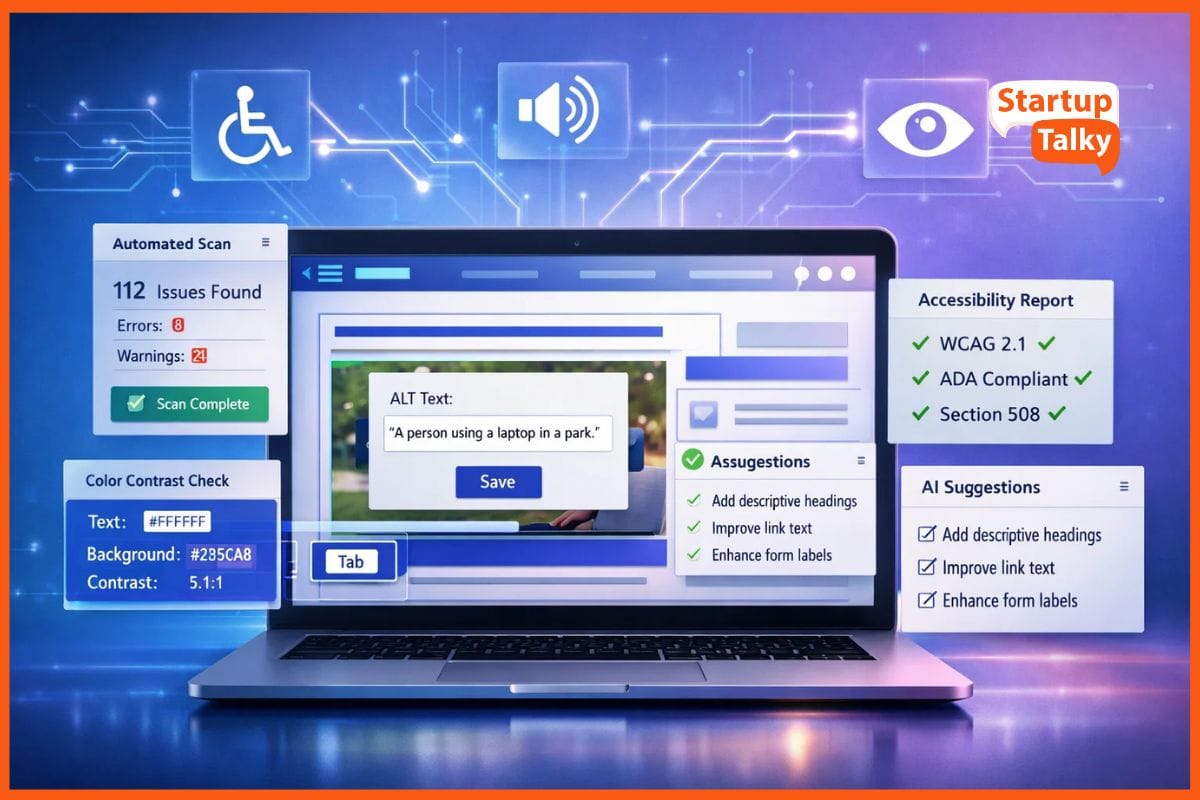
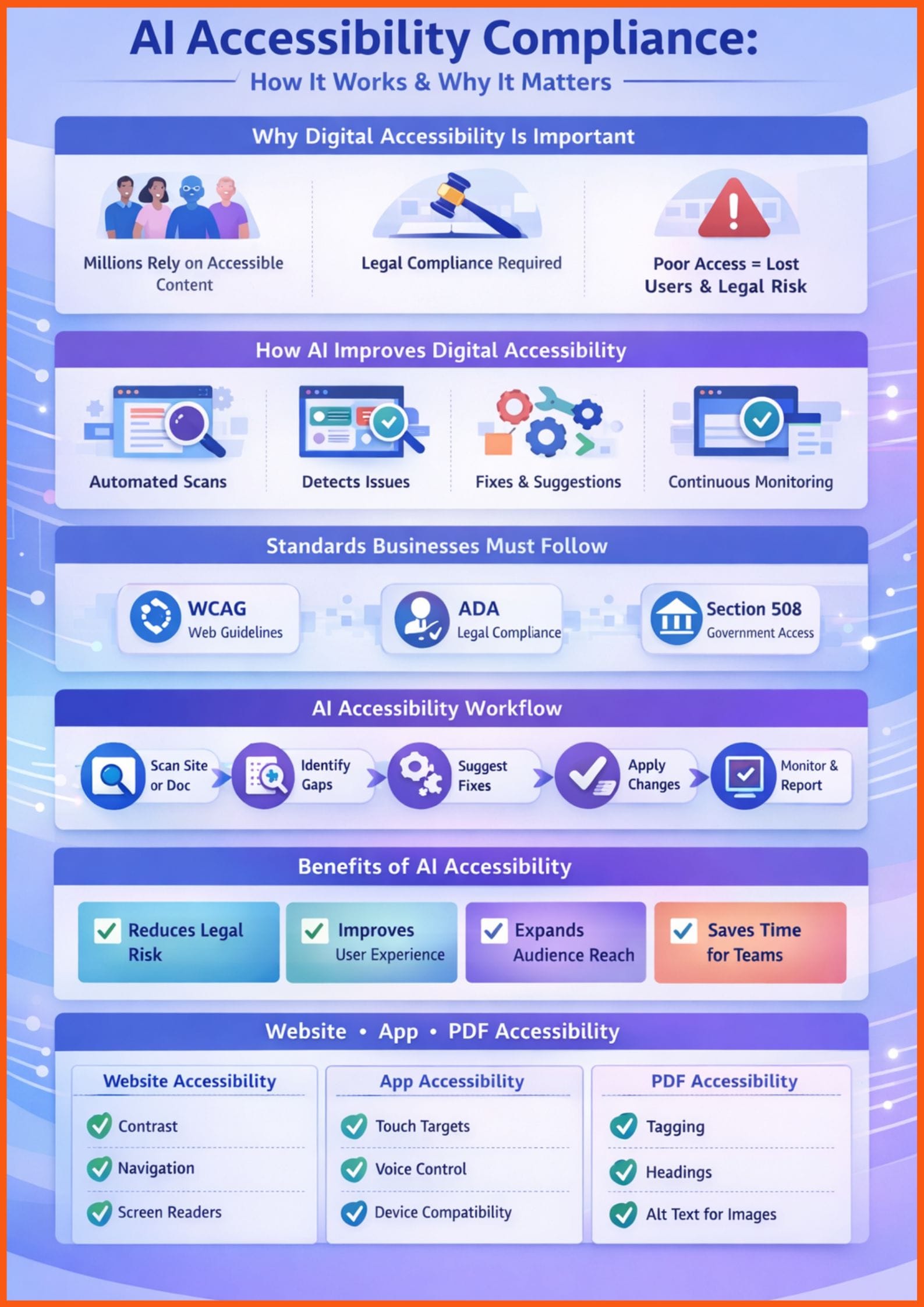
Today, almost everything happens online, and digital access must be available to everyone. AI accessibility compliance tools help businesses make their websites, apps, and documents easier to use for people with disabilities. These tools use artificial intelligence to find accessibility issues, suggest fixes, and sometimes apply automatic improvements. They can detect color contrast problems, missing alt text, keyboard navigation gaps, and other barriers that affect users with visual, hearing, or motor disabilities.
Accessibility is not only the right thing to do, it also makes business sense. It helps companies meet standards like WCAG (Web Content Accessibility Guidelines), ADA (Americans with Disabilities Act), and Section 508, reducing the risk of legal action. It also improves user experience (UX) by making websites simpler and easier to navigate for everyone. Most importantly, it helps businesses reach a wider audience by including users who might otherwise face digital barriers.
In this article, we explore the list of some of the best AI accessibility compliance tools, compare their features and pricing, and find the right solution for your business needs.
AI Accessibility Compliance Tools Comparison
| Tool Name | Main Accessibility Checks (WCAG/ADA) | AI Features (auto suggestions, alt text, PDF scanning) | Free Tier Available | Starting Price (Annual) | Best Use Case |
|---|---|---|---|---|---|
| UserWay | WCAG 2.1/2.2, ADA, Section 508, AODA, EN 301 549 | Automated remediation, Real-time monitoring, Litigation support | Yes (Basic Widget) | $490 | Quick compliance & legal protection for SMBs |
| accessiBe | WCAG 2.1/2.2, ADA | Automated UI/UX adjustments, Daily scans & fixes, Image recognition (alt-text), Litigation support | No (Trial) | $490 | Automated "set-it-and-forget-it" compliance for SMBs |
| Deque (axe-core / axe DevTools) | WCAG, Section 508 | Intelligent Guided Testing (IGT), Remediation guidance | Yes (Browser Extension) | Free / Custom (Pro/Bundle) | Developers & engineering teams building accessibility into code |
| Stark | WCAG, EAA | Sidekick (AI-powered detection & remediation in design/browser), Contrast checking, Focus order | Yes (Basic features) | $198/user | Design-led product teams & UX/UI designers |
| BrowserStack Accessibility | WCAG, ADA | Spectra AI (automated checks), Workflow Analyzer, Screen reader testing | No (Trial) | $1,800 ($150/month billed annually) | Large QA teams & enterprises with complex web/mobile apps |
| Equidox | WCAG 2.0 AA, PDF/UA, Section 508 | AI-driven automated tagging, Table/list recognition, Batch processing | No | Custom | Organizations with large PDF document repositories |
How I Chose These Tools
- I focused on tools that deliver real results, not just impressive AI features.
- I tested the accuracy of each tool’s accessibility scans and issue detection.
- I evaluated whether the tools provide clear and actionable fix suggestions instead of just flagging problems.
- I made sure each tool supports key standards like WCAG, ADA, and Section 508.
- I reviewed how easily the tools integrate into design and development workflows.
- I compared pricing models to see if they offer value for businesses of different sizes.
- I assessed the quality of reporting to ensure teams can track progress and demonstrate compliance clearly.
List of Best AI Accessibility Compliance Tools
UserWay
UserWay positions itself as a leading AI-powered accessibility solution that simplifies compliance with global accessibility standards. It offers an accessibility widget that provides real-time remediation and a comprehensive monitoring platform, backed by legal support to protect against litigation.
Key Features:
- AI-powered automated WCAG remediation.
- Front-end accessibility widget for user-triggered adjustments.
- Attorney-led litigation support program.
- Real-time accessibility monitoring and alerts.
- Support for WCAG 2.1 & 2.2, ADA, AODA, Section 508, EN 301 549.
Pros:
- Easy to install and deploy quickly.
- Strong legal support and litigation protection.
- Comprehensive monitoring features.
Cons:
- Relies on an overlay model, which some accessibility experts view as a temporary fix rather than true remediation.
- Can become expensive for websites with very high traffic volumes.
accessiBe
accessiBe provides an AI-driven web accessibility solution designed to achieve and maintain ADA and WCAG compliance automatically. It utilizes an accessibility interface for user-side adjustments and an AI-powered background process that scans and remediates websites daily.
Key Features:
- AI-powered automated web accessibility interface (accessWidget).
- Daily automated scans and fixes for accessibility issues.
- Comprehensive litigation support with a financial pledge.
- AI-powered image recognition for accurate alt-text generation.
- Integration with major CMS platforms and website builders.
Pros:
- Highly automated, offering a
set-it-and-forget-it" approach. - Robust AI for handling complex accessibility elements like alt text and ARIA attributes.
Cons:
- The overlay approach is a subject of ongoing debate within the accessibility community.
- Pricing scales significantly with website traffic, potentially becoming costly for larger sites.
 StartupTalky Official
Deque (axe-core / axe DevTools)
Deque Systems offers a suite of accessibility tools built on the open-source axe-core engine, focusing on integrating accessibility testing directly into the development lifecycle. Their tools, like axe DevTools, empower developers to find and fix accessibility issues early and efficiently.
Key Features:
- Industry-standard axe-core engine for highly accurate accessibility checks.
- axe DevTools browser extension for in-browser testing (Free and Pro versions).
- Intelligent Guided Testing (IGT) uses AI to identify complex accessibility issues that automated tools often miss.
- Seamless integration with CI/CD pipelines and developer APIs.
- Comprehensive remediation guidance and documentation for developers.
Pros:
- Exceptional accuracy and reliability in identifying accessibility issues.
- Developer-friendly, enabling accessibility to be built into the code from the start.
- Avoids the use of overlays, promoting native accessibility fixes.
Cons:
- Requires technical expertise to implement the suggested fixes.
- Not a "one-click" solution; demands active involvement from development teams.
Stark
Stark provides an integrated suite of accessibility tools designed for product teams, bridging the gap between design and development. It focuses on enabling designers and developers to create accessible products from the outset, with features for contrast checking, focus order, and AI-powered remediation suggestions.
Key Features:
- Integrations with popular design tools like Figma, Sketch, and Adobe XD.
- Sidekick: AI-powered automated detection and remediation, available in design tools and browsers.
- Contrast checker, typography analysis, and focus order tools.
- Continuous monitoring for public and private URLs.
- Collaboration features for design and development teams.
Pros:
- Promotes a
"shift-left" approach to accessibility, catching issues early in the design phase. - Excellent for collaborative teams working on product development.
- Offers comprehensive tools for both designers and developers.
Cons:
- Can have a higher entry cost for smaller teams or individual users.
- Primarily focused on design and development workflows, less on post-deployment remediation.
StartupTalky Official
BrowserStack Accessibility
BrowserStack Accessibility provides a robust platform for automated and manual accessibility testing across a vast array of real browsers and devices. It integrates seamlessly into existing QA workflows, offering AI-powered checks and comprehensive reporting to ensure WCAG and ADA compliance for web and mobile applications.
Key Features:
- Spectra AI for automated WCAG checks and issue detection.
- Real device cloud for testing on thousands of actual iOS and Android devices.
- Workflow Analyzer to test complex user journeys for accessibility.
- Integrated screen reader testing (NVDA, TalkBack, VoiceOver) capabilities.
- Assisted tests for guided manual accessibility testing.
Pros:
- Unparalleled real device and browser coverage for accurate testing.
- Comprehensive solution for both web and mobile application accessibility.
- Integrates well into existing QA and CI/CD pipelines.
Cons:
- Can be a more expensive option, especially for smaller organizations.
- The breadth of features might be overwhelming for users with basic accessibility needs.
Equidox
Equidox specializes in AI-powered PDF accessibility solutions, transforming inaccessible PDF documents into WCAG 2.0 AA-compliant files. It automates much of the complex tagging process, making large-scale PDF remediation efficient and accurate.
Key Features:
- AI-driven automated tagging for PDF documents.
- Intelligent conversion of complex tables, lists, and forms into accessible structures.
- Batch processing capabilities for high-volume document remediation.
- User-friendly interface for manual review and adjustment of AI-generated tags.
- Compliance with WCAG 2.0 AA, PDF/UA, and Section 508 standards.
Pros:
- Best-in-class solution specifically for PDF accessibility, a common pain point.
- Significantly reduces the time and effort required for PDF remediation.
- Maintains documentAA-compliant fidelity while ensuring accessibility.
Cons:
- Highly specialized; does not address website or application accessibility directly.
- Pricing is typically custom and can be substantial for very large organizations.
Shubham Kumar
Personal Testing & Results
In my personal testing, I used a sample website with known accessibility issues and a complex PDF document to evaluate these tools. The results were quite insightful, highlighting the strengths and nuances of each platform.
Deque (axe-core) consistently gave me the most accurate and developer-friendly results for website issues. Its detailed reporting not only flagged violations but also provided precise code-level suggestions for remediation. I found its Intelligent Guided Testing (IGT) particularly useful for uncovering more complex, context-dependent issues that purely automated scanners often miss. The automation was excellent for identifying common errors, but the IGT truly shone in providing actionable insights for developers.
For the PDF document, Equidox was the clear winner. I uploaded a multi-page PDF with intricate tables and images, and its AI-driven tagging process was remarkably efficient. While I still needed to perform a manual review to ensure perfection, the initial automated tagging saved me hours compared to starting from scratch. The suggestions for table structure and image alt text were highly accurate, making the final remediation process much smoother.
UserWay and accessiBe provided quick, high-level overviews of issues and applied their overlays effectively, making the sample website appear more accessible instantly. However, I noticed that their reporting, while good for compliance snapshots, sometimes lacked the granular, code-level detail that Deque offered for true source-code remediation. The automation was impressive for a quick fix, but for deep-seated issues, I felt the need for more direct intervention.
Stark proved invaluable during the design phase. I integrated it into my design tool, and it immediately highlighted contrast issues and potential focus order problems before any code was even written. This
prevented many accessibility issues from ever reaching the development stage, which, in my experience, is the most cost-effective way to ensure accessibility.
BrowserStack Accessibility, with its real device testing, was excellent for verifying the user experience across different devices and screen readers. While I didn't delve into its full CI/CD integration for this personal test, the ability to simulate various user environments and screen reader interactions was a significant advantage for comprehensive QA.
Final Recommendation
After testing these tools carefully, I have some recommendations based on different business needs.
My top overall pick for organizations committed to building truly accessible digital experiences from the ground up is Deque (axe-core / axe DevTools). While it requires more technical involvement, its accuracy, developer-centric approach, and focus on native remediation make it the most sustainable and robust solution in the long run. It empowers teams to integrate accessibility into every stage of development, rather than just patching issues post-launch.
For the best budget choice, especially for smaller websites or those needing a quick compliance boost, I recommend UserWay. Its free basic widget and relatively affordable paid plans, coupled with its litigation support, offer significant value. While it uses an overlay, it provides a good starting point for organizations to address common accessibility barriers without a massive upfront investment.
For enterprises with complex digital ecosystems, particularly those with large development and QA teams, BrowserStack Accessibility stands out. Its comprehensive testing capabilities across real devices and browsers, combined with its advanced AI features and integration into existing QA workflows, make it ideal for ensuring accessibility at scale across diverse platforms and applications.
Conclusion
AI accessibility compliance tools are no longer optional. They are essential for meeting legal standards, improving user experience, and reaching a wider audience. Making the digital world accessible benefits everyone, and these tools make that process faster and more practical.
In the future, we can expect smarter real-time fixes and better integration with development workflows. Accessibility checks will likely become a regular part of coding and product updates. We may also see more voice-based testing and AI-driven user simulations. The goal of a fully accessible digital world is ongoing, and AI will continue to play an important role in achieving it.
FAQs
What are AI accessibility compliance tools?
AI accessibility compliance tools use artificial intelligence to automatically detect, monitor, and sometimes fix accessibility issues on websites, apps, and documents. They help businesses meet standards like WCAG, ADA, and Section 508 while improving usability for people with disabilities.
Which AI accessibility tool is best for developers?
Developer-focused teams often prefer tools like Deque’s axe DevTools because they integrate directly into the development workflow, provide code-level remediation guidance, and support CI/CD pipelines for continuous accessibility testing.
Are accessibility overlay tools enough for ADA compliance?
Overlay-based tools such as UserWay and accessiBe can provide quick improvements and compliance support. However, many experts recommend combining overlays with native code-level fixes for long-term, sustainable accessibility compliance.
What is the best AI tool for PDF accessibility remediation?
For organizations handling large volumes of PDFs, Equidox stands out due to its AI-driven automated tagging, table recognition, and batch processing capabilities, making WCAG and PDF/UA compliance significantly faster.