Best AI Video-to-Text Tools: Features, Pricing & Best Picks
Collections 🗒️
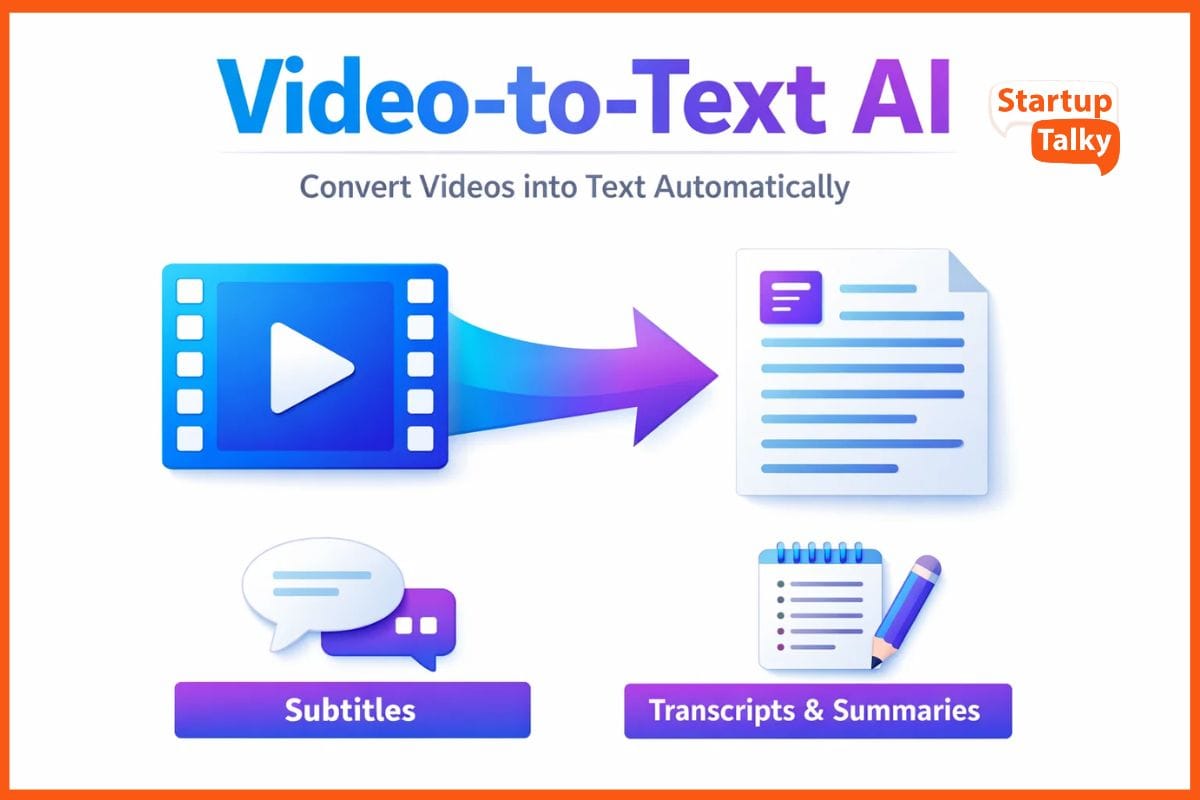
Video is everywhere today. From online classes and webinars to podcasts and social media clips, people are watching more video than ever. But long videos can take time. What if you just want the key points, a written transcript, or a specific quote from a one-hour interview? That’s where AI video-to-text tools help.
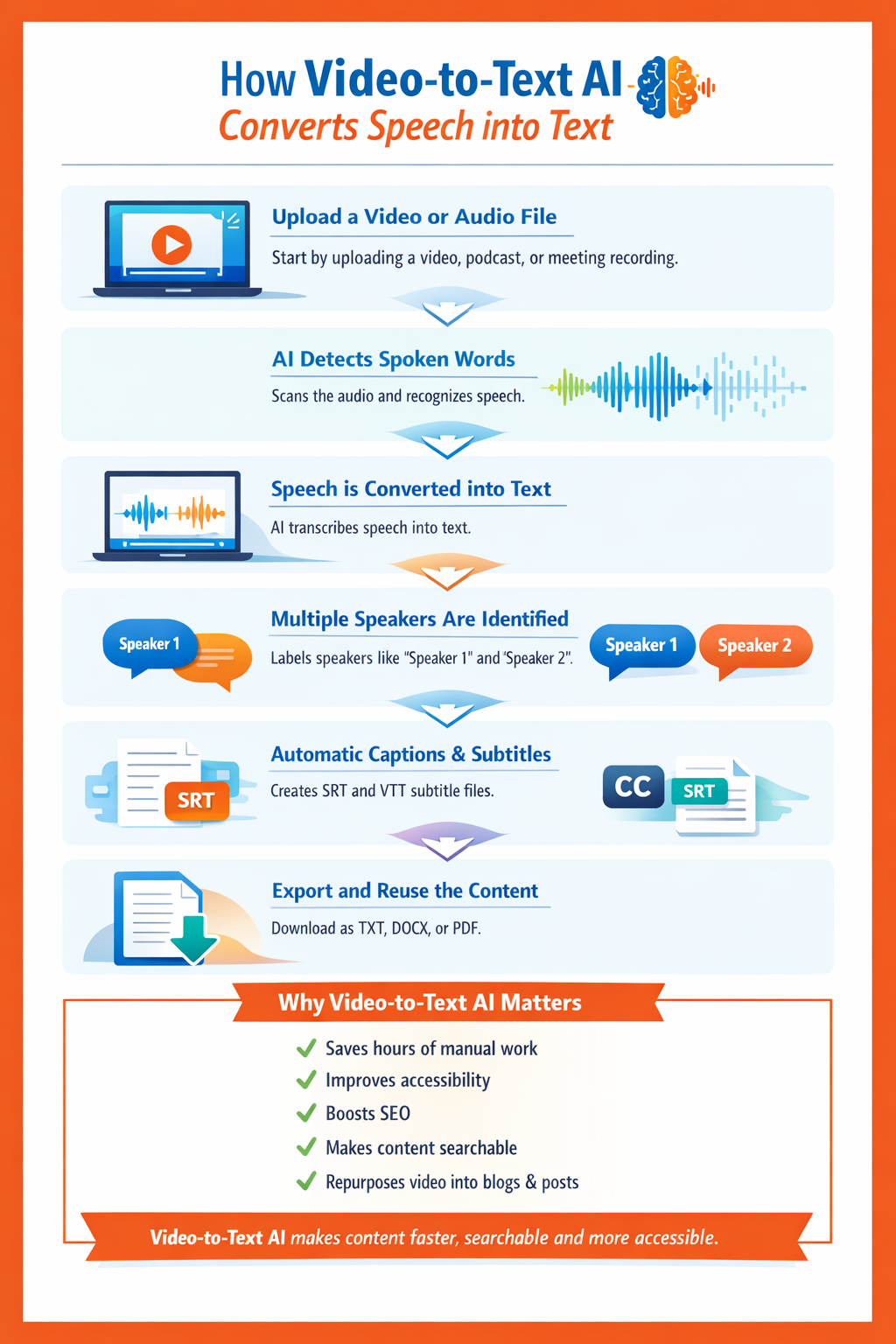
These tools use artificial intelligence to turn spoken words in videos or audio files into written text automatically. They create transcripts, captions, and subtitles in minutes. They also make content easier to search, share, and reuse.
AI video-to-text tools are useful for many people. Content creators can turn videos into blogs or social posts. Students can convert lectures into notes. Professionals can document meetings. Researchers can analyse interviews faster. Simply put, these tools save time and make video content easier to work with.
In this article, explore the list of some of the best video-to-text tools.
Best AI Tools to Convert Video to Text Comparison
To help you quickly compare the key features of these top AI video-to-text tools, I've put together this handy table:
| Tool Name | Supported Languages | Maximum Video Length | Output Formats (SRT, TXT, DOCX, etc.) | Free Tier Available | Starting Price | Best Use Case |
|---|---|---|---|---|---|---|
| Otter.ai | English (primary) | 4 hours (Business) | TXT, PDF, SRT, DOCX | Yes | $16.99/mo | Meetings & Live Collaboration |
| Descript | 22+ languages | Unlimited (based on plan) | SRT, VTT, TXT, DOCX, RTF | Yes | $15/mo | Content Creators & Podcasters |
| Rev.ai | 36+ languages (AI) | No strict limit | SRT, VTT, TXT, DOCX, PDF | No | $0.25/min | Professionals (Max Accuracy) |
| Sonix.ai | 53+ languages | No strict limit | SRT, VTT, TXT, DOCX, PDF, JSON | Yes (30 mins) | $10/hour | Researchers & Global Teams |
| Trint | 50+ languages | Unlimited (fair use) | SRT, VTT, TXT, DOCX, XML, EDL | No (Trial only) | $79/mo | Journalists & Newsrooms |
| Riverside.fm | 100+ languages | 15 hours/mo (Pro) | TXT, SRT, VTT | Yes (2 hours) | $24/mo | Podcasters & Remote Interviews |
How I Chose These Tools
To bring you the most comprehensive and reliable guide for 2026, I embarked on a thorough evaluation process. I compared more than 10 different AI video-to-text tools, putting them through their paces with various types of content. My primary goal was to identify platforms that truly stand out in terms of transcription accuracy, which I believe is the most critical factor. I tested audio quality ranging from crystal-clear studio recordings to challenging scenarios with background noise and multiple speakers, noting how each tool performed.
Beyond accuracy, I focused on several key criteria:
- Language Support: How many languages can the tool accurately transcribe and translate?
- Speed: How quickly does it process videos, especially longer ones?
- File Format Support: Can it handle various video and audio input formats, and what are the output options (SRT, TXT, DOCX, etc.)?
- Speaker Detection: Does it accurately identify and differentiate between multiple speakers?
- Pricing: Is it affordable, and does it offer a free tier or a good value for money?
- Integrations: Does it seamlessly connect with other tools I use daily, like Zoom or Google Drive?
- Export Options: What flexibility do I have in exporting and using the generated text?
I personally tried each tool, uploading different video clips, adjusting settings, and meticulously comparing the generated transcripts. This hands-on approach allowed me to gain a real-world understanding of their strengths and limitations, moving beyond marketing claims to provide you with practical insights.
List of Best AI Video-to-Text Tools
After extensive testing and evaluation, here are my top picks for AI video-to-text tools:
Otter.ai
Otter.ai is an AI-powered meeting assistant that excels at providing real-time transcription, automated summaries, and action items for your conversations. It's designed to integrate seamlessly with popular video conferencing platforms, making it a go-to for professionals.
Key Features:
- Real-time transcription for live meetings and calls.
- Automated AI summaries and extraction of key action items.
- OtterPilot feature automatically joins and records virtual meetings.
- Speaker identification and the ability to search across all your transcribed conversations.
Pros:
- Excellent for live meeting transcription and collaboration.
- Offers a generous free tier for casual users.
- Intuitive mobile application for on-the-go use.
Cons:
- Accuracy can be affected by strong accents or significant background noise.
- Limited export formats available on the free plan.
Best For: Meetings and real-time collaboration, especially for teams using Zoom, Google Meet, or Microsoft Teams.
 Muskaan Kapoor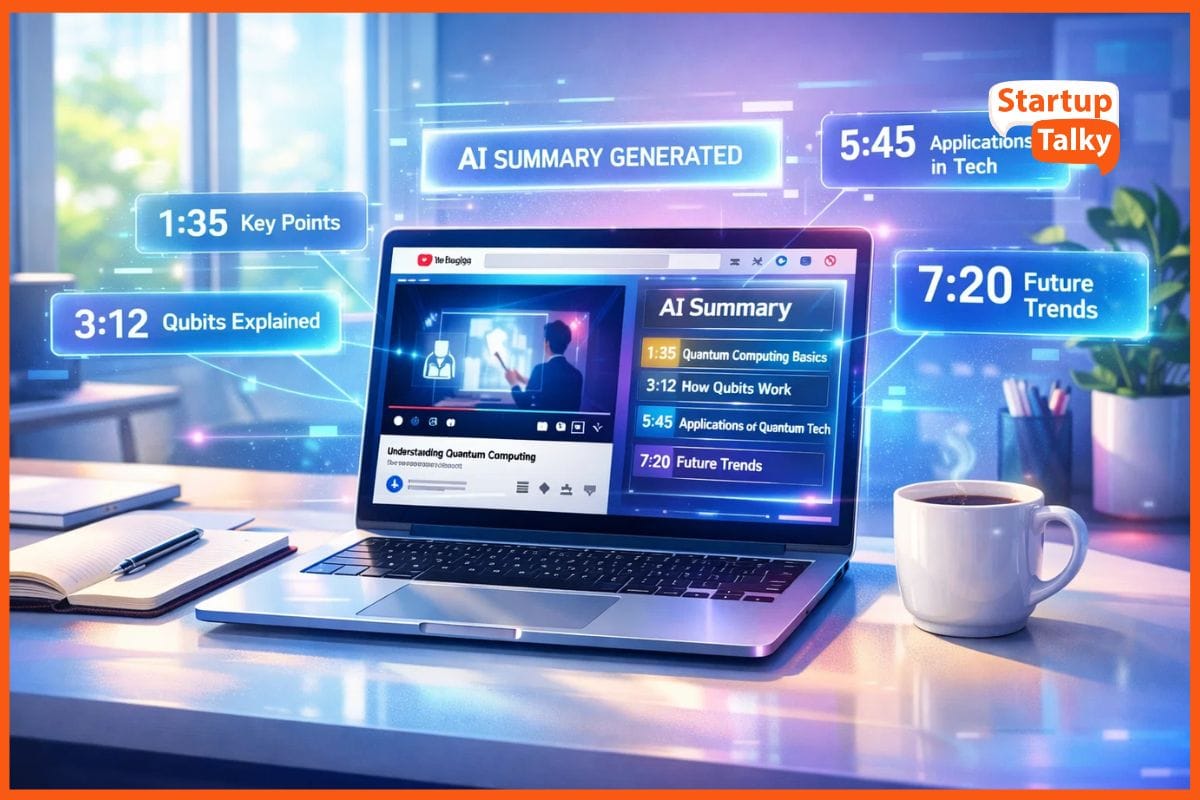
Descript
Descript is a unique and powerful "all-in-one" video and audio editor that lets you edit media by simply editing text. It leverages AI to transcribe your content, then empowers you to seamlessly create and refine your videos and podcasts.
Key Features:
- Text-based video editing: Delete words in the transcript to cut corresponding video/audio segments.
- "Overdub" feature: Create a synthetic voice clone to correct mistakes or add new content.
- One-click removal of filler words (e.g., "ums," "ahs," "you knows").
- Studio Sound: AI-powered enhancement to remove background noise and improve audio clarity.
Pros:
- Revolutionary and intuitive editing workflow for media.
- High transcription accuracy, especially for clear audio.
- Ideal for content creators who need to edit and repurpose video/audio.
Cons:
- Can have a steeper learning curve for new users.
- May be resource-intensive for older computer systems.
Best For: Content creators, podcasters, and video editors seeking an integrated transcription and editing solution.
Rev.ai
Rev.ai stands out as a professional-grade transcription service, offering both highly accurate AI-powered transcription and human-verified options for maximum precision. It's particularly well-regarded for its industry-leading speech-to-text API, making it a favorite among developers.
Key Features:
- High-accuracy AI transcription, boasting over 96% accuracy.
- Option for human-verified transcription, achieving up to 99% accuracy.
- Extensive global language support for diverse content.
- Robust and developer-friendly API for seamless integration into applications.
Pros:
- Exceptional accuracy, especially with the human review option.
- Fast turnaround times for both AI and human services.
- Flexible pay-as-you-go pricing model.
Cons:
- Costs can accumulate quickly for very high volumes of content.
- Offers fewer advanced editing or collaboration features compared to some competitors.
Best For: Professionals and developers who require the highest levels of transcription accuracy and robust API capabilities.
Muskaan Kapoor
Sonix.ai
Sonix.ai is an automated transcription, translation, and subtitling platform designed with an emphasis on speed and affordability. It provides a powerful in-browser editor that synchronizes your transcript with your audio or video, simplifying the editing process.
Key Features:
- Automated translation capabilities in over 50 languages.
- Interactive in-browser transcript editor with time-stamped text.
- Comprehensive multi-user collaboration tools for team projects.
- AI-powered analysis features, including sentiment and topic detection.
Pros:
- Very fast transcription and processing speeds.
- Excellent for international teams due to extensive language support and translation.
- Affordable pay-as-you-go pricing structure.
Cons:
- Does not offer a human review option for transcription.
- The user interface, while functional, can sometimes feel less modern than newer platforms.
Best For: Researchers, international teams, and individuals seeking fast, affordable, and multilingual transcription and translation.
Trint
Trint is a premium transcription platform that caters primarily to journalists, newsrooms, and enterprises, with a strong focus on security and collaborative storytelling. It provides tools designed to accelerate content creation and streamline editorial workflows.
Key Features:
- Real-time "Live" transcription from mobile devices and desktop applications.
- AI-powered summaries and key takeaway extraction for quick insights.
- Enterprise-grade security, including ISO 27001 certification.
- Collaborative "Shared Drives" for efficient team project management.
Pros:
- Exceptional for fast-paced news and media environments.
- Robust security features for sensitive content.
- Unlimited transcription on paid plans (subject to fair use policy).
Cons:
- Higher price point, making it less accessible for individual users.
- Does not offer a free tier, only a trial period.
Best For: Journalists, newsrooms, and large enterprises requiring secure, collaborative, and high-volume transcription solutions.
Vivek Dev Jacob
Riverside.fm
Riverside.fm is a leading remote recording platform renowned for capturing high-quality 4K video and 48kHz audio. It integrates built-in AI transcription and editing tools, providing a comprehensive solution for content creators who prioritize pristine source material.
Key Features:
- Local recording ensures superior audio and video quality, unaffected by internet fluctuations.
- AI-powered "Magic Clips" for effortlessly generating short, shareable social media content.
- Text-based video editor that allows editing video by manipulating the transcript.
- Highly accurate transcriptions automatically included with recordings.
Pros:
- Delivers best-in-class recording quality for remote interviews and podcasts.
- Seamless workflow from recording to transcription and editing.
- Ideal for creators who want to produce professional-grade content.
Cons:
- Transcription features are more tightly integrated with their recording platform, which might complicate uploading external files on lower-tier plans.
- Primarily focused on recording, so standalone transcription features might be less robust than dedicated services.
Best For: Podcasters, remote interviewers, and video creators who need high-quality recordings with integrated transcription and editing capabilities.
Personal Experience & Results
In my experience, for sheer out-of-the-box accuracy on a clean audio file, Rev.ai consistently delivered the most impressive results. The transcript required minimal edits, correctly identifying industry-specific jargon that other tools missed. However, the game-changer for me was Descript. The ability to edit my video by simply deleting words from the transcript was revolutionary. It completely transformed my workflow, saving me hours of tedious video editing. I was also particularly impressed with its "Studio Sound" feature, which did a remarkable job of cleaning up background noise from a recording I made in a busy coffee shop.
Final Recommendation
After all my testing, here are my final recommendations:
- Top Overall Pick: For its innovative workflow and high accuracy, I recommend Descript. It's more than just a transcription tool; it's a full-fledged content creation platform that will fundamentally change how you work with video and audio.
- Best Budget Option: If you're just starting out or have minimal transcription needs, Otter.ai is a fantastic choice. Its free tier is generous, and the real-time transcription for meetings is incredibly useful.
- Best for Professionals: For those who need the absolute highest level of accuracy and are willing to pay for it, Rev.ai is the undisputed winner. The option to have a human review the transcript provides peace of mind that you're getting the most precise result possible.
Conclusion
AI video-to-text tools are no longer a novelty; they are an essential part of any modern workflow that involves video or audio content. They save time, improve accessibility, and unlock new ways to repurpose and analyze information. As we look to the future, we can expect these tools to become even more powerful, with advancements in real-time translation and deeper AI-driven context summarization that will further blur the lines between spoken and written content. Whether you're a professional, a student, or a content creator, embracing these tools will undoubtedly boost your productivity and creativity.
Vivek Dev Jacob
FAQs
What is the best AI tool to convert video to text?
The best AI video-to-text tool depends on your needs. Descript is ideal for content creators who want editing features. Otter.ai works well for meetings and live transcription. Rev.ai is best for high accuracy, especially with its human review option. Each tool offers different pricing, language support and export formats.
How accurate are AI video-to-text tools?
Most leading AI video-to-text tools offer 90–96% accuracy for clear audio. Accuracy may drop if there is background noise, strong accents or multiple speakers talking at once. Some platforms like Rev.ai also provide human-reviewed transcripts for up to 99% accuracy.
Can AI video-to-text tools create subtitles and captions?
Yes. Most AI video-to-text tools generate subtitles and captions automatically. They allow you to export files in formats like SRT and VTT, which can be uploaded directly to YouTube, social media platforms, or video editing software. This makes videos more accessible and easier to search.
Must have tools for startups - Recommended by StartupTalky
- Convert Visitors into Leads- SeizeLead
- Website Builder SquareSpace
- Run your business Smoothly Systeme.io
- Stock Images Shutterstock