Transitioning the Transcription Process Through AI: Top 13 AI Transcription Tools
AI transcription tools help convert speech into clear text with summaries, key points, and action items. Explore the best tools, their features, pricing, and use cases to boost productivity.


AI transcription software quickly turns speech into clear text. It listens to meetings, podcasts, and lectures with high accuracy. It captures each voice and converts it into clean transcripts in seconds.
The tool also creates short summaries, key points, and action items. This saves time and removes the need for manual notes. You can edit, share, or translate content across devices with ease.
It helps you stay focused during discussions. It also speeds up decisions by highlighting what matters most. This tool makes work simpler and helps busy professionals stay sharp and productive every day.
Here are the top 13 AI programs that can accurately transcribe your work. Say goodbye to manual note-taking and hello to enhanced focus and efficiency.
Comparison Table (Strengths vs Limitations)
| Tool | Strengths | Limitations |
|---|---|---|
| Otter.ai | Real-time + AI chat | Speaker ID issues |
| Sonix | Multi-language + analytics | Expensive at scale |
| Fireflies.ai | Integrations + summaries | Storage limits |
| HappyScribe | 120+ languages + EU privacy + human option | No real-time transcription |
| Notta | High accuracy + fast summaries | Limited free plan |
| Descript | Powerful editing tools | Learning curve |
| Rev AI | API + templates | Weak collaboration |
| Trint | High accuracy + teamwork | Expensive plans |
| MeetGeek | Auto meeting bot | Accuracy issues with accents |
| Avoma | Sales insights + CRM | Not general-purpose |
| Reduct.Video | Video editing + summaries | Better for teams than individuals |
| Beey | Simple interface + subtitle editing | Limited advanced AI features |
| Scribie | Human + AI transcription accuracy | Slower turnaround for manual services |
How to Choose the Right AI Transcription Tool
Choosing the right tool depends on your needs:
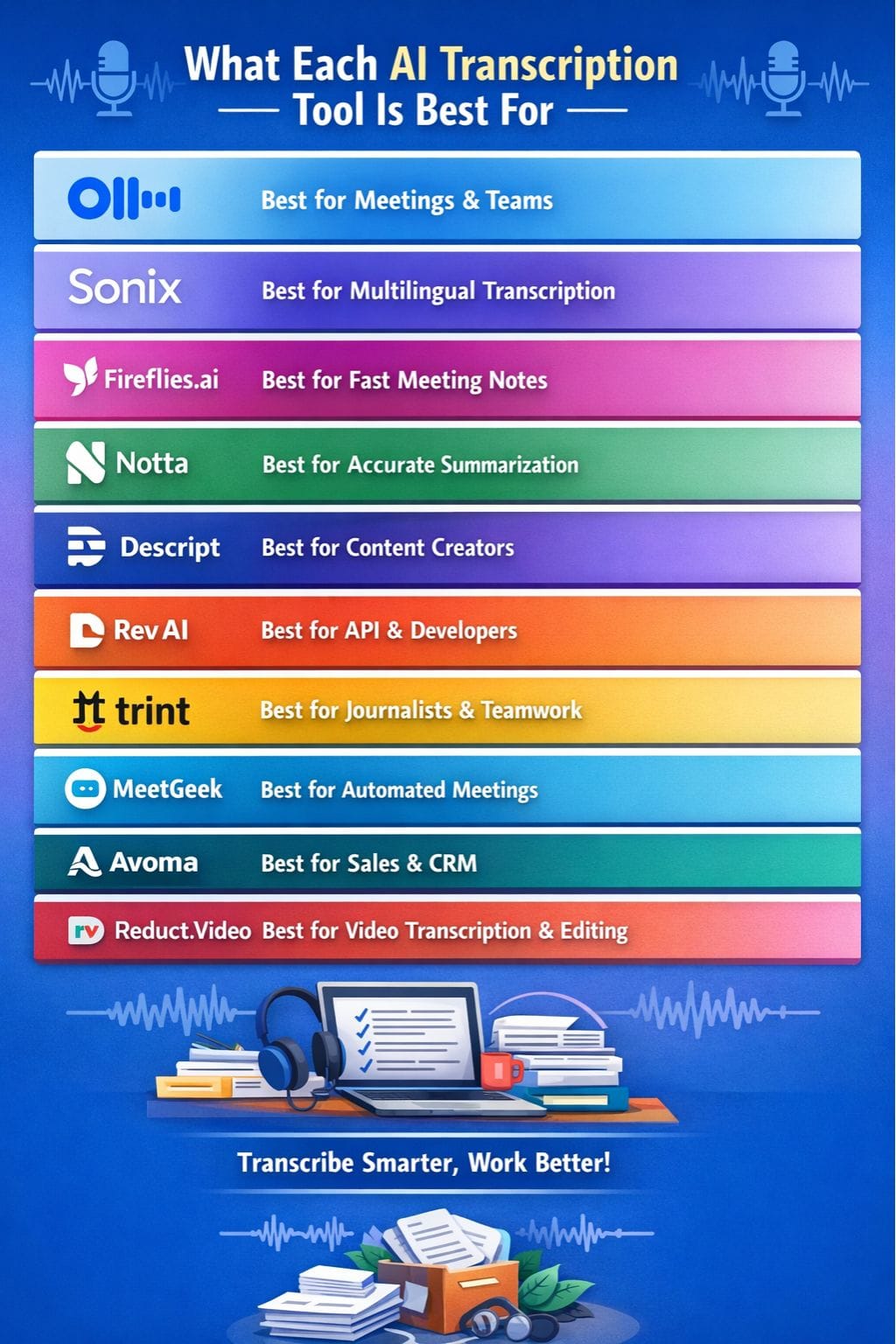
- For meetings & teams: Otter.ai, Fireflies.ai, MeetGeek
- For content creators: Descript, Reduct.Video
- For multilingual use: Sonix, Notta, HappyScribe
- For sales teams: Avoma
- For developers/API: Rev AI
Tip: If you attend many meetings daily, pick tools with real-time transcription + summaries.
If you create content, choose tools with editing features.
Detailed Review of Top AI Transcription Tools
Otter AI

Otter.ai turns speech into text in real time. It records meetings, calls, and notes with strong accuracy. You can use it with Zoom or Teams, or upload audio files.
It creates clear transcripts, short summaries, key points, and action items. It also shows who said what. You can edit text, search past talks, and highlight important parts. Sharing is quick with simple links.
It works on phone, web, and desktop. This helps you stay focused in meetings. You spend less time taking notes and more time listening and thinking.
Pros
- Real-time live transcription saves hours
- Smart AI chat pulls answers from past talks
- Free plan with core tools
Cons
- Needs training for speaker identification
- Short calls may skip full summaries
Pricing
| Plan | Pricing |
|---|---|
| Basic | Free |
| Pro | $8/month |
| Business | $20/month |
| Enterprise | Custom |
Sonix
Sonix turns audio and video into clear text in minutes. It uses AI to give high accuracy in over 50 languages. You get speaker labels and time stamps, so it is easy to follow.
It can also create short summaries in bullets or simple paragraphs. The tool finds key topics, tracks tone, and builds chapters. You can edit text with confidence scores to guide you.
Share work with links or connect it to tools like Zoom and Zapier. Teams can use folders and set access levels. It helps save time on meetings, podcasts, and interviews.
Pros
- High accuracy on clear audio
- Strong team collaboration
- 50+ language support
Cons
- Costs increase with usage
- Summaries are brief
Pricing
| Plan | Pricing |
|---|---|
| Premium | $22/seat/month |
| Enterprise | Contact Sales |
Fireflies.ai

Fireflies.ai records your meetings and turns them into clear notes. It joins calls on Zoom, Teams, or Meet and captures audio in many languages.
It also knows who is speaking. After the call, it gives short summaries with key points, tasks, and decisions. You can search the transcript fast and find what matters. It even shows tone and mood.
You can share notes on Slack or email in seconds. This helps you stay focused during sales calls or team meetings. You don’t need to write notes. Fireflies does the work, so you can listen, think, and act better.
Pros
- ~95% transcription accuracy
- Smart summaries
- 50+ integrations
Cons
- Limited storage in the free plan
- Issues with accents/noise
Pricing
| Plan | Pricing |
|---|---|
| Pro | $18/seat/month |
| Business | $29/seat/month |
| Enterprise | $39/seat/month |
HappyScribe
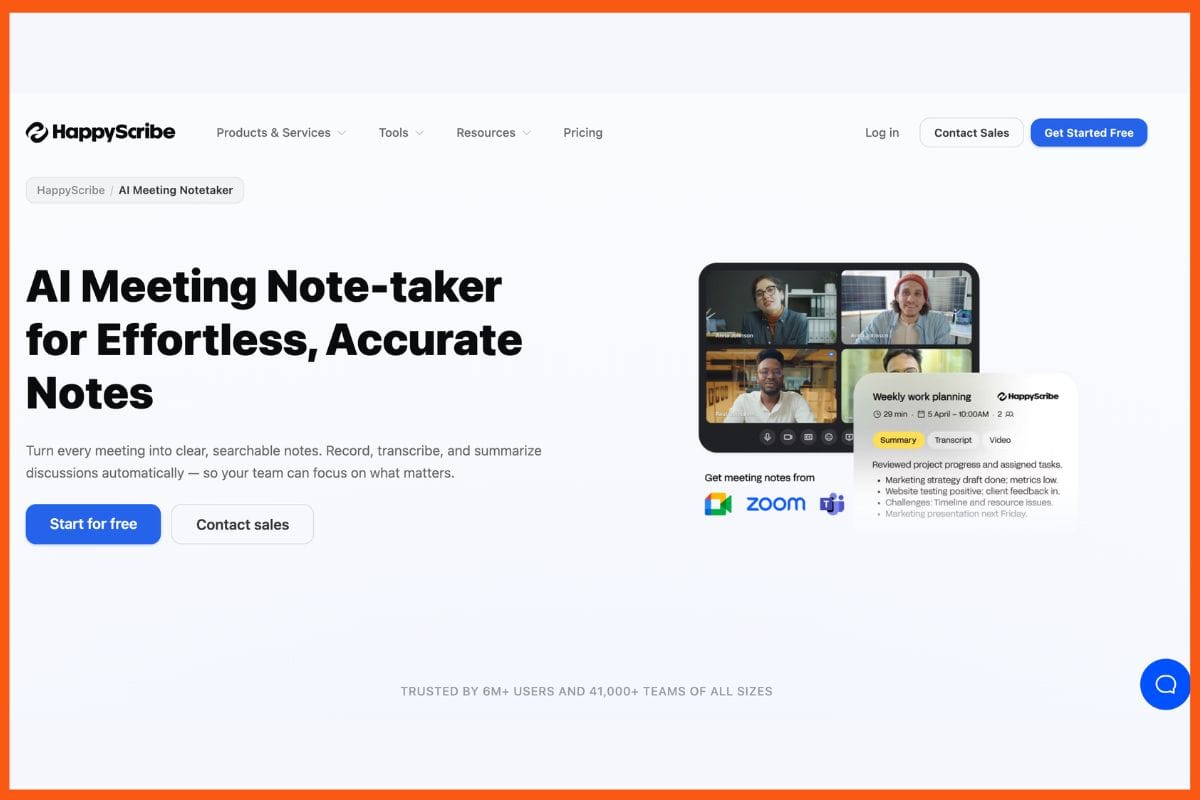
HappyScribe turns audio, video, and meetings into clear text in over 120 languages. It offers 95%+ AI accuracy and an optional human review that reaches 99%. You can upload files or let it join live calls on Zoom, Microsoft Teams, and Google Meet through calendar sync.
It adds speaker labels, timestamps, and AI summaries with action items and key decisions. You can edit text in a browser editor with confidence scores that flag uncertain words. It is built in Europe, with GDPR and SOC 2 Type II compliance and data stored in EU-based Tier IV data centers.
You can export notes in PDF, DOCX, TXT, SRT, MP3, and MP4. It connects with Google Calendar, Outlook, ChatGPT, Claude, YouTube, and Zapier. It suits global teams and regulated industries that need accurate, multilingual transcripts with strong data privacy.
Pros
- 120+ languages supported with 95%+ AI accuracy
- GDPR and SOC 2 Type II compliance with EU data residency
- An optional human transcription add-on at 99% accuracy in under 24 hours
Cons
- No real-time transcription during live calls
- Pro plan starts at 3 seats
Pricing
Notta
Notta functions as one of the best AI powered transcription tools. It provides both transcription and summarization services.
It converts spoken content from meetings, lectures, and video sessions into written text with 98.86% precision across 58 different languages. The main features enable users to create instant notes while the system identifies speakers, records timestamps, and essential tasks, and presents AI-generated summaries in both bullet points and template formats.
Users can share their content through links, while they can export documents as PDF or DOCX files and participate in Google Meet or Teams meetings.
Pros
- 58 languages supported
- Fast AI summaries
- Chrome extension support
Cons
- Limited free minutes
- No refund for trial issues
Pricing
| Plan | Pricing |
|---|---|
| Pro | $13.49/month |
| Business | $27.99/month |
| Enterprise | Custom |
Descript
Descript turns audio and video into text you can edit with ease. It works fast and supports over 22 languages. It is one of the best AI tools for transcription.
You can cut and shape clips by editing words, like in a doc. It also creates clear summaries for podcasts and videos in seconds. The tool removes filler words and can clone your voice with Overdub.
It even fixes eye contact and adds stock assets. The main strengths are speed and simple use. Creators save many hours on edits. It helps you produce clean, pro-level content with less effort and less stress each time you work.
Pros
- Text-based editing saves time
- Learns voice patterns
- One-click summaries
Cons
- Learning curve
- Limited hours in cheaper plans
Pricing
| Plan | Pricing |
|---|---|
| Hobbyist | $24/person/month |
| Creator | $35/person/month |
| Business | $65/person/month |
| Enterprise | Contact Sales |
 Muskaan Kapoor
Rev AI
Rev AI turns audio and video into text quickly and with high accuracy on clear files. It also creates simple summaries using templates that highlight key points, action items, and quotes from meetings or interviews.
With the AI Transcript Assistant, you can ask questions, get insights, or create content like social posts. The editor is easy to use and lets you fix and refine transcripts fast.
You can share files with a link and connect tools like Zoom or Dropbox. It is a solid choice for professionals who need clear notes without extra effort.
Pros
- Custom templates
- API support
- 37+ languages
Cons
- Limited collaboration
- Fewer integrations
Pricing
| Plan | Pricing |
|---|---|
| — | Request Pricing |
Trint

Trint is an AI transcription tool that converts audio and video into clear, searchable text in minutes. It offers up to 99% accuracy and can identify speakers with timestamps.
You can get quick summaries of key points, which saves time. Teams can edit transcripts together in real time and share files with secure links. It supports translation in 54 languages and lets you build stories using clips.
You can upload files, edit text while listening to synced audio, and export captions easily. It works well for journalists and teams who need fast, simple insights from interviews and meetings.
Pros
- High accuracy
- Real-time collaboration
- Strong editing tools
Cons
- File limits in starter plans
- Limited summary customization
Pricing
| Plan | Pricing |
|---|---|
| Team | $90/seat/month |
| Pro | $100/seat/month |
| Business | Contact Sales |
MeetGeek
MeetGeek makes meetings easy to follow and remember. It joins your Zoom, Teams, or Google Meet calls on its own. It records audio, video, and screen.
The AI turns speech into text in over 30 languages. It adds speaker names and time stamps. It also creates short summaries with key points, decisions, risks, and tasks.
You can edit notes during the call. You can search past meetings by words or topics. It connects with many apps like Slack and ChatGPT. Share clear insights with your team and stop worrying about taking notes.
Pros
- Auto task tracking
- Free plan available
- Custom templates
Cons
- Bot joining calls may feel odd
- Accent issues
Pricing
| Plan | Pricing |
|---|---|
| Pro | $15.99/user/month |
| Business | $17/user/month |
| Enterprise | Contact Sales |
Avoma
Avoma helps sales teams get more from meetings. It joins calls on Zoom, Microsoft Teams, and Google Meet. It records audio and video and creates live transcripts with high accuracy in many languages.
The AI writes short summaries with action items, key points, and risks. It shows talk time, sentiment, and deal insights. Notes can be edited during the call. It also tracks keywords and updates your CRM.
Sales reps can focus on the conversation while Avoma captures details, next steps, and customer needs. This saves time and helps close deals faster.
Pros
- CRM integration
- Revenue insights
- Minimal manual work
Cons
- Sales-focused only
- Needs manual edits
Pricing
| Plan | Pricing |
|---|---|
| Startup | $29/seat/month |
| Organization | $39/seat/month |
| Enterprise | $39/seat/month |
Reduct.Video
Reduct.Video is a simple AI tool for video and audio work. It turns meetings, podcasts, and clips into text fast, with about 94% accuracy across many languages. You get short bullet summaries, clear timestamps, and easy highlights.
You can jump to key moments, tag parts, and edit quickly. It also lets you hide or remove sections and export clips for your team. You can use it live with Zoom or upload files anytime. It handles large files without limits.
This saves time, speeds up reviews, and helps teams stay on track and work better together every day.
Pros
- High accuracy
- Clickable summaries
- Large file support
Cons
- Expensive human transcription
- Limited for individual users
Pricing
| Plan | Pricing |
|---|---|
| Personal | $15/editor/month |
| Professional | $50/editor/month |
| Enterprise | Contact Sales |
Muskaan KapoorBeey
Beey is an intuitive platform that specializes in language translation, subtitling, online meeting transcription, interview transcription, and podcast transcription.
If the user's content has subtitles, the platform can read them and translate them into other languages automatically. It was founded by Newton Technologies.
Pros
- They provide an API that can be used to incorporate it into your projects
- It can translate text into 20 different languages
Cons
- The prices are slightly high for individuals and small teams.
Pricing
| Plan | Pricing |
|---|---|
| Start | $0 |
| Plus | $28/month |
| Business | $50/month |
| Enterprise | Custom |
Scribie

For more precise transcripts, Scribie provides a four-step transcribing service. At the outset, it conducts content analysis using AI and automatically generates text from speech.
The accuracy of the outputs is subsequently checked by human reviewers. Before being put through a quality check, the transcripts are proofread one more time. Scribie.com uses both automated and human reviewers, to put it another way. It was founded by Rajiv Poddar.
Pros
- The transcripts are backed by human verification
- It is possible to decipher audio and video files that contain background noise or distorted audio
Cons
- Fees per minute could add up quickly when dealing with lengthy films
- Compared to competing products, it's a little sluggish
Pricing
| Plan | Pricing |
|---|---|
| Basic | $0.80/minute |
Conclusion
AI transcription tools are changing how we work. They capture every word from calls, meetings, and videos, then turn them into clear notes, tasks, and key ideas. You no longer miss details or waste time replaying recordings.
Teams can stay focused, move faster, and make better decisions. This saves time, reduces effort, and keeps work simple.
It also gives people more space to think and create. When you choose the right tool, you gain control over your time and output. Work becomes cleaner and easier. The future is full of information.
FAQs
What is an AI transcription tool?
An AI transcription tool automatically converts speech from meetings, videos, or audio files into written text. It also creates summaries, key points, and action items to save time.
Which AI transcription tool is best for meetings?
Tools like Otter.ai, Fireflies.ai, and MeetGeek are best for meetings because they offer real-time transcription, speaker identification, and automatic summaries.
Are AI transcription tools accurate?
Yes, most AI transcription tools offer 90%–99% accuracy, especially when the audio is clear. Accuracy may drop in the presence of background noise or heavy accents.
Can AI transcription tools support multiple languages?
Yes, tools like Sonix, Notta, and HappyScribe support multiple languages and even offer translation features, making them ideal for global teams.