

I tested the top text to code tools for 2026: Here are my 7 picks
Collections 🗒️
The market for new AI coding tools is expanding rapidly, with many new platforms emerging that promise to accelerate app development. With numerous options available, it can be challenging to identify the most effective tools that fit a specific workflow without adding unnecessary complexity.
To help navigate this landscape, we have reviewed some of the most prominent text-to-code platforms to see which ones can genuinely help developers, founders, and product teams build and iterate faster. Here is a breakdown of the 7 best tools we found.
What are text-to-code tools?
Basically, text-to-code tools are AI platforms that convert your plain English instructions (called prompts) into working code. This can be anything from a simple HTML and CSS snippet to a complex JavaScript function or even backend services.
However, these tools vary significantly. There's a wide range of them out there. You have in-editor assistants like GitHub Copilot, which works like a super-smart autocomplete, suggesting code as you type. Then you have full-fledged platforms like Replit or Lovable that can generate, build, and even deploy an entire application from a single, detailed prompt.
Just remember, these tools are meant to speed things up, not replace developers. They're great for handling repetitive tasks, spitting out boilerplate code so you can focus on the interesting problems, and helping non-technical founders create tangible prototypes for investors or early users.
Criteria for choosing a text-to-code tool
To get past the marketing hype, these tools were judged on things that actually matter when you're trying to build something. A flashy demo is one thing, but a tool needs to be reliable in a real-world scenario. Here’s what we looked for:
1.Code Quality: Does it produce clean, efficient code that's easy for a human to read and maintain? Or does it churn out a tangled mess that you'll have to fix later?
2.User Experience: How fast can you get started? A tool with a steep learning curve can easily cancel out any productivity benefits. We also checked how well it integrates with common IDEs and workflows.
3.Contextual Awareness: This is a critical factor. Can the tool understand your entire project across multiple files, like Qodo's multi-repository understanding, or is it just looking at the one file you have open? Good context is key for generating accurate code.
4.Flexibility: Can it handle building full-stack applications, setting up database schemas, and writing tests? Or is it mostly for simple scripts and UI components
5.Security: Is your code kept private? We looked for platforms with transparent privacy policies and security features like SOC 2 compliance, as codebase security is paramount.
Comparison of the best text-to-code tools for 2026
This table provides a quick overview of the top picks and what they're best for.
The 7 top text-to-code tools in 2026
Here is a more detailed look at the 7 tools that stood out.
1. Replit
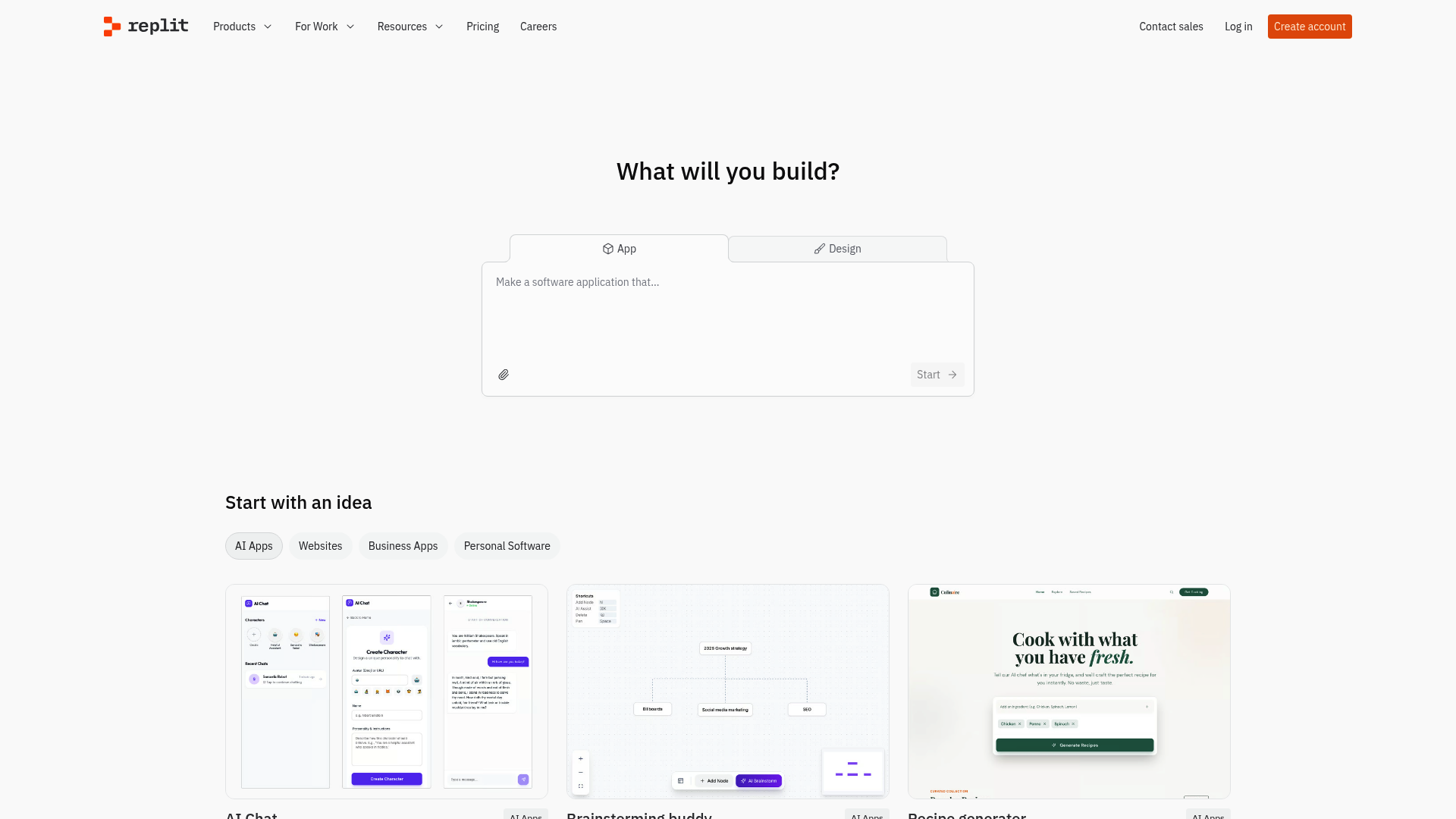
Replit is a complete development environment that runs entirely in your browser. It has a built-in AI assistant, Replit Agent, that lets you build and deploy full-stack apps without installing a single thing. You can go from an idea to a live app in just a few minutes.
Pros:
- The zero-setup environment is excellent for starting a new project or collaborating with a team without any configuration headaches.
- Replit Agent is effective at writing production-ready code and handling all the initial project setup.
- It includes built-in services like Authentication, Database, and Hosting, which makes deployment incredibly straightforward.
- For businesses, it’s ready to go with enterprise security features.
Cons:
- You need a stable internet connection to do anything.
- The free tier is generous, but the more powerful features and resources are behind a paywall.
- For larger production apps, you might feel a bit tied to its specific hosting infrastructure.
Pricing: Based on the official pricing page:
- Starter: Free with daily Agent credits and the ability to publish one app.
- Replit Core: $20/month (billed annually) for individuals who need more power.
- Teams: $35/user/month (billed annually) for collaboration features.
- Enterprise: Custom pricing for larger teams.
Who it's for: Developers, students, and teams who need a fast, collaborative environment to quickly build and deploy web apps without any setup fuss.
2. GitHub Copilot
As the original AI pair programmer, GitHub Copilot has become a staple for many developers. It integrates directly into IDEs like VS Code or JetBrains, offering suggestions as you code.
Pros:
- Its seamless IDE integration means you don't have to change your workflow at all.
- Copilot Chat is very handy for explaining confusing code, helping you debug, or generating unit tests.
- The new coding agent is a major upgrade, able to take a GitHub issue and autonomously write the code to fix it.
- It supports a huge number of programming languages and frameworks.
Cons:
- The suggested code is not always perfect. It can be inefficient or just wrong, so you still need to be paying attention.
- Its test generation capabilities can be inconsistent for complex logic.
- It might suggest code that doesn't follow your team's specific coding standards.
Pricing: Based on the official plans:
- Free: Available for verified students, teachers, and maintainers of popular open-source projects, with usage limits.
- Pro: $10/month for individuals.
- Business: $19/user/month for use within an organization.
- Enterprise: $39/user/month for advanced security and controls.
Who it's for: Just about any developer or team looking to speed up daily coding tasks without leaving their favorite editor.
3. Bolt

Bolt, from the team at StackBlitz, specializes in building front-end applications quickly. You give it a prompt, and it builds, runs, and deploys a UI for you instantly, right in the browser.
Pros:
- The speed of its prompt-to-UI generation is notable. It's one of the fastest ways to get a visual prototype running.
- It’s powered by WebContainers technology, which boots a full dev environment in your browser in milliseconds.
- It's perfect for validating ideas or creating interactive mockups you can share with a link.
Cons:
- It’s focused entirely on the front end. If you need a database or backend, you'll need another tool.
- You’re locked into their browser-based editor, which can feel limiting for some.
- As a newer product, it can sometimes struggle with very complex or specific UI prompts.
Pricing: Based on StackBlitz's pricing page, which includes Bolt:
- Personal (Free): Comes with all core Bolt features.
- Pro: $18/month (billed annually) for more usage.
- Teams: $55/member/month (billed annually) for team features.
Who it's for: Entrepreneurs, designers, and front-end developers who need to visualize and test UI ideas as quickly as possible.
4. Lovable

Lovable aims to be an all-in-one solution for building full-stack web apps from natural language. It's designed to generate everything from the React front-end and database schema to the backend logic.
Pros:
- It can generate the UI, backend, and database from a single prompt, which saves a significant amount of time.
- It has Lovable Cloud for databases, authentication, and hosting, which simplifies the setup process.
- You can integrate with external tools like Stripe, Shopify, and Perplexity just by asking in the chat.
- You can export the entire codebase to GitHub, so you're not locked in.
Cons:
- The AI-driven debugging can become costly, as you use up credits trying to fix things.
- It uses its own in-browser editor, with no option to connect to a local IDE.
- For a production-level app, you'll probably need to do a good amount of manual code cleanup to ensure quality.
Pricing: Based on the official pricing page:
- Free: A good starting point for public projects, but with limited credits.
- Pro: $25/month for private projects and more credits.
- Business: $50/month adds SSO and dedicated support.
Who it's for: Founders and developers who want to quickly build a polished MVP or internal tool with a working front-end and back-end.
5. Qodo
Unlike tools that just generate code, Qodo is an AI platform focused on code quality. Its primary function is to help teams ship reliable and consistent code by acting as an AI review layer throughout the development process.
Pros:
- It covers the full development lifecycle with agents for generating code, ensuring test coverage with Qodo Cover, and automating pull request reviews.
- Its context engine is a key feature. It has a deep, multi-repository understanding of your codebase, making its suggestions far more accurate.
- It's built for businesses, with SOC 2 certification, flexible deployment options, and integrations with GitHub, GitLab, and major IDEs.
- A case study showed it saved a client over 450,000 developer hours in a year by automating reviews.
Cons:
- Its strength is in reviewing and improving existing code, not generating a new app from scratch.
- The most powerful features are only available on the paid plans.
Pricing: Based on the official pricing page:
- Developer: Free, includes 75 credits for generation, reviews, and tests.
- Teams: $30/user/month (billed annually) with 2,500 credits.
- Enterprise: Custom pricing for the full platform.
Who it's for: Enterprise teams who care a lot about code quality, security, and consistency. It’s the tool you use to make sure all the code being written is solid.
6. Cursor
Cursor is more than just a plugin; it's a complete code editor built around AI. It's a fork of VS Code, redesigned to make AI a central part of the development process. A key feature is its ability to understand your entire codebase for more accurate help.
Pros:
- Having codebase-wide context is a significant advantage for large projects. It knows how all the pieces fit together.
- The Agent mode can handle complex tasks that span multiple files, like implementing a new feature from start to finish.
- Since it's based on VS Code, the interface is familiar, making it easy to switch.
- It gives you access to the latest models from OpenAI, Anthropic, Gemini, and xAI.
- It's enterprise-ready with SOC 2 Type II certification and SAML/SSO.
Cons:
- You have to be willing to switch from your current IDE to use it.
- It can use a lot of memory on very large codebases.
- Some of your favorite VS Code extensions might not be compatible.
Pricing: Based on the official pricing page:
- Hobby: Free, with limited use of advanced features.
- Pro: $20/month for much higher limits.
- Teams: $40/user/month for shared team features.
Who it's for: Developers working on large, complex codebases who want a deeply integrated AI experience and are willing to switch editors for it.
7. OpenAI GPT-5.2 Codex
GPT-5.2 Codex is the engine that powers many of the tools on this list, including GitHub Copilot. You can access it directly through an API to build your own custom AI coding tools.
Pros:
- As a foundational model, it's incredibly versatile. You can use it for code generation, translating code between languages, or explaining what a function does.
- It's widely considered the best model for coding and building complex, multi-step workflows.
- It supports a massive variety of programming languages.
Cons:
- Using it directly means you have to handle the API integration yourself.
- The pricing is usage-based, so costs can add up quickly if you're making a lot of calls.
- The model doesn't guarantee the code it produces is secure or efficient. You absolutely need developer oversight.
Pricing: Usage-based per token:
- Input: $1.75 / 1M tokens
- Output: $14.00 / 1M tokens
Who it's for: Developers and businesses that want to build their own custom AI tools or integrate code generation directly into their existing products.
Tips for getting the most out of text-to-code tools
These AI tools are powerful, but they cannot interpret ambiguous instructions. To achieve the best results, it's important to provide clear and detailed instructions. Here are a few tips:
- Get Good at Prompting: Be specific and provide context. Instead of "build a website," try "create a responsive landing page using React and Tailwind CSS with a sticky navigation bar, a hero section with a 'Sign Up' button, and a three-column feature section."
- Always Review the Code: AI-generated code can have subtle bugs or security flaws. Always review, test, and refactor what it gives you. View the output as a first draft, not a final product.
- Combine Your Tools: You don't have to pick just one. An effective workflow could involve using Bolt for a quick UI prototype, GitHub Copilot for daily coding, and Qodo to automatically review every pull request for quality.
- Use It to Learn: If an AI tool generates code you don't understand, ask it to explain its logic. It's a great way to learn new frameworks or different ways to solve a problem.
Here at StartupTalky, we're focused on helping founders and developers succeed. Using these AI tools thoughtfully can give your startup a real edge by helping you get to market faster.
For those who prefer a visual walkthrough, this video from Tech With Tim provides a great overview of which AI coding tools are most effective for developers in their day-to-day work.
A review from Tech With Tim on the most effective AI coding tools for a developer's daily workflow.
Final thoughts
AI-powered coding is evolving fast, and the tools available in 2026 are already changing how we build software. Whether you're trying to mock up a prototype in minutes or enforce code quality across a global team, there's a text-to-code tool that can help.
It is important to remember that these tools are assistants, not replacements. They handle the tedious parts of coding, freeing up developers to focus on creative, high-level problem-solving. The right tool for you will depend on your workflow, project, and what you prioritize.
The future of development is a partnership between human developers and AI. By embracing these tools, you're not just coding faster, you're building smarter. For more insights on using AI for your startup, subscribe to the StartupTalky newsletter.
Frequently Asked Questions
What is the best top 10 text to code tool for a beginner?
For beginners, a tool like Replit is a great starting point. Its browser-based, zero-setup environment lets you start coding immediately without worrying about complex configurations. GitHub Copilot is also excellent for learning, as it suggests code and can help explain concepts right inside your editor.
Can a top 10 text to code tool completely replace a developer?
No, not at all. These tools are powerful assistants that handle repetitive tasks and generate initial code drafts. They still require a skilled developer to provide the right prompts, review the output for quality and security, debug issues, and handle complex architectural decisions.
How much does a top 10 text to code tool typically cost?
Prices vary widely. Many tools, like Replit, GitHub Copilot, and Cursor, offer free tiers for personal use or small projects. Paid plans for individuals typically range from $10 to $30 per month, while team and enterprise plans can cost $30 to $50 per user per month or more, depending on the features.
Is the code generated by a top 10 text to code tool secure?
Not always. While the AI models are trained on vast amounts of code, they can sometimes generate code with security vulnerabilities. It is crucial for a human developer to always review, audit, and test the generated code, especially for applications that handle sensitive data. Tools like Qodo are specifically designed to help catch these issues.
What's the difference between a top 10 text to code tool like GitHub Copilot and a platform like Replit?
GitHub Copilot is an in-editor assistant that integrates into your existing workflow (like VS Code) to suggest code as you type. Replit, on the other hand, is a complete, browser-based development environment that can generate, build, and deploy an entire application from a prompt without needing any local software.
How do I write effective prompts for a top 10 text to code tool?
The key is to be specific and provide as much context as possible. Instead of a vague request, break down your problem into smaller steps. Mention the programming languages, frameworks, and even specific libraries you want to use. The more detail you provide, the better and more accurate the generated code will be.