

Top Free AI Tools for PDF Editing in 2026 (Fast, Easy & Powerful)
lists-rankingsExplore the top free AI PDF editors that make document editing simple and fast. From text editing to AI summaries and OCR, compare tools, features, and pricing to choose the best option for your needs.

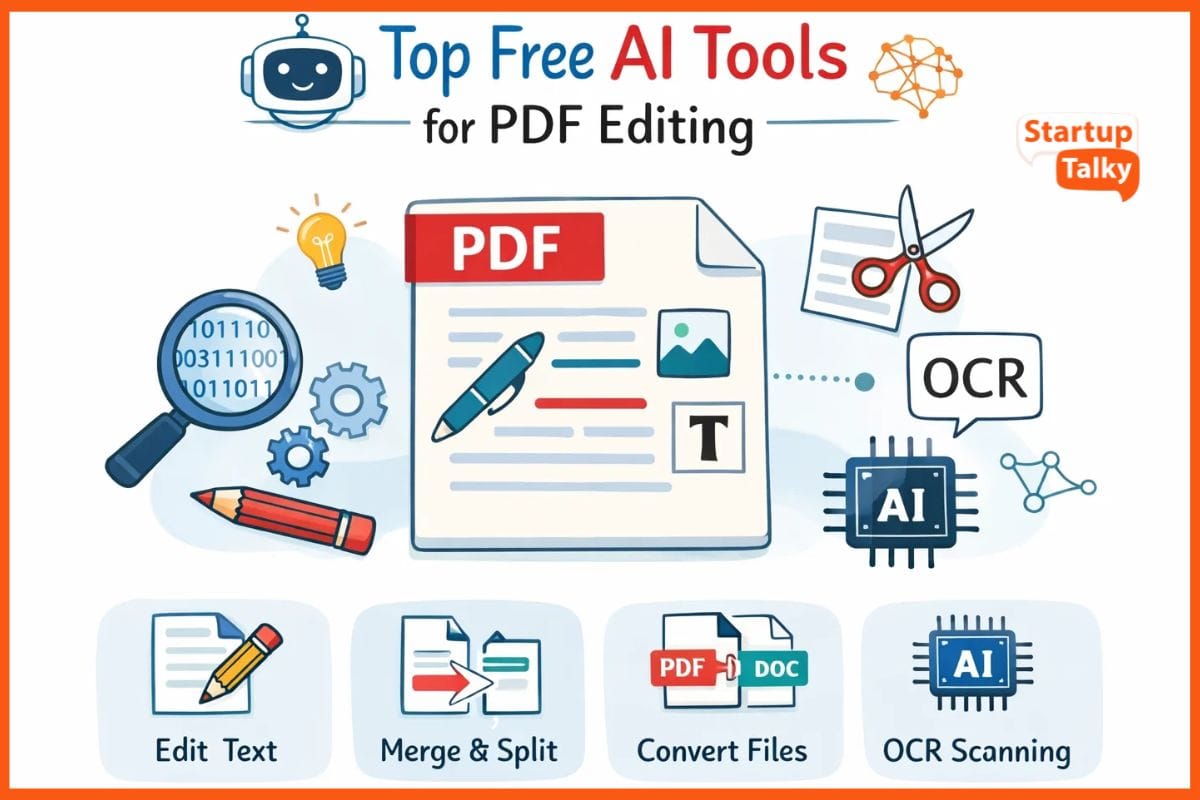
The free AI tools enable users to edit PDF documents through a fast and user-friendly interface. The software lets users modify text, insert notes, combine multiple pages, and digitally sign documents within a short time frame.
The user needs to enter their request into the system, and the system will complete the task. The system requires no specialized training for users to operate it.
The users can access these applications through an internet connection, or they can operate them without internet access, while most of these applications remain free of charge and advertisement interruptions.
How to Choose the Right AI PDF Tool
Choose based on your needs:
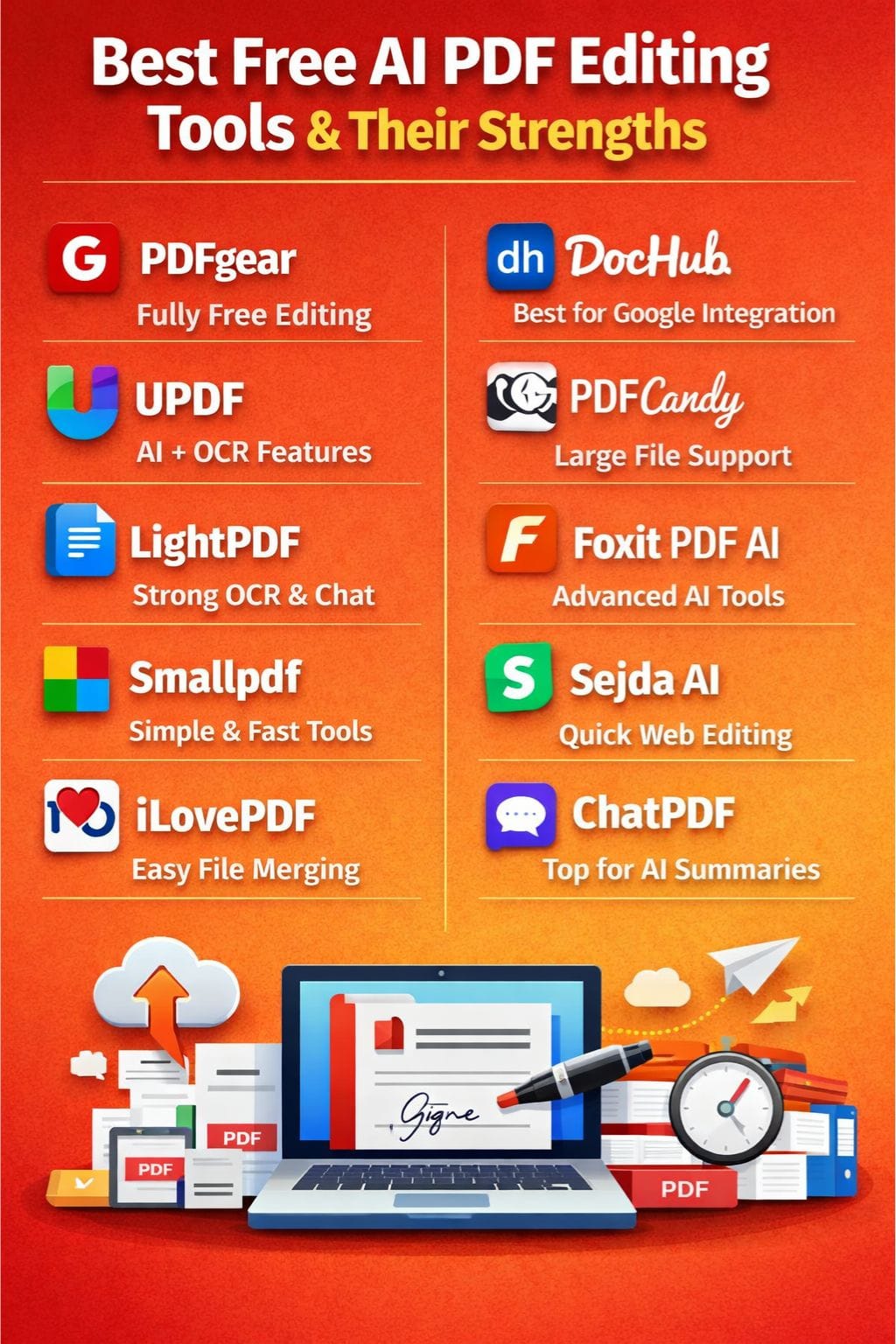
- For full free editing: PDFgear
- For AI + OCR: UPDF or LightPDF
- For simple tasks: iLovePDF or Smallpdf
- For large files: PDF Candy
- For AI chat & summaries: ChatPDF
- For professional use: Foxit PDF AI
Pricing Overview of Top AI PDF Tools (Free vs Paid)
| Tool | Free Plan | Paid Plan (Approx.) | Notes |
|---|---|---|---|
| PDFgear | ✅ Yes | Free mostly | Fully free core features |
| UPDF | ✅ Limited | ~$29/year | AI limits in free plan |
| LightPDF | ✅ Limited | ~$19/month | File size restrictions |
| Smallpdf | ✅ Limited | ~$12/month | OCR in paid plan |
| iLovePDF | ✅ Yes | ~$7/month | Ads in free version |
| DocHub | ✅ Limited | ~$10/month | Signature limits |
| PDF Candy | ✅ Yes | ~$6/month | Ads in free version |
| Foxit PDF AI | ✅ Limited | ~$11/month | Advanced AI paid |
| Sejda AI | ✅ Limited | ~$7.50/month | Daily usage cap |
| ChatPDF | ✅ Limited | ~$5–10/month | Query limits |
PDFgear
PDFgear is one of the leading free AI tools people use for editing PDFs. The software provides users with Word-like editing tools, which enable them to modify text documents, insert images, merge or split pages, create signatures, and perform fast document conversions.
The AI copilot can assist you in writing report summaries, reviewing your work and finding writing errors, rewriting your text, and translating it into multiple languages. The application functions on Windows and Mac, iOS, and Android devices while providing both online and offline access.
Pros
- Fast AI summaries and editing
- Simple click-based interface
- Cross-platform support
Cons
- Slight learning curve
- No collaboration tools
UPDF
UPDF documents free AI PDF editors because it provides users with intelligent text editing functions, image modification tools, and OCR scanning capabilities. Users can quickly add their notes, stamps, links, and watermarks to the document. Users can export their documents to Word or Excel format.
Users can access the system from their mobile devices, personal computers, and web browsers, without needing to complete any installation process. The system enables users to complete their reports and form tasks faster through the use of voice and typing commands.
Pros
- Strong AI chatbot
- Works across all devices
- Fast summaries
Cons
- Free limit: 5 documents, 100 AI requests
- Ads in the free version
LightPDF
The free AI tools from LightPDF enable users to work with PDF documents through simplified methods. The document chat function allows users to quickly obtain summaries of documents, correct text errors, and discover important information.
The software uses OCR technology to convert scanned documents into editable text formats. Users can make changes to documents by using the tool, which allows them to add signatures and combine pages while also achieving instant document size reduction.
Users can access the tool both through their web browser and their mobile device to perform document scanning.
Pros
- Cited answers from documents
- Batch watermark removal
- Strong OCR
Cons
- 5-document limit
- 10MB file size cap
 Muskaan Kapoor
Smallpdf
Smallpdf provides complimentary AI tools that enable users to efficiently modify PDF documents. The system allows users to interact with their document via chat, receive instant summaries, and perform basic text modifications. Users can upload documents to their platform for the purpose of adding notes, images, shapes, and signatures.
The AI system has the ability to rewrite existing content while translating text and generating quizzes, and compressing files at a rapid speed. Users can use their browser to combine documents, separate documents, and change document formats.
Pros
- Drag-and-drop interface
- No installation needed
- Free AI chat
Cons
- Daily limits
- OCR requires a paid plan
iLovePDF
iLovePDF is a free and simple tool for editing PDFs. You can add text, images, shapes, and notes in seconds. The system uses artificial intelligence for file translation while it maintains the original design structure.
You can merge, split, compress, and convert files to Word or JPG with ease. The application enables online document signing for users. With ChatGPT, you can edit text right in chat. The system requires no installation because it functions as a web-based application.
The system operates across all devices that have internet access through a web browser.
Pros
- Easy to use
- Fast processing
- Free core tools
Cons
- Ads in the free version
- Limited batch processing
DocHub
DocHub is a free AI tool that makes PDF editing simple and fast. The software enables users to modify text in the same manner as Word documents while providing options to insert images and highlight important sections, and delete unwanted text.
Users can interact with the artificial intelligence system to receive instant text summaries, text rewriting services, error correction services, and tone modification options. The application enables users to create electronic signatures and complete forms, and combine multiple documents into a single file.
Users can access Google Drive and Gmail to open and save documents.
Pros
- No watermarks
- Easy document access
- Fast drag-and-drop editing
Cons
- Only 5 free signatures/month
- Some features are locked behind Pro
PDF Candy
PDF Candy stands out as a top free AI tool for PDF editing. The program uses advanced artificial intelligence to enable users to modify text and insert images from online sources or personal devices, join multiple pages into one document, separate files into distinct parts, and change documents into Word or JPG formats.
The program allows users to mark text with highlights and underlines while providing a signature function and enabling them to reduce document size and process documents up to 500MB and apply OCR technology to scanned documents.
Pros
- Supports 40+ formats
- Large file handling
- Secure encryption
Cons
- Ads in the free version
- Slower on weak internet
Vivek Dev Jacob
Foxit PDF AI
Foxit PDF AI provides users with a powerful free PDF editing solution that enables them to modify PDF documents. The system can produce instant summaries of extensive documents while its chat function provides real-time answers to user inquiries. Users can easily correct text errors while changing document tone and translating content between different languages.
The program uses OCR technology to extract text from scanned documents. The application enables users to create notes and sign documents while providing them with quick search options through intelligent functions. The voice read option helps you listen on the go.
Pros
- Fast performance
- Advanced AI features
- Strong desktop experience
Cons
- Paid upgrade required
- Weak mobile performance
Sejda AI
Sejda AI provides users with fast and simple PDF editing capabilities. Users can modify text content and insert visual elements, hyperlinks, and geometric shapes with just a few mouse movements. The software enables users to complete forms and digitally sign documents while also allowing them to delete unnecessary content. Users can conduct speedy word replacement activities.
Users can add notes through highlights or strikethroughs to show their document modifications. The software operates through web access, which eliminates the requirement for users to download any software. The system protects your documents, which it deletes after you finish using them.
Pros
- No account needed
- Secure file handling
- Fast editing
Cons
- 3 tasks/day limit
- 50MB file size limit
ChatPDF
ChatPDF stands out as the top free AI tool for PDF document processing. Users can interact with their files through chat to receive instant responses, complete summaries, and essential information.
The AI system requires users to upload either a PDF file, an image, or a scanned document, which it then processes through OCR technology. Users can obtain information through three methods: asking questions, translating text, and extracting factual data within seconds.
The system provides source material that enables users to verify returned information. Users can operate the system without requiring any particular expertise.
Pros
- Very easy to use
- Instant summaries
- Source-backed answers
Cons
- 2 documents/day limit
- May struggle with complex files
Vivek Dev Jacob
Future of AI in PDF Editing
AI is making PDF tools smarter and faster. In the future, you can expect:
- Voice-based PDF editing
- Real-time collaboration with AI
- Automatic document insights & analytics
- Smarter OCR with near-perfect accuracy
These tools will continue to save time, reduce manual work, and improve productivity.
Conclusion
Free AI tools for PDF editing create new ways for you to complete your work. The system saves time on basic work through its ability to correct text errors and combine document pages, and implement digital signatures.
Users can interact with documents to obtain instant document summaries and retrieve essential information. The tools remain available at no cost, which enables all users, including students, professionals, and small business owners, to access them.
Online tools enable fast online updates, while more advanced tools provide solutions for comprehensive document examination. Free plans provide the necessary features for most users.
FAQs
What are the best free AI tools for PDF editing?
Some of the best free AI PDF editors include PDFgear, UPDF, Smallpdf, iLovePDF, and ChatPDF. These tools offer features like text editing, document merging, AI summaries, and digital signatures.
Are free AI PDF editors safe to use?
Yes, most popular AI PDF tools are safe if used from their official websites. Many tools like Sejda AI and PDF Candy also offer secure file handling and automatic file deletion to protect user data.
Can I edit scanned PDFs using free AI tools?
Yes, tools like UPDF, LightPDF, and Foxit PDF AI provide OCR (Optical Character Recognition), which allows users to edit scanned documents by converting them into editable text.
What are the limitations of free AI PDF editors?
Free versions usually come with restrictions such as limited document uploads, file size caps, daily usage limits, ads, or restricted access to advanced features like OCR and AI tools.