Best AI Copilots for IT Helpdesk Teams in 2026
Discover the best AI copilots for IT helpdesk teams in 2026. Compare features, pricing, pros, cons, and automation capabilities of top AI support tools for faster IT service management.

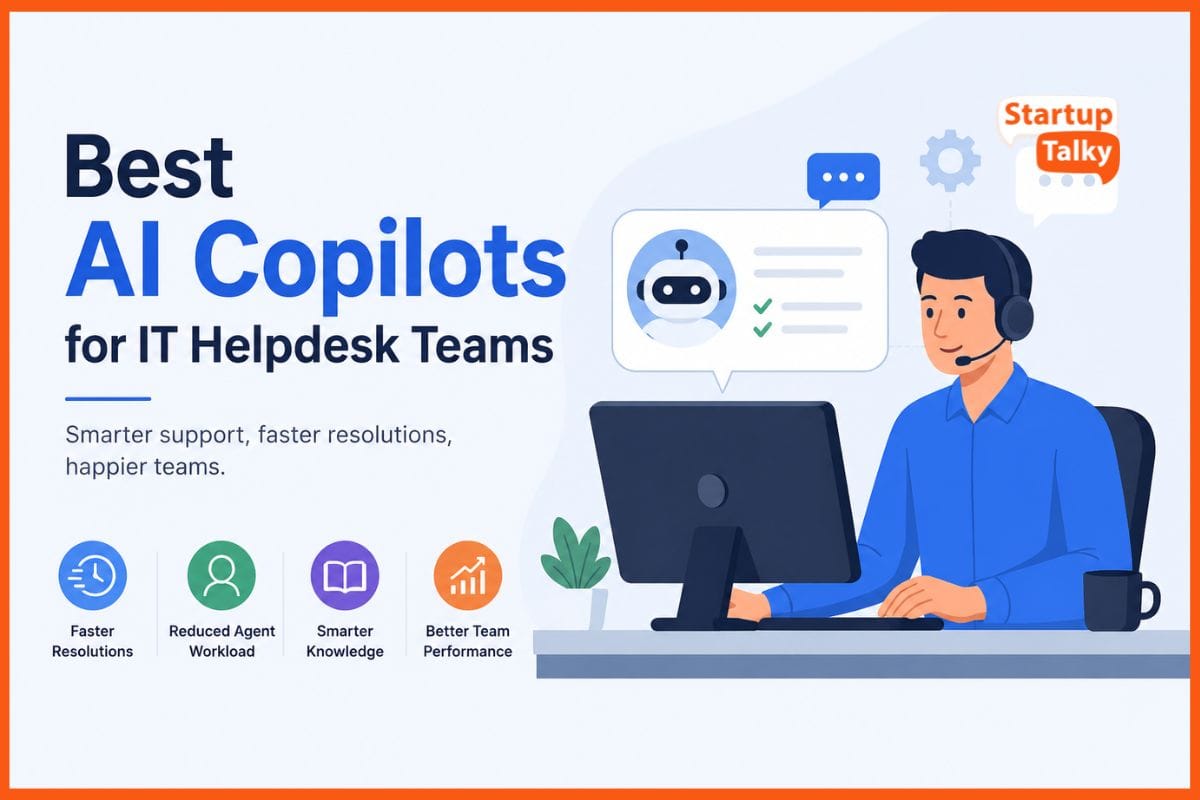
Modern IT helpdesk teams now use AI co-pilots to manage routine support work faster and with less stress. These tools solve common issues like password resets, login problems, and software errors in seconds.
They search internal knowledge bases, suggest fixes to agents, and draft simple replies for users. With AI, the co-pilots can also send difficult cases to the right expert without delay. Many teams use them to spot repeat problems before they become major outages.
This reduces wait times, lowers agent burnout, and cuts repeat tickets. As a result, support teams work more efficiently.
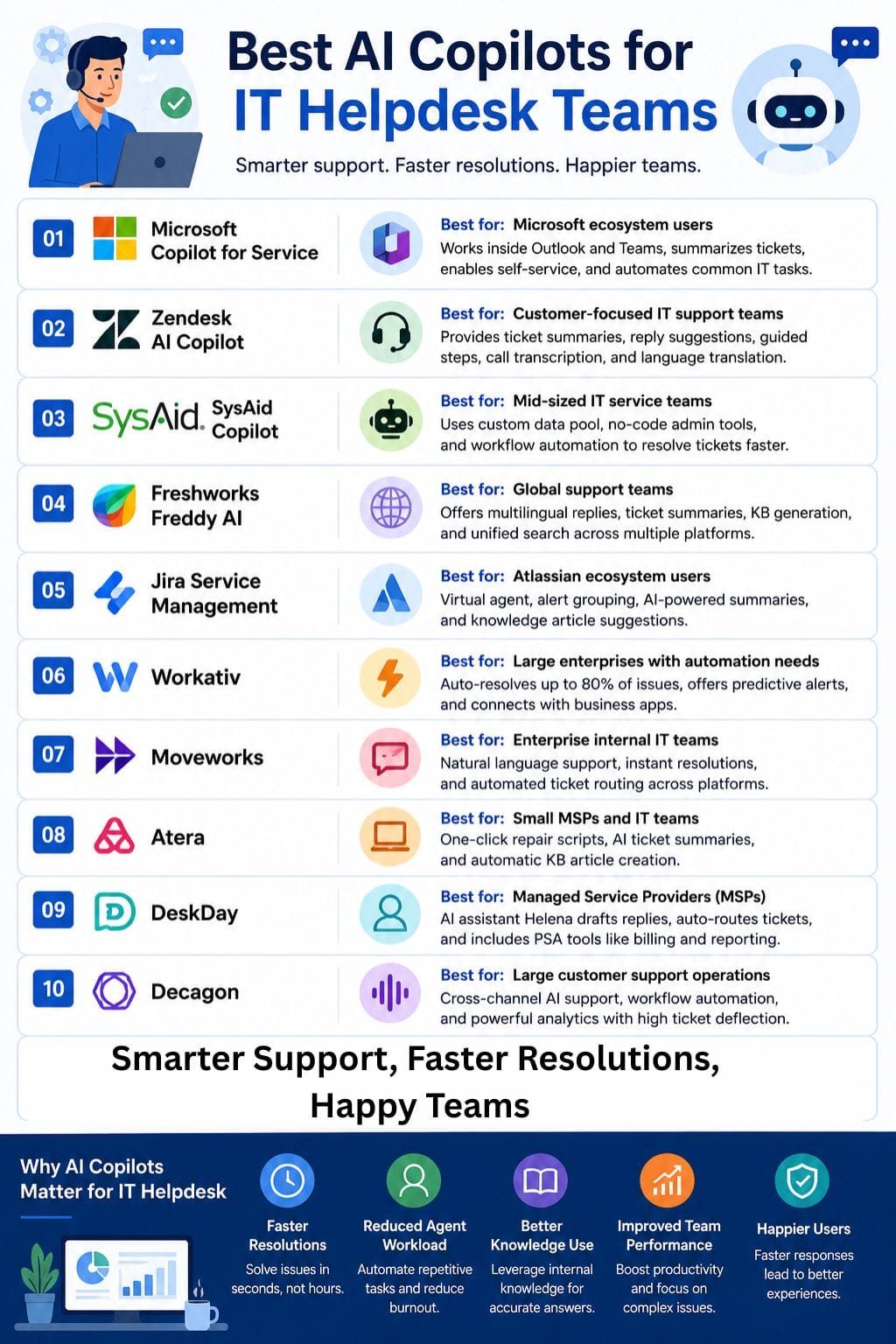
AI Copilot Tools Comparative Table
| Tool | Best For | Key Features | Pricing Level | Drawbacks |
|---|---|---|---|---|
| Microsoft Copilot for Service | Microsoft ecosystem users | Teams & Outlook integration, ticket summaries, self-service automation | Enterprise / RFP | Needs Microsoft 365 environment and setup |
| Zendesk AI Copilot | Customer-focused IT support teams | AI summaries, reply drafting, multilingual support | Enterprise / RFP | No full automation, higher-tier plan required |
| SysAid Copilot | Mid-sized IT service teams | Custom AI data pool, no-code admin tools, workflow automation | Enterprise / RFP | Rigid interface and limited customization |
| Freshworks Freddy AI | Global support teams | Multilingual AI, ticket summaries, KB generation | Affordable to Mid-range | Performance issues reported by some users |
| Jira Service Management | Atlassian ecosystem users | Virtual agent, alert grouping, AI incident summaries | Mid to Enterprise | Requires Atlassian Cloud migration |
| Workativ | Large enterprises with automation needs | 80% auto-resolution, predictive alerts, workflow automation | Mid to Enterprise | Complex integration setup |
| Moveworks | Enterprise internal IT teams | Natural language support, automated ticket routing | Enterprise / RFP | Mainly focused on L1 support |
| Atera | Small MSPs and IT teams | One-click repair scripts, AI ticket summaries | Enterprise / RFP | Limited scalability for large enterprises |
| DeskDay | Managed Service Providers (MSPs) | AI assistant Helena, PSA tools, smart ticket routing | Mid-range | Advanced AI requires higher-tier plans |
| Decagon | Large customer support operations | Cross-channel AI support, workflow automation, analytics | Enterprise / RFP | Overkill for smaller teams |
Microsoft Copilot for Service
Microsoft Copilot for Service helps IT helpdesk teams work faster with AI. It works inside Microsoft Outlook and Teams, so agents do not need to switch between tools. It can read emails and support tickets, create short summaries, suggest replies, and pull ticket details in one place.
It also drafts resolution notes and answers common questions using the company's knowledge base. The IT Helpdesk template supports self-service for password resets and software issues.
If needed, it can create ServiceNow tickets automatically. It also organizes tickets into tables, sets reminders, and prepares follow-up emails for users.
Pros
- Stays in Teams and Outlook flow without switching tools
- Summarizes tickets and conversations instantly
- Enables self-service for common tasks like password resets
Cons
- Requires a Microsoft 365 environment for full integration
- Needs proper setup and configuration to work safely
Pricing
Request for Pricing (RFP)
Zendesk AI Copilot
Zendesk AI Copilot helps IT support teams work faster and with less stress. It reads each ticket and detects the customer’s issue, tone, and language. The tool then gives agents short ticket summaries and ready-to-use reply suggestions based on saved macros and help articles.
It also provides simple step-by-step guidance for solving common problems. Agents can turn rough notes into clear and professional replies in seconds. The co-pilot can translate articles for global teams and transcribe support calls automatically.
This helps agents focus more on customers instead of repetitive work, while keeping responses accurate.
Pros
- Delivers summaries that agents can scan in seconds
- Suggests complete replies grounded in trusted knowledge
- Provides guided checklists so nothing gets missed
Cons
- Agents have to approve every single response, so there is no full automation in play
- Requires a Professional plan or anything above it to get it going
Pricing
Request for Pricing (RFP)
SysAid Copilot
SysAid Copilot is an AI assistant built for IT support teams. It helps staff solve tickets faster, write clear replies, and handle common tasks like password resets. The co-pilot learns from your company’s own knowledge base through a custom Data Pool. This helps it give answers that fit your business needs.
It also comes with simple no-code AI Admin tools, so teams can manage and improve workflows without coding skills. Managers can track AI activity in real time, review performance, and fine-tune responses when needed.
SysAid Copilot helps reduce manual work, saves time, and improves the support experience.
Pros
- Tackles ineffective chatbot struggles with genuine generative AI that can actually catch context, and that gets what you mean
- It is also more cost-effective than most ITSM tools in the market, usually
- Simple to roll out and customize the self-service portal look
Cons
- The interface can feel kind of rigid and not too intuitive sometimes, like it misses the point a bit
- Customization has some limitations, even though the templates are flexible
Pricing
Request for Pricing (RFP)
 Rishabh Rathi
Freshworks Freddy AI
Freshworks Freddy AI helps IT helpdesk teams work faster with less effort. It handles routine tickets, suggests replies in many languages, and sums up long conversations in simple notes.
The tool also drafts resolution updates and finds similar past issues for quick fixes. Freddy AI can fill ticket details on its own and turn solved problems into knowledge base articles.
It also creates post-incident reports and test cases. Teams can use it inside Slack, Microsoft Teams, and email. It also searches SharePoint, Google Drive, and Confluence to find useful answers for support agents.
Pros
- Built-in multilingual support for global teams without any additional tools
- Automatically generates test cases and post-incident reports in the moment
- Searches through SharePoint, Google Drive, and Confluence all at once in one place, kinda neat
Cons
- requires modifications for users to execute their complex editing tasks
- Performance issues reported by some users
Pricing
| Plan | Pricing |
|---|---|
| Starter | $10/member/month |
| Business | $16/member/month |
| Enterprise | Contact Sales |
Jira Service Management
Jira Service Management uses AI from Atlassian and Rovo to help IT support teams work faster. It offers a virtual agent that gives support all day and night. The platform can sort requests, group alerts, and create short incident summaries.
AI also helps teams find missing knowledge articles and write new ones. Users can search with simple language instead of complex filters.
These tools reduce manual work, save time, and help support teams solve issues faster. The system also improves self-service, so users can get answers without waiting for an agent.
Pros
- Deflects repetitive Tier 1 tickets automatically, freeing agents for complex work
- Connects across Atlassian tools without heavy setup or costly integrations
- Groups related alerts to prevent on-call agent fatigue
Cons
- Requires Atlassian Cloud migration; some features need paid tiers
- Advanced AI capabilities may need Rovo add-on licensing
Pricing
| Plan | Pricing |
|---|---|
| Standard | $20/agent/month |
| Premium | $51.42/agent/month |
| Enterprise | Contact Sales |
Workativ
Workativ helps IT teams solve most support issues without human help. Its AI copilot can handle up to 80% of common requests on its own. It connects with business apps, runs automated workflows, and uses RAG-based search to give clear and accurate answers.
The platform can reset passwords, route tickets, and manage complex support tasks. When needed, it can transfer users to a live support agent through chat. Workativ also watches systems to spot problems early and prevent outages.
It can summarize long support chats, helping teams save time, reduce workload, and solve issues faster with less manual effort.
Pros
- Auto-resolves 80% of HR/IT issues without human intervention
- ISO 27001 and SOC certified with GDPR compliance
- Predictive notifications for password expiry before downtime
Cons
- There is also the enterprise app integration setup time, which can be a bit much early on
- Best return on investment, mostly for mid-to-large organizations only
Pricing
| Plan | Pricing |
|---|---|
| Starter | $99/month |
| Business | $349/month |
| Custom | Contact Sales |
Vivek Dev Jacob
Moveworks
Moveworks is an AI tool built for IT helpdesk teams. It helps employees fix common problems through simple chat. Users can ask questions in natural language, and the system can resolve issues such as password resets in minutes.
It can also automatically create and send tickets to the right teams. Moveworks works with tools like Slack, Microsoft Teams, and existing IT service systems. The platform also shares helpful knowledge base answers and gives easy-to-read insights.
Its “Brief Me” feature sums up long documents fast. By handling routine tasks, Moveworks helps companies reduce support time and grow without hiring more staff.
Pros
- Resolves issues instantly without human agent involvement
- Works in tools employees already use (Slack, Teams)
- No resource-heavy implementation projects needed
Cons
- Requires enterprise-grade ITSM integration setup
- Primarily solves L1 issues; complex problems still need humans
Pricing
Request for Pricing (RFP)
Atera
Atera offers an AI Copilot built for IT helpdesk teams. It helps staff solve issues faster with live device checks, smart fix suggestions, and one-click repair scripts.
The tool can sum up support tickets, write replies based on past cases, and create knowledge-base articles from solved issues. Users can also give voice or text commands to run terminal tasks with ease.
Atera’s IT Autopilot can handle up to 40% of basic Tier 1 support work on its own, such as password resets and device reboots. Most of these issues get solved in about 15 minutes.
Pros
- Saves 11–13 hours weekly per technician on repetitive tasks
- Creates knowledge-base articles automatically from resolved tickets
- Executes CLI commands and scripts with one click from alerts
Cons
- This is best suited for small MSPs, not really scalable for large IT operations; it can feel a bit limited
- If things get complex, real humans still have to step in
Pricing
Request for Pricing (RFP)
DeskDay
DeskDay is a chat-first, AI-powered service desk built for MSPs and IT teams. Its AI assistant, Helena, helps tech teams reply faster with smart draft responses. It also finds helpful knowledge base articles and past solved tickets inside each request.
The platform can auto-sort, tag, and prioritize tickets to save time. It sends tickets to the right technician based on skills and workload. DeskDay also adds more context to tickets during intake.
Teams can manage support through Microsoft Teams, email, web, mobile, and desktop. It also includes PSA tools like billing, time tracking, and project management.
Pros
- Helena drafts replies, suggests KB articles, and detects customer sentiment
- Up and running in under 30 minutes with no complex setup
- All-in-one PSA replacing legacy tools; ticketing, workflows, billing, and reporting together
Cons
- Primarily built for MSPs, it may be overkill for small in-house IT teams
- Advanced AI copilot features require specialized plans beyond the basic tier
Pricing
| Plan | Pricing |
|---|---|
| Standard | $79/tech/month |
| Enterprise | $499/month |
Vivek Dev Jacob
Decagon
Decagon is an AI support tool for enterprise teams. It helps companies manage IT helpdesk work through chat, email, and voice in one place. The platform uses simple language-based workflows called Agent Operating Procedures (AOPs).
It can solve up to 70% of customer issues on its own and reduce ticket volume by 80%. This helps businesses lower support costs by nearly 65%. Decagon also learns from your existing knowledge base, writes reply drafts, sends complex cases to the right teams, and gives live insights through analytics.
Teams can improve support quality without needing constant help from engineers or developers.
Pros
- Defines workflows in plain English via AOPs, no coding needed
- Unified voice, chat, and email with cross-channel memory
- 80% deflection rate with 95% cost reduction
Cons
- Primarily built for customer support, not pure IT infrastructure
- Enterprise-focused, may overwhelm small teams
Pricing
Request for Pricing (RFP)
How to Choose the Right AI Helpdesk Tool
Choosing the right AI copilot depends on your company size, workflow, and existing software stack.
- For Microsoft users: Microsoft Copilot for Service is a strong choice.
- For MSPs: DeskDay and Atera fit well.
- For enterprise automation: Workativ and Moveworks are ideal.
- For Atlassian users: Jira Service Management offers seamless integration.
- For multilingual support: Freshworks Freddy AI works well.
Before choosing a tool, evaluate these important factors:
- Integration support
- Automation level
- Knowledge base compatibility
- Security compliance
- Pricing scalability
- Ease of setup and training
Final Thoughts
AI co-pilots have transformed IT helpdesk teams by turning slow, repetitive work into fast, meaningful service. They solve common problems like password resets and software glitches without human help, freeing agents to tackle hard issues.
These systems draw from internal knowledge, suggest fixes in plain language, and route tough cases to the right person instantly. Teams see fewer repeat calls, shorter wait times, and less burnout.
Users get answers faster and feel heard. The best co-pilots learn from every ticket, spotting patterns before outages grow. In the end, they do not replace people, they make helpdesk teams faster.
FAQs
What is an AI helpdesk copilot?
An AI helpdesk copilot is a tool that helps IT support teams automate routine tasks like password resets, ticket summaries, and reply suggestions using artificial intelligence.
Which AI copilot is best for Microsoft users?
Microsoft Copilot for Service is best for organizations already using Microsoft Teams, Outlook, and Microsoft 365 tools.
Can AI copilots replace IT support agents?
No, AI copilots are designed to assist agents by handling repetitive work and improving response times, not replace human support teams.
What are the benefits of AI in IT helpdesk support?
AI helps reduce ticket resolution time, lowers agent workload, improves self-service, automates repetitive tasks, and enhances customer support efficiency.