

10 Best AI Tools for Creating Instagram Stories in 2026
🏆 Lists & Rankings
AI tools create enjoyable, colorful Instagram Stories through their features. The tools transform basic photos and video clips into attractive visual stories. The user can include transparent text together with basic visual effects and audio tracks that match their emotional state. The tools select design elements that designers can combine with colors, layouts, and text to create visually appealing designs. You do not need design skills. A few taps can make your post look neat and ready to share. Anyone can tell a story that feels real and fresh. Your stories can show your ideas.
Why Use AI Tools for Instagram Stories?
AI tools help you:
- Save time
- Maintain brand consistency
- Create better visuals
- Increase engagement
- Test different creative styles fast
You can create professional Stories in under 10 minutes, even without design experience.
AI handles templates, animations, captions, and music. You focus on your message and creativity.
Let’s explore the best AI tools for Instagram Stories in 2026.
AI Instagram Story Tools Comparison (2026)
| Tool | Key Strengths | Limitations |
|---|---|---|
| Canva | Easy drag-and-drop design, strong templates, large asset library | Best features behind paywall, can slow on older devices |
| Predis.ai | Generates full Story content, captions, hashtags, posting calendar | AI output may need editing, not ideal for complex enterprise use |
| InVideo AI | Text-to-video conversion, large stock media library | Templates can feel generic, plan limits apply |
| Zebracat | AI avatars, voice cloning, script writing | Limited avatar customization |
| Adobe Express | Clean editor, Adobe integration, strong stock media | Limited AI credits, premium assets behind paywall |
| Flick | Brand voice captions, hashtag optimization, analytics | Learning curve for beginners |
| Mojo | Fast mobile editing, animated text templates | Limited advanced editing features |
| SocialBee | AI captions plus content scheduling | No free plan available |
| Unfold | Stylish minimal templates, modern design | Limited free filters and effects |
| VistaCreate | Easy templates, background remover, instant resizing | Some learning curve, support delays reported |
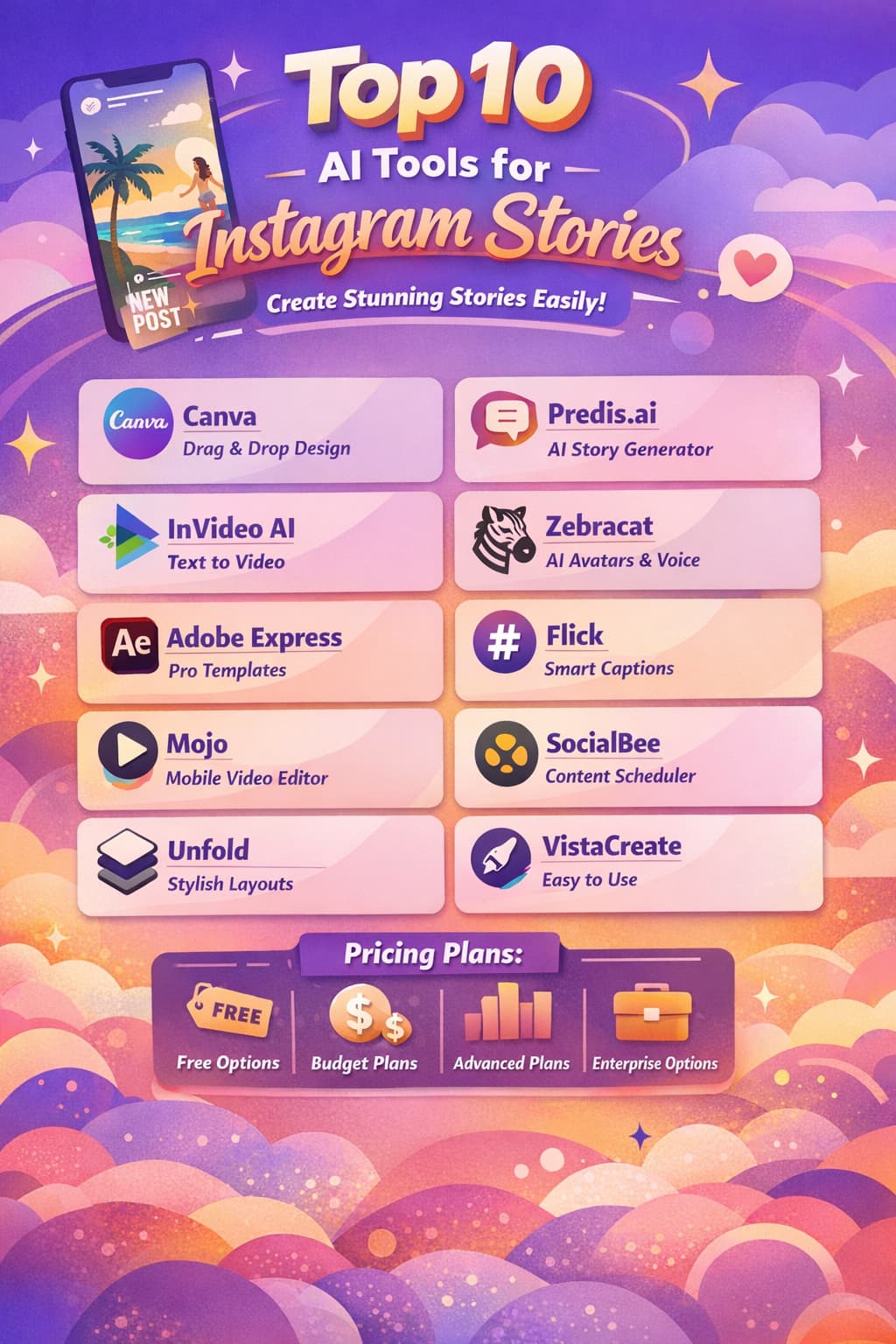
1. Canva – Best for Easy Drag-and-Drop Story Design
Canva provides users with a straightforward tool to create Instagram Stories. The software uses artificial intelligence to enable users to create designs at high speed. You can move text, photos, and shapes through the interface using drag and drop functionality. The smart templates create a polished appearance for your design work. Canva provides users with access to numerous complimentary visual assets, including images and videos, and design elements. Your brand kit allows you to store your preferred colors and fonts. This system enables you to maintain consistent brand aesthetics. You can post or download in seconds.
Pros
- The user interface provides a simple drag-and-drop function.
- The platform offers a vast collection of complimentary visual content.
- The strong templates enable users to create professional-looking stories.
Cons
- The best features are only on premium plans.
- The system becomes slow on older devices
Canva Pricing
| Plan | Price |
|---|---|
| Free (Limited) | Free |
| Pro | $15/month |
| Business | $20/month |
| Enterprise | Contact Sales |
2. Predis.ai – Best for AI-Generated Instagram Story Content
Predis.ai transforms basic concepts into Instagram Stories within a time frame of several minutes. The platform provides you with pre-made visual content, caption text, and hashtag recommendations. You can create content that includes posts, carousels, Reels, and Stories in appropriate dimensions. A drag-and-drop editor lets you change designs fast. You can insert music elements together with soft motion effects and your brand's color palette. You can organize your story posts to go live during peak follower times. The entire system operates from a single control panel. The application assists time-constrained content creators, small businesses, and advertising agencies.
Pros
- The program generates complete story sequences by using a brief writing instruction
- The dashboard enables users to manage all Stories from a single location.
- Content calendar tool and automatic posting capability to publish content on Instagram.
Cons
- Some AI visuals and captions can feel plain and need edits.
- Cannot accommodate the requirements of complicated enterprise systems.
Predis.ai Pricing
| Plan | Price |
|---|---|
| Core | $32/month |
| Rise | $79/month |
| Enterprise+ | $249/month |
 Vivek Dev Jacob
3. InVideo AI – Best for Text-to-Video Instagram Stories
The software Invideo AI enables users to create complete Instagram Stories from their original concepts through its efficient and precise production process. The program provides users with pre-made design templates and tools for transforming text into video content and automatic caption generation, and access to stock video materials. Your vertical videos look pro with less work. The tool can write simple scripts and build scenes for you. The system enables users to perform editing through a drag-and-drop method, which creates an interface that beginners can easily navigate. You can quickly select your preferred design theme.
Pros
- Provides simple operation through its text-to-video system
- Comprehensive collection of stock media and music resources
- Enables users to create multiple stories at high speed
Cons
- The basic subscription plan restricts users to short AI processing activities.
- Using common templates reduces original design elements in your project work.
Invideo AI Pricing
| Plan | Price |
|---|---|
| Plus | $35/month |
| Max | $60/month |
| Generative | $120/month |
| Team | $999/month |
4. Zebracat – Best for AI Avatars and Voice Cloning
Zebracat transforms basic concepts into visually appealing Instagram Stories. Users have the ability to insert text links and audio files. The program creates brief vertical videos within a few minutes. The software produces captions and musical tracks, and entertaining effects. The tool can write scripts for you. The software can create brand designs and matching brand voice elements. Users have access to artificial intelligence characters and their corresponding voice capabilities. The program produces content in the appropriate size for Instagram Stories, which users can directly upload. Users do not require any video editing capabilities.
Pros
- Easy-to-use interface
- The AI avatars, together with voice cloning technology, maintain brand identity.
- works best for content creators, coaches, and brands.
Cons
- The use of AI avatars has limitations
- Delay in response by support teams reported by users
Zebracat Pricing
| Plan | Price |
|---|---|
| Cat Mode | $39/month |
| Super Cat | $99/month |
| Unlimited Cat | $199/month |
| Enterprise | $599/month |
Muskaan Kapoor
5. Adobe Express – Best for Clean Professional Story Design
Adobe Express helps you make clean Instagram Stories fast. Users can begin their project by selecting from text, photo, or video options. The application offers pre-designed templates together with design options and visual effects. The process saves time because it enables users to create designs without needing any design abilities. Users can move elements on the screen while they add basic animations and access complementary stock media. You can establish a central storage location for your brand's essential fonts, colors, and logos. This method guarantees that all posts will maintain their brand identity.
Pros
- Users can create stories through the use of a simple drag-and-drop editor.
- The templates and stock media collection provide users with strong design resources.
- Operates effectively with all Adobe applications and their associated file formats.
Cons
- AI credits become inadequate for users who need to conduct extensive operations.
- Some premium templates and assets sit behind paywalls.
Adobe Express Pricing
| Plan | Price |
|---|---|
| Free (Limited) | Free |
| Premium | $4.40/month |
| Firefly Pro | $17.61/month |
6. Flick – Best for AI Captions and Hashtag Optimization
Flick serves as an Instagram AI tool that provides users with the capabilities to create and organize their Stories content. The system is designed to understand your brand voice, so it maintains a consistent tone throughout its operations. The system generates story suggestions when you experience creative blocks. The AI system can generate brief captions that match your specific writing style. The system identifies hashtags that increase your posts' visibility to a wider audience. The software displays the optimal posting time, enabling you to expand your audience reach. The visual calendar system enables users to view and organize content.
Pros
- AI assistant Iris learns your brand voice to create captions and content ideas.
- The hashtag research tool helps users find more story content.
- The analytics system provides strong capabilities for their upcoming story performance.
Cons
- Beginners will encounter difficulties when using the system.
- The platform provides its highest value through its premium tiers.
Flick Pricing
| Plan | Price |
|---|---|
| Solo | $18.98/month |
| Pro | $40.68/month |
| Agency | $92.21/month |
7. Mojo – Best Mobile AI Story Editor
Mojo is an easy AI video editor for phones. The program enables users to create Instagram Stories from their original video footage within a short period of time. The software provides multiple built-in templates that allow users to create animated text and automatically generate captions while using trendy audio elements. You can change colors, fonts, and timing elements to create brand-specific design elements. Users can export their projects with a single tap for Stories or Reels. The drag-and-drop tools feel simple for new creators. Businesses that maintain daily posting schedules still retain their content management rights.
Pros
- Animated templates that users can customize for their Stories and Reels.
- Users can perform speedy mobile editing.
- Users can export their content through Instagram-specific built-in tools.
Cons
- Users experience application issues, which include operational delays.
- Basic video editing through the cloud software.
Mojo Pricing
| Plan | Price |
|---|---|
| Free (Limited) | Free |
| Mojo Pro | $14.99/month |
8. SocialBee – Best for Instagram Story Scheduling
SocialBee provides users with an intelligent system to organize their Instagram Story publishing schedule. The system employs artificial intelligence to create basic captions and select appropriate brand images. The application provides users with optimal times to share their content. Users have the ability to organize their content through Stories, Reels, and posts from a single dashboard. Users can navigate the dashboard, which has a straightforward design. The system allows users to transfer multiple pictures and videos simultaneously. Users have the ability to store their hashtag collections for future application. Users have the ability to reuse their effective content.
Pros
- Create stories through a straightforward drag-and-drop interface
- Advanced AI capabilities, which generate caption content, image recommendations
- Users can maintain Story content freshness through evergreen queues
Cons
- Delivers analytical data together with optimal timing recommendations
- The platform does not provide any free access option
SocialBee Pricing
| Plan | Price |
|---|---|
| Bootstrap | $24.20/month |
| Accelerate | $40.80/month |
| Pro | $82.59/month |
Vivek Dev Jacob
9. Unfold – Best for Minimal & Stylish Instagram Stories
Unfold application allows users to create stylish Instagram stories without requiring any design expertise. The application provides multiple basic design options along with various font styles and visual effects, which enable users to create organized brand-compliant photo and video content. Users can design their Instagram feed by creating post previews while maintaining a consistent visual identity throughout their stories and reels. Users can start working with the templates because all templates exist as ready-to-use materials, which enable fast template modifications. The application enables creators, brands, and small businesses to produce professional-looking stories within a few minutes.
Pros
- The clean and modern templates create professional results for any story
- The platform provides users with built-in tools
- The premium subscription allows users to use their own custom fonts and colors
Cons
- The basic version provides users with a limited selection of filters and effects.
- Occasional bugs
Unfold Pricing
| Plan | Price |
|---|---|
| Free (Limited) | Free |
| Premium Plans | Check App Stores |
10. VistaCreate – Best Canva Alternative for Story Design
VistaCreate functions as an Instagram Stories creation tool that anyone can access. The system enables all users to create designs through its drag-and-drop interface. The application includes AI tools that assist users in creating written content and visual elements. Users can select from a wide range of pre-made templates, which are designed for storytelling. The application provides users with the ability to extract backgrounds from images while simultaneously enabling them to resize their content through a single operation. The application provides users with access to various media items, including images, motion graphics, and animated stickers.
Pros
- Easy-to-use interface
- Vast template for stories
- Users can transform their existing designs into different formats
Cons
- Some users report a learning curve
- Delay in support responses
VistaCreate Pricing
| Plan | Price |
|---|---|
| Free (Limited) | Free |
| Pro+ | $13/month |
Final Thoughts
The introduction of AI technology transforms our Instagram Stories appearance. It eliminates the need for people to create designs since it generates effective design elements that produce immediate audience attraction. The system enables users to evaluate different design approaches, artistic styles, and content presentation methods within a time frame that lasts under one hour. The technology handles all tasks except your personal expression, which allows you to keep your individuality. The development of new tools that combine text, video, and sound enables every brand and creator to produce professional-looking stories.
FAQs
What are AI tools for Instagram Stories?
AI tools help create story designs, captions, animations, and visuals automatically. They save time and improve creativity.
Who should use AI Instagram Story tools?
Content creators, influencers, small businesses, and brands can use them to create engaging stories quickly.
Can AI tools create Stories without design skills?
Yes. Most tools offer ready-made templates and auto-design features, so no design experience is needed.
Are AI Instagram Story tools free?
Some tools offer free plans with limited features. Advanced features usually require a paid subscription.