Best 10 AI Voice Changer Tools (2026) for Gaming, Streaming & Content Creation
Explore the 10 best AI voice changers for gaming, streaming, and content creation. Compare top tools like Voicemod, Voice.ai, and MagicMic with features, pricing, and use cases to find the perfect voice changer.

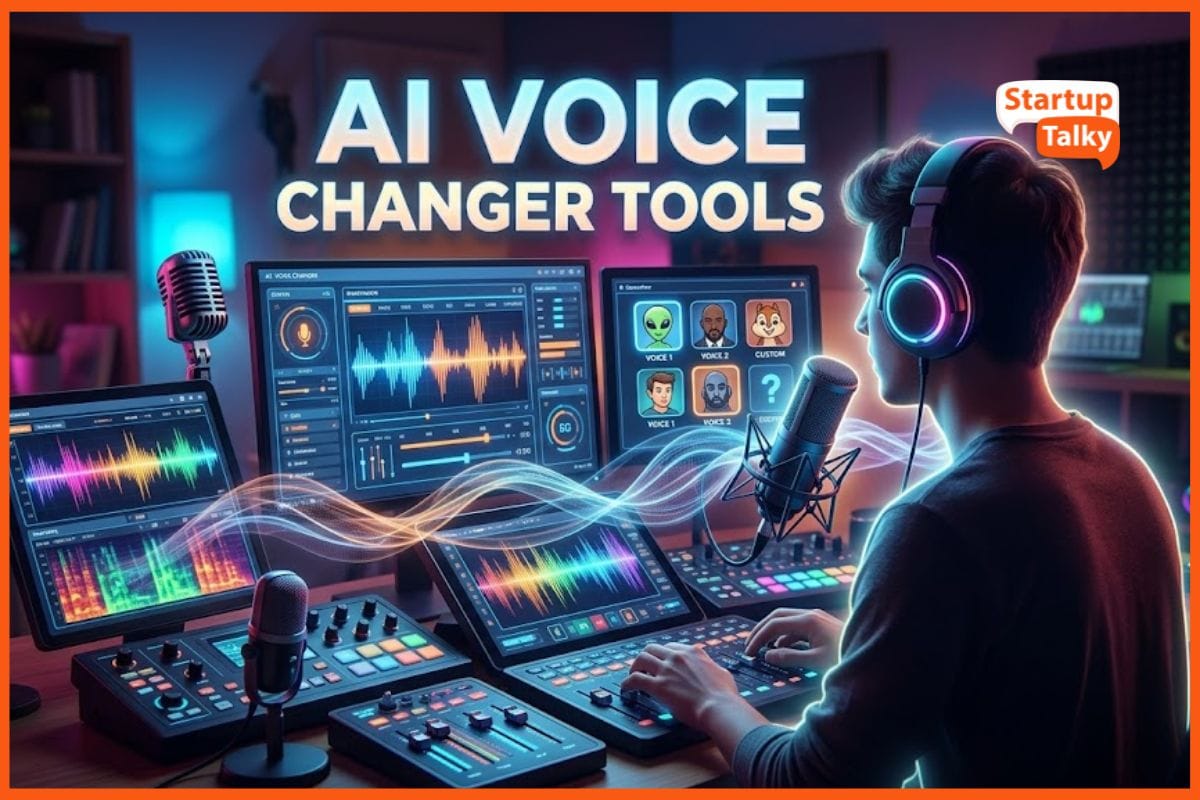
AI-powered voice changers have exploded in popularity for streamers, gamers, and content creators. They can mask your voice or mimic celebs and characters in real time. For example, YouTuber Tiko uses a voice changer to sound like a baby in Fortnite streams, making his content more unique. These tools add fun and privacy – or help create diverse content voices with ease.
Below are 10 leading AI voice changer tools, mixing free/paid and desktop/mobile platforms. Each entry lists its key features, supported platforms, pricing, strengths, and any standout elements.
Quick Comparison Table (Top AI Voice Changers)
| Tool | Best For | Key Features | Pricing | Drawbacks |
|---|---|---|---|---|
| Voice.ai | Ultra-realistic voices | Voice cloning, huge voice library | Freemium | Heavy system usage |
| Voicemod | Gaming & streaming | 200+ voices, soundboard | Freemium | Limited free version |
| MagicMic | Realistic AI voices | 500+ filters, 100K soundboard | Paid | Daily limits in free plan |
| HitPaw VoicePea | Streamers | 300+ voices, low latency | Paid | No full free version |
| MorphVOX Pro | Professional use | Voice-learning tech | One-time | Old UI |
| Voxal | Free users | Custom voice creation | Free | Not AI-based |
| Vozard | Variety of voices | 200+ effects | Paid | New tool, less proven |
| PowerDirector | Mobile creators | Video + voice editing | Freemium | Not real-time |
| Clownfish | System-wide free use | Works on all apps | Free | Basic features |
| MagicCall | Phone calls | Real-time call voice change | Freemium | Paid credits needed |
Voice.ai – Real-Time AI Voice Changer
Thousands of free AI voices and sound effects, plus real-time voice-to-voice conversion. You can pick or clone any voice and use a “Voice Universe” library to find user-created voices.
Best for: Ultra-realistic voice cloning
- Platforms: Windows and macOS (also mobile apps in beta). Works on Zoom, Discord, games like Fortnite, Minecraft, Valorant, etc.
- Pricing: Free basic version; paid plans likely for pro features (they offer enterprise/Commercial options).
- Strengths: Very high voice quality and variety. Lifelike speech and endless options mean you can sound like any celeb or character. It’s easy to set up and integrates with all your apps.
- Unique: Voice.ai has a community-driven “Voice Universe” where users share custom voices. You can even create AI voice clips for soundboards to use like a pro voice actor. It’s known for ultra-realistic conversions that preserve tone and pacing.
Voicemod – Best for Gamers & Streamers
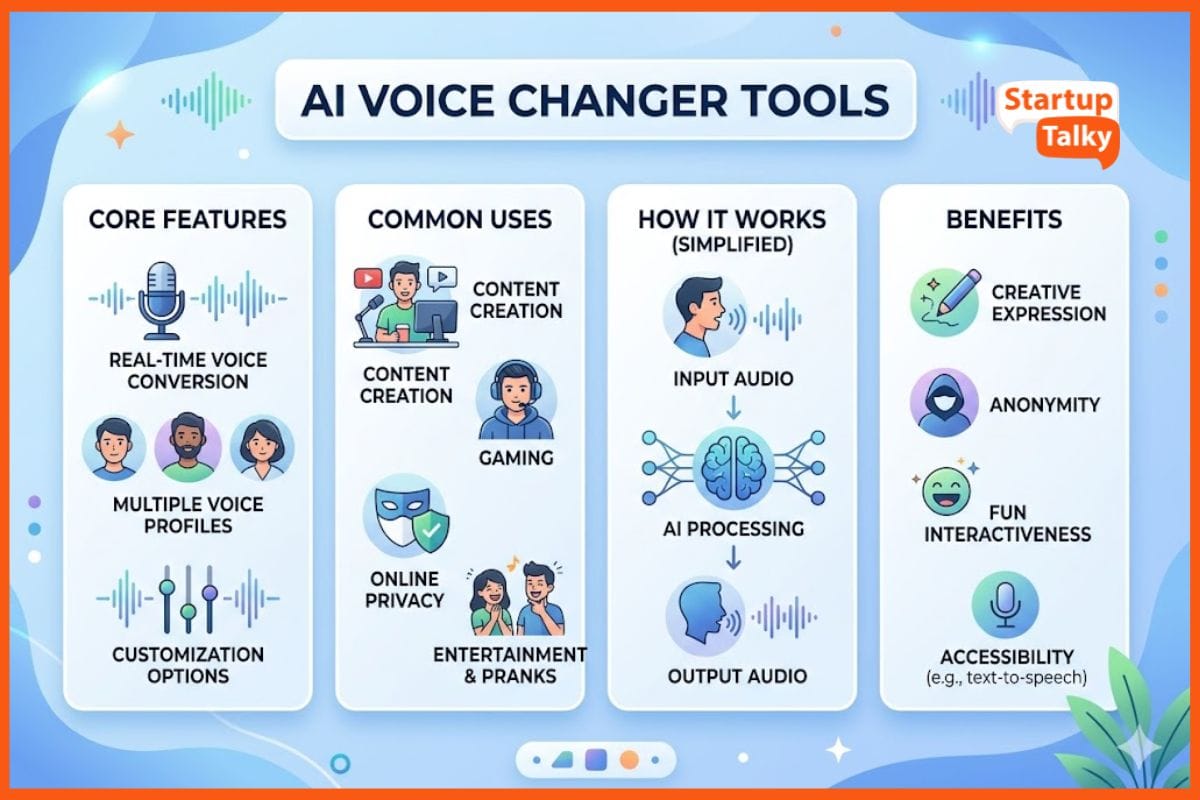
Real-time voice changer with 200+ preset voices and soundboard effects. You can warp your voice (e.g., anime, radio) or create custom effects with Voicelab. It also includes a soundboard for live memes and audio clips.
Best for: Gaming, Discord, Twitch
- Platforms: Windows and macOS. Works in real-time on Discord, Twitch, OBS, Skype, and games. Mobile companion app (Voicemod GO) lets you control soundboards remotely.
- Pricing: Freemium. The free tier has a limited voice and sound library. Paid “PRO” unlocks all voices/effects (subscription required).
- Strengths: Ultra-low latency with built-in noise suppression makes it great for live gaming and streaming. Its interface is user-friendly for beginners.
- Unique: Known for character/celebrity voices and memes. Its “Voicelab” lets you tweak any voice (mix pitch, reverb, robotizer). Voicemod also partners with hardware brands (Razer, Corsair) for special voice packs.
iMyFone MagicMic – AI Voice Powerhouse
Professional real-time AI voice changer with 500+ AI voice filters and 100K+ meme soundboards. Advanced AI (RVC models) deliver very lifelike voices. You can change voice gender, tone, or pick famous characters.
Best for: Realistic AI voices
- Platforms: Windows & macOS for live chat and games; iOS/Android apps for editing recordings (30+ filters on mobile).
- Pricing: Free tier (with five voices/day). Premium plans unlock the full library. Monthly ~$9.99, annual ~$29.99, or one-time purchase for lifetime use.
- Strengths: High-quality output and extremely low latency. MagicMic is easy for beginners and integrates with Discord, Zoom, Skype, and games. It even offers an AI voice studio to customize your own voice.
- Unique: It claims to be “the most realistic real-time voice changer” thanks to its advanced AI algorithms. It regularly updates with new voices and supports voice conversion in recorded audio on PC and mobile.
 Vivek Dev Jacob
HitPaw VoicePea – Streamer-Friendly Tool
All-in-one real-time AI voice changer plus meme soundboard. Over 300 realistic AI voice effects (cartoons, celebs, etc.) that transform your voice instantly. It also has a built-in soundboard for live effects.
Best for: Content creators
- Platforms: Windows and macOS. Designed for Discord, Twitch, YouTube, Zoom, Google Meet – basically any chat or streaming app.
- Pricing: Free trial available. Paid license for unlimited use (lifetime or subscription).
- Strengths: Engineered for gamers and creators. HitPaw is beginner-friendly with a plug-and-play setup. It delivers studio-quality sound with ultra-low latency.
- Unique: Packs many “pop-culture” voices (e.g., Donald Trump, Darth Vader). It’s marketed as the best for character voices, and it even lets you personalize with keybinds and noise reduction.
MorphVOX Pro – Classic Professional Tool
Time-tested voice changer with “voice-learning” tech and background sound effects. Includes presets (guy, girl, robot, etc.) and tons of sound packs for fun (farts, crowds, etc.). Superb noise reduction keeps output clean.
Best for: Long-term/pro use
- Platforms: Windows (7/8/10) and macOS. Works as a virtual mic across any chat or game.
- Pricing: $39.99 one-time for Pro version (often on sale). Mac version sold separately.
- Strengths: Reliable and mature software. Advanced background cancellation and filtering mean a clear, crisp voice change. It runs efficiently with low CPU usage during games.
- Unique: MorphVOX pioneered “after effects” like adding environment sounds (traffic, mall) while you talk. It also offers quick voice switching and equalizer controls for fine-tuning.
Voxal Voice Changer – Free & Simple
Real-time voice changer with 40+ built-in voice filters (alien, robot, boy, girl, etc.). You can create unlimited custom voices by stacking effects. Works on live audio and pre-recorded files.
Best for: Beginners
- Platforms: Windows and macOS. It can be applied to any app that uses a microphone (games, Skype, Discord).
- Pricing: Free for non-commercial use. Paid home/commercial licenses for extra features.
- Strengths: Very light on system resources. Its “limitless options” allow creative mixes. Good for casual fun or character voices.
- Unique: Though not an AI tool per se, Voxal still delivers compelling voice effects. It’s great as a simple, free choice without extra frills. It even lets you change voice gender or pitch live on the fly.
Vivek Dev Jacob
Vozard – Feature-Rich Newcomer
Real-time AI voice changer with 74+ AI voice filters and 150+ sound effects. It offers character voices (SpongeBob, Darth Vader, etc.) and background sound memes. Also supports voice changing in recordings or video files.
Best for: Variety lovers
- Platforms: Windows and macOS.
- Pricing: Subscription plans (e.g., $12.99/month for a 2-PC license) or one-time license deals.
- Strengths: Advanced AI covers many scenarios. It’s known for fun and realistic voices – voices like celebrities or anime characters. It also has a built-in meme soundboard.
- Unique: Vozard boasts “200+ lifelike sound effects” and a voice actor. Its selling point is variety: lots of new voices are added regularly, and it focuses on ease of use with 14+ supported apps for one-click voice swapping.
CyberLink PowerDirector – Mobile Editing Tool
A mobile video editor (iOS/Android) with an AI voice changer feature. It applies “voice-altering effects” such as duck, child, robot, etc., and features AI-powered audio cleanup and enhancement.
Best for: Mobile video creators
- Platforms: iOS and Android apps.
- Pricing: Free to download (with in-app purchases for premium tools).
- Strengths: Very user-friendly with drag-and-drop editing. Good for content creators who want quick voice effects on videos. Supports multiple languages and voice ages, plus fun filters (radio, phone).
- Unique: PowerDirector’s voice changer is bundled in a full suite of video/audio tools. You can combine it with its green screen, stabilization, or other video effects, a pro-quality app in your pocket.
Clownfish Voice Changer – Free System-Wide Tool
Lightweight voice-changing software is installed at the system level. It works with any mic application (Skype, Discord, etc.) and has multiple simple effects (male, female, baby, etc.).
Best for: Free usage across apps
- Platforms: Windows (system-wide) and a mobile app version.
- Pricing: Completely free and open-source.
- Strengths: No cost and easy to use for basic needs. It even lets you add background music or use voice presets across all resemble.ai.
- Unique: Originally desktop-only, Clownfish now has a mobile voice changer too. Its biggest plus is system-wide integration – change voices in any app without per-app setup.
Vivek Dev Jacob
MagicCall – Voice Changer for Phone Calls
Change your voice during live phone calls. Offers voices like male, female, kid, cartoon, or even themes (traffic noise, birthday song) to disguise your call environment.
Best for: Real phone calls
- Platforms: iOS and Android (works by making a 3-way call through their service).
- Pricing: Free basic version; premium plans or in-app coins (voices cost $0.99–$19.99).
- Strengths: Unique use-case: works on regular cell calls, not just internet. Great for pranks or privacy on calls.
- Unique: Aside from voice change, MagicCall plays background sounds (“I’m stuck in traffic,” etc.) to fool listeners. It even has real-time sound emojis (kiss, clap, etc.) to spice up conversations.
How to Choose the Right AI Voice Changer
Choose based on your need:
- Gaming/Streaming: Voicemod, Voice.ai
- Realistic AI voices: MagicMic, HitPaw
- Mobile editing: PowerDirector
- Free tools: Voxal, Clownfish
- Phone calls: MagicCall
Pro Tips for Using Voice Changers
- Use a good microphone for the best results
- Enable noise suppression for clarity
- Test voices before going live
- Avoid overuse; natural delivery matters
Ethics & Safety of AI Voice Changers
AI voice tools are powerful, but use them responsibly:
- Don’t impersonate others without consent
- Avoid scams or misleading content
- Use for entertainment, privacy, or creativity
Many platforms are now introducing AI voice detection systems, so ethical use is key.
Final Thoughts
AI voice changers are no longer just fun tools; they’re becoming essential for content creators.
- Best overall: Voice.ai
- Best for gamers: Voicemod
- Best realism: MagicMic
- Best free option: Clownfish
Choose the one that fits your style and budget, and have fun changing your voice!
FAQs
What is the best AI voice changer for gaming?
The best AI voice changers for gaming are Voicemod and Voice.ai. They offer real-time voice transformation, low latency, and seamless integration with platforms like Discord, Twitch, and popular games.
Are AI voice changers free to use?
Yes, many AI voice changers like Clownfish and Voxal are completely free. Others like Voicemod and MagicMic offer freemium models with limited features in the free version.
Can AI voice changers sound like real people or celebrities?
Yes, advanced tools like MagicMic and Voice.ai use AI models to create highly realistic voices that can mimic celebrities or different characters with natural tone and pitch.
Is it safe and legal to use AI voice changers?
AI voice changers are safe when used responsibly. However, impersonating someone without consent or using them for scams or misleading content may raise legal and ethical issues.