
Adobe Acrobat Online Is Now Free in India: 25+ PDF Tools
Acrobat.com now has 25+ PDF tools that are free in your browser, unlimited with a free account. Here's what's included, what isn't, and how it compares with iLovePDF and Smallpdf.
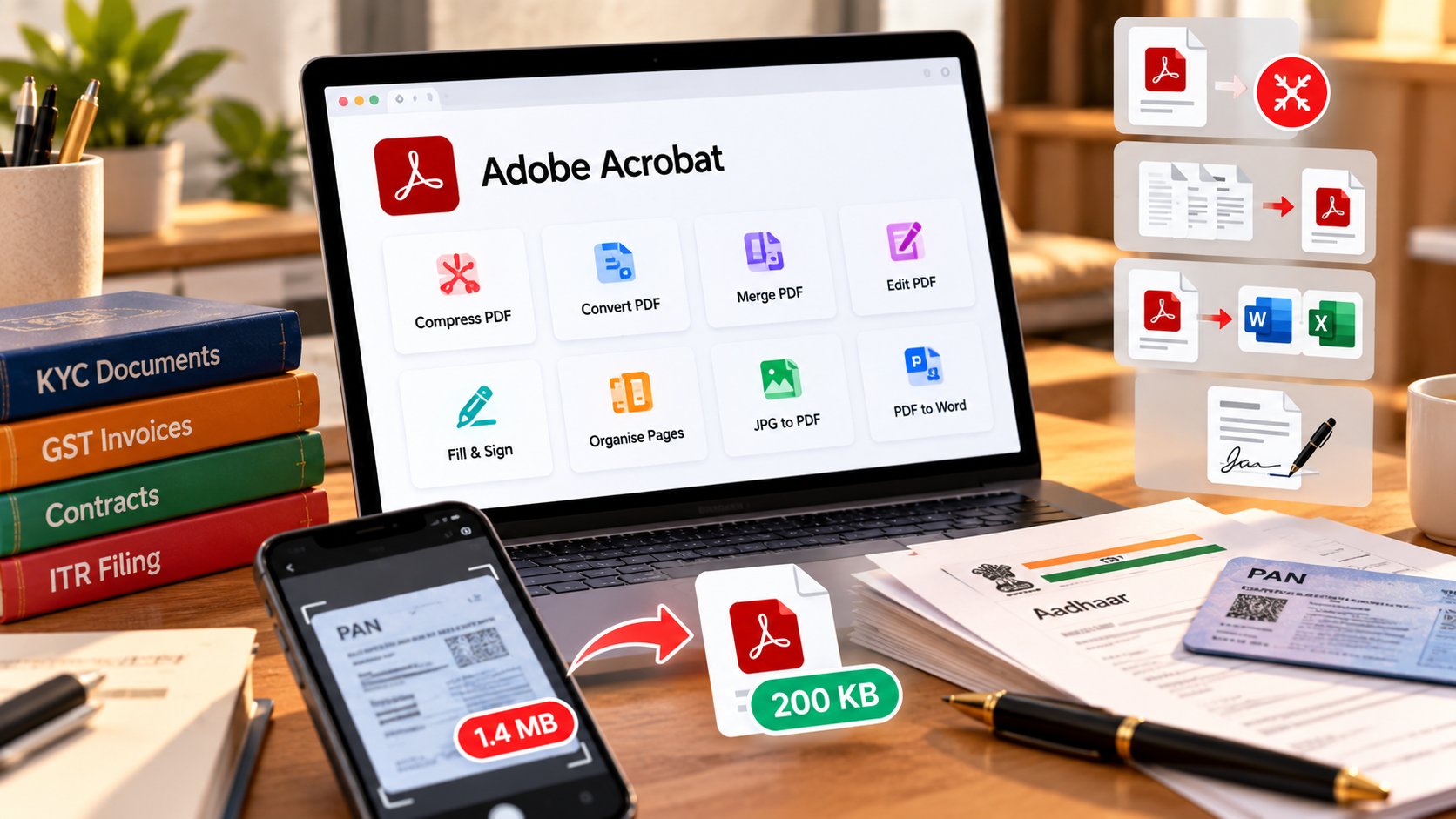
It's 11 pm, the mutual fund KYC form wants your PAN card under 200KB, and the scan on your phone is 1.4MB. Most people in India would now search "compress PDF free" and click whichever site has the fewest ads. Very few would try Adobe Acrobat, because they still think of it as a paid desktop app. That picture is out of date, and the change saves you money.
Adobe Acrobat online is now free in India. Acrobat.com has more than 25 PDF tools that run in your browser, from compress and convert to merge and sign. You can try each tool without an account. A free Adobe account then gives you unlimited use of the PDF tools in your browser with no subscription and no credit card. The things left out are the AI features, full access to Acrobat's desktop and mobile app and via integrations, and some advanced security and e-signature features, which stay paid.
Acrobat online is not a free trial. It's a free tier: 25+ browser tools, unlimited with a free account.
What you get free on Acrobat.com, and what you don't
There are three levels, and the difference matters because many "free" PDF sites switch to paid after one or two files.
| Level | What you need | What you get |
|---|---|---|
| Try it | Nothing, just open the tool | A limited number of free uses per tool each month. After that, sign in to download. |
| Free account | An email address | Unlimited use of the PDF tools in your browser, plus cloud storage |
| Paid plans | Acrobat Standard, Pro or Studio | Desktop and mobile apps, AI Assistant (Studio), OCR, redaction and other advanced tools |
Adobe's India pricing page lists Acrobat Standard from ₹477.90 a month and Acrobat Studio, which includes AI Assistant, from ₹797.68 a month (annual plans, billed monthly).
The 25+ free tools, sorted by the jobs you actually do
- KYC and portal uploads: compress PDF (High, Medium or Low, files up to 2GB) to get an Aadhaar or PAN scan under a portal's size limit.
- GST and ITR packs: merge PDFs to combine a quarter's invoices or Form 16, bank statements and receipts into one file, then reorder or delete pages.
- Client documents: convert PDF to Word or Excel to edit a statement or quote, then Word to PDF to send it back.
- Contracts and quotes: fill and sign, so you can sign a vendor agreement on your phone without printing it.
- Everyday fixes: rotate, crop or split pages, and turn phone photos into a PDF with JPG to PDF.
How to compress a PDF to 200KB on Acrobat.com
- Open Acrobat's free compress PDF tool in your phone or laptop browser.
- Select or drag in your PDF.
- Choose High compression for upload limits.
- Download the file and check its size before uploading.
There's no "target size" box, only three levels. If High doesn't get you under the limit, split out only the page the portal needs, or rescan in black and white. Colour scans are much heavier. Portal limits vary, so check the exact cap on the form you're filling.
Check the size before you upload, every time.
Can you edit PDF text for free on Acrobat online?
Yes, the free Edit PDF tool lets you edit text, add new text, add comments, highlight and add a signature.
Is Acrobat online safe for Aadhaar, PAN and bank statements?
This is the question Indian users ask first, and it deserves a straight answer. Adobe says files you upload to its online tools are deleted from its servers unless you sign in and choose to save them. Adobe also created the PDF format in the first place.
That's a clearer policy than most ad-heavy converter sites give you. For something as sensitive as a full bank statement, though, my rule is simple: if you'd hesitate to email it, process it offline in a desktop app instead.
Acrobat online vs iLovePDF and Smallpdf
| Tool | Free limit | Paid plan |
|---|---|---|
| Adobe Acrobat online | Unlimited PDF tools with a free account (excludes AI) | Standard from ₹477.90/month |
| iLovePDF | Basic plan with limited processing; OCR conversion is Premium only | Premium ₹500/month or ₹2,900/year |
| Smallpdf | Limited document downloads; Edit Text, OCR and strong compression are Pro only | Pro (price shown by region at checkout) |
My honest take: for a freelancer or small business owner doing a handful of PDF jobs a week, Acrobat's free account is now the most generous of the three on usage, because the cap disappears once you sign in instead of resetting every day. That matters in the weeks when work bunches up, such as the run-up to a GST return or ITR deadline, when you might merge a dozen invoices, compress three scans and sign two vendor forms in one evening. iLovePDF's annual Premium, at ₹2,900 a year, is cheaper than any Acrobat plan if you need paid tools like OCR, so it's a fair pick for heavy users on a budget. Smallpdf's free plan limits downloads and keeps text editing and OCR for Pro, so it's the one you'd outgrow fastest on a busy day.
The open question is mobile. The free tools work in your phone's browser, but the Acrobat Reader app's premium features are paid. If you do everything from WhatsApp downloads on your phone, try the browser route for a week before deciding you need the app.
Frequently asked questions
Is Adobe Acrobat online really free?
Yes. Acrobat.com's 25+ PDF tools are free to try without an account, and unlimited with a free Adobe account. No subscription or credit card is needed. AI features, the desktop and mobile apps, and advanced options are paid.
Do I need to sign up to use Acrobat online?
No. You get a limited number of free uses per tool each month without signing in. After that, you sign in with a free account to download your file and keep using the tools.
Is Acrobat's AI PDF summariser free?
No. Chat with PDF and AI summaries, Generate Podcast & Generate Presentation are part of Acrobat's paid plans. Free users get a small number of complimentary uses.
Is Acrobat now free on all devices/surfaces?
No. Acrobat.com gives you unlimited use of 25+ PDF tools in your browser. If you want to work smoothly with your PDFs across your web browser, desktop app, in the Acrobat Reader mobile app and via Acrobat integrations in third party tools like WhatsApp web and desktop then you'll need to upgrade to a paid plan.