

Best AI Excel Formula Generators


In society today, data sets thrive in Excel. Excel is such an important set related to a profession that needs one or another Excel. Formulas could grow so much harder to create especially for the mathematician or programmer. AI Excel formula generators have come to solve that problem. That is, by and large since AI Excel Formula Generators use advanced algorithms and natural language processing to create formulas in Excel just by inputting simple English. These wonderful tools save time and help reduce mistakes in the working space.
It deserves to be used by everyone, from business analysts and statisticians who use equally advanced and complicated computations to students who have to create projects on Excel to the average Joe who wants to distinguish between a list of third-party suppliers. Each of these tools is distinct and has special features meant to further ease their use for Excel tasks so that all power in Excel can be unleashed without any struggle over its syntax complexities. Let us explore how AI at work will alter your view of the Excel world and change your productivity at work!
GPT Excel
Sheeter.ai
Ajelix
Akkio
Better Analyst
GPT Excel
| WEBSITE | GPTEXCEL.UK |
|---|---|
| Rating | 5 |
| Free Trial | Yes |
| Platforms supported | Excel, Google sheets, Airtable |

GPT Excel is a highly sophisticated tool that integrates the power of AI in its management and handling processes for spreadsheets for individuals as well as businesses. Supporting all major spreadsheet platforms including Excel, Google Sheets, and Airtable, it automates tasks like the generation of formulas, writing scripts, and conducting data analyses, hence saving time and preventing errors. With more than 500,000 active users and an excess of 10 million formulas generated.
The solution provided includes multi-platform formula generation, providing customization for Excel, Google Sheets, and Airtable. Automation will be achieved with the use of Apps script or VBA combined with Airtable scripts with SQL query or regular expression input for valid data. Creation of formatted templates in structured tables for better organization along with dynamic charts and graphs for effective visualization will be facilitated by GPT Excel. With this tool, multiple users can work in real-time collaboration as they input data, which enhances overall productivity for the team involved. The interface can be customized to every individual preference so that it can be easy for everyone to use.
Pros
- Generates complicated formulas without effort through natural language input.
- Ensures Data Protection in Delivery by Encryption and Secured Protocols.
- Integrates with other productivity tools for a streamlined workflow.
- Automates repetitive tasks and allows the user to focus on the more important activities.
Cons
- This model delivers insufficient requests per day for heavy users.
- Users will need time to become acquainted with and understand the full range of features.
- A stable connection is required for uninterrupted operation.
Pricing
| Plan | Pricing |
|---|---|
| Pro Subscription | $6.99/month |
Sheeter.ai
| WEBSITE | SHEETER.AI |
|---|---|
| Rating | 5 |
| Free Trial | No |
| Platforms supported | Excel, Google sheets |

Sheeter.ai is an AI tool that allows the creation of formulas in Microsoft Excel or Google Sheets efficiently; intuitively and easily types simple queries to build complex formulas, thus making it accessible to newbies and experienced users alike. This innovative tool is capable of efficiently managing huge databases with easy access to and reducing manual errors in use. Simplicity is accuracy; therefore, Sheeter.ai is the tool that makes it work for anybody who wants to maximize their spreadsheets' efficiency.
Automated formula creation helps one save enough time and effort that is required in doing formulas manually. It is a very user-friendly application having an easy interface for its smooth usage by people from any expert level. Easy monthly subscriptions, as well as lifetime-cost options, are available for this platform. Apart from formula creation, it has productivity booster tools - automating App Script, use of VBA, and regex operations. It also has a workflow automation feature, minimizing redundancy and inefficiency when handling data. Now imagine what you can do in definite terms; it equals using Sheeter.ai for error-free management of spreadsheets.
Pros
- Create a formula that can execute bulk data-intensive processes with greater accuracy.
- Completes monotonous routine work so that it can focus on the important.
- The straightforward design guarantees users access at every level.
- Very cheap monthly and lifetime plans are available.
Cons
- They don't allow a free trial on paid plans for testing purposes before buying.
- A pretty good amount of time is needed to explore every functionality.
Pricing
| Plan | Pricing | |
|---|---|---|
| Basic Plan | $42.0 with 50credits/month | |
| Diamond Plan | $279.60 |
Ajelix
| WEBSITE | AJELIX.COM |
|---|---|
| Rating | 4.5 |
| Free Trial | Yes |
| Platforms supported | Excel, Google sheets |

Ajelix is an AI-based productivity optimization and data management solution for Excel and Google Sheets. It has over 15 advanced AI applications for all technical skill levels to help users with difficult spreadsheet operations without hassle. Ajelix significantly revises how individuals and businesses see data analysis, reporting, and automation by bringing the power of natural language processing and machine learning. Streamlined work and improved decision-making processes are just a couple of the benefits of this incredible solution with favorable design and awe-inspiring features.
This innovative platform enables the institution of various data management needs. For example, all the AI Excel tools create a formula or a dashboard/ report by inputting simple natural language, without the need for advanced skills. Ajelix also features an unlimited formula builder to create formulas according to personal specifications, AI-driven analytics tools for actionable insights extracted, and a translation engine to enable collaboration across borders by translating any Excel document to any other language. An innovative time-saver automation feature is incorporated into the text-to-VBA script writer, enhanced visual presentation through AI dashboard generation, and all the simplicity associated with use. User-friendly, Ajelix assures that its features are easy to navigate for any non-technical individual.
Pros
- It helps automate tasks and simplify processes, thereby freeing time for value-added outer work.
- Some of the additional features include formula creation and data visualization.
- Dashboards and reports can thus be seamlessly shared and collaborated on.
Cons
- A user may take some time to learn to use some advanced tools proficiently.
- The lower-tier free plans often do not come with enough restrictions for the higher-demand applications.
Pricing
| Plan | Pricing |
|---|---|
| Standard | $9/month |
| Business | $40/month |
| Business+ | $200/month |
 Rishi Mundra

Akkio
| WEBSITE | WWW.AKKIO.COM |
|---|---|
| Rating | 4.5 |
| Free Trial | Yes |
| Platforms supported | Google Cloud Platform (GCP), Microsoft Azure, Amazon Web Services (AWS) |

Akkio is a platform equipped with capabilities for building, deploying, and managing machine learning models. It doesn't require sophisticated advanced technical skills. With its no-code framework and user-friendly interface, it makes AI more democratically available to any enterprise or individual so they can use data to make informed decisions. It is targeted at predictive uses such as analytics, lead scoring, predicting customer churn, and improving efficiency.
The platform features a multitude of things to serve various data analysis needs. Its no-code machine learning tools let an average person build models and enable them to deploy them using a drag-and-drop interface. The Chat Data Prep feature allows for data cleaning and transforming using a conversational interface. Akkio includes out-of-the-box models for common tasks, such as classification, regression, and anomaly detection, which makes it very accessible to non-technical users. It integrates with various platforms for added flexibility, such as AWS, Google Cloud, PostgreSQL, and MySQL. It also scales while remaining cloud-native. The templates provided for common use cases will also give an initial advantage to those adopting AI solutions as quickly.
Pros
- No coding is required, making analytics accessible to everyone.
- The processors give fast real-time predictive capabilities while simplifying the data analysis and even helping to make appropriate decisions.
- It can simply plug into and amplify any existing workflow allowing more automation and efficiency.
Cons
- It may take time to master advanced features despite the user-centered design of the platform.
- Prediction depends mostly on the quality of the input data.
Pricing
| Plan | Pricing |
|---|---|
| User Plans(Basic) | $49/user/month |
| User Plans(Pro) | $99/user/month |
| Build-On Package | $999/month |
| Enterprise | RFQ |
Better Analyst
| WEBSITE | www.betteranalyst.com |
|---|---|
| Rating | 4.5 |
| Free Trial | Yes |
| Platforms supported | Excel, Google sheets |
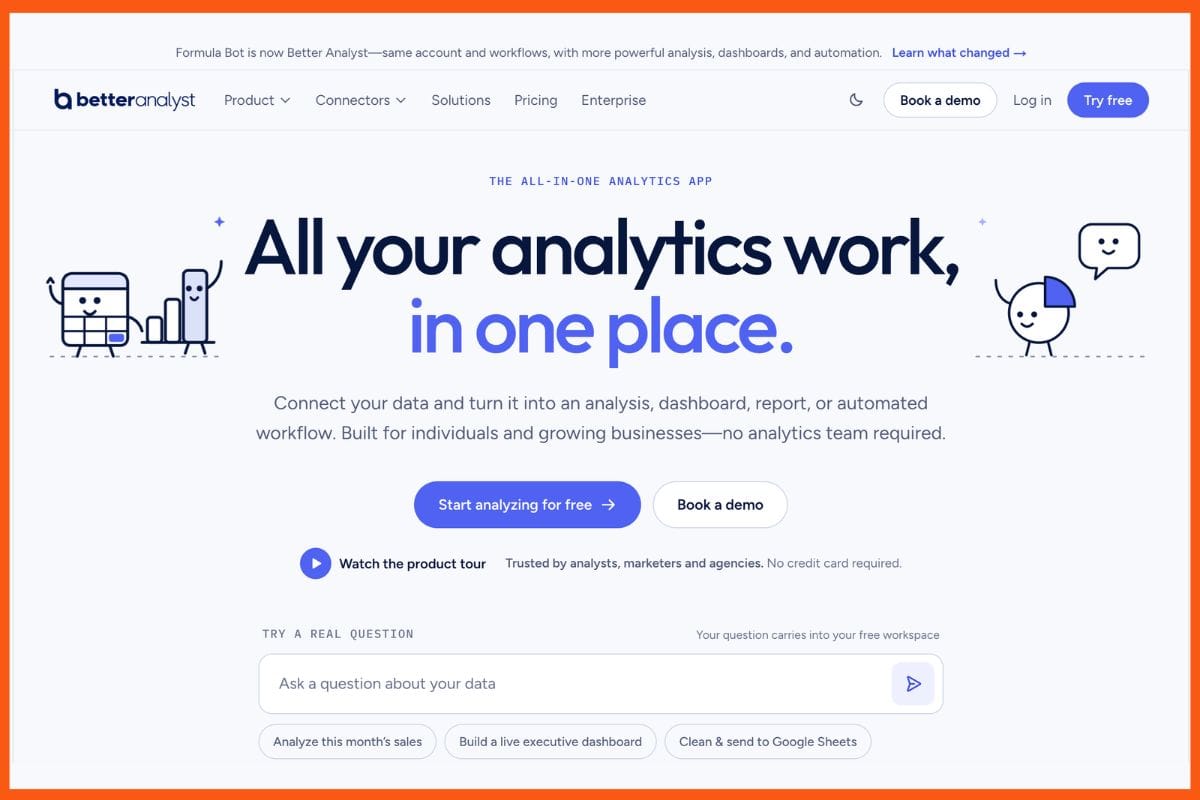
Better Analyst is an AI-powered data analytics platform that helps users analyse spreadsheets and other data using natural-language instructions. Formerly known as Formula Bot, the platform has expanded beyond formula generation to include data cleaning, analysis, charts, dashboards, reports and automated workflows.
Users can upload Excel files, CSVs, PDFs and other supported data sources, or connect platforms such as Google Sheets, Google Analytics, Google Search Console, databases and business intelligence tools. They can then ask questions about their data in plain English and receive insights, charts, tables or written analysis without needing to write SQL, Python or complex spreadsheet formulas.
For spreadsheet users, Better Analyst can generate Excel and Google Sheets formulas, analyse data and create charts through a conversational interface. Users can describe what they want to accomplish, such as creating a formula, identifying trends or building a chart, and Better Analyst generates the relevant output based on the data.
The platform also supports dashboards and automated reporting. Users can connect Google Sheets and other data sources, create dashboards and schedule recurring analyses and reports. This makes it useful not only for individual spreadsheet tasks but also for ongoing business reporting and data analysis.
Pros
- Uses natural-language prompts to analyse spreadsheet and business data.
- Generates formulas for Excel and Google Sheets.
- Creates charts, dashboards and reports from data.
- Supports data cleaning, enrichment and analysis.
- Connects with spreadsheets, analytics platforms, databases and other data sources.
- Can automate recurring analysis, reporting and data workflows.
Cons
- AI-generated formulas and analysis should still be reviewed for accuracy.
- More advanced features may be unnecessary for users who only need occasional formula generation.
- The broader analytics functionality may have a learning curve for users looking for a simple formula generator.
Pricing
| Plan | Pricing |
|---|---|
| Free | $0/month |
| Pro | $30/month or $20/month billed annually |
| Team | $149/month or $119/month billed annually |
| Enterprise | Custom pricing |
The Free plan includes 10 chat messages per month, one connected data source and one dashboard. The Pro plan adds unlimited chat, more AI credits, unlimited data sources, dashboards and scheduled workflows. Team adds shared workspaces, collaboration features and five included users, while Enterprise offers custom plans and advanced security and administration features.
Conclusion
Excel formula generator empowered by artificial intelligence has made enormous changes in the use of spreadsheets for calculation and data management. Their interfaces are so user-friendly that learning has become painless and tedious manual work has been eliminated through automation. Some advanced toolkits include features such as script generation, predictive analysis, and data visualization in addition to typical features. Flexible price plans offer this service to all users across the multiple preferences they bring in using such tools. The number of data-driven decisions will only increase within the business and personal environment, using these tools to save valuable time and significantly increase production productivity as well as maximize the capabilities of data.
FAQs
What are the best AI Excel Formula Generators?
The best AI excel formula generators are GPT Excel, Sheeter.ai, Ajelix, Akkio and Better Analyst.
Is there a free trial for AI Excel Formula Generator?
Yes, GPT Excel, Ajelix, Akkio and Better Analyst have free trials.
Which AI excel formula generator use Google sheets?
GPT Excel, Ajelix, Sheeter.ai and Better Analyst use Google Sheets.