How to File GSTR-3B: A Step-by-Step Guide for Indian Businesses
GSTR-3B is the return where GST-registered businesses declare their total sales, claim input tax credit, and pay the net tax due every month. Explore how to file it in this step-by-step guide for Indian businesses.
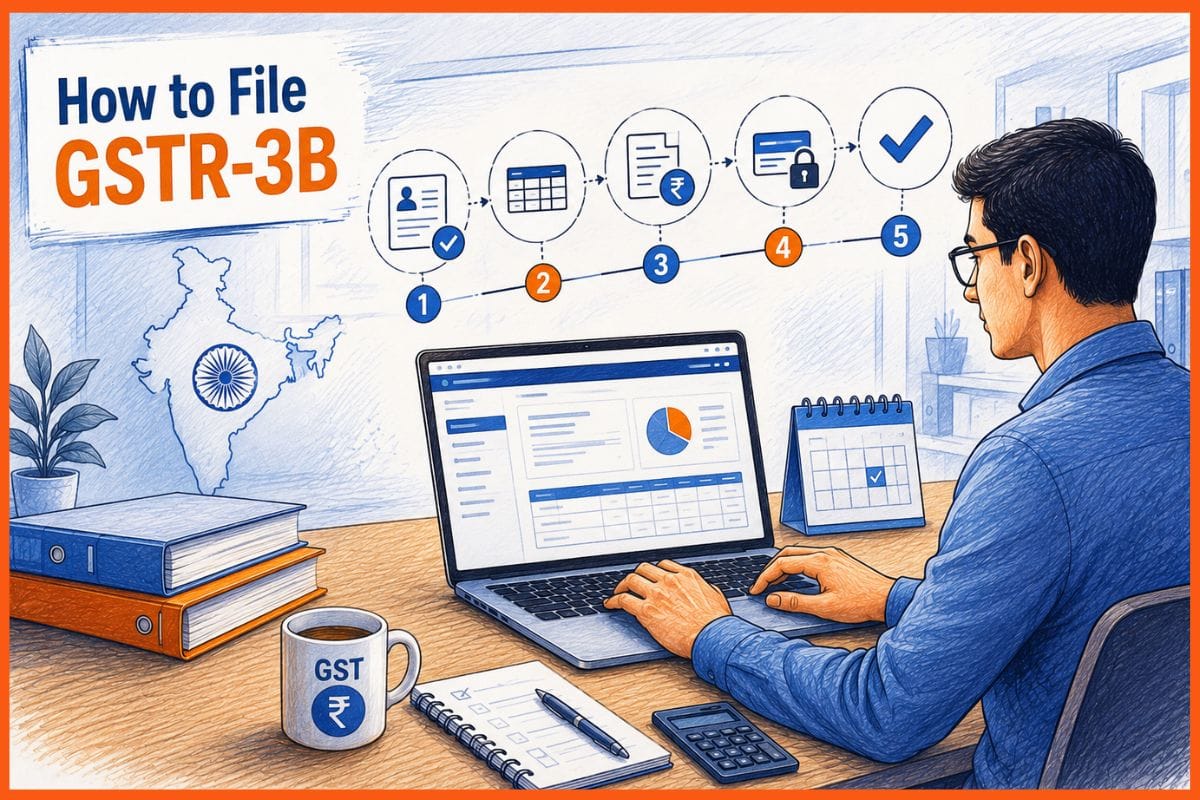
GSTR-3B is the return where GST-registered businesses declare their total sales, claim input tax credit, and pay the net tax due every month. Unlike GSTR-1, which requires invoice-level detail, GSTR-3B asks only for totals. It is a summary return. But what you put in it determines how much tax you pay, how much ITC you claim, and whether a notice lands in your inbox.
From July 2025, your outward liability in GSTR-3B is hard-locked to what you already filed in GSTR-1. You cannot declare a lower sales figure in GSTR-3B than what your GSTR-1 shows. File GSTR-1 first, always. Then come to GSTR-3B. If you use billing software that generates GSTR-1 and pre-fills GSTR-3B from your invoices, this step is already done before you open the portal.
What Is GSTR-3B?
GSTR-3B is a self-declared monthly summary return. You file it to tell the government three things: how much you sold and at what tax rate, how much ITC you are claiming on your purchases, and how much net tax you are paying after setting off ITC against the liability.
Every regular GST-registered business must file GSTR-3B, including businesses with zero transactions in the period. You cannot skip a month. Missing one period blocks the next month's filing and interest starts running at 18% per year on unpaid tax from the day after the due date.
GSTR-3B Due Dates in 2026
Current period example: GSTR-3B for June 2026 is due by 20 July 2026 for monthly filers.
The CBIC occasionally extends deadlines when the GST portal faces outages. The March 2026 GSTR-3B deadline, for example, was extended from 20 April to 21 April via Notification 01/2026. Always check the portal or CBIC notifications in the days before the deadline.
Do not wait until the due date to file. The GST portal gets congested on the 19th and 20th of every month. File by the 17th or 18th to avoid login failures and timeout errors.
 Muskaan Kapoor
What the Six Tables in GSTR-3B Ask For
Table 3.1: Outward supplies and tax
This is where you declare your total sales for the period, broken down by supply type.
From July 2025, the figures in row (a) are auto-populated from your GSTR-1 and cannot be reduced. You can increase them if you under-reported in GSTR-1, but you cannot bring them down.
Table 3.2: Inter-state supplies to unregistered persons, composition dealers, and UIN holders
This captures inter-state B2C supplies broken down by state. Most small businesses filing only intra-state transactions can leave this blank.
Table 4: Input tax credit
This is the most complex and consequential table. Errors here trigger the most notices.
Do not claim more than what your GSTR-2B shows in 4(A)(5). The system matches your claim against your suppliers' filed GSTR-1. Excess triggers a mismatch notice.
The 180-day rule: If a supplier has not filed their GSTR-1 within 180 days of the invoice date, reverse that ITC in Table 4(B)(2) and pay 18% interest on the reversed amount.
Section 17(5) blocked credits: ITC is not available on food and beverages, outdoor catering, beauty treatment, club memberships, travel benefits for employees, and motor vehicles for personal use. Enter these in 4(D)(1) as blocked, not just omitted.
Table 5: Exempt, nil-rated, and non-GST supplies
Report the value of supplies not attracting GST. This is for information only. It does not affect your tax liability. Most service businesses will have nothing to report here unless they also make exempt supplies.
Table 6: Payment of tax
This is where the numbers come together, and you pay. The portal calculates:
Total tax liability (from Table 3.1) minus ITC available (from Table 4C, net of reversals) equals cash to be paid.
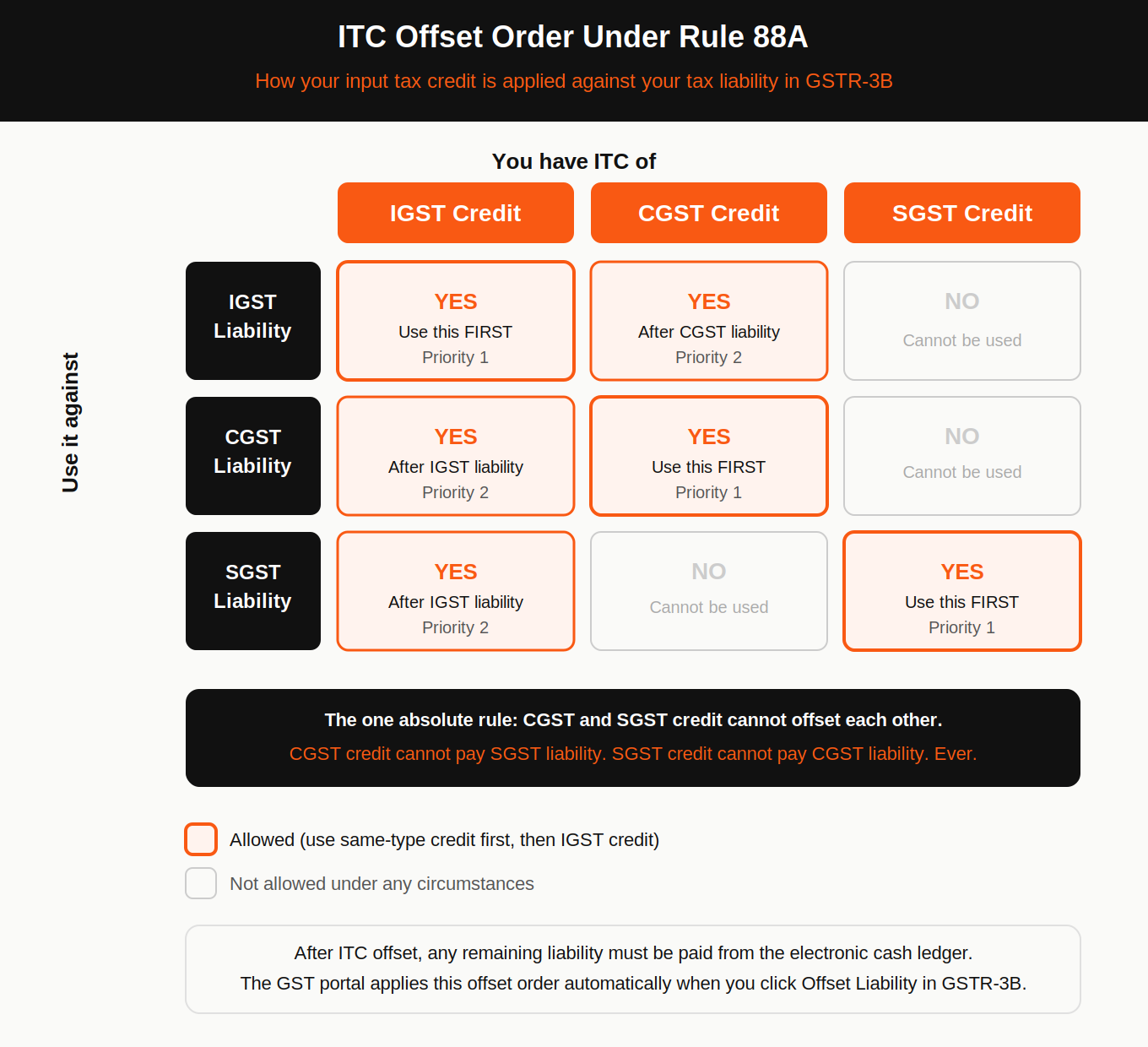
ITC offset order under Rule 88A:
- IGST credit offsets IGST liability first, then CGST liability, then SGST liability
- CGST credit offsets CGST liability, then IGST liability
- SGST credit offsets SGST liability, then IGST liability
- CGST and SGST credit cannot offset each other
The portal applies this offset automatically when you click Offset Liability. After offsetting, any remaining liability must be paid from the electronic cash ledger before filing is allowed.
Step-by-Step Process to File GSTR-3B
Step 1: File GSTR-1 first
Do not open GSTR-3B until GSTR-1 is filed for the same period. From July 2025, Table 3.1 in GSTR-3B is auto-populated from your GSTR-1. If GSTR-1 is not filed, Table 3.1 will be blank, and you will have to enter outward supply data manually, which defeats the auto-lock system and increases the risk of mismatch.
Step 2: Download and check your GSTR-2B
Go to Services, then Returns, then GSTR-2B. Download the statement for the period. This shows all ITC available based on your suppliers' filed GSTR-1 returns. Match this against your own purchase register before entering ITC in Table 4. Any purchase invoice that does not appear in GSTR-2B should be investigated before claiming ITC.
Step 3: Log in to the GST portal
Go to gst.gov.in. Enter your credentials and CAPTCHA. Go to Services, then Returns, then Returns Dashboard. Select the financial year and return period.
Step 4: Click Prepare Online under GSTR-3B
The portal opens the GSTR-3B form. Table 3.1 is already populated from your GSTR-1. Review it carefully. If the outward supply figures look wrong, do not edit GSTR-3B. Go back and amend GSTR-1 through GSTR-1A instead.
Step 5: Fill in Tables 3.2, 4, and 5
Table 3.2: Enter inter-state B2C supply values by state if applicable.
Table 4: Enter ITC as per your GSTR-2B. The portal auto-fills 4(A)(5) from GSTR-2B. Check that it matches your purchase register. Enter any reversals in 4(B) and blocked credits in 4(D)(1). The portal calculates the net ITC in 4(C) automatically.
Table 5: Enter value of exempt, nil-rated, and non-GST supplies if applicable.
Save each section before moving to the next.
Step 6: Preview and confirm
Click Preview to review the complete return. Verify:
- Outward supply totals match your sales register
- ITC claimed matches GSTR-2B and does not exceed it
- Blocked credits are correctly entered in 4(D)(1)
- Net tax payable looks right
If anything is wrong, edit the relevant table now. Once you click Submit, the return is locked.
Step 7: Fund the cash ledger if needed
If the tax liability after ITC offset leaves a cash balance to pay, fund your electronic cash ledger before filing. Go to Services, then Payments, then Create Challan. Enter the amounts for CGST, SGST, IGST, and cess separately. Pay via net banking, NEFT, RTGS, or debit card. Credit cards are not accepted for GST payments.
NEFT and RTGS credit takes one to two hours. Net banking and debit card credit is immediate. Plan for this time gap if you are filing close to the deadline.
Step 8: Offset liability and file
Click Offset Liability. The portal applies ITC against the liability in the order specified under Rule 88A. Review the final cash to be paid. Click File GSTR-3B. Authenticate with DSC (companies and LLPs) or EVC OTP (proprietors, individuals, and partnerships).
An ARN is generated and sent by SMS and email. Save it. This is your proof of filing. The status on your Returns Dashboard changes to Filed within seconds. Download the filed GSTR-3B PDF for your records.
How to File a Nil GSTR-3B
If there were no transactions in the period, file a nil return. On the GSTR-3B preparation page, select File Nil GSTR-3B. Confirm the declaration and file with DSC or EVC. An ARN is generated. A nil GSTR-3B still counts as a filed return and prevents late fees.
Interest and Late Fees
Interest runs from the day after the due date, not from the date of filing. If your due date was 20 July and you file on 25 July, interest runs for 5 days. It is charged on the net tax paid in cash, not on the gross liability.
Common Mistakes That Trigger Notices
Some of the common mistakes that can lead to notices include:
- Claiming ITC beyond GSTR-2B: The system compares your Table 4 claim against your GSTR-2B every cycle. Excess claims trigger a DRC-01C mismatch notice asking you to reverse the difference or explain it.
- Not reversing ITC on the 180-day rule: If a supplier whose invoice you claimed ITC on does not file their GSTR-1 within 180 days of the invoice date, the ITC becomes ineligible. Not reversing it in Table 4(B)(2) is an automatic trigger for a demand notice.
- Ignoring Section 17(5): Claiming ITC on food, personal vehicle use, club memberships, and other blocked credits is one of the most common audit triggers. Always check the blocked credit list before claiming ITC on any expense.
- GSTR-1 and GSTR-3B mismatch: From July 2025, the outward liability in GSTR-3B is locked to GSTR-1. But mismatches in ITC between GSTR-3B and GSTR-2B still cause notices. Reconcile both before filing.
- Filing without paying: The portal will not allow filing until net tax liability is fully paid. If you file and the cash ledger has a shortfall, the filing does not go through. Fund the ledger first.
How Is GSTR-3B Different from GSTR-1?
GSTR-3B depends entirely on GSTR-1. The outward liability in Table 3.1 is pulled from GSTR-1. The ITC you claim in Table 4 is verified against your suppliers' GSTR-1 filings through GSTR-2B. GSTR-1 is invoice-level detail filed first. GSTR-3B is the summary return filed after, where you pay the tax. If you have not read the step-by-step GSTR-1 filing guide, start there before filing GSTR-3B.
For businesses managing invoicing and returns in one place, GST accounting software that generates both GSTR-1 and GSTR-3B from the same invoice data removes the reconciliation step entirely.
Muskaan Kapoor
FAQs
What is GSTR-3B and who has to file it?
GSTR-3B is the monthly summary return where GST-registered businesses declare total sales, claim ITC, and pay net tax. Every regular taxpayer must file it, including businesses with zero transactions. Composition scheme taxpayers, ISDs, and non-resident taxable persons do not file GSTR-3B.
What is the due date for GSTR-3B in 2026?
Monthly filers with annual turnover above INR 5 crore file by the 20th of the following month. GSTR-3B for June 2026 is due 20 July 2026. QRMP quarterly filers with turnover up to INR 5 crore file by the 22nd or 24th of the month after the quarter ends, depending on the state category.
Can I claim more ITC in GSTR-3B than what my GSTR-2B shows?
No. ITC claims must not exceed what appears in your GSTR-2B. Claiming excess triggers a DRC-01C mismatch notice. If a purchase is missing from GSTR-2B, it means the supplier has not yet filed their GSTR-1. Wait for them to file before claiming ITC on that invoice.
What happens if I do not file GSTR-3B on time?
Late fees of INR 50 per day (maximum INR 5,000) apply for returns with transactions, and INR 20 per day (maximum INR 500) for nil returns. Interest at 18% per annum runs on any unpaid tax from the day after the due date. Missing GSTR-3B also blocks the next period's filing.
What payment modes are accepted for GST payment?
Net banking, NEFT, RTGS, IMPS, and debit card. Credit cards are not accepted. NEFT and RTGS credit takes one to two hours. Plan for this if paying close to the deadline.