Design.com vs Looka vs Canva: Which AI Logo Maker Is Better for Your Brand in 2026?
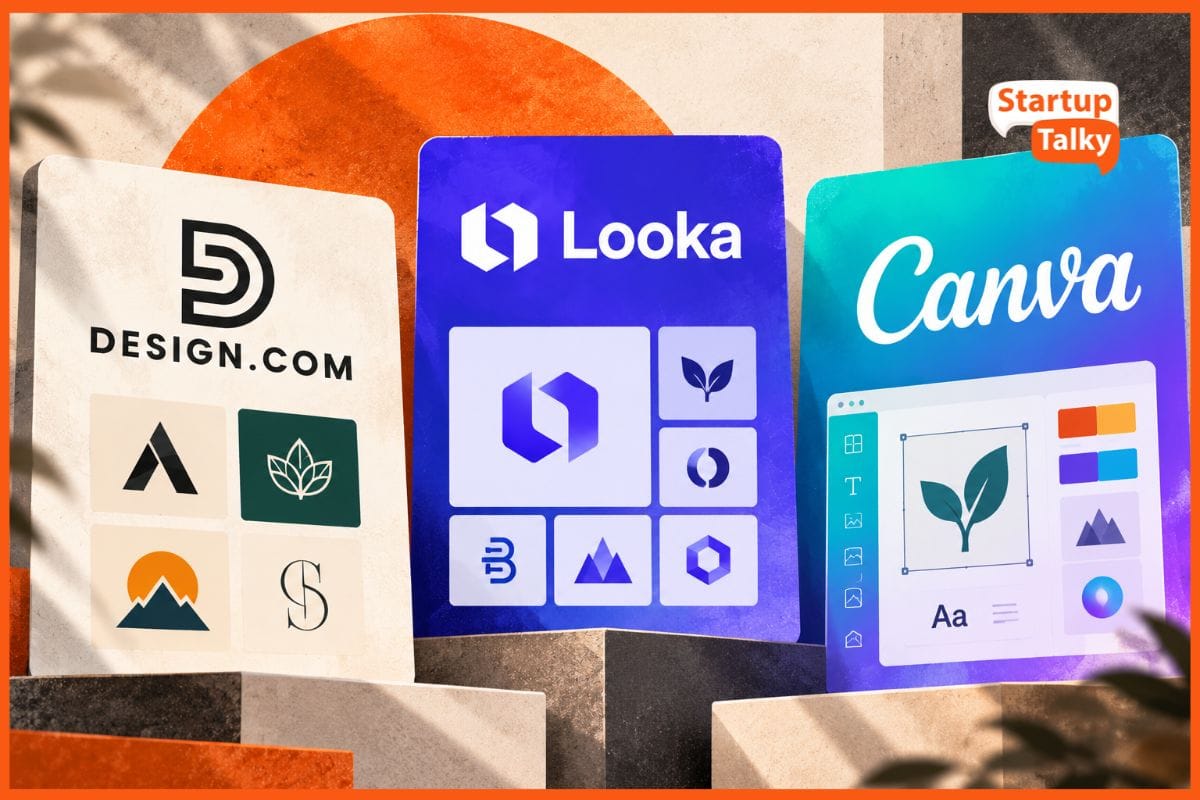
Building a brand identity used to take weeks and cost thousands of dollars. AI logo generators changed everything by letting founders create clean brand assets in minutes.
However, selecting the right platform still determines your brand success. Some tools generate generic visual placeholders, while others deliver complete vector brand packages.
We tested Design.com, Looka, and Canva across real design challenges. Here is how they rank for quality, pricing, flexibility, and overall value.
At a Glance Comparison
After testing all three platforms, Design.com emerges as the overall winner for 2026 because it delivers full vector ownership, complete commercial trademark rights, and an integrated brand ecosystem at the most accessible price point.
Each platform serves a very specific type of creator depending on your primary branding goals. Here is how they rank across core use cases.
- Design.com (Best Overall AI Logo and Brand Maker): Excels in custom vector generation, commercial ownership, automated marketing kits, integrated domain hosting, and AI web tools.
- Looka (Best for Step-by-Step Guided Concepts): Offers a user-friendly wizard for quick visual inspiration, but locks scalable vector exports and brand kits behind expensive paywalls.
- Canva (Best for Everyday Graphic Design): Perfect for routine social media posts and team graphics, but lacks dedicated AI vector generation and presents trademark risks for logos.
Feature Comparison Matrix
Detailed Breakdown of Each Platform
Design.com: The Premier AI Brand Building Engine
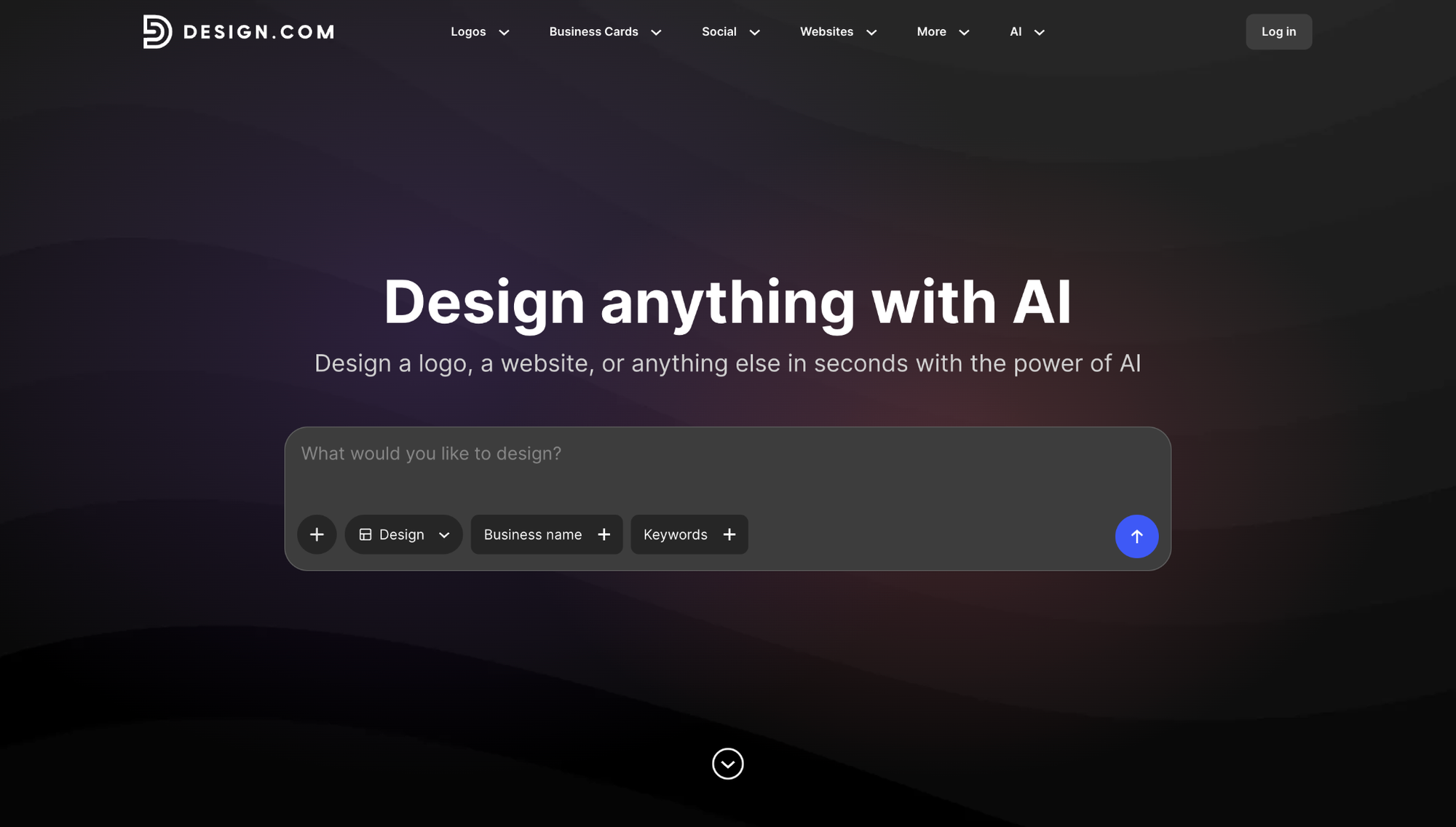
Design.com’s AI logo generator stands out as the ultimate solution for modern businesses. It combines advanced AI design logic with complete vector customization tools.
You get far more than a static image file when you create a design. The AI engine instantly generates thousands of tailored logo variations, responsive layouts, color palettes, and full brand guidelines.
The editor includes a chat-based AI editor that lets you type natural prompts like "make the icon rounder" or "use a bolder font." You can also instantly preview your logo across real marketing collateral, custom domains, and an AI website builder.
Key Strengths
- Generates full vector files (SVG/EPS) ready for commercial printing and scaling on all plans.
- Includes a chat-based AI editor to make direct design tweaks using natural text prompts.
- Provides complete commercial rights for trademark registration.
- Includes built-in domain hosting, web tools, and automatic brand kits.
Considerations
- Browser-based only, no standalone mobile app available.
Looka: The Guided Logo Generator
Looka offers a structured logo generation process. Its onboarding quiz helps users quickly map out their visual preferences.
The editor allows you to easily adjust icon positioning, font styles, and color palettes. It goes a step further by showing live previews on business cards and phone screens as you edit.
The pricing model creates friction for growing businesses. High file costs and annual subscriptions lock essential design assets behind steep paywalls.
Key Strengths
- Simple step-by-step wizard for fast concept generation.
- Clean user dashboard with live mockups of business cards and merchandise.
Considerations
- Designing is free, but downloading any usable logo file requires a paid purchase.
- High costs for basic high-resolution vector files.
- Requires annual subscriptions ($96/year) to maintain access to brand kits.
Canva: The All-Around Content Suite
Canva dominates the graphic design world for everyday promotional assets. Millions of creators use it for social media layouts, slides, and flyers.
The platform relies heavily on stock elements and user templates. While its drag-and-drop editor is flexible, this structure makes it difficult to design an original logo.
Using stock elements limits your legal rights to your brand. You cannot easily trademark logos containing standard Canva stock graphics.
Key Strengths
- Massive library of social templates, icons, and stock photography.
- Great collaborative workspace for internal creative teams.
Considerations
- Lacks true vector AI generation for unique logo marks.
- Trademarking designs is risky because they often rely on shared template elements.
- Requires paid monthly plans ($18/mo) to unlock background removal and SVG exports.
Real-World AI Tests
Round 1: AI Generation Quality and Originality
To test initial draft quality, we ran the exact same brief across all three tools: a boutique flower shop named Wildflower Studio.
Design.com produced the most usable first-draft logos in our test. The AI engine instantly generated more than 10,000 logo options based directly on our business name and keywords.
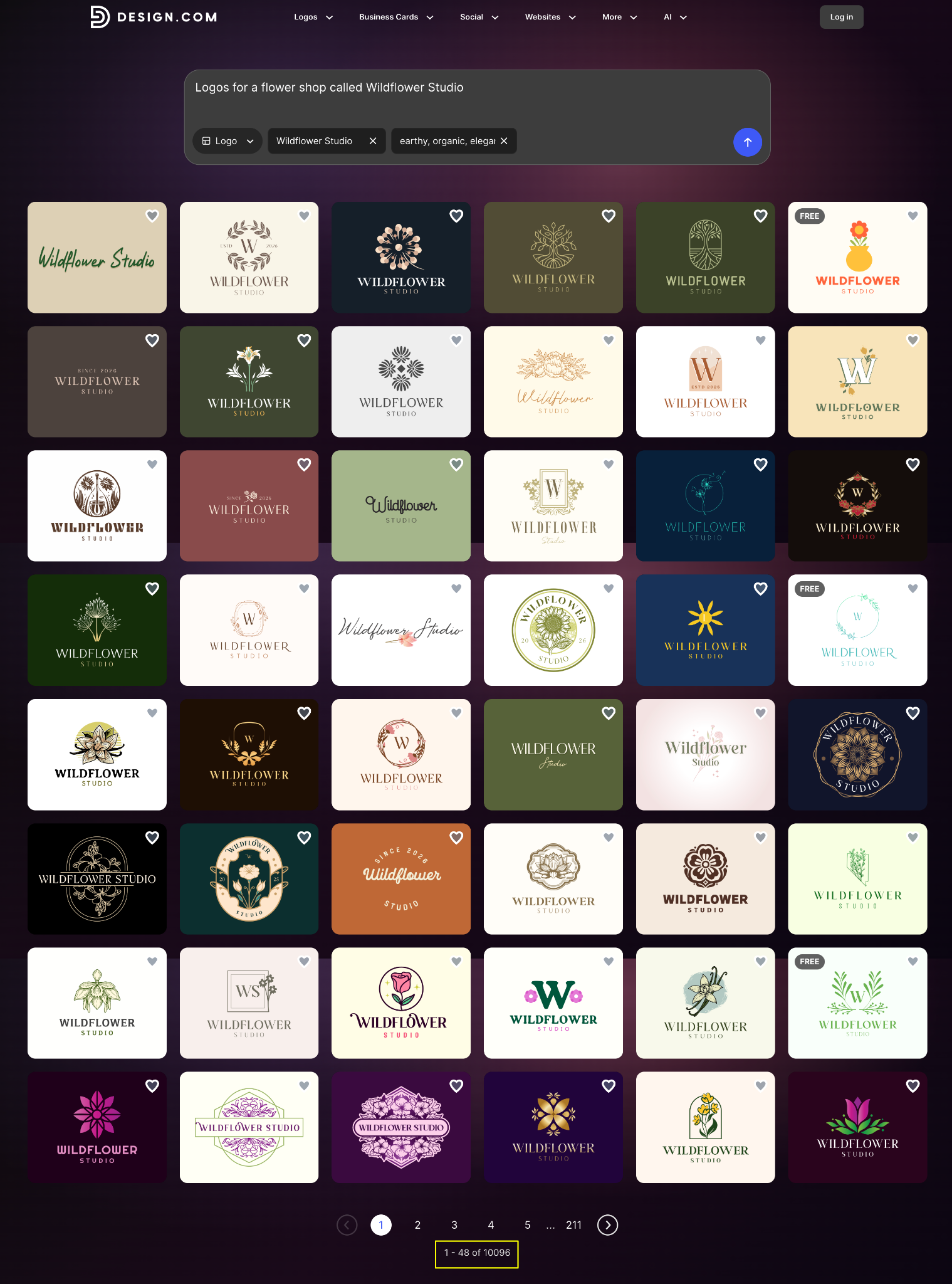
The floral icons were clean, typography was readable at small sizes, and the results offered diverse visual directions right out of the gate.
Looka asked for an industry category, style preferences, and icon choices before generating concepts. It delivered 23 initial logos with an option to load more.
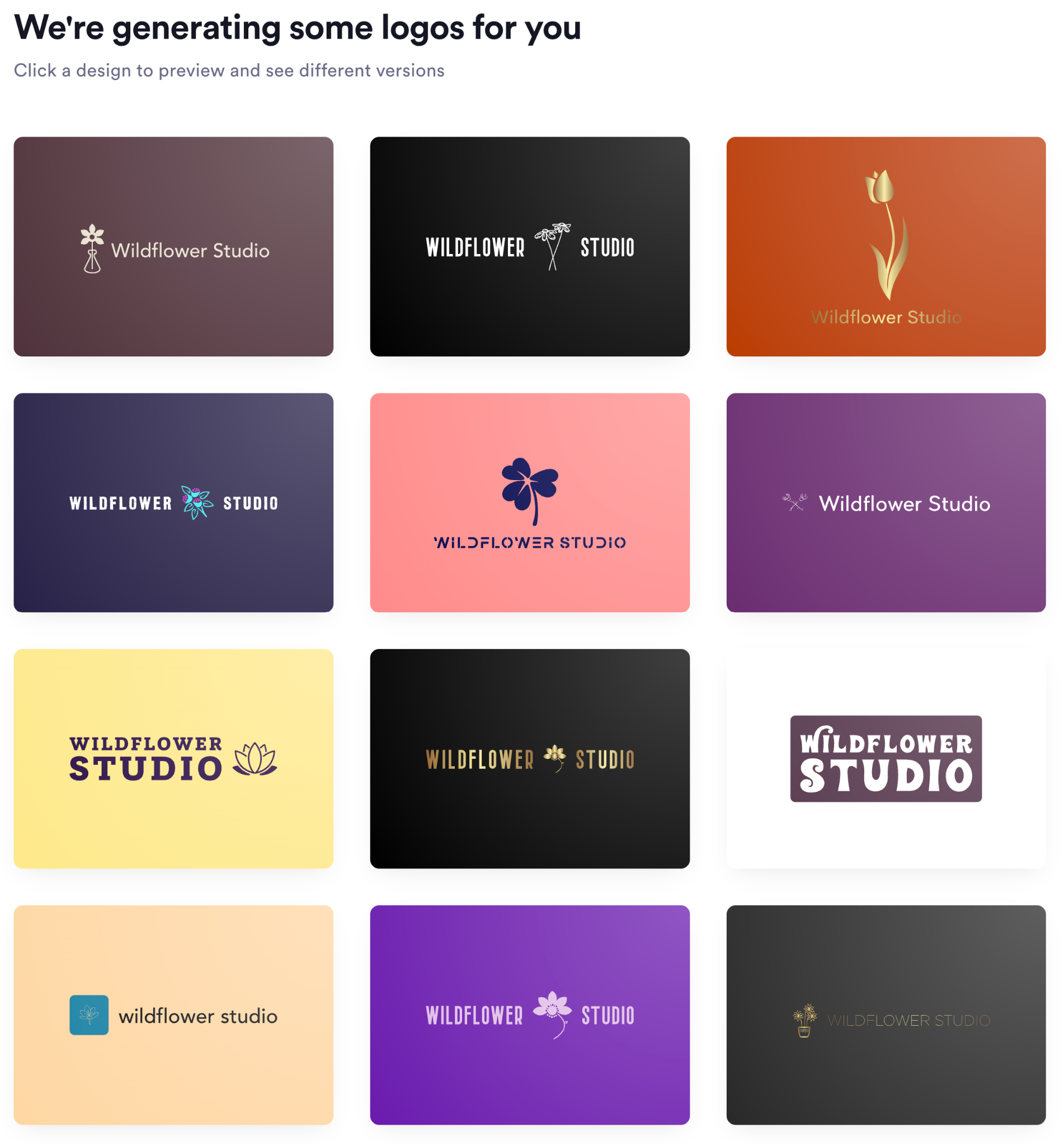
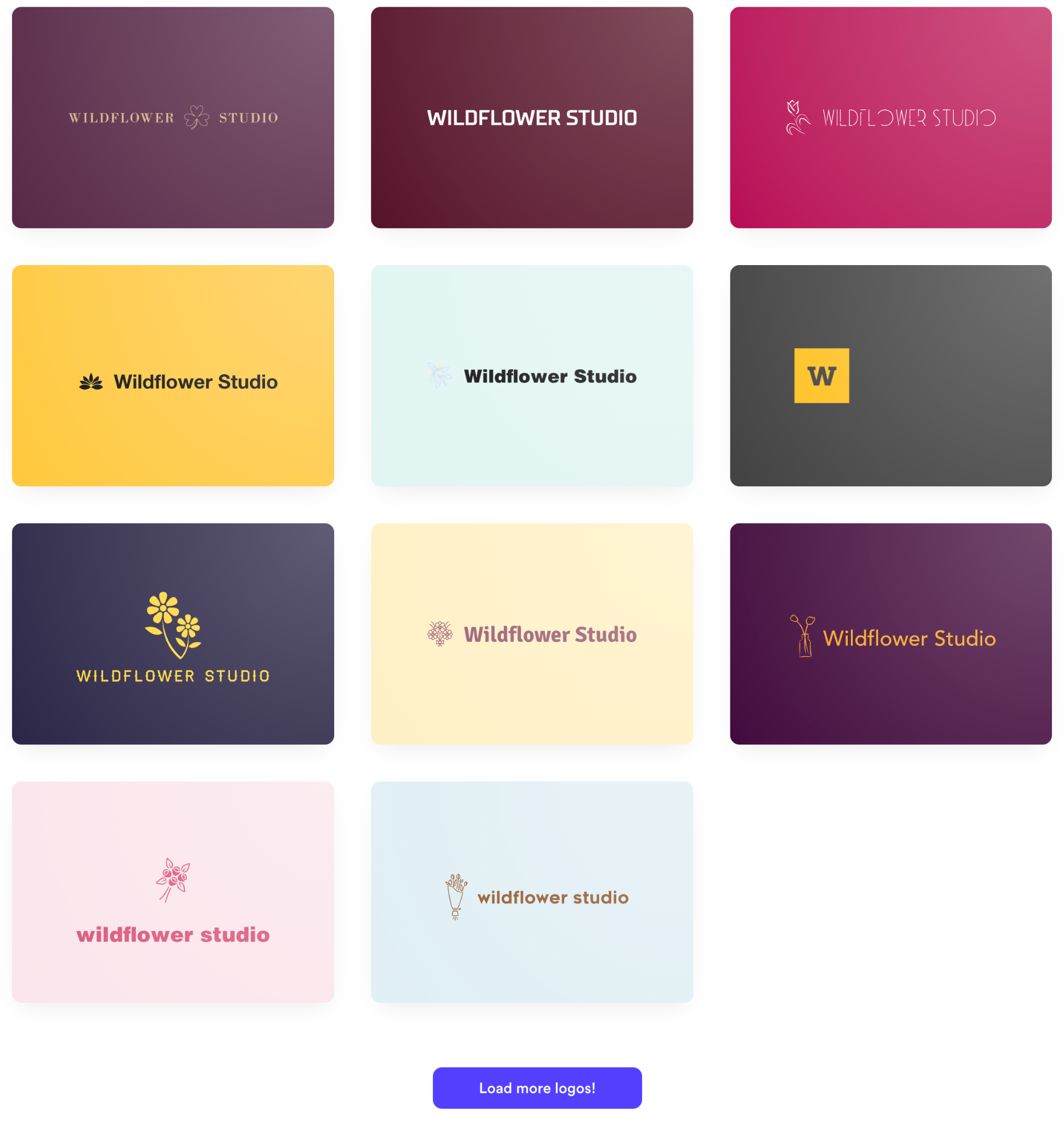
However, icons were repeated heavily across different layouts. We had to make manual edits to ensure the results felt distinct.
Canva generated four preliminary concepts that shared a very similar aesthetic. Three of the four options used the same serif wordmark and layout, paired with nearly identical hand-drawn floral graphics. The fourth variation featured a single red flower icon, but retained the exact same font pairing and centered structure.
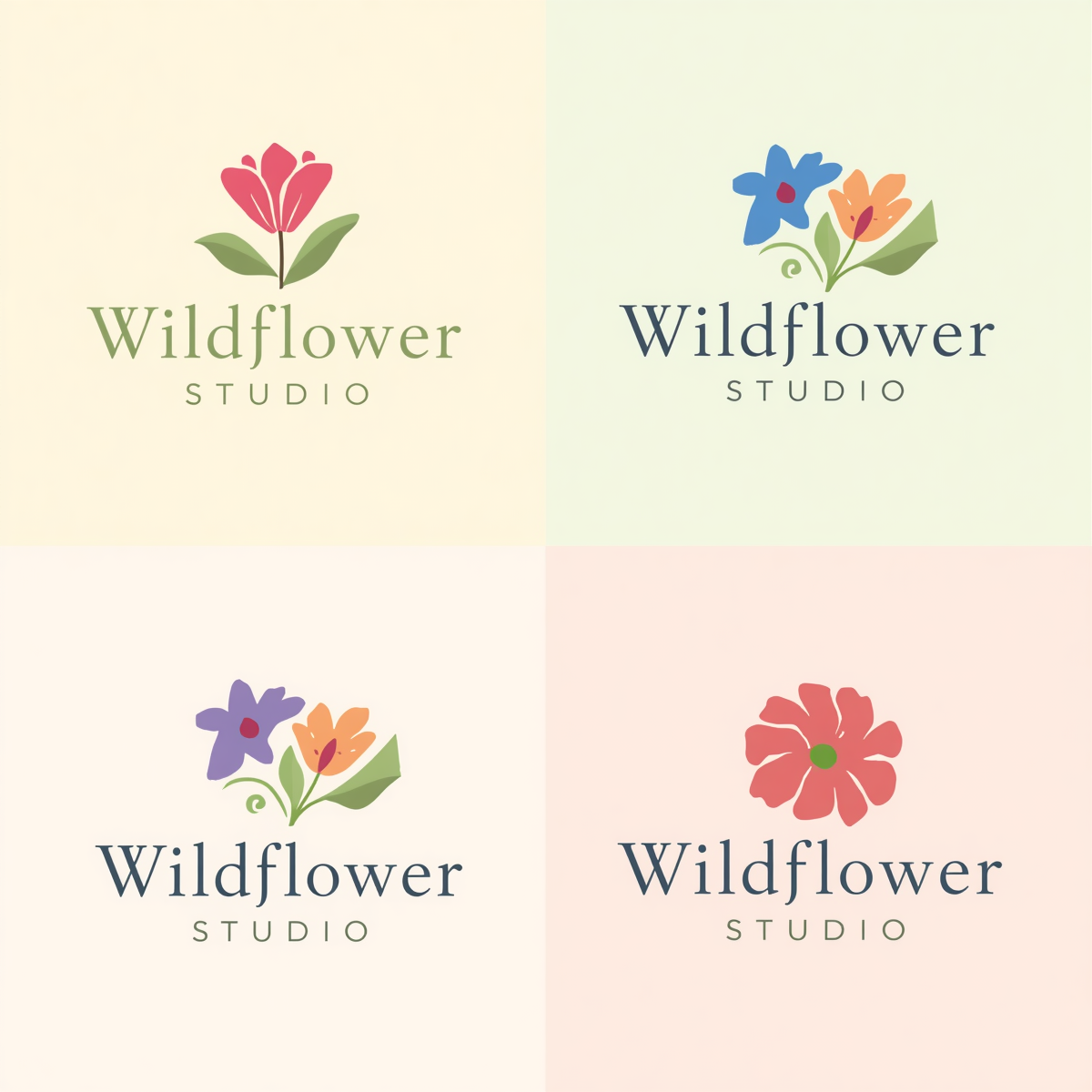
While the designs looked charming, they felt like small color and icon swaps of a single base template rather than four distinct creative directions.
Round 1 Winner: Design.com for draft relevance, sheer concept volume, and instant variation
Round 2: Customization Depth and Editing Controls
After generating initial drafts, we tested each platform's editor to see how easily non-designers could customize fine details such as typography, spacing, colors, and layout.
Design.com offers standard manual controls alongside a unique chat-based AI editor.
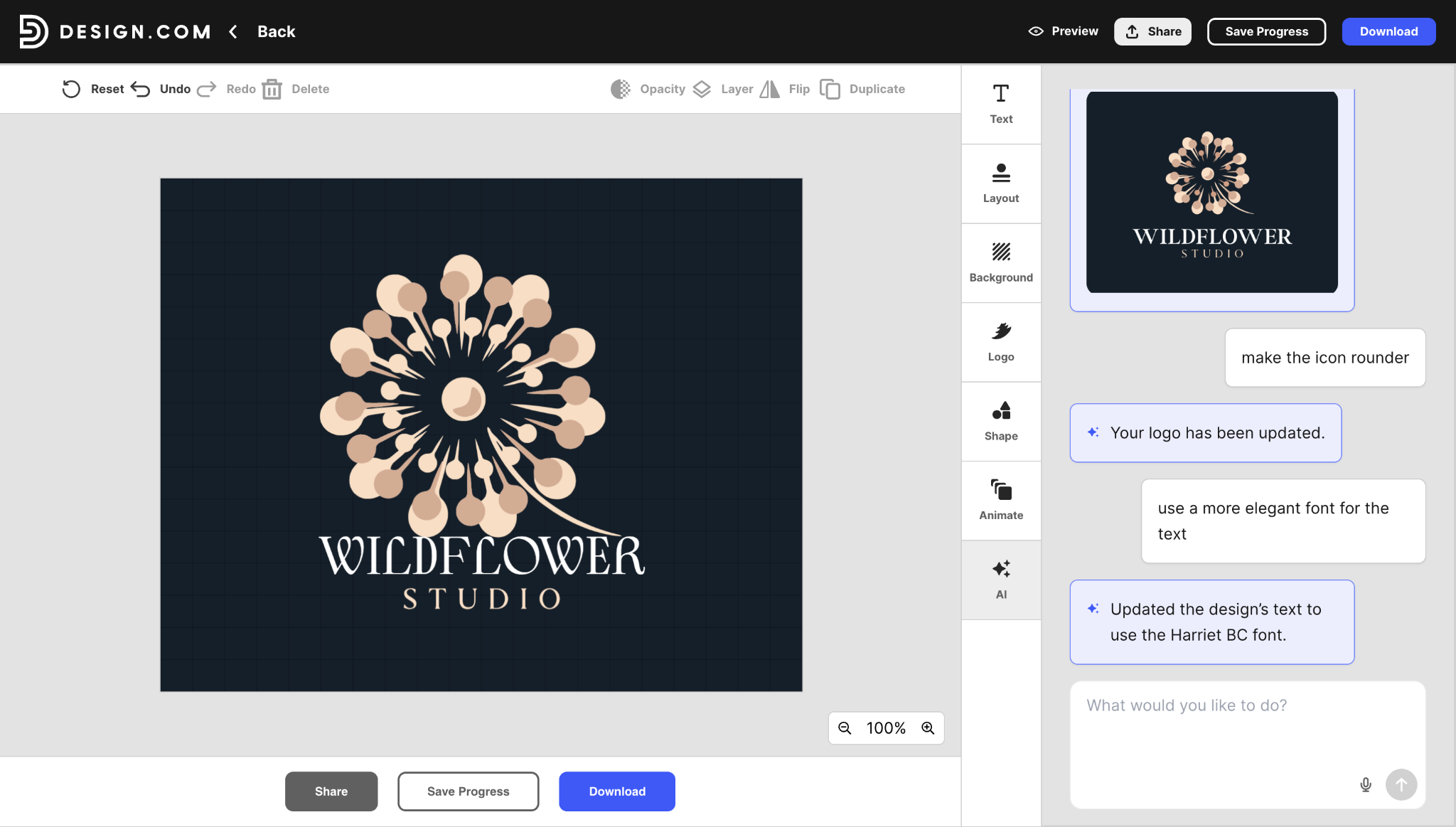
Instead of hunting through menus, you can type natural prompts like "make the icon rounder" and "use a more elegant font for the text," and the AI applies those changes directly to your canvas. This natural-language editing makes rapid revisions effortless for beginners.
Looka includes a structured side-panel editor covering layout alignments, color palettes, background containers, and icon swaps.
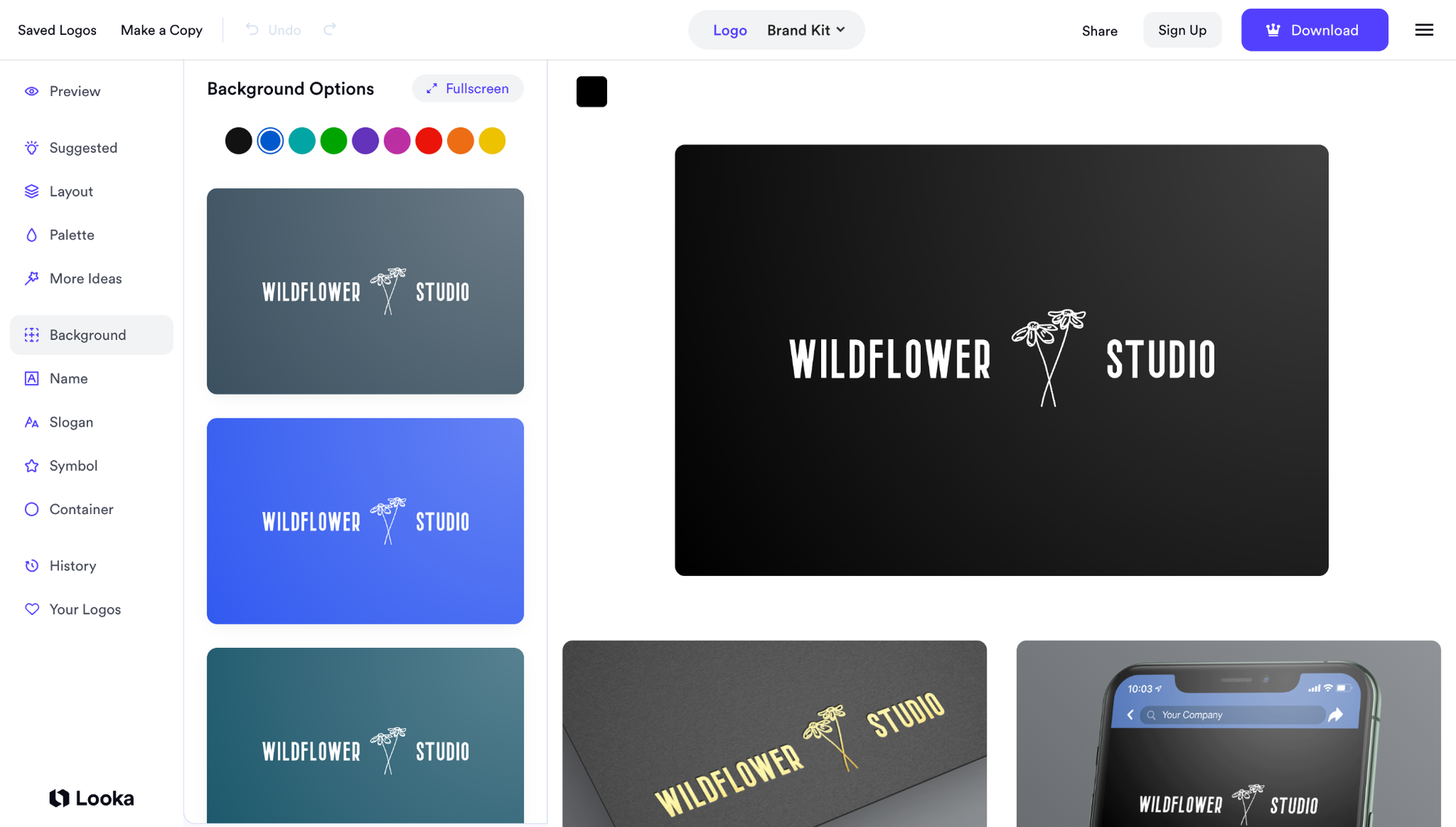
It also displays a live preview of your logo on a business card and phone screen in real time as you make adjustments.
Canva provides an open drag-and-drop canvas with total manual control over layers, alignments, typography, and color palettes.
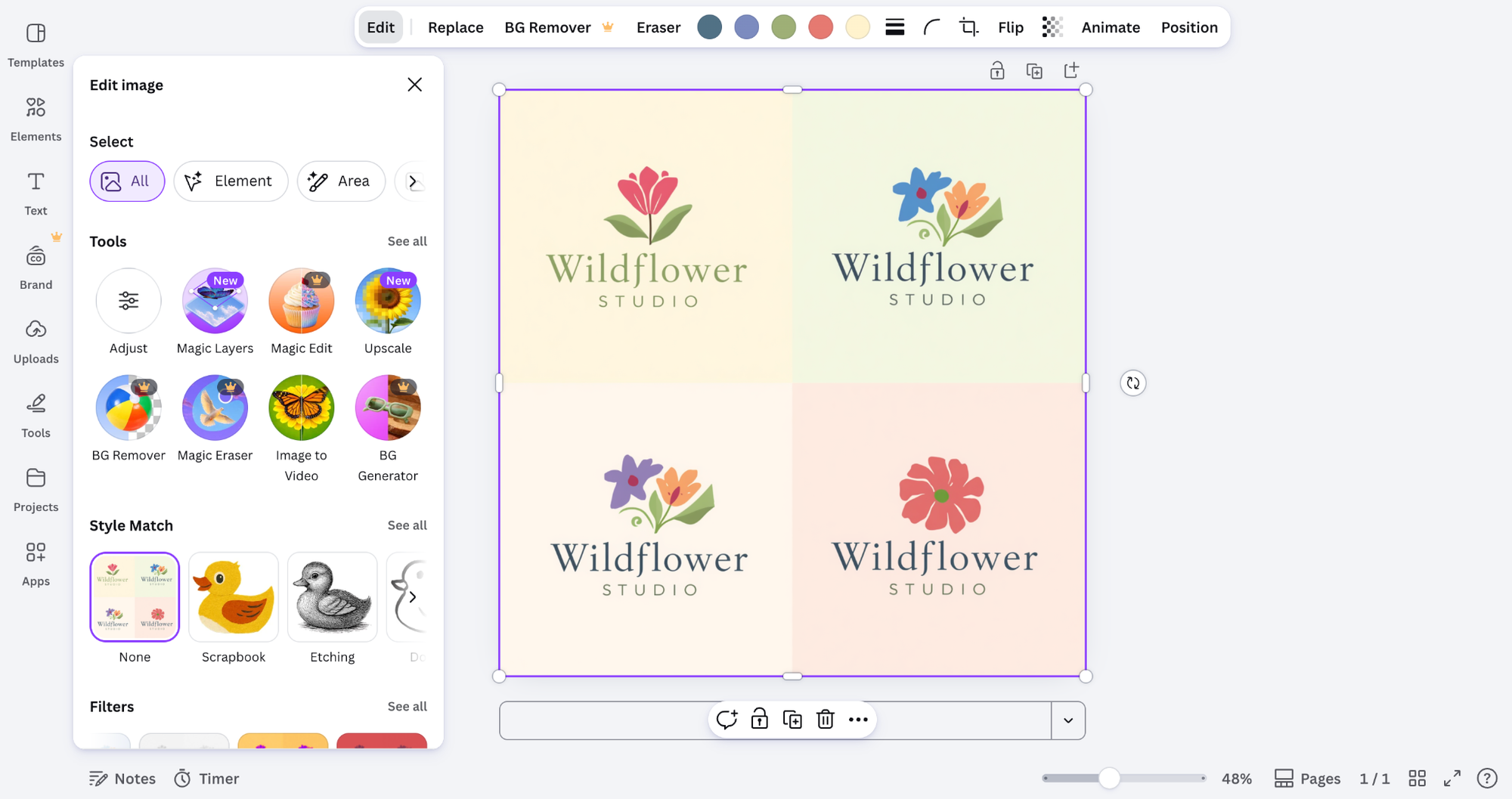
Because Canva was built as a broad design suite, you can also pull elements directly from its massive stock graphics library. However, customizing shape geometry or vector anchor points remains limited.
Round 2 Winner: Design.com for its chat-based AI editor that eliminates complex design menus
Round 3: Vector File Ownership and Exports
We downloaded every final logo format across all three tools to check which scalable files were unlocked and which were placed behind paywalls.
Design.com included vector files (SVG and EPS), PDFs, and transparent PNGs directly on its free plan. This distinction matters because commercial printers and scaling agencies require raw vector files, and Design.com is the only platform that provides them without extra fees.
Looka allows users to edit and preview logo files for free, but it blocks all file downloads. You must purchase a paid package ($65 to $72) just to download high-resolution vector files.
Canva exports standard PNG and JPG files on its free plan. However, downloading scalable SVG vector files or removing background fills requires an active Canva Pro subscription ($18/month).
Round 3 Winner: Design.com for providing free, un-watermarked vector SVG and EPS exports
Round 4: Brand Kit and Marketing Ecosystem
After finalizing our logo mark, we evaluated how quickly each platform adapts the design into a broader set of marketing tools without extra manual labor.
Design.com automatically generates an interactive brand kit preview directly in the editor, like the ones below:
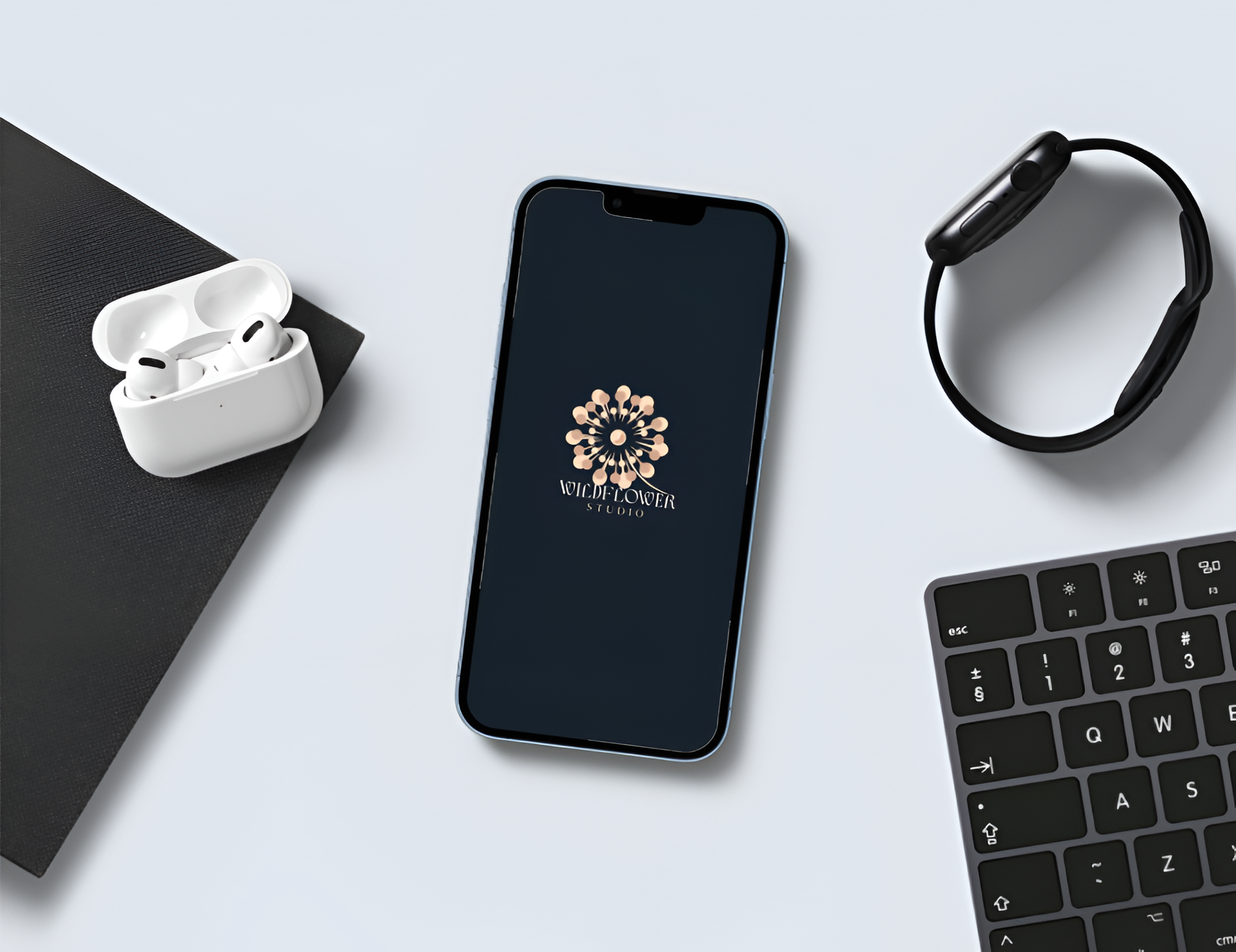
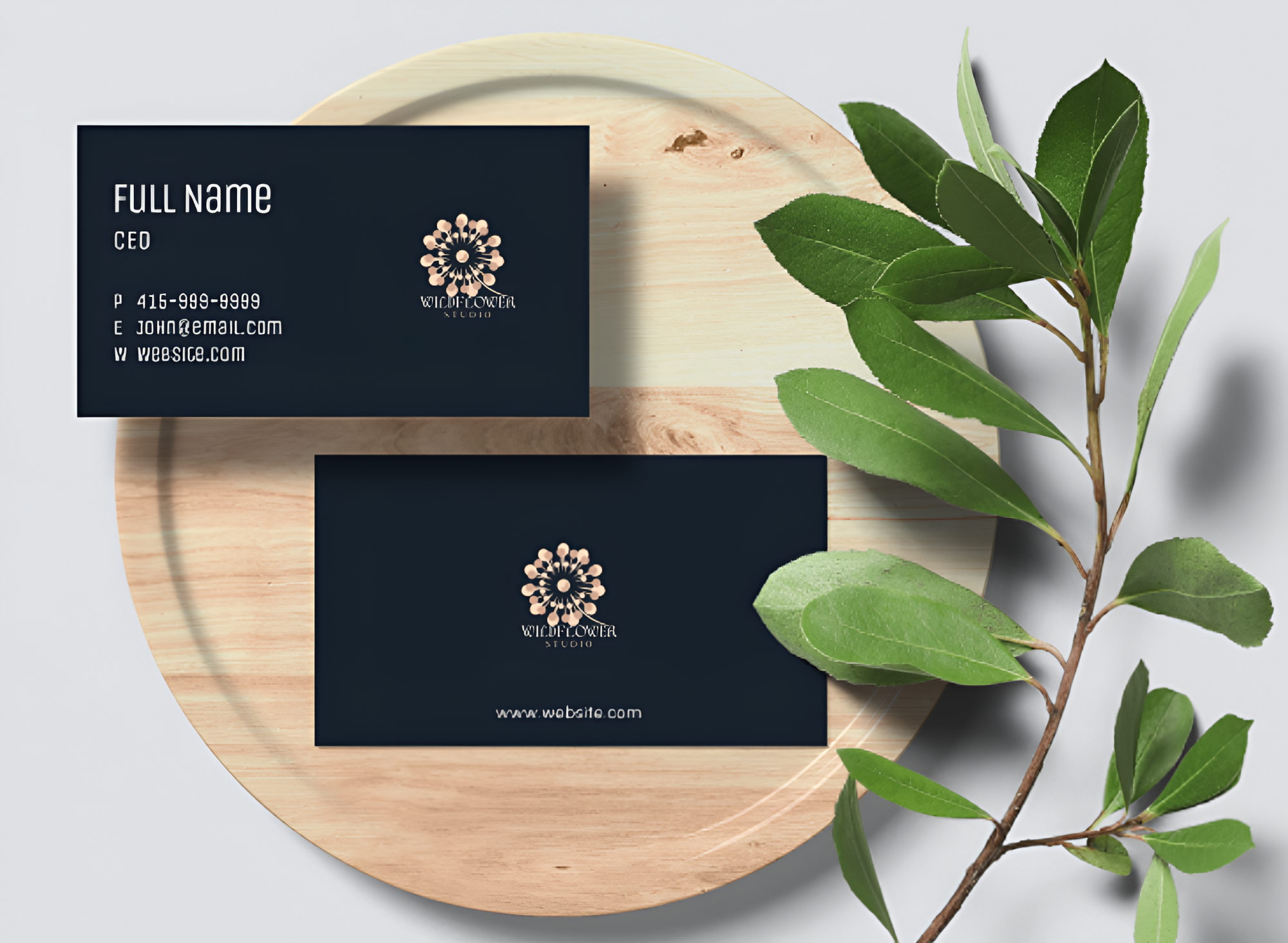
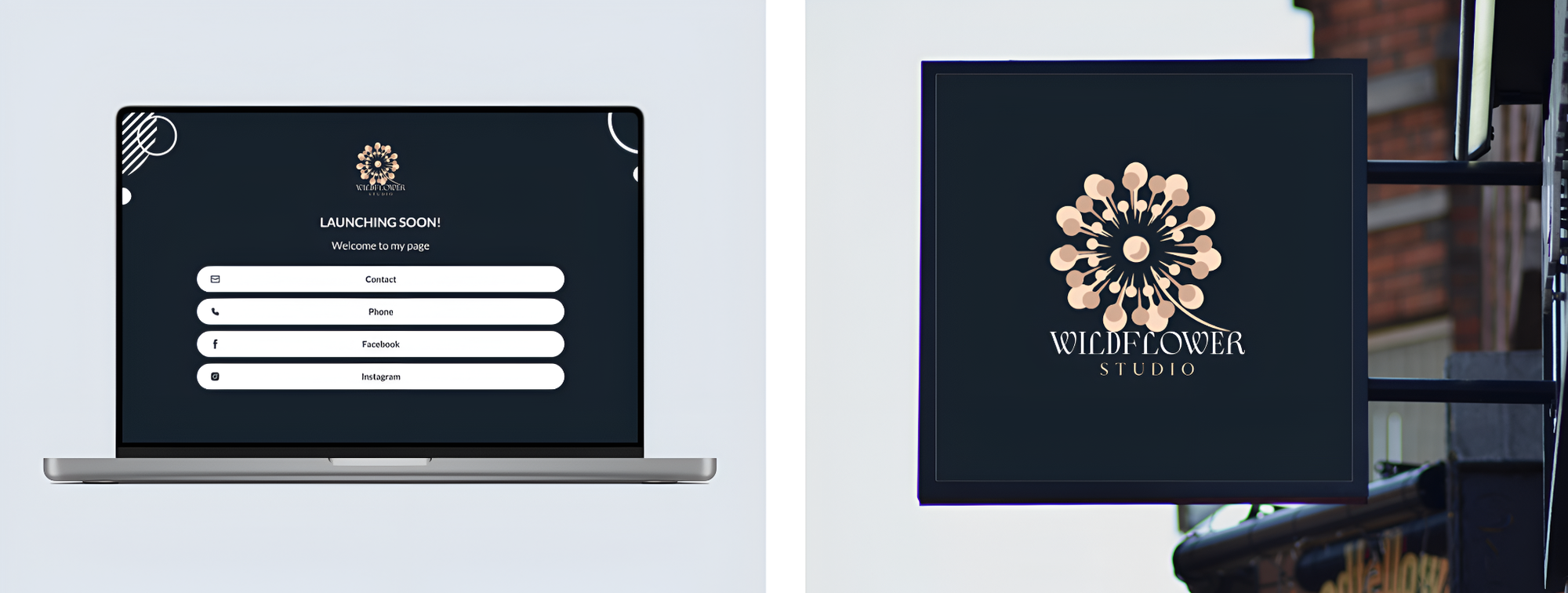
You can see your Wildflower Studio logo rendered instantly across mobile app icons, printed business cards, websites, and storefront posters. These assets also automatically use your brand's colors and font pairings, so it remains cohesive with your selected logo.
Looka offers a similar automatic preview feature in its editor. It displays live mockups of your logo applied to t-shirts, email signatures, letterheads, and social posts.
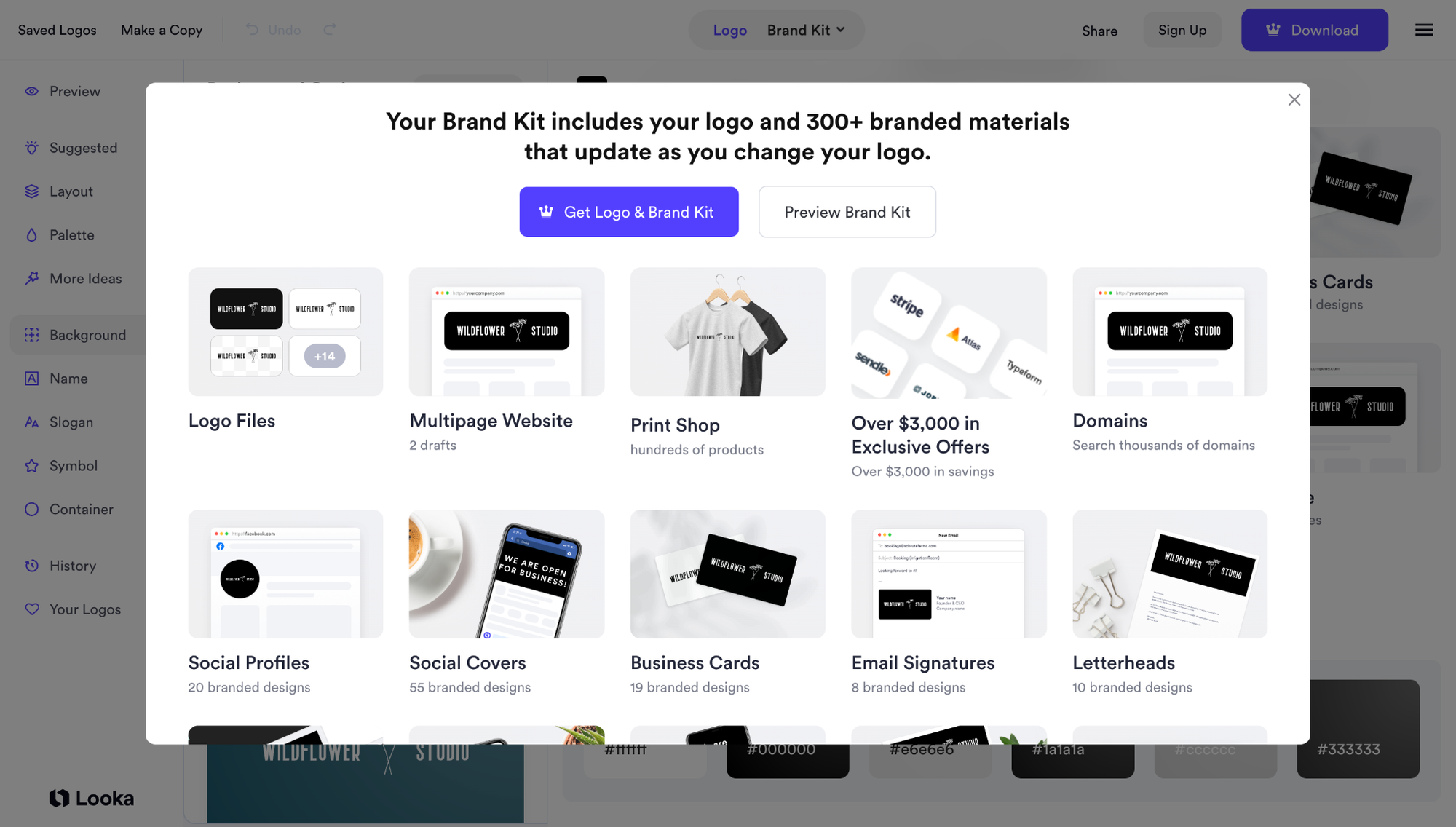
Canva, meanwhile, lets you build marketing materials across its vast template library, but it does not generate them automatically. You must manually open separate templates for business cards or social graphics and copy your logo onto each canvas.
Round 4 Winner: Design.com for seamless, automatic brand kit expansion directly inside the editor
Pricing and Value Breakdown
Design.com offers unmatched value by including scalable vector downloads (SVG and EPS) and automatic brand kit previews directly on its free plan. Upgrading to paid tiers ($3 per month billed annually or $9 per month billed monthly) unlocks expanded brand assets like custom domains, website tools, and social media kits.
Looka gates all file downloads behind paywalls once you finish generating a logo. While designing costs nothing initially, downloading a basic low-res PNG file costs between $20 and $35, getting scalable vector files requires a $65 to $72 one-time payment, and maintaining brand assets requires a $96 annual subscription.
Canva lets users design and download standard PNG or JPG files for free using its free template elements. However, downloading scalable SVG vector files, removing backgrounds, or building automatic brand kits requires upgrading to Canva Pro ($18/month).
Choosing the Best Tool for You
Every business has unique branding needs, technical requirements, and budget limits. Choosing the right AI logo maker depends on whether you need a single vector design file, a daily content studio, or a complete brand launch package.
Choose Design.com If:
You need a professional, trademarkable vector logo with full business tools. It is ideal for startups, local services, and digital brands that want top quality, instant AI chat editing, and free vector exports without paying high agency fees.
Choose Looka If:
You want a basic visual concept and prefer step-by-step prompts. It works fine if you only need static files and do not mind paying extra one-time fees for vector downloads.
Choose Canva If:
You already pay for Canva Pro and need a simple visual placeholder for internal slides. It fits creators who prioritize daily social graphics over custom brand marks.
 Singh Anusha
Final Verdict
Choosing the right AI logo maker comes down to whether you want a quick graphic placeholder or a launch-ready brand identity. While Looka offers clean guided previews and Canva excels at general social media design, neither matches Design.com's combination of vector ownership, chat-based AI editing, and built-in business expansion tools.
If you are starting a business from scratch, Design.com provides the fastest path to a finished logo and full brand kit without hidden paywalls. You can test your ideas, generate scalable files, and build matching brand collateral without friction. Pick the tool that fits your current workflow and gives you full confidence in your commercial ownership.
FAQs on Design.com vs Looka vs Canva
Is Design.com better than Looka and Canva for logo design?
Design.com is the better choice for dedicated logo creation because it offers instant brief-based AI generation, chat-style AI editing, and automatic brand kit building. Unlike Looka or Canva, it includes free scalable vector exports (SVG and EPS) on its free plan without requiring upfront payment or ongoing subscriptions.
Can you trademark a logo made in Canva vs Design.com?
Trademarking a Canva logo can be difficult because Canva relies on shared stock graphics and public templates, which do not confer exclusive commercial rights. Design.com generates unique vector assets and provides complete commercial usage rights, making it much safer for trademark registration.
Does Looka give you free vector files for your logo?
No, Looka does not provide free vector files or any downloads. Designing and previewing a logo is free on Looka, but downloading scalable vector files such as SVG or EPS requires purchasing the $65-$72 Premium package.
How much does it cost to get vector SVG exports on Canva?
Canva lets users download standard PNG or JPG raster images on its free plan, but vector SVG downloads are locked behind paid tiers. Accessing scalable SVG exports and transparent background removal requires an active Canva Pro subscription ($18 per month or $180 per year).
Which AI logo generator offers the best value for small businesses in 2026?
Design.com offers the best overall value by providing free high-resolution vector exports, interactive brand previews, and full commercial rights. Optional paid plans start at just $3 per month (billed annually) for creators who want to add integrated website hosting, custom domains, and extended marketing collateral.