AI Logo Maker: How to Create a Professional Logo for Your Brand in 2026
Logos are often the first thing people see from a brand. They see them on storefronts, websites, social media platforms, product packaging, and other marketing materials. A well-designed logo helps businesses stand out from the competition. However, creating a professional logo can be challenging, especially for small businesses and startups with limited budgets.
AI logo makers make logo creation more accessible and affordable. These tools generate logo concepts based on your business information and design preferences, which you can customise and download afterwards.
This guide explains how an AI logo maker works, how to use it to create a professional logo, and how it compares to other routes.
What is an AI Logo Maker?
An AI logo maker is an online tool that uses artificial intelligence to help you create logos based on your business and design preferences.
Most AI logo makers follow a similar process:
- Generate logo concepts: Enter your business name and/or prompt, and the AI instantly generates logos tailored to your industry.
- Browse results: Some platforms produce a single design; others generate multiple layouts, icons, and font-and-colour combinations.
- Customise the design: Edit your chosen logo template by adjusting the colours, typography, icons, and other visual elements to fit your preference.
- Download the logo: Save the finished design in file formats supported by the tool.
Can AI Logo Makers Replace Professional Designers?
AI logo makers aren't necessarily replacements for professional designers. Both serve different needs, and the right choice depends on your budget, design requirements, and level of customisation.
AI logo makers are best for:
- Startups and small businesses with limited budgets.
- Creating quick professional-looking logos.
- Exploring multiple logo concepts and styles.
- Beginners with little to no design experience.
Professional designers are best for:
- Brands that want a completely custom logo.
- Developing a comprehensive brand identity.
- Creating bespoke illustrations and complex designs.
- Projects that require extensive brand research and creative direction.
 Singh Anusha
How to Create a Professional Logo Using AI
Creating a logo with AI is relatively straightforward. However, opening an AI logo maker and entering your business name aren’t the first steps in creating a professional logo.
Step 1: Define your brand identity
Before using an AI logo maker, make sure that you have defined your brand’s identity. Start by answering the following questions:
- What does your brand offer?
- Who’s your target audience?
- What makes your brand different?
- What personality should your logo represent?
- Where will your logo be used?
Answering these questions will give you a clearer direction when generating and exploring logo concepts.
Step 2: Choose the right AI logo maker
While AI logo makers follow the same workflow, they don’t offer the same features. Some tools focus on creating quick logos; others provide more extensive editing tools and branding options.
When looking for the right AI logo maker, consider the following:
- Design variety: How many styles and concepts can a platform offer?
- Customisation: Can you edit the colours, fonts, icons, and layouts?
- Ease of use: Is the platform beginner-friendly?
- File formats: Does the AI logo maker provide high-resolution and vector files?
- Commercial use: What rights do you receive to use the finished logo?
- Additional tools: Will you get to create other designs and branding assets?
For instance, the branding platform Design.com combines AI logo generation with its extensive library of 500,000+ professionally designed logo templates. It also lets you edit your chosen logo using manual and AI chat-based editing tools. But aside from logos, Design.com lets you create business cards, presentations, social media graphics, websites, and more using its 50+ branding tools.
Step 3: Enter your business name and/or prompt
After choosing an AI logo maker, you can now generate logos. Depending on the platform, enter your business name, relevant keywords, or a detailed prompt describing your preferred logo. The AI will then generate logo concepts based on your input.
A good prompt should be clear and use specific keywords. For example,
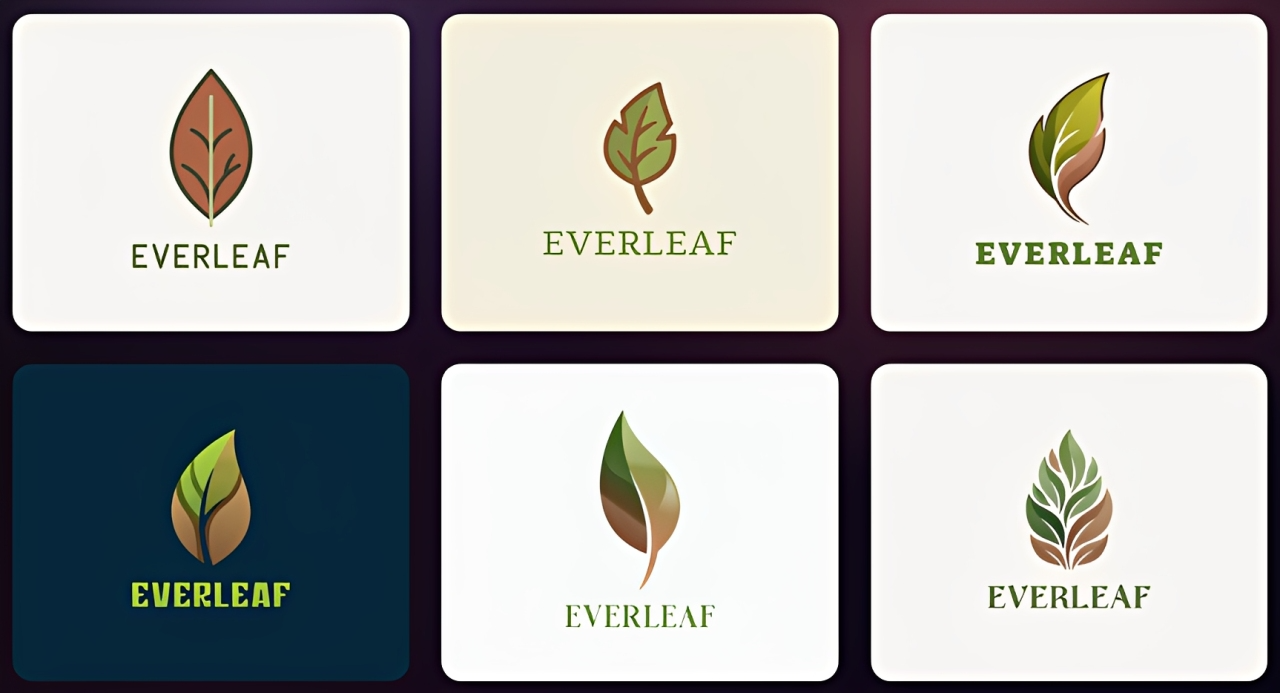
Create a clean, modern logo for Everleaf, a skincare brand. Incorporate a simple, elegant leaf icon, and use earthy greens and warm browns. Choose minimalist, easy-to-read typography for a professional and sophisticated look.
Here are some logo concepts Design.com generated using the Everleaf prompt:
Step 4: Explore different logo concepts
Once the AI logo maker generates your results, don't immediately choose the first design you find attractive. Take time to compare each design based on its fonts, icons, and overall composition.
Save the designs you like in your favourites if possible. Then, if none of the first batch of results meets your requirements, you can refine your prompt and keywords to generate new designs.
Step 5: Edit your chosen design
After picking a logo design, customise it to match your brand identity. This helps make your logo more distinctive and better aligned with your brand. Pay attention to these elements:
- Colours: Edit the colours and choose the ones that reflect your brand personality. Limit the number of colours you’re going to use to maintain a clean and consistent look.
- Typography: Pick fonts that suit your industry. They should also be easy to read at different sizes.
- Icons and layouts: Keep icons simple and relevant. Avoid adding unnecessary details that could make your logo too crowded.
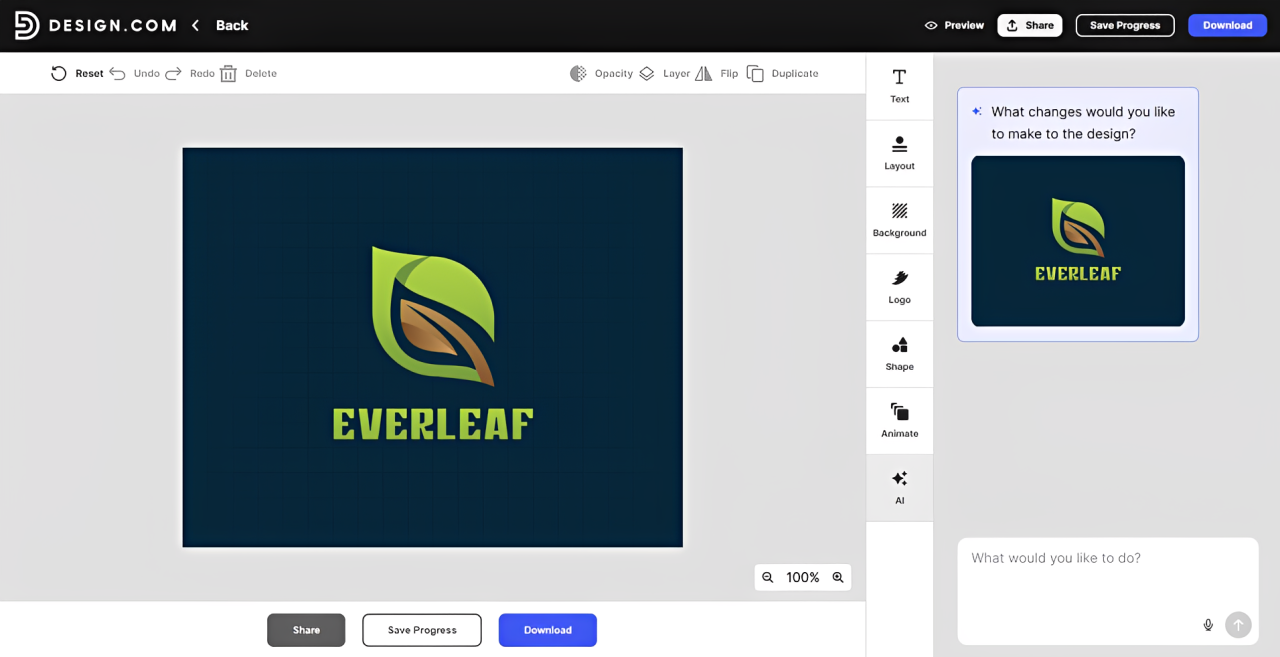
AI logo makers offer different editing options. Some provide basic drag-and-drop tools, while others rely on AI-assisted editing. Platforms like Design.com combine both approaches, allowing you to make manual adjustments or request changes through AI:
Step 6: Download the logo files
After finishing your logo, download it in high-resolution and vector formats that will let you use it seamlessly online and in print. Here’s a quick guide on how to differentiate each format:
Design.com supports all the file formats mentioned above, along with additional options such as transparent backgrounds and icon-only versions.
Before downloading, check which file formats and versions you can get with the AI logo maker you chose to use. Some offer all of them for free, while others reserve vector downloads and transparent backgrounds for paid subscribers.
What Makes an AI Logo Look Professional?
AI logo makers can generate visually appealing designs, but appearance alone doesn't make a logo professional. A good logo should meet several important design principles:
- Simplicity: This is the most important factor. A logo with too many icons, text, and colours can be hard to recognise, especially when scaled down to fit favicons, business cards, and product packaging.
- Readability: People should be able to identify your business name without struggling to interpret your chosen typography.
- Relevance: Your logo should establish the right impression. For example, if you’re a financial consultancy firm, a more restrained logo design fits better than a playful, colourful visual more suitable for children’s brands.
- Versatility: This ensures your logo works on different colours, textures, materials, and platforms. To achieve this, you should preview your logo in black and white, reduce its size, and place it on different backgrounds. If it remains recognisable, then it should perform well in everyday applications.
Common Mistakes to Avoid When Using AI Logo Makers
While AI logo makers make logo creation fast and easy, there are things you need to keep in mind to ensure the quality and usability of your chosen design. Here are some common mistakes to avoid:
- Choosing the first design you like: Don’t settle for the first attractive logo you see. Look at each generated design and compare them before making your final decision. If there are thousands of results, save the designs you like to make a shortlist before assessing them one-by-one.
- Using generic designs: Some AI logo makers provide designs similar to others. Customise your chosen logo and avoid looking like other businesses.
- Ignoring real-world applications: A logo that looks good on your computer screen doesn’t automatically translate well on business cards, website headers, or social media profile photos. Test your design on different sizes and backgrounds.
- Overlooking commercial-use rights: Different AI logo makers offer different licensing terms. Check if your chosen platform guarantees commercial use and whether the design is exclusive or available to others.
- Assuming your logo is automatically protected: Commercial-use permission doesn't guarantee copyright protection or trademark eligibility. In 2025, the US Copyright Office confirmed that purely AI-generated material isn't eligible for copyright protection, although works with sufficient human authorship may qualify. Before adopting your logo, check the applicable copyright rules and search for similar trademarks in your country.
Final Thoughts
AI logo makers have made logo creation faster, easier, and more affordable for businesses of all sizes. With the right tool, you can explore different concepts, customise your chosen design, and create a professional-looking logo even without extensive design experience.
However, creating a good logo involves more than just generating attractive designs. Start by understanding your brand, then compare your options, and check how your logo works across different applications. Most importantly, make sure that your logo truly represents your business and can support your branding needs as you grow.
Rishi Mundra