AI Pitch Deck Tools: Best Platforms to Create Investor-Ready Presentations Fast
Discover the best AI pitch deck tools to create professional, investor-ready presentations in minutes. Compare features, pricing, and use cases to find the perfect tool for your needs.


Modern pitch-deck tools employ intelligent technologies to assist you in creating clean slides rapidly. You begin with a brief idea or upload some notes, then the software takes charge and produces a set of clear, polished-looking pages.
It picks colors, layouts, and styles that will look good with your message. It is hardly anything to drop into your charts or images. Many tools enable collaborative work and allow teams to see how viewers are engaging with the deck.
Some integrate with the applications you already use, while others offer plug-and-play templates for virtually every use case.
Quick Comparison of AI Pitch Deck Tools
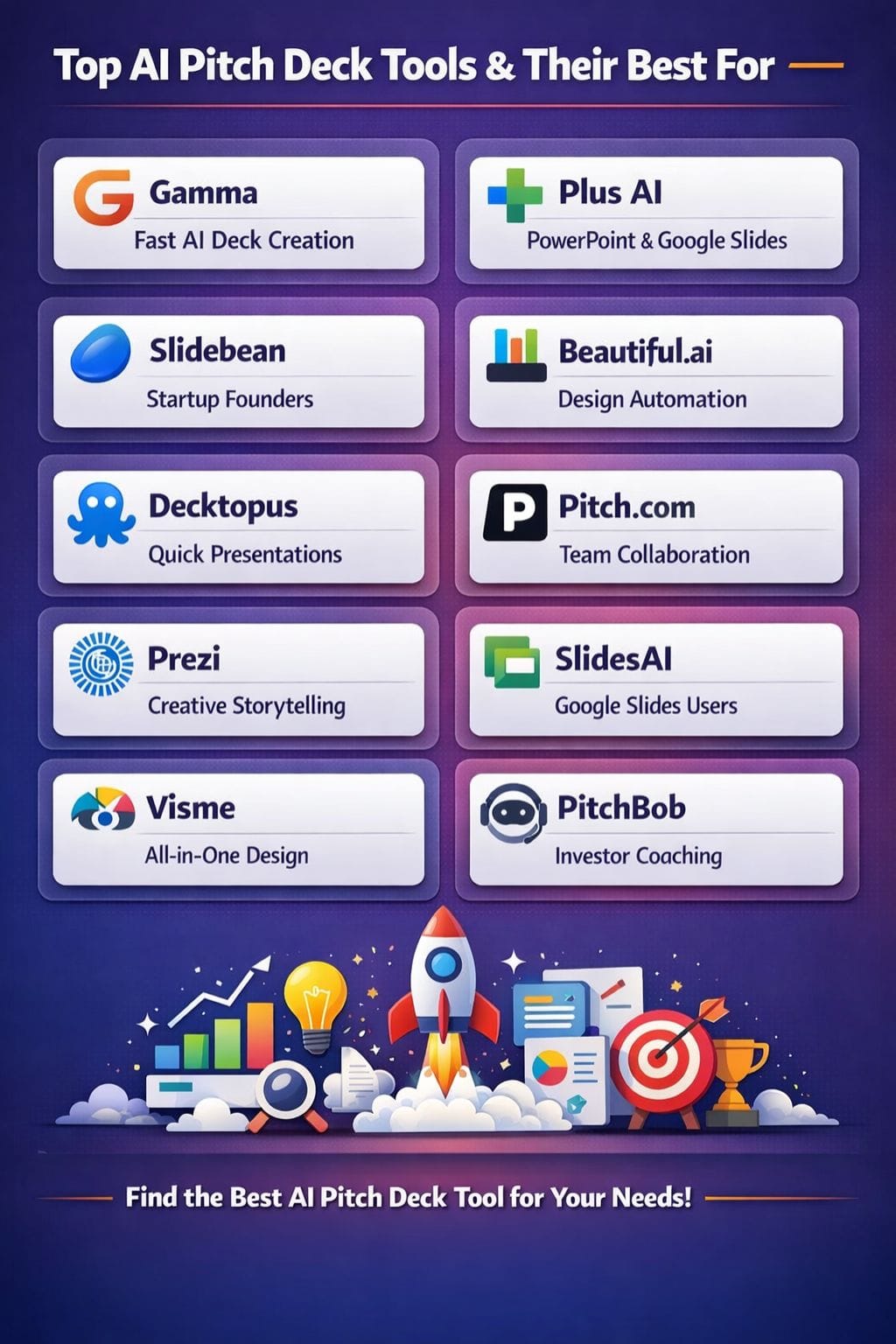
| Tool | Best For | Key Features | Pricing Level | Drawbacks |
|---|---|---|---|---|
| Gamma | Fast AI deck creation | Prompt-to-deck, card UI, analytics | Mid | Limited exports, weak for complex data |
| Plus AI | PowerPoint & Google Slides users | Works inside existing tools, long input support | Mid | Not standalone, limited trial |
| Slidebean | Startup founders | Investor-ready templates, auto structure | Low–High | Short prompt limit |
| Beautiful.ai | Design automation | Auto layouts, DesignerBot, analytics | Mid | Limited customization |
| Decktopus | Quick presentations | Speaker notes, templates, analytics | Mid | Generic output |
| Pitch.com | Team collaboration | Real-time editing, analytics, templates | High | Short prompt input |
| Prezi | Creative storytelling | Zoom UI, motion presentations | Mid | Learning curve |
| SlidesAI | AI presentation creation | Text/document-to-slides, PowerPoint & Google Slides, 100+ languages | Low–Mid | Free plan has usage limits |
| Visme | All-in-one design | Multimedia, templates, exports | High | Heavy performance |
| PitchBob | Investor coaching | AI feedback, scoring, Q&A training | Low–Mid | Limited design features |
Gamma
This is why Gamma makes one of the fastest pitch deck-creating tools in existence. Only one prompt is enough to convert ideas into neatly, modernly designed slides. Its card-style feature makes scrolling, editing, and anything else possible.
Drag-and-drop any, including charts, polls, gifs, and such with internal analytics to track viewership. Gamma does the design work for you, so you can focus on the story to be told.
It performs pretty well for live sharing and teamwork. Web-based; each deck appears sharp on any device. Hence, this helps founders and teams give a strong impression.
Pros
- A fast, single prompt generates an entire deck of slides
- Scrolls beautifully (cards, not slides)
- Engaging media, polls, analytics, GIFs, charts, etc.
Cons
- Too limiting for complex charts or data-heavy decks
- Export is only in PDF format (No PowerPoint yet)
Pricing
| Plan | Pricing |
|---|---|
| Plus | $8/seat/month |
| Pro | $18/seat/month |
| Ultra | $90/seat/month |
Plus AI
Plus AI brings impressive power into your actual workflow through the fact that it runs directly in PowerPoint and Google Slides.
You don't need to learn anything new; just type a prompt or upload a file, and it builds a full deck with neat layouts, informative text, and sharp visuals.
It can handle very long prompts - up to 100,000 characters - so feel free to use extensive research, call notes, or even complete business plans. It picks the right style of slide for every single idea, adds charts and icons, and lets you make edits using comfortable AI commands.
Pros
- Works directly within PowerPoint and Google Slides
- Handles 100,000-character-long super-detailed input
- Templates with a professional look and feel, and color combinations
Cons
- Only a 7-day trial is available
- It's not even a standalone tool, as you have to work with it in existing software
Pricing
| Plan | Pricing |
|---|---|
| Basic | $10/user/month |
| Pro | $20/user/month |
| Team | $30/user/month |
| Enterprise | Contact Sales |
Slidebean
Launch your startup pitch deck directly into the hands of investors in minutes. Slidebean relies on proven structures from businesses like Airbnb, Uber, and so on, as well as proven frameworks from the best VCs.
Paste your website or a small note on your idea, and it creates a full deck for you, including key sections: Issue, Solution, Market, Traction, Team, and Funding Ask. "The AI is doing the design, so you have to tell the story," Slidebean added.
Also, Slidebean provides tools for creating a model for your business, tracking finances, and investing.
Pros
- Templates based on real successful startup pitch decks
- Generate decks from just a company URL or short text
- Investor-focused slide order built in (problem, solution, market, etc.)
Cons
- Short prompt limit (only 600 characters for AI input)
- No document text upload is possible for the content
Pricing
| Plan | Pricing |
|---|---|
| Starter | $12/month |
| Accelerator | $99/month |
 Roshni Tamta
Beautiful.ai
Beautiful.ai functions just as an intelligent design assistant, updating your slides as you form them. At the same time, its templates automatically customize their layouts and interstitial adjustments.
Add a chart, and it will integrate automatically into the slide. Type some text, and the margins will follow to keep things neat. Its AI, DesignerBot, can write content, make images, and convert PDFs or URLs into ready-to-use decks.
It is just perfect for the content and lets the tool take care of the visuals. In addition, it's got shared editing in a team and a visibility tracker.
Pros
- One click to change themes throughout the presentation
- Team collaborative editing has real-time functionality
- Viewer analytics track engagement and time on the slide
Cons
- Limited customization options outside of template logic
- Font options are fewer than in traditional tools
Pricing
| Plan | Pricing |
|---|---|
| Pro | $12/month |
| Teams | $50/month/user |
| Enterprise | Custom |
Decktopus
A super-fast, easy AI will allow anyone to prepare really polished pitch decks in minutes. You start with a topic or a prompt, and after that, Decktopus does the rest: it chooses layouts, colors, and graphics, so the whole deck looks sharp and consistent.
Ideal for founders, students, and teams who need a quick deck with speaker notes and analytics without learning to design tools. With Decktopus, you can also add interactive forms or Q&A and download the deck for sharing or presenting anywhere.
Easy, quick, and trustworthy: that's for people who want pro-looking results every time without fuss.
Pros
- Generates speaker notes and Q&A for every slide
- Huge library of templates; mobile-ready layouts
- Analytics and form integration for interactive decks
Cons
- The output may come across as generic or repetitive
- Export to PowerPoint/PDF occasionally loses formatting
Pricing
| Plan | Pricing |
|---|---|
| Pro | $24.99/month |
| Business | $49.99/month |
| Enterprise | Custom |
Pitch.com
Pitch.com makes it easy for teams to create neat and sharp decks. One gives a basic prompt, and AI builds a draft within minutes.
Modern templates cut the work and allow teams to collaborate in real time to edit slides together. Uploads images, notes, videos, and can even discuss ideas with built-in video chat. Pitch.com also informs you who viewed your deck and what caught their attention.
It runs fast, works in a browser, and looks fresh. Pitch.com represents a case in which simplicity meets real power for startups or agencies.
Pro
- It really comes with pretty, minimalist animated templates
- Imported PowerPoint files can even be edited and polished
- Organized workspace folders along with branded asset libraries
Cons
- The AI prompt window maximum is 400 characters
- Narrow scope of high-end features for customized design
Pricing
| Plan | Pricing |
|---|---|
| Pro | $24/month |
| Business | $96/month |
Ria Sahni
Prezi
Prezi does not have competitors for its unique zooming canvas, which moves away from the mundane slide-by-slide presentation style.
With Prezi AI, uploading a file or typing a prompt makes the tool create a motion-based presentation with stunning visuals. The zoom-and-pan style is lively and draws in the audience to keep their attention.
It is perfect for a pitch, class, or demo-type situations where showing connections and big-picture ideas is key. Prezi can also convert PowerPoint files, insert voiceovers, and track viewer analytics, all of which are developed for those who want creative, unforgettable decks.
Pros
- Unique zooming and panning motion effect encourages being non-linear in storytelling
- Interactive elements such as charts, maps, stickers, and animations
- Presentation analytics to track viewer engagement
Cons
- Learning curve for new users
- Not the best for data-heavy or corporate formal decks
Pricing
| Plan | Pricing |
|---|---|
| Plus | $15/month |
| Premium | $25/month |
| Teams | $39/month |
SlidesAI
SlidesAI is an AI-powered presentation maker that turns topics, prompts, notes, text and documents into structured presentations. It works with Google Slides and Microsoft PowerPoint and can also be used through its web app and ChatGPT integration.
Users can provide an idea or existing content, review the generated outline and turn it into a presentation. SlidesAI also offers tools to rewrite, shorten or expand slide content, customise presentation styles and add AI-generated or stock images.
The platform supports more than 100 languages and can translate presentations for different audiences. Users can create and edit presentations within Google Slides and PowerPoint or work through the SlidesAI web platform.
Pros
- Generates presentations from topics, prompts, notes, text and documents
- Works with Google Slides, Microsoft PowerPoint, the web and ChatGPT
- Supports 100+ languages
- Offers AI-generated and royalty-free stock images
- Provides AI tools to rewrite, shorten and expand slide content
Cons
- Free plan has limits on presentations, input length and AI credits
- Higher input limits and document uploads require a paid plan
Pricing
| Plan | Pricing |
|---|---|
| Pro | $10/month, billed annually |
| Premium | $20.83/month, billed annually |
Visme
Visme has more to it than just being utilized to create a pitch deck. It is a complete suite for everything design-related as far as making visuals go.
You can create decks, infographics, videos, social posts, and forms all in one location using the power of AI. Enter a prompt, and Visme creates a clean draft using smart layouts and smooth animations.
Edit everything very easily with drag-and-drop tools. Add, by the way, charts, videos, icons, or your own brand elements into your masterpiece in seconds. For startups and teams interested in sharp, consistent visuals is the right choice.
Pros
- Massive library (5+ million stock images with 2+ million video/audio)
- Real-time collaboration with a brand kit and style guides
- Multiple download options (JPG, PNG, PDF, PPTX, HTML5, GIF)
Cons
- The free plan features a watermark and limits storage to 500MB.
- Very resource-heavy, thus it can lag on older machines
Pricing
| Plan | Pricing |
|---|---|
| Starter | $29/month |
| Pro | $59/month |
| Enterprise | Custom |
Shubham Kumar
PitchBob
PitchBob is the easiest co-pilot and a guide for startup entrepreneurs to make quick investor-ready pitch decks.
All you do is converse with the AI and respond to a few straight questions about your startup. It only takes a few minutes to prepare a pitch deck, business plan, one-pager, and even an elevator pitch.
PitchBob also has some checks against a huge set of 15,000 actual decks and gives a score so that one knows what to improve. It also coaches you on investor Q&A so that you can practice and hone your answers for the pitch.
Pros
- Benchmark your deck against scores with more than 15,000 successful pitch decks.
- AI feedback and VC-style coaching for investor Q&A practice.
- Pitch analysis/Emotion recognition features.
Cons
- Compared to design-focused tools, customization capabilities are limited.
- Customer support is very slow, with issues regarding refunds reported.
Pricing
| Plan | Pricing |
|---|---|
| Advanced | $14.95 |
| Pro | $24.95 |
| Super Pro | $49.95 |
How to Choose the Right AI Pitch Deck Tool
- For speed: Gamma, Decktopus
- For PowerPoint users: Plus AI
- For startups: Slidebean, PitchBob
- For design quality: Beautiful.ai, Visme
- For collaboration: Pitch.com
- For creativity: Prezi
Final Thoughts
The best pitch deck software picks save precious time and give you the power to tell a smart and solid story. Smart builders nowadays allow you to convert crude thoughts or detailed plans into sharp and clean slides in just a few minutes.
You get brilliant layouts, intuitive flow, and even tools to enable you to practice and stay calm in the room.
These AI assistants are effective for solo founders or large teams; they cut away the complex bits, hold your design tight, and take you fast, clear, and confident from idea to investor meetings.
FAQs
What are AI pitch deck tools?
AI pitch deck tools are software platforms that use artificial intelligence to automatically create presentation slides from text, ideas, or documents. They help with design, layout, content structuring, and visuals, making it easier to build professional decks quickly.
Which AI tool is best for startup pitch decks?
Tools like Gamma, Slidebean, and PitchBob are ideal for startups. They offer investor-focused templates, structured storytelling, and features like pitch scoring or analytics to improve your chances of funding.
Can AI tools replace PowerPoint for presentations?
Not completely. Some tools like Plus AI and SlidesAI work inside PowerPoint or Google Slides, while others replace them entirely. The choice depends on whether you prefer automation within familiar tools or a completely new interface.
Are AI pitch deck tools suitable for teams?
Yes, many tools such as Pitch.com, Visme, and Beautiful.ai support real-time collaboration, shared editing, and analytics, making them perfect for teams working together on presentations.