
10 Best Free AI UGC Tools to Create User-Generated Content Videos
Explore 10 free AI UGC tools to create engaging videos, product ads, and social media content. Compare features, free plans, and limitations.

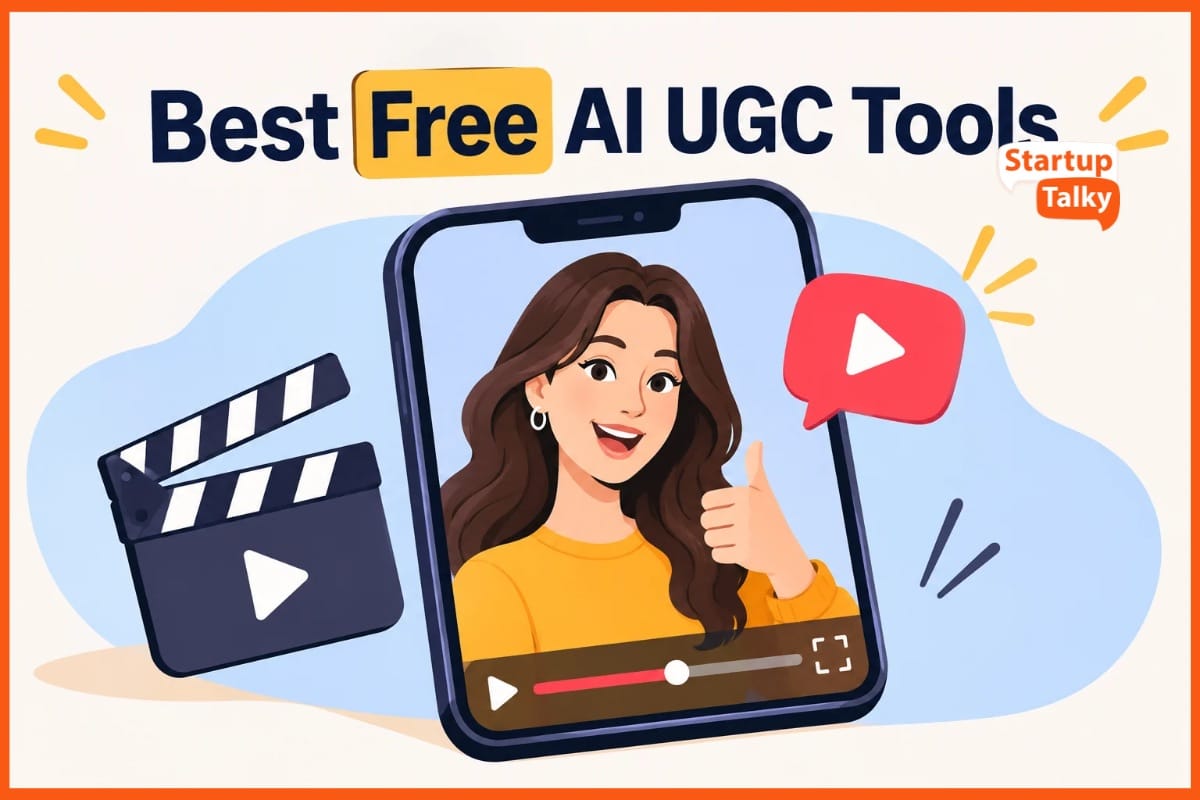
Want to make scroll-stopping videos without a big budget? Free AI UGC tools can help you write scripts, add captions, clean up sound, and create clips for your brand. Some can even turn a product link into a video ad.
This guide covers ten top picks to help you start with less fuss. You’ll see what each offers, where it shines, and which limits to check. Free plans may cap your use, add watermarks, or end after a short trial.
Find the right fit for your needs and test fresh ideas before you choose to pay for more features.
Best Free AI UGC Tools: A Quick Comparison
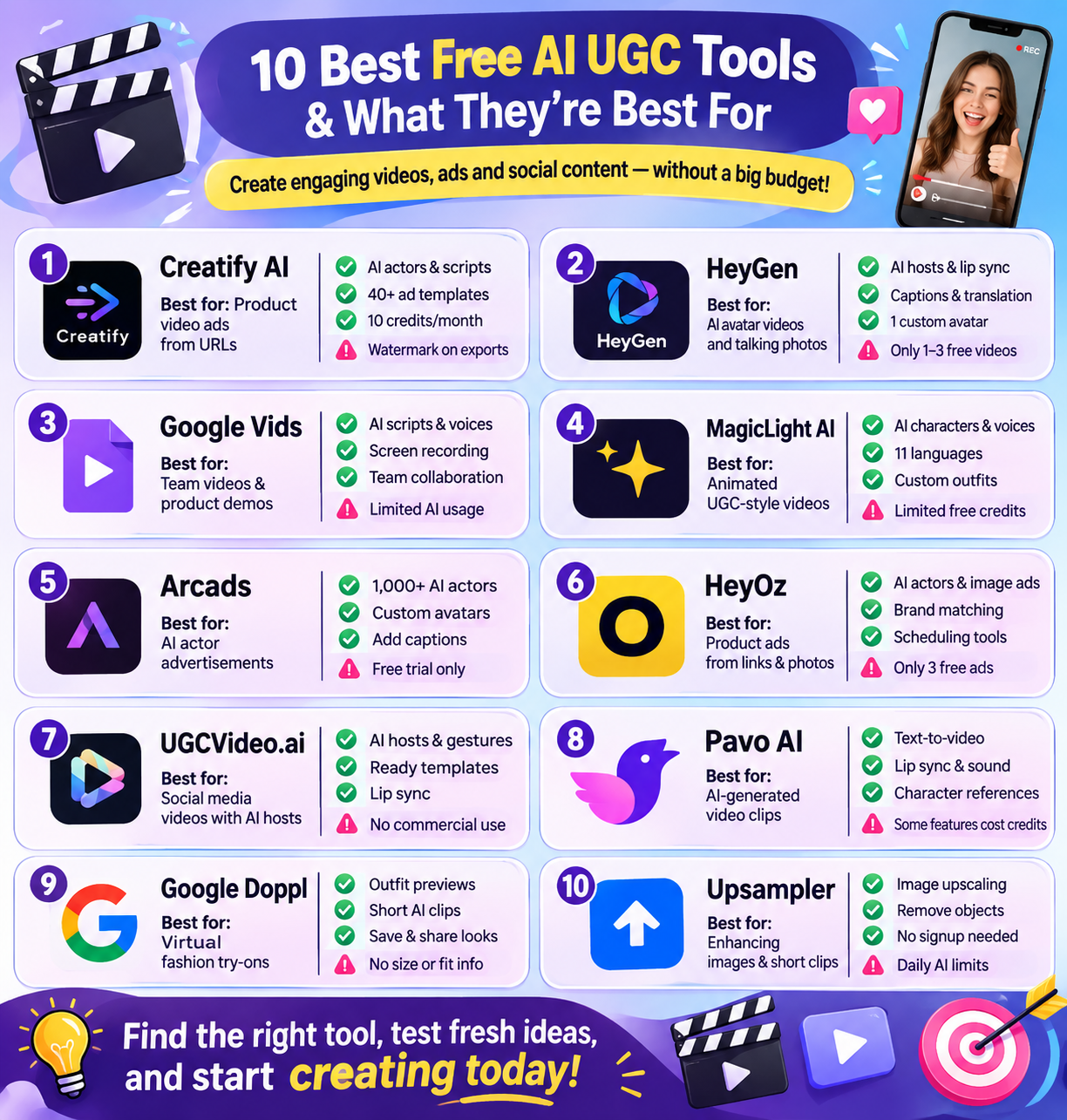
The following table compares the 10 best free AI UGC tools based on their features, use cases, and free-plan limitations.
| Tool | Best For | Key Features | Drawbacks |
|---|---|---|---|
| Creatify AI | Creating product video ads from URLs | AI actors, script generation, voiceovers, ad templates | Watermarks and limited monthly credits |
| HeyGen | AI avatar videos and talking photos | AI hosts, lip sync, captions, video translation | Limited free video generation |
| Google Vids | Creating team videos and product demos | AI scripts, voices, avatars, screen recording | Monthly AI usage limits |
| MagicLight AI | Animated UGC-style videos | AI characters, voice cloning, multilingual support | Limited free credits and animation-focused output |
| Arcads | AI actor-based video advertisements | 1,000+ AI actors, custom avatars, captions, translation | Free trial rather than a permanent free plan |
| HeyOz | Creating product ads from links and photos | AI actors, image ads, brand matching, scheduling | Only three free ads |
| UGCVideo.ai | Testing AI-generated social media videos | AI hosts, lip sync, gestures, video templates | Watermarks and no commercial use on the free plan |
| Pavo AI | Creating AI-generated video clips | Text-to-video, image-to-video, lip sync, character references | Some models require credits |
| Google Doppl | Virtual fashion try-ons and outfit videos | Virtual outfit previews, AI clips, saved looks | Does not show actual clothing fit or size |
| Upsampler | Creating and improving visual content | Image generation, background removal, object removal, 4K upscaling | Daily AI limits and paid advanced features |
1. Creatify AI
Creatify AI turns product links into short ads with AI actors. It suits a top ten free AI UGC tools list as a tool to test, not a fully free ad suite. Paste a store link, choose a face, and let AI draft your script and voice.
You can then change text, clips, and layouts. The free plan has 300 AI actors, 40 ad templates, and ten credits each month.
That covers up to two short video ads or 20 image ads. Free clips have a watermark, so paid plans suit brands that need clean ads at scale.
Pros
- AI helps with the script, voice, and clips, which cuts down on manual work
- Test 300 AI actors on the free plan
- Change text, trim clips, or swap media in an exported project
Cons
- Free exports show a watermark
- A new AI script, voice, or video uses more credits
2. HeyGen
HeyGen helps you make UGC-style ads with AI hosts, so you do not need to film each clip. Paste your script, pick a host, and choose a voice to build your video.
You can also turn a photo into a talking host or make a digital twin of yourself. Its tools include lip sync, captions, templates, music, and video translation. The free plan lets you test short clips before you pay.
It suits brands that want to try new ad scripts with less work. Yet its free limits make it best for tests.
Pros
- Add captions, music, and scene changes in one place
- Use a stock host or a talking photo to make clips when you lack time to shoot
- The free plan includes one custom avatar, so you can test a host based on yourself
Cons
- You get just one to three free videos, based on your region
- Free videos can run for up to one minute, which limits longer demos and product guides
3. Google Vids
Google Vids is a freemium pick for a top 10 list of free AI UGC tools. It helps you make clips with AI scripts, voices, and avatars. You can record your screen, add stock clips, and edit scenes in your browser.
Its shared workspace lets teams review and change the same video. Use it for product demos, tips, or short brand stories. It suits UGC style work, though Google builds it for work videos.
Free access has caps on AI use. Paid plans raise those caps and add more tools.
Pros
- AI voices and avatars can read your script
- Share a video so your team can review and edit it in one place
- Turn Google Slides into videos with AI speech
Cons
- Free accounts get six avatar uses and 60 seconds of AI clips each month
- Free users get preset avatars, not personal ones
 Vivek Dev Jacob
4. MagicLight AI
MagicLight AI turns text or photos into UGC videos for ads, reels, and brand posts. It offers seven templates, 37 voices, and voice cloning. You can change outfits, poses, and faces to suit each scene.
Tools for music, captions, and scene edits help shape the final clip. Support for 11 languages helps brands reach more viewers. Its linked workflow keeps the same cast across scenes. The free plan lets you test the tool with limited credits. Yet its focus on animation may not suit brands that want filmed reviews.
Paid plans offer more credits, HD exports, and commercial use.
Pros
- Change clothes, body types, poses, and facial expressions
- Support for 11 languages helps you make clips for more markets
- Build scripts, scenes, voice tracks, and final clips in one place
Cons
- It is best for tests, not a steady stream of free ads
- It may not fit a brief that calls for filmed customer clips
5. Arcads
Arcads turns scripts into ads with AI actors. It suits brands that want content that looks like user posts, known as UGC. You can pick from over 1,000 actors or make your own avatar.
Its tools let you edit clips, add captions, swap languages, and change video size. You can also extend clips and boost their image quality. These tools help teams test new ad ideas without a film crew.
For a top ten free AI UGC tools list, note one key limit: Arcads has a free trial, not a free plan for long term use.
Pros
- Pick from over 1,000 AI actors to match your brand’s look
- Create your own avatar rather than use a stock face
- Add captions, translate speech, and refine clips in one place
Cons
- Free access ends when the trial runs out
- The trial needs a card and starts a paid plan unless you cancel in time
6. HeyOz
HeyOz turns product links and photos into ads with AI. It suits brands that want UGC-style clips without a film shoot. Pick an AI actor, add your script, and make a video with voice and captions.
The tool also makes image ads, product shots, and posts with slides. It can read your site to match your brand’s look and tone. Built-in tools let you edit, post, or set a time to share content.
For a top 10 free AI UGC tools list, call it free-to-try, not fully free: three free ads let you test it.
Pros
- You do not need to hire a cast or book a studio
- Add your site link to pull in your brand’s colours and voice
- Even Starter gives you all AI models, plus tools to edit and schedule posts
Cons
- More work needs a paid plan
- Unused credits do not roll over
Vivek Dev Jacob
7. UGCVideo.ai
UGCVideo.ai is a freemium option for a top 10 free AI UGC tools list. It turns product links, text, or images into videos with AI hosts. You can build a host, change skin tones, and add gestures.
Lip sync helps match mouth moves to speech. Ready templates help you start clips for TikTok, Instagram, and Facebook. The free plan gives you 50 credits each month, with up to two videos.
Yet free clips carry a watermark and are for personal use only. This makes the tool best for tests, not live brand ads.
Pros
- Start with a product URL rather than build each scene from scratch
- Change skin tones, add skin details, and choose a look that fits your brief
- Lip sync and gestures help hosts do more than pose on screen
Cons
- Free plan bans commercial use
- You must pay to remove the mark and get access to all models
Pavo AI
Pavo AI is a pick to consider for a top 10 free AI UGC tools list, though no verified rank is claimed. It turns text and still images into short videos. Key tools include lip sync, sound, script help, and scene design.
You can use it to test social ads, build brand stories, or make clips for posts. Its free Agnes model lets you try ideas at no cost, with a 720p option. Some models need credits. Free clips may have a watermark.
It suits quick drafts, but check output quality and paid features.
Pros
- The zero-credit Agnes option lets you try video ideas before you pay
- Turn a text prompt or still photo into a clip in one workspace
- Character reference tools help keep faces and clothes alike across shots
Cons
- The zero-credit option offers 720p, which may not suit high-res work
- Some models charge credits, so not all tools are free to use
8. Pavo AI
Google Doppl is an AI tool for fashion content, not a full UGC video maker. It lets users upload a full body photo, then try clothes from photos or screenshots. Key features include virtual outfit previews, short AI clips, saved looks, and tools to share posts.
Users can test tops, pants, and dresses without a shoot. This makes it useful for quick style ideas and social posts. Yet it cannot check true fit or size. AI may also change faces, body shape, or fabric details.
Treat it as a niche fashion tool.
Pros
- See outfits on your own photo, rather than just a stock model.
- Turn a look into a short video to show it in motion
- Use outfit shots from shops, friends, or social feeds
Cons
- Results do not show true fit or suggest a size
- Google may use uploads to improve AI
9. Google Doppl
Upsampler helps you make and polish images and short clips for social posts. For a list of ten free AI UGC tools, it fits best as a visual content tool. You can turn text into images, bring photos to life, and make product shots.
Its free tools also erase backgrounds, remove objects, fix blurred faces, and upscale images to 4K. You can trim clips and shrink files in your browser. No signup is needed, and exports have no watermark.
Free AI use resets each day. For bigger files, more models, and batch work.
Pros
- Use the free tools with no account and You can test ideas before you pay
- Free results have no watermark, so no tool logo gets in the way of your posts
- Make a product image, change its backdrop, then resize it for a post without switching sites
Cons
- Free AI use has a daily limit and once you reach it, you must wait or seek more quota
- Bigger files, longer clips, and batch work need paid tools
Vivek Dev Jacob
10. Upsampler
Upsampler helps users create and improve images and short videos for social media content.
It is a useful visual content tool for brands exploring free AI UGC tools. You can convert text into images, animate photos, and create product visuals.
Its free tools also support background removal, object removal, blurred-face correction, and image upscaling to 4K resolution.
Users can trim video clips and compress files directly in their browser. Another advantage is that no signup is required, and exports do not include watermarks.
Free AI usage resets every day, allowing users to continue experimenting. However, larger files, longer videos, access to more models, and batch processing require paid tools.
Pros
- Use free tools without creating an account and test content ideas before paying
- Export results without watermarks, keeping your social media posts free from tool branding
- Create product images, change backgrounds, and resize visuals for social media without switching platforms
Cons
- Free AI usage has a daily limit. Once you reach it, you must wait for the quota to reset or purchase more usage
- Larger files, longer videos, and batch processing require paid features
How to Choose the Right Free AI UGC Tool
Choosing the right AI UGC tool depends on the type of content you want to create, your budget, and how frequently you plan to publish videos.
Here are a few factors to consider before selecting a platform.
1. Identify Your Content Requirements
Start by deciding what kind of content you want to create. Some tools specialise in AI avatar videos, while others focus on product advertisements, fashion content, or visual editing.
For example, Creatify AI and HeyOz can help create product advertisements, while HeyGen and Arcads focus on AI actor-based videos.
2. Check Free Plan Limits
Not every tool offers unlimited free video generation. Some platforms provide monthly credits, while others offer a limited number of videos or a short trial.
Check the following before signing up:
- Monthly video generation limits.
- Available AI actors and templates.
- Video duration and export quality.
- Watermarks on free exports.
- Commercial usage rights.
- Access to premium features.
3. Look for Customisation Features
A good UGC video should match your brand's identity. Look for tools that allow you to customise scripts, voices, avatars, captions, backgrounds, and video layouts.
These options can help make AI-generated content feel more relevant to your target audience.
4. Check Commercial Usage Rights
This is particularly important for businesses and marketers. Some free plans allow personal use only, while commercial usage may require a paid subscription.
Always review the platform's licensing terms before publishing AI-generated videos as advertisements.
5. Test Video Quality Before Upgrading
Create a few sample videos and check their quality on different devices. Pay attention to voice clarity, lip sync, facial expressions, transitions, and overall presentation.
A tool may offer several AI features, but the final video should still look natural and communicate your message clearly.
Final Thoughts
Free AI UGC tools make it easier to turn fresh ideas into content people want to watch. You do not need a big budget or a full team to get started. Pick one clear goal, test a few styles, and keep what works.
Free plans have limits, but they can still help you take the first step. Add your own voice so each post feels real, not mass made. The best results start with a simple idea and a clear message.
Start small, learn as you go, and use these tools to build content that earns trust.
FAQs
What are AI UGC tools?
AI UGC tools use artificial intelligence to create user-generated content-style videos. They help users generate scripts, AI avatars, voiceovers, captions, and product advertisements without requiring a professional video shoot.
Which are the best free AI UGC tools?
Some popular free and freemium AI UGC tools include Creatify AI, HeyGen, Google Vids, MagicLight AI, Arcads, HeyOz, UGCVideo.ai, Pavo AI, Google Doppl, and Upsampler. Each offers different features for creating videos, advertisements, and social media content.
Can I create UGC videos for free using AI?
Yes, several AI UGC tools offer free plans or trial versions. They allow users to experiment with AI avatars, product videos, voiceovers, and editing features. However, free plans may have limitations on credits, video duration, watermarks, and commercial usage.
Can AI UGC videos be used for commercial purposes?
Yes, AI-generated UGC videos can be used for commercial purposes, depending on the platform's licensing terms and subscription plan. Some free plans restrict commercial use, so check the usage rights before publishing videos as brand advertisements.