
Best AI Tools for Ad Testing
Discover the 10 best AI ad testing tools to create, test, and improve ad creatives. Compare their features, pricing, benefits, and drawbacks to find the right tool for your advertising needs.

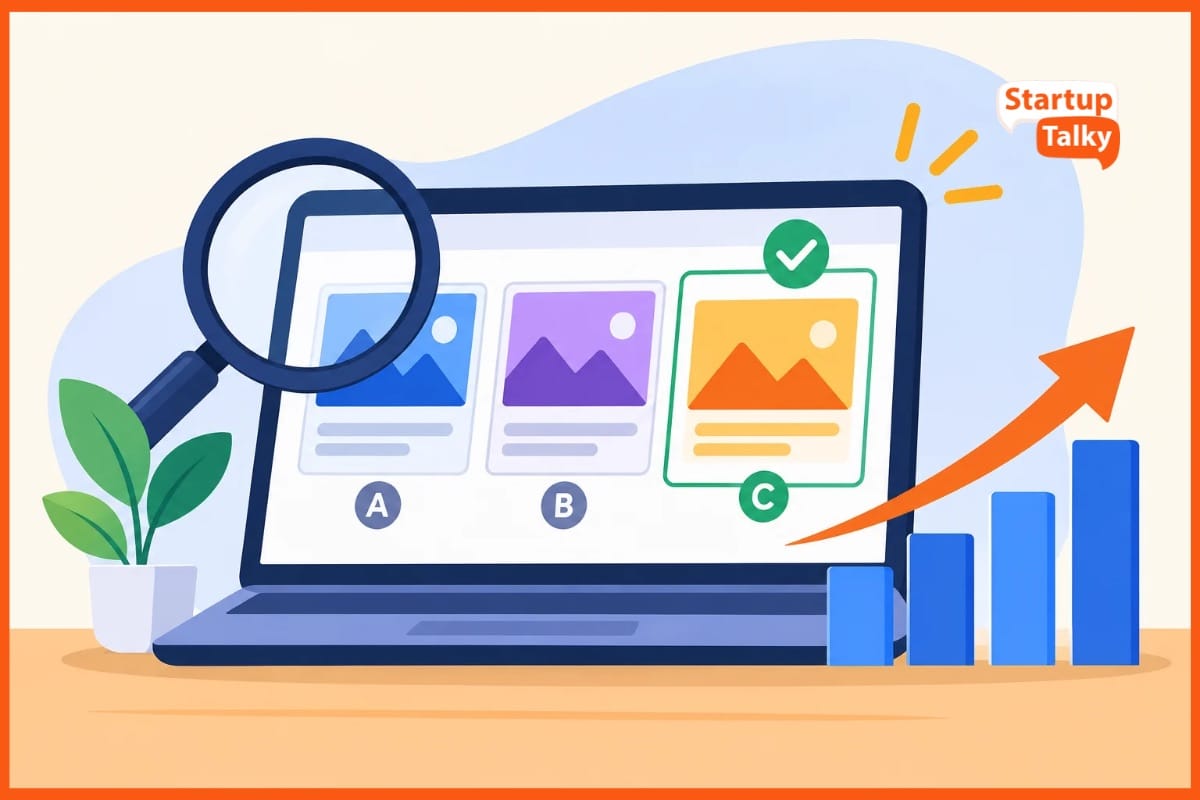
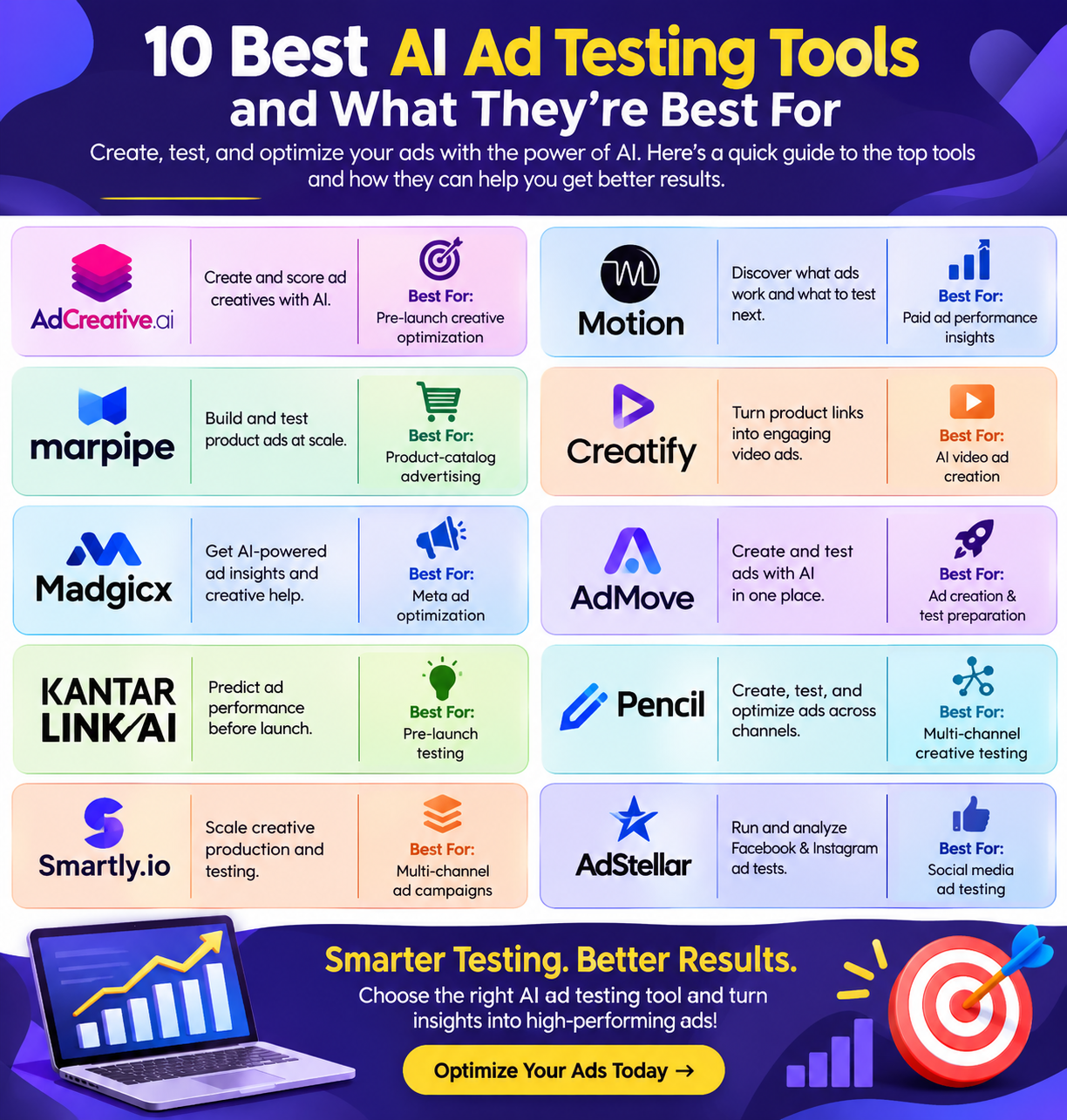
Stop wasting your ad budget on guesswork and weak ideas. AI ad testing tools help you test smarter before spending. They compare copy, images, and videos to spot promising options.
Some predict which ads may work best before they launch. Others track live results and show what needs to change. You can test more ideas with less time and effort. This guide explores ten top tools for different ad needs.
See how their features, costs, and ease of use compare. Find the right fit for your team and your budget. Build stronger ads with clear insights, not just hunches.
AI Ad Testing Tools Comparison
| Tool | Best For | Key Features | Drawbacks |
|---|---|---|---|
| AdCreative.ai | Pre-launch creative scoring and ad creation | AI creative scoring, heat maps, ad image/video/copy creation, brand controls | AI scores are forecasts; not a full marketing analytics platform |
| Motion | Paid ad creative performance insights | AI ad tagging, creative performance reports, comparisons, AI chat, Slack reports and alerts | Some integrations require Pro or Growth; not a full marketing reporting tool |
| Marpipe | Product-catalog ad testing at scale | Drag-and-drop editor, product-feed links, AI smart crops, background removal, design testing | Less useful for broad non-product campaigns; Startup has usage limits |
| Creatify AI | AI video ad creation and testing | Product-link-to-video, AI scripts, voices, actors, hooks, scenes and captions | AI outputs use credits; plan allowances can limit frequent users |
| Madgicx | Meta-focused ad creation and testing | AI ad generation, Creative Insights, AI Marketer, cross-channel reporting | Cross-channel reports do not provide equal testing on every platform |
| AdMove | Ad creation and test preparation | AI images, videos, avatar clips, hook generation, editor and Shopify sync | Usage may require more credits; downgrade limitations apply |
| Kantar LINK AI | Pre-launch testing across multiple ad formats | Brand-lift forecasts, attention scores, eye-tracking predictions and content optimisation | Some features can change pricing; scores do not show live sales |
| Pencil AI | Multi-channel ad creation and creative testing | AI text, image and video creation, creative scoring, resizing and brand consistency | Some plans require upgrades when credits run out |
| Smartly.io | Scaled, multi-channel creative production and testing | AI image/video tools, bulk versions, templates, live reports, localisation and heatmaps | AI scores are predictive; some users may face a learning curve |
| AdStellar AI | Facebook and Instagram ad testing at scale | AI creative generation, bulk launch, AI Insights and Campaign Builder | No Google, TikTok or LinkedIn testing |
AdCreative.ai
AdCreative.ai helps teams build and screen ads before they spend. It earns a place on an ad testing shortlist for its mix of design tools and AI scores. Users can make ad images, videos, and copy from a short brief.
Brand tools keep fonts, logos, and colors in line. Its Creative Scoring AI ranks ads, while heat maps show where eyes may land. Teams can make fresh versions, check rival ads, and review past ad results.
These tools help users choose what to test next. Still, AI scores are forecasts, not proof that an ad will win.
Pros
- Links ad results to design choices, so teams can see which colors and ads work best
- Scores ads and predicts where viewers may look
- Combines ad design, copy, and insights, which can cut the need to switch tools
Cons
- Scores forecast results; they do not prove that an ad will succeed in a live campaign
- Best suited to ad content analysis, rather than a full view of all marketing work
AdCreative.ai Pricing
| Plan | Pricing |
|---|---|
| Starter | $20/month |
| Professional Plans | $125/month |
| Ultimate Plans | $500/month |
Motion
Motion helps teams see which ads work and what to test next. Its AI tags ads by hook, style, theme, and audience. Clear reports rank ads by spend, clicks, and return on ad spend.
Teams can compare ad groups, track new tests, and spot trends in their best work. The AI chat turns ad data into ideas for fresh hooks and briefs. Slack tools send reports and alerts to keep teams in sync.
Motion suits brands that run paid ads and need clear creative insights. Its main focus is ad performance, not every part of a full marketing plan.
Pros
- Teams can spend less time on labels and more time on tests
- Compare hooks, themes, and formats to find patterns worth testing
- Teams can share access without extra seat fees
Cons
- Northbeam and Google Analytics links require Pro or Growth
- less suited to teams seeking one tool for all marketing reports
Motion Pricing
| Plan | Pricing |
|---|---|
| Starter | $999/month |
| Pro & Growth | Contact Sales |
Marpipe
Marpipe is a strong pick for a top 10 AI ad testing tools list, best suited to brands with product catalogs. It helps teams build, test, and scale product ads from one feed. Its drag and drop editor needs no code.
Users can link prices, text, and images to live product data. AI tools include smart crops and background removal. Teams can test design styles, add sale badges, and set rules for each product group.
Marpipe also sends feeds to major ad channels. Its main strength is scale: one design can serve hundreds of products.
Pros
- Run two or more design versions across the same catalog to learn which style works best
- cuts the need to edit each product ad by hand
- Prices, images, and text update from your feed, so ads can reflect changes in product data
Cons
- Brands that need broad tests for non-product campaigns may find it less useful
- Startup caps usage at 500 products, one channel, one market, and three live designs.
Marpipe Pricing
| Plan | Pricing |
|---|---|
| Startup | $199/month |
| Enterprise | $999/month |
 Vivek Dev Jacob
Creatify AI
Creatify AI helps brands make video ads and build fresh versions to test. It turns product links into videos, with AI scripts, voices, and digital actors. You can change hooks, scenes, captions, and voices to try new ideas.
Its paid plans offer tools to track rival ads and remake ads from links. Support for over 75 languages helps teams reach more markets. Free manual edits let you refine clips without extra fees.
For an ad testing shortlist, its key strength is making more test content with less filming. Plan limits and credit costs can restrict.
Pros
- Turn a product link into a video draft
- help you build ads with distinct hooks and looks
- Pro and higher plans include a tracker for over 10 million Meta ads
Cons
- Teams that make ads less often may lose part of their paid allowance
- Manual edits are free, but new AI video, voice, or script outputs use credits
Creatify AI Pricing
| Plan | Pricing |
|---|---|
| Standard | $15/month |
| Pro | $55/month |
| Max | $95/month |
Madgicx
Madgicx is a strong pick for a top 10 AI ad testing tools list, with a focus on Facebook and Instagram ads. Its AI Ad Generator makes image ads and copy, so teams can test fresh ideas fast.
Creative Insights shows which ad elements work and flags signs of ad fatigue. AI Marketer reviews results and suggests changes to help teams improve their ads. Built in chat lets users ask questions about their ad data.
Teams can also track results from several channels in one report. It suits brands that want to create, test, and refine ads.
Pros
- Create batches of image ads and copy to try more ideas with less manual work
- Find strong ad elements and spot fatigue to guide your next tests
- Bring data from Meta, Google, TikTok, and Shopify into reports for teams or clients
Cons
- Cross-channel reports do not mean equal test tools for every platform
- Tracking Pro is a paid add-on, not part of the base price
Madgicx Pricing
| Plan | Pricing |
|---|---|
| Madgicx Pro Complete | $45/month |
AdMove
AdMove helps brands make and test ads with AI. It turns store data, product reviews, and buyer research into fresh ad ideas. Teams can build image ads, short videos, scripts, and clips with AI avatars.
Its hook tool helps users try more than ten opening lines. A built in editor lets teams change scenes, text, and media. Shopify sync pulls in product details to speed up work.
AdMove also makes ad variants for Meta, TikTok, and YouTube tests. For a top ten tools list, it fits brands that want ad creation and test prep in one place.
Pros
- Make images, videos, and avatar clips in one tool, with options to edit scripts and scenes
- Create more than ten hooks to test which opening draws the best response
- Pull product data from Shopify, so teams spend less time adding details by hand
Cons
- If you run out, you must buy more usage, upgrade, or wait
- The FAQ says users can upgrade but cannot switch to a lower plan once chosen
AdMove Pricing
| Plan | Pricing |
|---|---|
| Pro | $100/seat |
| Plus | $200/seat |
| Custom | Contact Sales |
Vivek Dev Jacob
Kantar LINK AI
Kantar LINK AI is a strong pick for a top-10 list of AI ad testing tools. It helps brands check ads before launch and refine live work. Teams can test TV, digital, print, outdoor, and creator ads.
Results arrive in minutes through clear dashboards. Key features include brand lift forecasts, attention scores, and checks against channel norms. Eye tracking predicts which parts may draw views.
Its content optimiser suggests edits to improve ads. Teams can compare past tests, assess rival ads, and choose self service or expert help. Built on human research, it supports fast checks.
Pros
- Get scores in minutes to help keep ad reviews on track
- Test many ad types in one tool, from TV spots to creator posts
- Use visual tips to see which parts of an ad need work
Cons
- Features such as the content optimiser can change the price
- Scores predict how ads may work; they do not show actual sales from a live campaign
Kantar LINK AI Pricing
| Plan | Pricing |
|---|---|
| Request for Pricing (RFP) | Contact Sales |
Pencil AI
Pencil AI helps brands make and test ads with less manual work. It turns brand assets into ad text, images, and videos. AI scores help teams assess ads before launch.
Once ad accounts are linked, teams can track results and find ways to improve their ads. Pencil supports ad launches on Facebook, Instagram, TikTok, YouTube, Google Display, DV360, and LinkedIn. Its tools can resize ads for new formats and keep brand styles in place.
Teams can use these features to build fresh ads and test more ideas. It suits brands that want ad creation.
Pros
- Link ad accounts to view results and get scores that help guide which ads to test
- Resize ads for each channel while keeping layers in place
- Make text, image, and video ads in one place
Cons
- Clear brand guides and good images help improve output
- Core and Growth users must upgrade or wait when credits run out
Pencil AI Pricing
| Plan | Pricing |
|---|---|
| Core | $14/month |
| Growth | $55/month |
| Pro | Contact Sales |
Smartly.io
Smartly.io is an AI ad platform to consider for a top ten ad testing shortlist. It helps teams build, test, and improve ads across channels. Key features include AI image and video tools, bulk ad versions, smart templates, and live reports.
Teams can adapt ads by region, language, or audience. Before launch, AI scores rate likely attention, emotion, and engagement. Heatmaps show which parts of an ad may draw the eye. These tools help teams refine ads before they spend.
Smartly also brings creative work and campaign tasks together, making it useful for brands.
Pros
- Build many ad versions from templates, so teams spend less time on repeat tasks
- Use AI scores and heatmaps to spot weak points before ads go live
- Adapt content by language, region, and audience without building each ad from scratch
Cons
- AI predicts how ads may perform; those scores are not proof of real sales or results
- Learning curve for some users
Smartly.io Pricing
| Plan | Pricing |
|---|---|
| Request for Pricing (RFP) | Contact Sales |
Vivek Dev Jacob
AdStellar AI
AdStellar AI is a strong pick for a top ten list of AI ad testing tools. It helps teams make, launch, and test ads on Facebook and Instagram. Its AI tools create images, short videos, avatar ads, and ad copy.
Bulk launch lets users mix images, text, and target groups to test many versions at once. AI Insights ranks ad parts by clicks, cost, and sales results. The Campaign Builder uses past ad data to plan new tests and explains its choices.
Teams can save top ads, reuse winning parts, and track fresh results.
Pros
- AI explains why it picks each image, text, audience, and budget split
- Teams can manage more clients with no extra seat fees
- Build and launch many ad versions at once
Cons
- The AI must use page content and broad best practices instead of proven account trends
- It cannot launch tests on Google, TikTok, or LinkedIn
AdStellar AI Pricing
| Plan | Pricing |
|---|---|
| Team | $100/month |
How to Choose the Right AI Ad Testing Tool
The right AI ad testing tool depends on what you need to test, the channels you use, and how much creative work your team handles. Start by deciding whether your priority is pre-launch creative scoring, live ad performance, product-feed testing, video production, or multi-channel creative management.
- For pre-launch creative checks: Look for tools that score ads, predict attention, or provide heat maps before you spend.
- For live performance insights: Choose tools that connect ad results with creative elements such as hooks, themes, formats, and audience response.
- For product catalogs: Feed-based tools can help you create and test many product ad versions without editing each one manually.
- For video-heavy campaigns: AI video tools can help you create more hooks, scenes, voices, and variations for testing.
- For large teams: Consider workflow, reporting, channel support, collaboration, and the ability to create many versions at scale.
Whichever tool you choose, use AI scores and recommendations as inputs rather than guarantees. Real campaign performance still depends on the audience, offer, creative quality, budget, and testing strategy.
Final Thoughts
The best AI tools for ad testing help you spend less, learn fast, and build ads that work. They take the guesswork out of each test, so you can see what clicks with your audience.
Yet strong results still need clear goals, fresh ideas, and a human touch. Choose a tool that fits your budget, meets your needs, and makes each test easy to run.
Start small, track what counts, and use each lesson to shape your next ad. With a smart plan, AI can turn trial and error into steady growth.
FAQs
What are AI ad testing tools?
AI ad testing tools help businesses create, test, and evaluate advertisements before and after launch. They use AI to analyse ad creatives, compare variations, predict audience attention, and identify elements that may improve campaign performance.
Which are the best AI ad testing tools in 2026?
Some of the popular AI ad testing tools include AdCreative.ai, Motion, Marpipe, Creatify AI, Madgicx, AdMove, Kantar LINK AI, Pencil AI, Smartly.io, and AdStellar AI. The right choice depends on your advertising goals, budget, and preferred platforms.
How do AI ad testing tools improve advertising performance?
These tools help marketers test different ad designs, headlines, videos, hooks, and formats. They can identify creative patterns, highlight underperforming elements, and suggest improvements. This helps teams make more informed advertising decisions.
Are AI ad testing tools worth using for small businesses?
Yes. AI ad testing tools can help small businesses create multiple ad variations, reduce manual work, and understand which creatives may perform better. However, businesses should compare pricing, usage limits, and available features before choosing a tool.