Best AI Tools for Snapchat Ads in 2026
Explore the 10 best AI tools for Snapchat ads in 2026. Compare their features, pricing, benefits, and drawbacks to find the right tools for creating and optimizing ad campaigns.

Great Snapchat ads start with a strong idea, but bringing it to life can take time. The best AI tools help you move faster, from writing short ad copy to making bold visuals and quick videos.
The best AI tools for Snapchat ads help businesses generate fresh creative ideas, test different ad formats, manage campaigns, and track performance. They can help you test fresh ideas, reach the right people, and spot which ads work best. This means less time on routine tasks and more room to build your brand.
Whether you run a small shop or lead a busy team, these tools can make ad creation feel less daunting. Here are 10 AI tools that can help you create, optimize, and manage Snapchat ads.
Top 10 AI Tools for Snapchat Ads: A Quick Comparison
The following table compares the tools based on their primary use cases, key features, and limitations.
| Tool | Best For | Key Features | Drawbacks |
|---|---|---|---|
| Snapchat Ads Manager | Managing and optimizing Snapchat campaigns | Smart Budget, Auto Bid, Snap Pixel, split testing, reporting | Some automation features are in beta; ads have a learning phase |
| Snap Creator Network | Finding creators for brand campaigns | AI creator matching, creator search, outreach, campaign setup | Focused on creator partnerships; availability may be limited |
| AdCreative.ai | Creating ad creatives and copy | AI copywriting, brand styles, product photos, bulk designs, ad scores | Downloads use credits; advanced plans can be expensive |
| Creatify (InVideo AI) | Creating AI-powered video ads | AI scripts, digital actors, voiceovers, video templates, text-based editing | Credit limits and restrictions on some video models |
| Smartly.io | Automating campaigns at scale | Creative automation, product feeds, bulk editing, budget optimization, reporting | Requires careful setup of feeds, templates, and automation rules |
| Lens Studio | Creating augmented reality (AR) ads | GenAI Suite, 3D objects, face tracking, templates, AI Assistant | Primarily focused on AR experiences rather than general ad management |
| Zeely | Creating ads for small businesses | AI avatars, voiceovers, product-link ads, bulk image creation, brand controls | Ad launch tools focus on Meta; content exports need checking |
| Canva | Designing Snapchat ad creatives | Magic Write, AI image generation, templates, Brand Kits, background removal | Some features require paid plans; AI usage limits apply |
| BLKBOX | Creative testing and video ad production | AI video creation, competitor research, creative testing, performance reports | Some customization limits; fewer relevant options for non-gaming brands |
| Superscale AI | Generating product-based ad creatives | AI scripts, images, videos, AI hosts, competitor research, chat editing | Campaign uploads and setup must be handled separately |
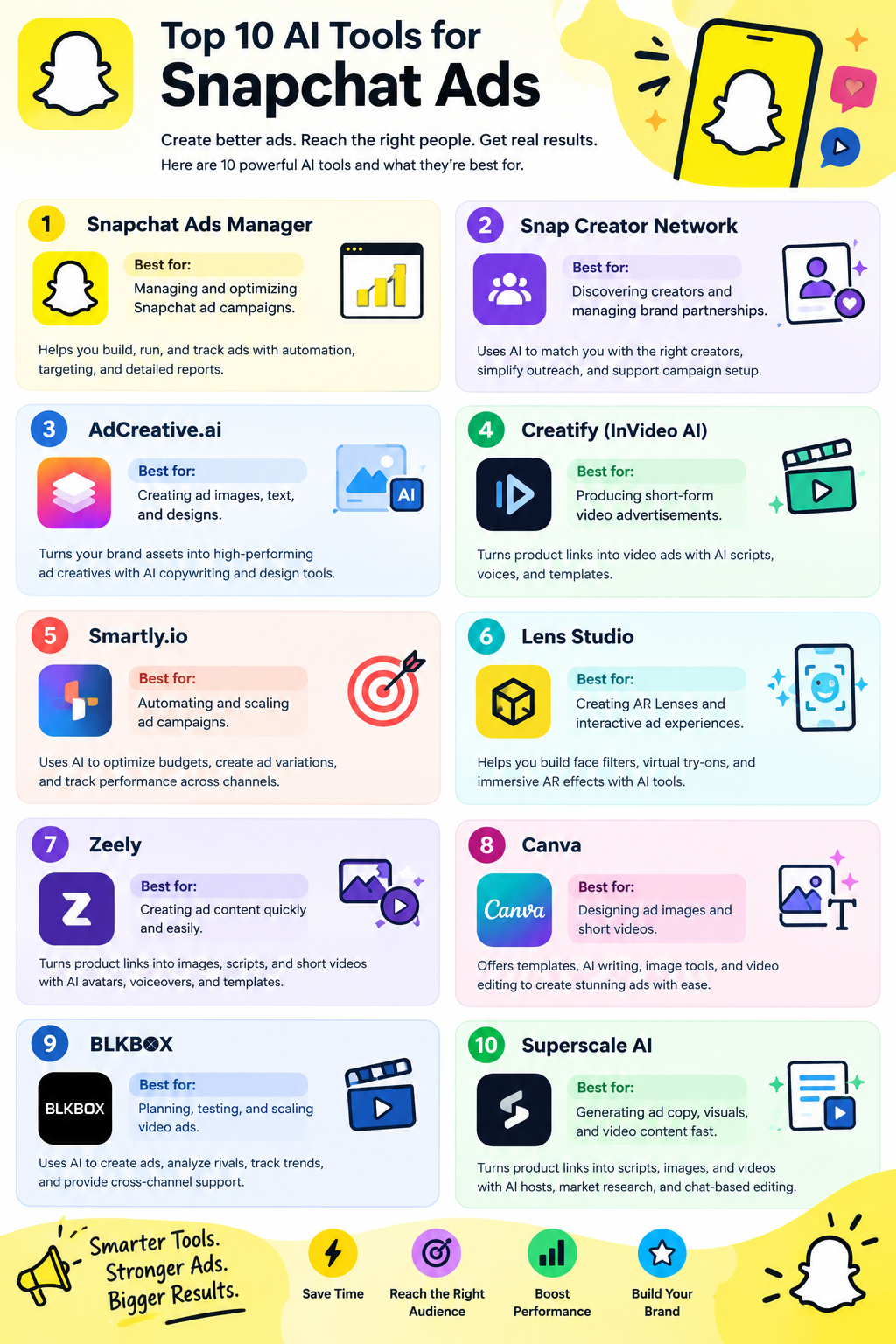
Snapchat Ads Manager
Best for: Managing and optimizing Snapchat ad campaigns
Snapchat Ads Manager is a strong pick for a top ten list of AI tools for Snapchat ads. It helps brands build, run, and track ads in one place.
Its automation can shift funds to ad sets that may drive better results. Auto Bid cuts the need for manual bids. Brands can set goals, choose who sees ads, and track site actions with Snap Pixel.
Built in tools help teams make videos and test ads. Clear reports show reach and results. It suits brands that want direct control of Snap ads, though some smart tools.
Pros
- Smart Budget shifts spend across ad sets, so teams do not need to move funds by hand
- Split tests let brands compare ad choices and learn which ones work best
- Snap Pixel shows what users do on a site after they see an ad, helping brands assess results
Cons
- Smart Budget is in beta and works only with supported goals, bid types, and ad formats
- New ads go through a learning phase
Pricing
Plan | Pricing |
|---|---|
Snapchat Ads Manager | Request for Pricing (RFP) |
Snap Creator Network
Best for: Discovering creators and managing brand partnerships
Snap Creator Network is an AI tool to consider for a top ten list of Snapchat ad tools. It helps brands find creators who fit their goals. Brands can describe the audience, tone, niche, or campaign they want.
The AI then suggests creators who match those needs. Key features include creator search, smart matches, outreach support, and help with campaign setup. Its main role is to link brands with creators, not make ads from scratch.
Snap’s launch post lists it as coming later this year, so full access and results are not yet clear.
Pros
- Search by audience, tone, niche, and goals to find creators who fit your brief
- AI suggestions aim to cut the time spent finding brand partners
- Outreach and campaign setup support aim to reduce steps between a brief and launch
Cons
- Its stated focus is creator partnerships, not making images or videos
- Snap’s post describes a planned launch, not confirmed access for all brands
Pricing
Plan | Pricing |
|---|---|
Snapchat Ads Manager | Request for Pricing (RFP) |
AdCreative.ai
Best for: AI-generated ad creatives and copy
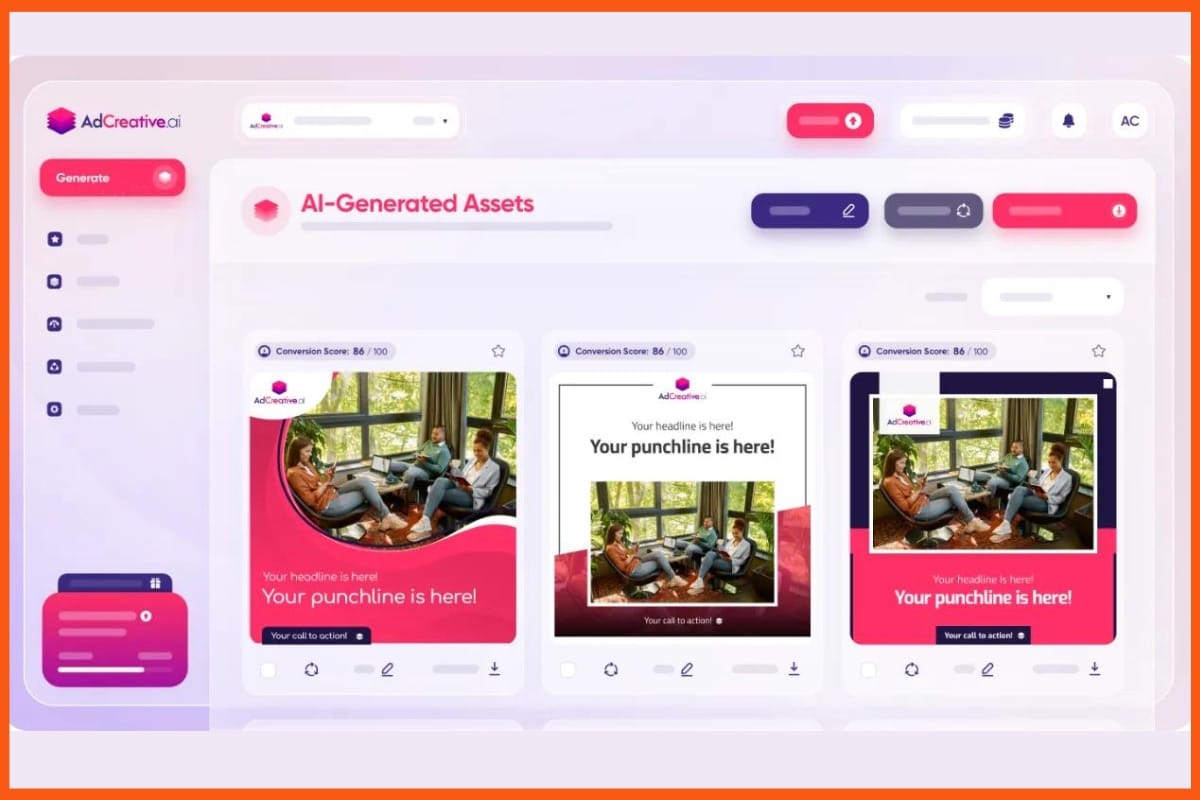
AdCreative.ai helps teams create ad images, text, and videos using AI. While it is not made only for Snapchat, it can still be useful for planning ad campaigns on the platform.
Its features include brand styles, AI copywriting, product photos, bulk design options, and ad performance scores. You can add a website link to create ad drafts and pick designs to test.
The built-in stock photo library also offers more choices for your visuals. However, ad scores cannot guarantee sales. Before launching a Snapchat campaign, check that your designs meet the platform’s size, layout, and format needs.
Pros
- Use brand assets and turn plain product shots into polished images.
- You can test fresh looks rather than rely on one ad.
- AI scores can help you pick designs to test before you spend on ads.
Cons
- You can make unlimited drafts, but downloads use your monthly credits.
- Teams that serve more clients may need to pay more.
Pricing
Plan | Pricing |
|---|---|
Starter | $39/month |
Professional | $249/month |
Ultimate | $999/month |
 Vivek Dev Jacob
Creatify (InVideo AI)
Best for: Creating AI-powered video advertisements
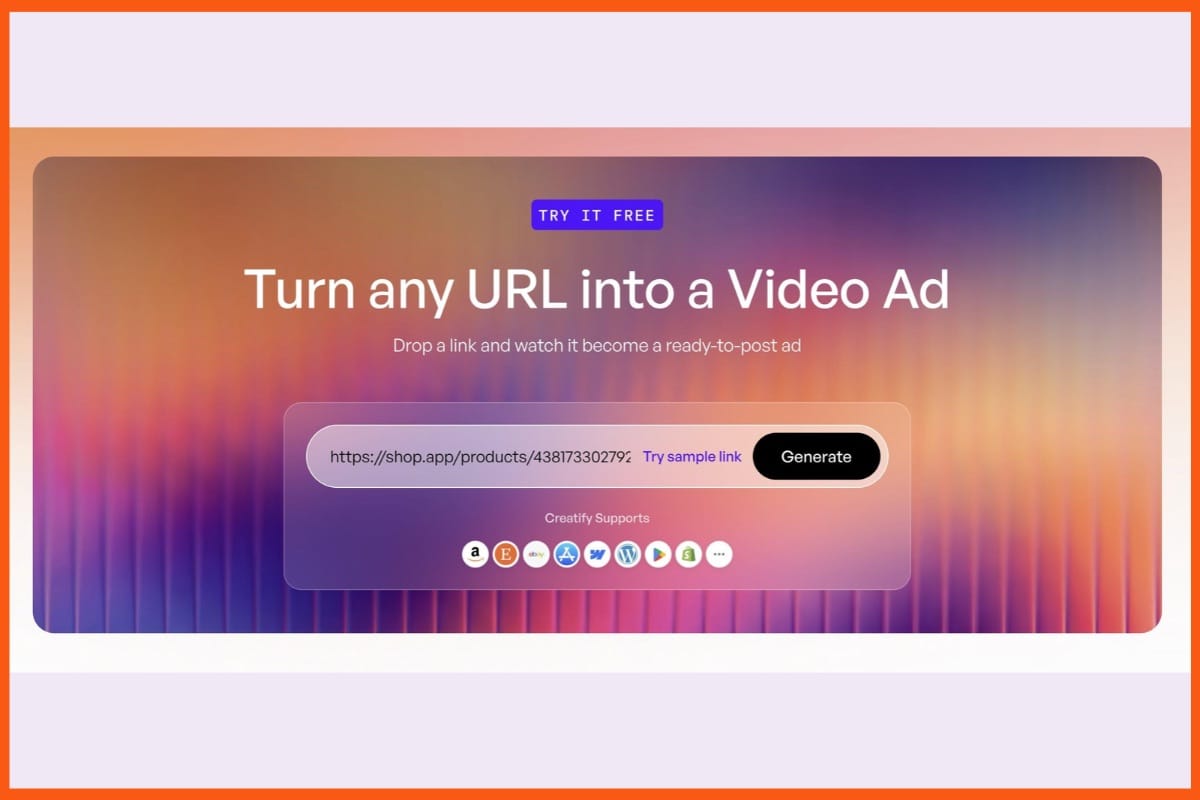
Creatify (InVideo AI) helps brands make clips for Snapchat ads. Creatify turns product links into video ads with AI scripts, voices, and digital actors. Its ad templates help teams test fresh hooks and sales pitches.
Users can swap text, scenes, and voices to suit each offer. InVideo AI helps users write scripts, plan shots, and build videos with AI tools. It also makes vertical cuts for social feeds.
Teams can edit clips with plain text prompts or use the timeline for more control. Choose Creatify for product ads and InVideo for broad video work, scene edits, and team reviews
Pros
- Creatify offers AI actors and voices in over 75 languages
- Creatify pulls content from a store link
- Teams can work on the same project in real time
Cons
- InVideo’s Starter plan limits AI agents and excludes some video models
- InVideo’s unused credits do not roll into the next month
Pricing
Plan | Pricing |
|---|---|
Standard | $15/month |
Pro | $55/month |
Max | $95/month |
Smartly.io
Best for: Large-scale Snapchat ad campaign automation
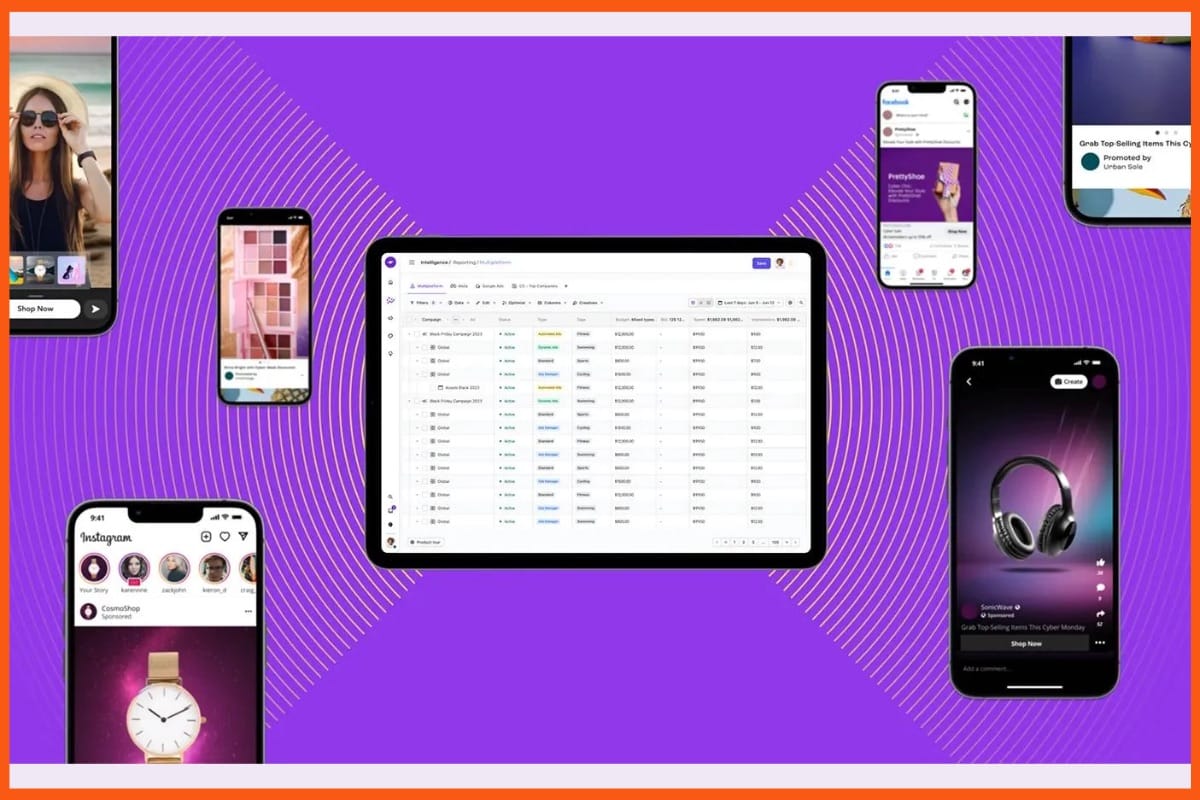
Smartly.io helps brands build, run, and track Snapchat ads in one place. Its AI tools turn product feeds into richer ads and show which designs drive results.
Teams can use image and video templates to make ad versions at scale. Bulk tools let users launch or edit campaigns at once. Smartly also shifts budgets to stronger ad sets based on past results.
Rules can pause weak ads, while ad rotation helps keep content fresh. Reports bring data from accounts and channels into one view. Its strength is helping large teams cut manual work.
Pros
- Build and edit many campaigns at once, rather than change each ad by hand
- Reuse image and video templates with product names, prices, and photos from your feed
- Predictive tools move funds between ad sets based on results and your chosen goal
Cons
- Feed fields, templates, and rules need care before teams can rely on automated tasks
- Budget shifts draw on past results, so they do not ensure that future ads will perform well
Pricing
Plan | Pricing |
|---|---|
Smartly.io | Request for Pricing (RFP) |
Lens Studio
Best for: Creating interactive AR advertising experiences
Lens Studio is a great choice for any list of the top 10 AI tools for Snapchat ads. It lets brands create fun AR Lenses, including face filters and virtual product try-ons.
Its GenAI Suite can turn text or image prompts into 3D objects and visual effects. Face, hand, and body tracking make these effects respond to users’ movements.
Ready-made templates save time, while the AI Assistant helps fix common issues. Teams can test their Lenses on phones before publishing them on Snapchat. It is best for brands that want creative ad experiences.
Pros
- Feed it brand text to help ads sound like your business, not a generic bot
- Add facts about your goods and buyers to guide more relevant ad drafts
- Pro includes three audience profiles, which can help you shape copy for different buyer groups
Cons
- Pro includes two brand voices and five knowledge assets
- The monthly fee may be hard to justify if you need just a few Pin drafts
Pricing
Plan | Pricing |
|---|---|
Lens Studio | Refer to Snapchat's current platform pricing and access terms |
Vivek Dev Jacob
Zeely
Best for: Quick AI ad creation for small businesses
Zeely is an AI ad maker to consider for a top 10 Snapchat ads list, though its built-in ad launch tools focus on Meta. It turns product links into image ads, scripts, and short videos.
Key tools include AI avatars, voiceovers, ad templates, bulk image creation, and brand style controls. These help small shops make fresh ads with less design work.
For Snapchat, treat Zeely as a tool to make content, not a full campaign hub. Check each export against Snapchat’s ad rules before use. Its main appeal is fast ad creation.
Pros
- Turn a product link into ad drafts, with less time spent writing scripts or building layouts
- Make batches of image ads to test new hooks and looks for the same product
- Brand DNA and logo controls help keep ads in line with your shop’s style
Cons
- Each new image or video uses credits
- Occasional bugs reported by some users
Pricing
Plan | Pricing |
|---|---|
Starter | $29.95/month |
Plus | $49.95/month |
Growth | $79.95/month |
Canva
Best for: Designing Snapchat ad images and videos
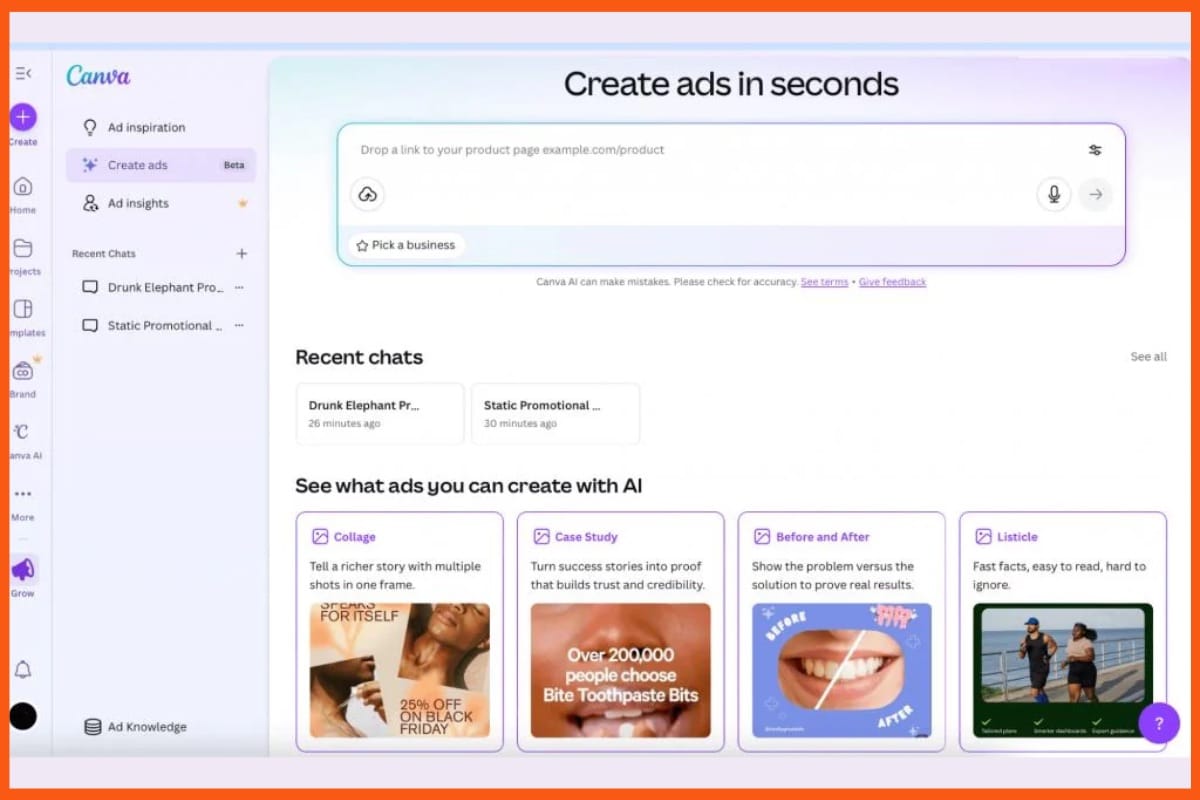
Canva is a strong pick for a top 10 list of AI tools for Snapchat ads. It helps you make ad images and short clips with ease. Magic Write drafts hooks and ad copy, while AI image tools turn text into fresh visuals.
You can start with a template, add your logo, and change fonts or brand colors. Paid tools let you resize designs and remove backgrounds in a click. Add motion and sound to bring ads to life.
Canva suits brands that need quick ad drafts, though its role is to make assets.
Pros
- Drag-and-drop tools and ad templates help new users build ads with less design work
- AI can change image details or remove clutter, so you can test new looks with less effort
- Brand Kits keep logos, fonts, and colors in one place for use across ads
Cons
- Tools such as Magic Eraser and Magic Grab need a paid plan
- Heavy use can exhaust your monthly allowance
Pricing
Plan | Pricing |
|---|---|
Pro | $18/month |
Business | $25/month |
Enterprise | Contact Sales |
BLKBOX
Best for: Video ad production and creative testing
BLKBOX is a tool to consider for a top ten list of AI tools for Snapchat ads. It helps teams plan, make, test, and scale video ads.
Its AI tools turn ad ideas into videos built for each channel. Teams can study rival ads, test fresh concepts, and track which ads work best. Reports show creative trends and help guide the next round of tests.
BLKBOX also supports Meta, TikTok, and other ad channels. Its ad store sells ready video ads in several sizes. The service suits teams that need fresh ads at scale.
Pros
- Builds ads for Snapchat, rather than using the same style on each platform
- Brings ad ideas, video creation, tests, and reports into one service
- Buyers own their final purchased ads and can use them across their ad channels
Cons
- Supported changes include logos, legal text, end cards, and voiceovers
- Brands outside gaming may find fewer relevant options
Pricing
Plan | Pricing |
|---|---|
BLKBOX | Request for Pricing (RFP) |
Vivek Dev Jacob
Superscale AI
Best for: Generating product-based advertising creatives
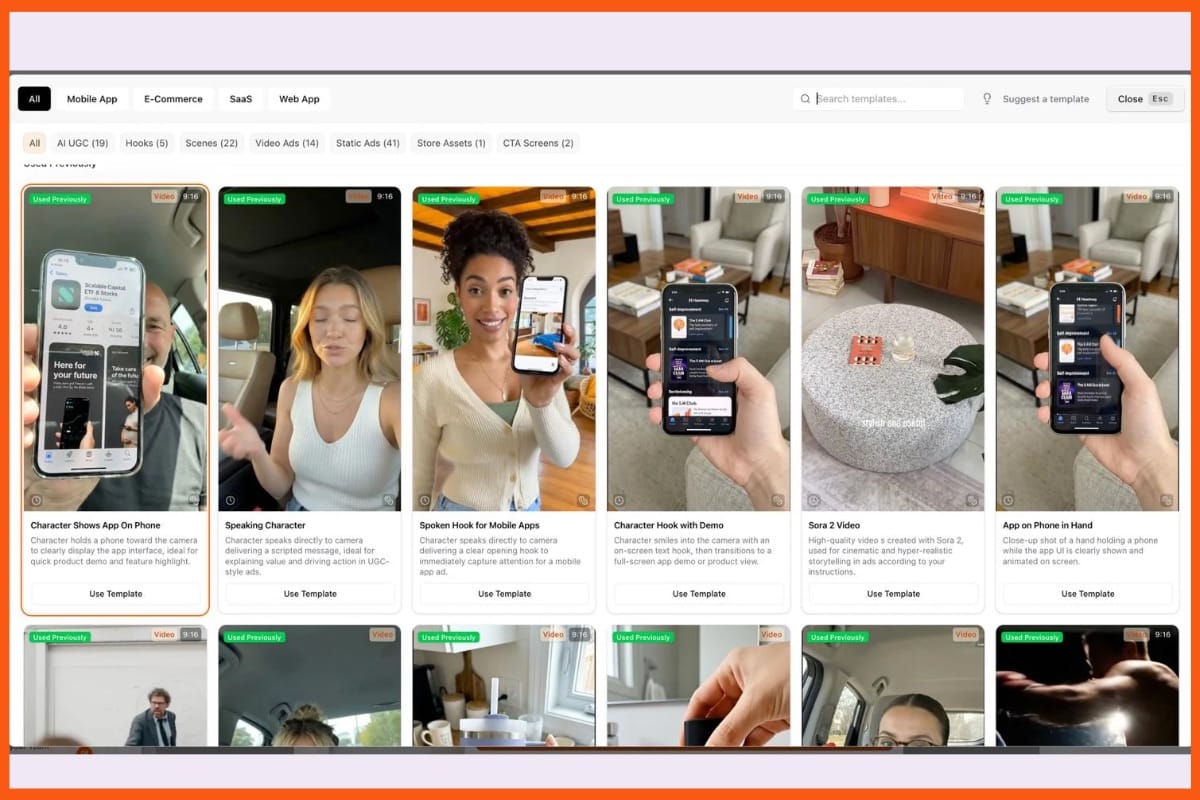
Superscale AI is a tool to assess for a top ten list of AI tools for Snapchat ads, but it lacks a direct Snapchat link.
It turns product links into ad copy, scripts, images, and short clips. Key features include AI hosts, rival ad research, brand tools, and edits through chat. Teams can test fresh hooks and make ads in more than one language.
For Snapchat, treat it as a tool to make drafts, not to run ads. You must check each ad and upload it yourself. Its main strength is fast ad creation.
Pros
- Turn a product link into scripts, images, and video ads
- Use AI hosts, product demos, and still images to try new hooks and styles
- Use the built-in editor to adjust music, captions, and pace
Cons
- You must handle uploads and campaign setup outside the tool
- New versions and extra ad sizes can raise use
Pricing
Plan | Pricing |
|---|---|
Starter | $49/month |
Advanced | $99/month |
Pro | $199/month |
Scale | $399/month |
Enterprise+ | $799+/month |
How to Choose the Right AI Tool for Snapchat Ads
Choosing an AI tool depends on your advertising goals, campaign size, creative requirements, and budget. Not every tool offers the same features, so businesses should consider what they need before subscribing.
Here are a few factors to consider:
1. Identify Your Advertising Goals
Start by deciding what you want to achieve through Snapchat advertising. If your goal is to create brand awareness, focus on tools that support engaging images, videos, and AR experiences. For conversions, prioritize campaign management, audience targeting, and performance tracking.
2. Look for Creative Generation Features
Snapchat is a visual platform, so creative quality matters. Choose tools that can generate vertical videos, product images, engaging ad copy, and multiple creative variations.
3. Check Automation and Testing Capabilities
Tools with automated bidding, budget optimization, and split testing can help reduce manual campaign work. These features also make it easier to compare different advertisements and identify which creatives perform better.
4. Consider Your Budget
Compare subscription fees, monthly credits, usage limits, and additional charges. Small businesses may benefit from affordable creative tools, while larger teams may need advanced automation and reporting features.
5. Check Snapchat Compatibility
Not every AI advertising tool directly integrates with Snapchat. Some platforms only help generate advertising assets, which must then be uploaded manually. Check export formats, aspect ratios, and Snapchat advertising requirements before choosing a tool.
Final Thoughts
The right AI tools can help you create better Snapchat ads with less time and stress. They help you test fresh ideas, reach the right people, and learn what works.
But strong results still need a clear goal, a good offer, and a message that feels real. Choose tools that fit your needs, not just the latest trend. Start small, track each test, and build on your wins.
Let AI handle more of the busy work while you focus on your brand. The goal is simple: make every ad more useful, every choice more informed.
FAQs
What are AI tools for Snapchat ads?
AI tools for Snapchat ads help businesses create advertising copy, images, videos, and interactive content. They can also support campaign automation, creative testing, audience targeting, and performance tracking.
Which AI tool is best for creating Snapchat ad creatives?
Canva and AdCreative.ai help businesses create advertising images and designs. Creatify and InVideo AI are useful for producing short-form video advertisements.
Can AI tools create Snapchat video ads?
Yes. Tools such as Creatify, InVideo AI, Canva, and Superscale AI can help generate or edit video advertisements for Snapchat campaigns.
Are AI tools for Snapchat ads suitable for small businesses?
Yes. Tools such as Canva, Zeely, and AdCreative.ai can help small businesses create advertising content without requiring advanced design skills or large creative teams.
Can AI tools manage Snapchat ad campaigns automatically?
Some platforms offer campaign automation features. Snapchat Ads Manager and Smartly.io support campaign management, budget optimization, and performance tracking. However, the level of automation varies between platforms.