10 Best AI Landing Page Builders (2026): Features, Pricing & Comparison
Explore the best AI landing page builders for 2026. Compare top tools based on features, pricing, pros, cons, and use cases to create high-converting landing pages with ease.

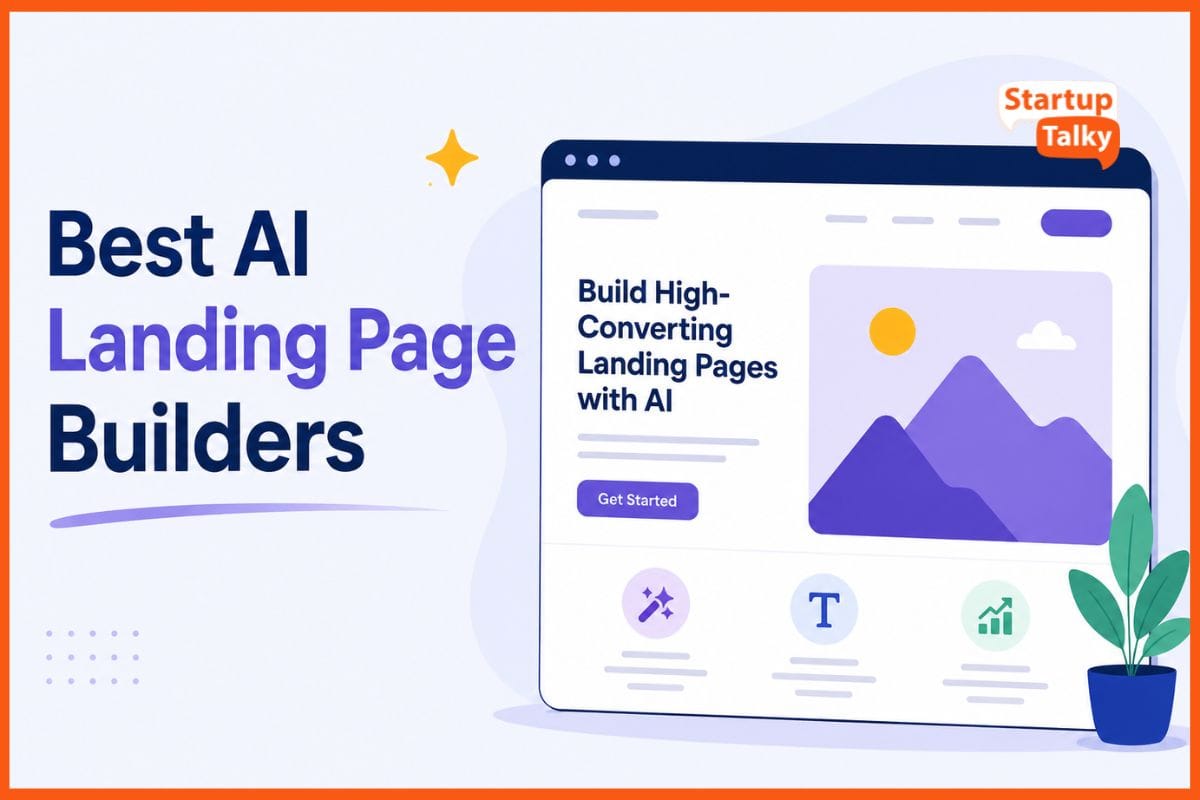
AI landing page builders help you create ready-to-use pages in minutes. You simply share details about your product, target audience, and brand style. The AI then creates layouts, writes content, and suggests images that fit your needs.
Advanced tools can also recommend better headlines, call-to-action buttons, and page sections based on what works well. Instead of starting from a blank screen, you get a mobile-friendly and professional landing page that you can edit easily.
These tools help businesses launch campaigns faster, test ideas, and improve results without needing coding skills or a design team.
How to Choose the Best AI Landing Page Builder
Ease of Use
Choose a tool with an intuitive drag-and-drop editor and a user-friendly interface that lets you create and customize landing pages quickly without any coding skills.
AI Features
Look for AI-powered features like copywriting, page generation, image creation, content optimization, and design suggestions to speed up the page-building process.
Conversion Optimization
Select a platform that offers A/B testing, heatmaps, Smart Traffic, and analytics to help improve conversions and optimize your landing page performance.
SEO Capabilities
Pick a builder with built-in SEO features such as metadata editing, schema markup support, fast page loading, and mobile-responsive designs to improve search rankings.
Integrations
Ensure the platform integrates with popular CRM software, email marketing tools, analytics platforms, payment gateways, and automation apps to streamline your workflow.
Pricing
Compare pricing plans based on your business size, expected website traffic, and required features to choose a solution that delivers the best value for your budget.
Best AI Landing Page Builders Compared (2026)
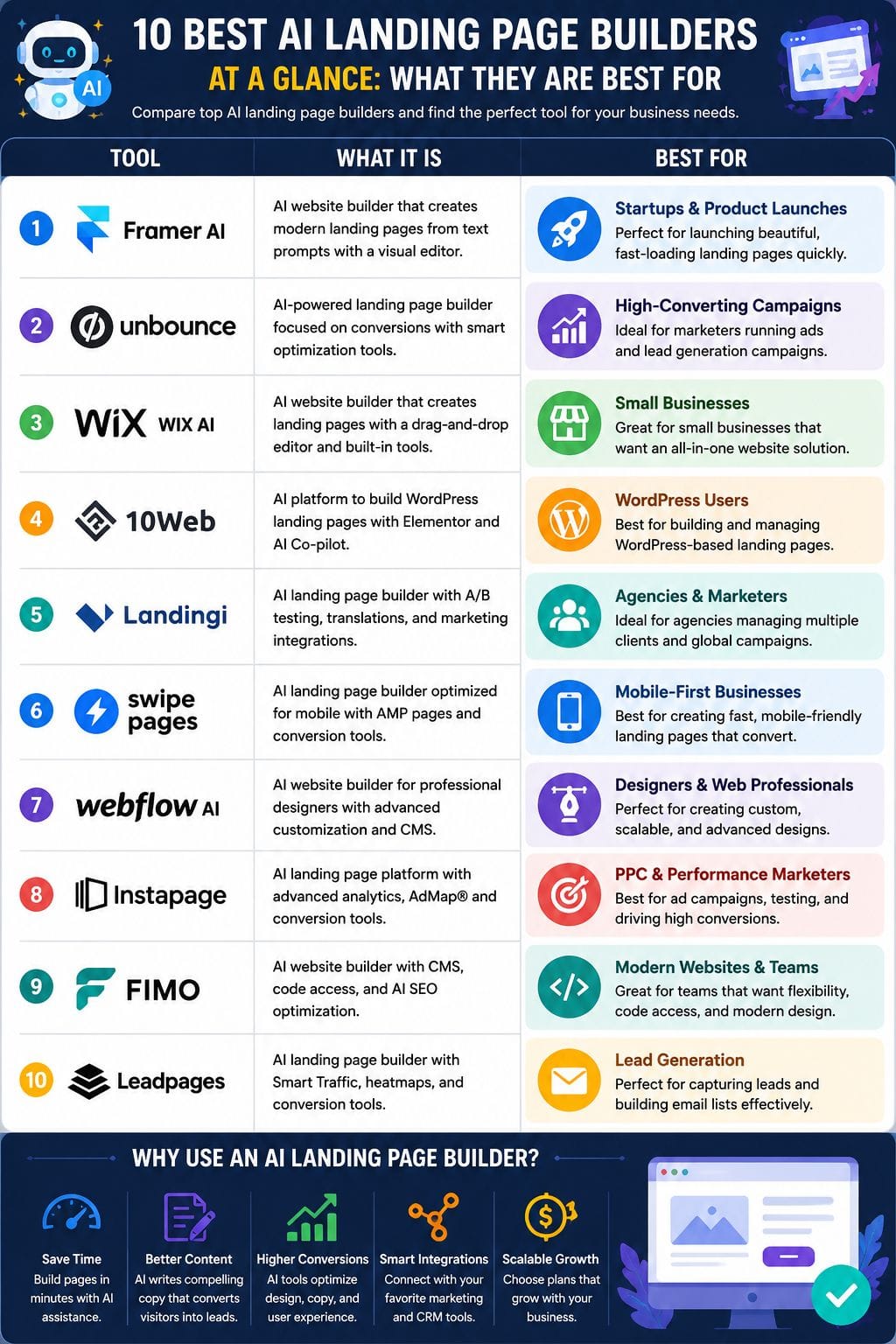
| Tool | Best For | Key Features | Pricing Level | Drawbacks |
|---|---|---|---|---|
| Framer AI | Startups & Product Launches | AI page generation, CMS, SEO, Drag & Drop | Affordable | Not ideal for complex websites |
| Unbounce | High-Converting Marketing Campaigns | Smart Builder, Smart Traffic, A/B Testing | Premium | Less design flexibility |
| Wix AI | Small Businesses | AI Website Generator, Hosting, SEO | Contact Sales | Requires manual optimization |
| 10Web | WordPress Users | AI Builder, Elementor, AI Copilot | Affordable | Learning curve for beginners |
| Landingi | Agencies & Marketers | Composer AI, A/B Testing, Translation | Premium | Traffic limits on lower plans |
| Swipe Pages | Mobile Landing Pages | AMP Pages, Swipe Genie, Funnels | Mid-range | Limited templates |
| Webflow AI | Professional Designers | AI Sections, CMS, Localization | Premium | Steeper learning curve |
| Instapage | PPC & Enterprise Marketing | AdMap, Heatmaps, AI Copywriting | High-end | Expensive |
| Fimo | Modern Websites & Teams | AI CMS, Code Access, AI SEO | Premium | Limited integrations |
| Leadpages | Lead Generation | AI Builder, Smart Traffic, Heatmaps | Affordable | Limited design controls |
Framer AI
Framer AI is a smart landing page builder that helps users create modern websites from simple text prompts. It generates page layouts, suggests colors and fonts, and helps write content quickly.
Users can edit designs with a drag-and-drop interface, adjust sections, add forms, and set up basic CMS features without coding. It also offers SEO tools, analytics support, and fast publishing options.
Framer is ideal for startups and product launches that need attractive websites quickly. It works best for teams that value speed, clean design, and easy customization over complex development.
Pros
- Very fast idea‑to‑live landing page flow
- Output looks modern and conversion‑ready with little tweaking
- Great for designers and marketers, no dev needed
Cons
- Less suited to very complex, custom web apps
- Learning curve if you push advanced design options
Pricing
| Plan | Monthly Price | Best For |
|---|---|---|
| Basic | $10 | Individuals |
| Pro | $30 | Growing Teams |
| Enterprise | Custom | Large Organizations |
Unbounce
Unbounce is an AI-powered landing page builder with a drag-and-drop editor, Smart Builder, Smart Copy, and Smart Traffic to boost conversions. It offers conversion‑focused templates, AI copywriting, A/B testing, dynamic text replacement, popups, sticky bars, and deep integrations with tools like HubSpot, Mailchimp, and Zapier.
AI helps pick layouts, write headlines, and route visitors to the variant most likely to convert, so teams can launch and optimize pages fast without code.
It suits marketers running paid ads or lead‑gen funnels who want data‑driven optimization and faster testing cycles than manual experiments.
Pros
- Very easy, no‑code page building with strong templates
- Smart Traffic uses AI to lift conversions without long tests
- Built‑in AI copywriting and content ideas for headlines and CTAs
Cons
- Design freedom is lower than a fully custom-coded site
- New users may need time to learn all the levers
Pricing
| Plan | Monthly Pricing | Best For |
|---|---|---|
| Starter | $29/month | Small Businesses |
| Build | $99/month | Growing Marketing Teams |
| Experiment | $149/month | Optimization Campaigns |
| Optimize | $249/month | High-Traffic Businesses |
Wix AI
Wix AI helps you build a landing page in minutes. You start with a short chat, and the AI creates a page with a layout, text, images, and basic SEO. After that, you can edit every part using Wix’s simple drag-and-drop editor.
It also lets you add contact forms, booking tools, payment options, and simple sales funnels through its app marketplace. Wix AI is a good choice for small businesses that want to launch fast without coding.
It also includes built-in email marketing, analytics, and SEO tools. You may still need to fine-tune the page to improve conversions.
Pros
- Very fast idea‑to‑page flow for non‑coders
- Huge design library plus AI, so pages do not look like clones
- All‑in‑one stack: hosting, domain, SEO, and email in one place
Cons
- AI output often needs heavy edits to match brand and offers
- Limited deep testing tools; serious CRO still needs extra apps or tools
Pricing
| Plan | Monthly Pricing | Best For |
|---|---|---|
| Custom Plans | Request for Pricing (RFP) | Businesses of All Sizes |
 Vivek Dev Jacob
10Web
10Web is an AI-powered platform that helps you build WordPress websites and landing pages in just a few minutes. You start with a simple prompt and answer a few questions.
The AI then creates page layouts, writes content, and even generates images. You can easily edit everything using its drag-and-drop editor, which is built on Elementor.
The AI Co-pilot lets you update text, design, and page structure through simple chat commands. It also supports image creation, text translation into different languages, and fast WordPress hosting with built-in speed, SEO, and website migration tools.
Pros
- Very fast WordPress landing page launch from simple prompts
- Deep Elementor integration for flexible layouts and familiar workflow
- Built-in AI Copilot and image generator reduce need for extra plugins
Cons
- No true free long-term plan; paid tiers start once trial ends
- More complex than pure no-code hosted builders for total beginners
Pricing
| Plan | Monthly Pricing | Best For |
|---|---|---|
| AI Starter | $20/month | Personal Websites |
| AI Premium | $30/month | Small Businesses |
| AI Ultimate | $45/month | Agencies & Professionals |
Landingi
Landingi is an AI-powered platform that helps you build landing pages without writing code. Its drag-and-drop editor makes it easy to create pages, popups, and microsites in minutes.
The built-in Composer AI can generate page layouts and marketing copy from a simple prompt, saving time. You can run A/B tests to improve conversions and translate pages into 29 languages for global campaigns. Smart Sections let you update shared content across multiple pages with one edit.
Landingi also connects with more than 170 CRM, email, analytics, and marketing tools, making it a solid choice for marketers and agencies.
Pros
- Very fast to launch: AI builds draft layouts and copy from a short prompt
- Strong for agencies: handles many pages, brands, and clients in one space
- Global-ready: built-in translations for forms, SEO, and content
Cons
- Analytics are simpler than some rivals; you may lean on external tools
- Visit and page limits by plan can be tight for high-traffic sites
Pricing
| Plan | Monthly Pricing | Best For |
|---|---|---|
| Build | $29/month | Individuals & Startups |
| Optimize | $149/month | Marketing Teams |
| Scale | $299/month | Growing Businesses |
| Enterprise | $1,499/month | Large Enterprises |
Swipe Pages
Swipe Pages is an AI-powered landing page builder made for mobile users. It uses AMP technology, so pages load almost instantly and offer a smooth experience. The drag-and-drop editor makes it easy to build pages without coding.
You can also choose from many templates designed to increase conversions. Higher plans include A/B testing to compare page versions and improve results. Swipe Genie, the built-in AI assistant, helps create content faster.
The platform also supports dynamic text replacement for more personalized campaigns. It connects with popular CRM, email marketing, and analytics tools, making it easy to manage leads.
Pros
- AMP pages load in under a second, great for paid mobile traffic
- AI helper (Swipe Genie) speeds up copy and layout ideas
- Unlimited pages and funnels even on lower plans
Cons
- Smaller template and integration library than big rivals.puzzleinbox+2
- AMP rules limit heavy scripts and some fancy widgets
Pricing
| Plan | Monthly Pricing | Best For |
|---|---|---|
| Startup | $39/month | Small Businesses |
| Marketer | $89/month | Marketing Professionals |
| Agency | $199/month | Agencies |
Vivek Dev Jacob
Webflow AI
Webflow AI is a no-code website builder that uses AI to help you create fast and responsive landing pages. You can generate complete pages or new sections with simple prompts.
The tool follows your existing design system, so every page stays consistent. It also gives suggestions to improve your copy, boost SEO, and enhance site performance. If you want to reach global users, Webflow AI can translate and localize your content into different languages.
Along with AI features, you still get Webflow’s visual editor, CMS, and managed hosting, making it a strong choice.
Pros
- Learns from real shopper behavior to auto-optimize rankings and bundles
- Strong control over merchandising while still using AI automation
- Covers search, filters, recommendations, and merchandising in one app
Cons
- Can feel complex for very small stores with simple catalogs
- Heavy reliance on Boost means less use of native Shopify search tools
Pricing
| Plan | Monthly Pricing | Best For |
|---|---|---|
| Basic | $25/month | Personal & Small Business Sites |
| Premium | $39/month | Growing Businesses |
| Team | $2,500/month | Large Teams & Enterprises |
Instapage
Instapage is an AI-powered landing page builder made for businesses that want to create pages quickly and improve conversions. Its simple drag-and-drop editor makes designing easy, even for beginners.
You can choose from more than 500 ready-made templates and use AI to write headlines, calls to action, and other page content. The platform also supports A/B testing, heatmaps, and AI-powered traffic routing to improve campaign results.
AdMap helps match ads to the right landing pages, while personalization creates a better visitor experience. Global Blocks let teams update shared sections across many pages at once, saving time.
Pros
- AI generates full pages, layouts, and on-page copy from a short prompt, saving a lot of build time
- Strong optimization stack: server-side A/B tests, AI experiments, heatmaps, and traffic splitting tuned for conversion lifts
- AdMap and personalization give very tight ad-to-landing-page relevance for PPC and agency workflows
Cons
- Some advanced perks (personalization, higher traffic limits) sit behind more expensive tiers
- Best suited to dedicated marketers; casual users may find the feature set more than they need
Pricing
| Plan | Monthly Pricing | Best For |
|---|---|---|
| Create | $99/month | Small Marketing Teams |
| Optimize | $199/month | Businesses Focused on Conversion Optimization |
| Convert | Custom Pricing | Large Enterprises |
Fimo
Fimo is an AI-powered website builder that helps users create landing pages and full websites from a simple text prompt. It can generate layouts, write content, and build multi-page sites in minutes.
The platform includes an AI-driven CMS with content collections, a media library, and version history to keep everything organized. Users can edit pages visually or switch to code for deeper customization.
Fimo also offers built-in hosting, SSL, CDN, and quick deployment. Teams can work together in real time with comments and permissions. AI tools also help improve SEO, update content, and translate websites, making site management faster.
Pros
- Motion-first, modern design language baked into templates and layouts
- Rare mix of no-code editor, headless-style CMS, and real code access for power users
- Autonomous agents promise ongoing SEO and performance
Cons
- Credit-based AI usage can cap heavy experimentation each month
- Ecosystem and integrations are thinner than older builders
Pricing
| Plan | Monthly Pricing | Best For |
|---|---|---|
| Pro | $149/month | Professional Creators & Businesses |
| Enterprise | Custom Pricing | Large Organizations |
Rishi Mundra
Leadpages
Leadpages is an AI-powered landing page builder that helps you create high-converting pages in minutes. Simply describe your offer in plain language, and the platform generates a complete landing page with headlines, copy, forms, and relevant images.
You can then customize everything using its easy drag-and-drop editor, with no coding required. It also includes built-in A/B testing, heatmaps, and Smart Traffic to help improve conversions over time.
If you want to refine your messaging, the AI can rewrite your copy with a click. Leadpages makes it simple for businesses to launch, test, and optimize landing pages quickly.
Pros
- AI builds full pages in seconds from a short prompt, not just single sections
- No traffic or lead caps, unlike some rivals at similar price points
- Strong built-in A/B testing, Smart Traffic, and heatmaps for ongoing optimization
Cons
- Limited deep analytics compared with high-end CRO platforms for very large sites.
- Fewer advanced design controls than pro design tools; best for marketers, not pixel-perfect designers
Pricing
| Plan | Monthly Pricing | Best For |
|---|---|---|
| Pro | $29/month | Small Businesses & Solopreneurs |
| Business | $49/month | Growing Businesses & Marketing Teams |
Conclusion
AI landing page builders are changing how people launch ideas online. They cut the time, cost, and stress of design. With a few clicks, anyone can test offers, refine messages, and track what works.
The pages load fast and adapt to each visitor, turning more clicks into real leads or sales. This shift lets small teams act like big brands. Yet the edge goes to those who stay in control of their story.
Use these tools as a sharp aid, not a crutch, and you gain speed without losing your unique voice.
FAQs
What is an AI landing page builder?
An AI landing page builder uses artificial intelligence to create landing pages, generate content, suggest designs, and optimize pages for better conversions.
Which is the best AI landing page builder?
The best tool depends on your needs. Framer AI is great for startups, Unbounce excels in conversion optimization, and 10Web is ideal for WordPress users.
Can AI landing page builders improve conversions?
Yes. Many AI landing page builders include A/B testing, AI copywriting, heatmaps, and analytics to help increase conversion rates.
Do I need coding skills to use an AI landing page builder?
No. Most AI landing page builders offer drag-and-drop editors and AI-assisted design tools, making them suitable for beginners.
Are AI landing page builders good for SEO?
Yes. Most platforms include SEO features like metadata editing, mobile-responsive designs, fast loading speeds, and basic optimization tools.
Which AI landing page builder is best for small businesses?
Wix AI, Leadpages, and Framer AI are popular choices for small businesses because they are easy to use and offer affordable pricing.
How do I choose the right AI landing page builder?
Compare tools based on ease of use, AI features, SEO capabilities, integrations, pricing, and conversion optimization features to find the best fit for your business.