Best AI Remote Desktop Software in 2026
Explore the best AI remote desktop software in 2026. Compare TeamViewer, AnyDesk, RustDesk, Splashtop, and more to find the right remote access solution for secure work, IT support, and seamless collaboration from anywhere.

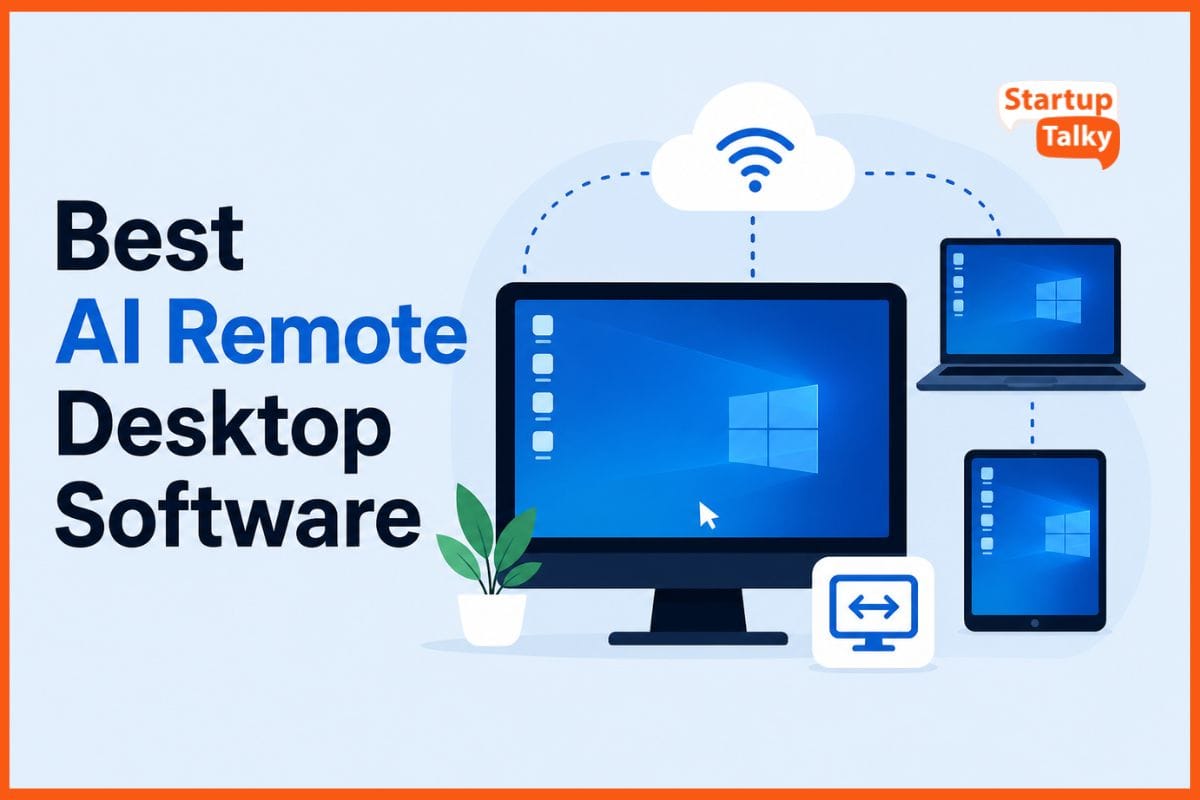
AI remote desktop software lets you control a computer from anywhere with an internet link. It streams the screen to your device and sends back your mouse clicks, keystrokes, and touches in real time.
No need for wires or close range. Work from home, travel spots, or coffee shops. Fix issues on office machines while you sip tea far away. Teams share screens to team up fast.
It boosts output, cuts travel, and keeps data safe with strong locks. Setup takes minutes; it runs smooth on slow nets too. Unlock full power of your PC or server.
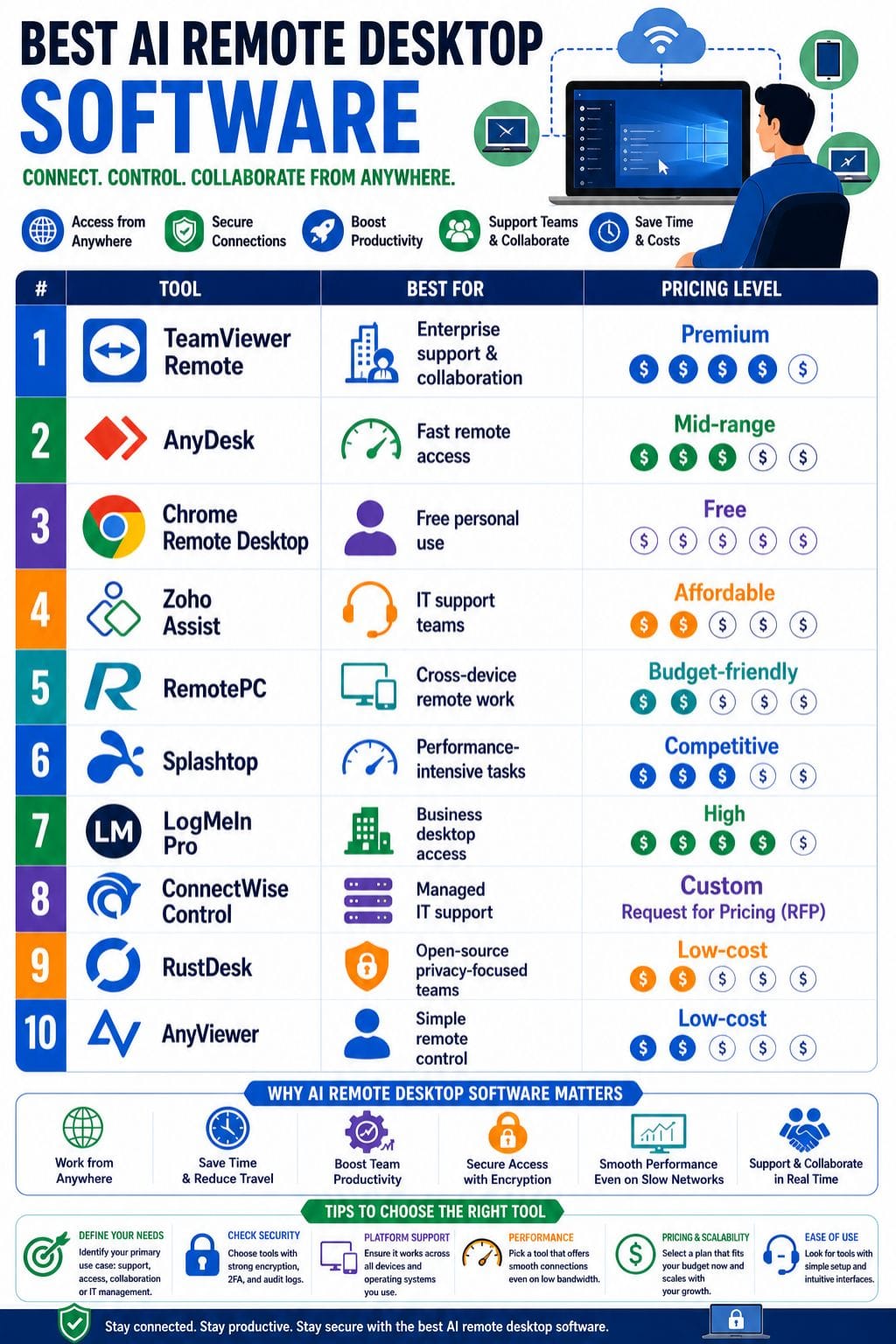
Why AI Remote Desktop Software Matters
Remote desktop tools are essential because they help businesses:
- Access systems from anywhere
- Reduce downtime
- Speed up IT support
- Improve remote collaboration
- Cut travel costs
- Secure remote access
AI-powered features make these tools even better by automating diagnostics, summarizing sessions, and speeding up troubleshooting.
AI Remote Desktop Software Comparison Table
| Tool | Best For | Key Features | Pricing Level | Drawbacks |
|---|---|---|---|---|
| TeamViewer Remote | Enterprise support & collaboration | AI session notes, Wake-on-LAN, audit logs | Premium | Expensive for small teams |
| AnyDesk | Fast remote access | Low latency, file transfer, unattended access | Mid-range | Licensing complexity |
| Chrome Remote Desktop | Free personal use | Browser-based access, unattended sessions | Free | Limited business features |
| Zoho Assist | IT support teams | Remote reboot, chat, multi-monitor | Affordable | Occasional lag |
| RemotePC | Cross-device remote work | Browser access, recording, remote printing | Budget-friendly | Pricing rises for teams |
| Splashtop | Performance-intensive tasks | HD/4K streaming, security compliance | Competitive | No free plan |
| LogMeIn Pro | Business desktop access | Multi-screen, file transfer, antivirus | High | Resource-heavy |
| ConnectWise Control | Managed IT support | Backstage access, diagnostics, browser access | Custom | IT-focused interface |
| RustDesk | Open-source privacy-focused teams | Self-hosting, encryption, multi-platform | Low-cost | Requires setup |
| AnyViewer | Simple remote control | Multi-screen, file transfer, free plan | Low-cost | Limited enterprise tools |
TeamViewer Remote
TeamViewer Remote is a simple and secure tool for remote access, support, and teamwork. It lets you connect to devices from anywhere and fix issues fast. It uses AI to create quick session notes and guide troubleshooting during calls.
You can set roles and control access with ease. It also supports Wake-on-LAN, session recording, and audit logs for tracking. The video quality is clear, even on slow networks. It works well with multiple screens too.
Teams can stay organized and solve problems faster with its smart features and clean design.
Pros
- AI session summaries
- Strong security controls
- Multi-monitor HD support
Cons
- Expensive for small teams
- Interface can feel cluttered
Pricing
| Plan | Pricing |
|---|---|
| Remote Access | $24.90/month |
| Business | $50.90/month |
| Premium | $120.90/month |
| Corporate | $245.90/month |
| Enterprise | Contact Sales |
AnyDesk
AnyDesk is a simple and fast remote desktop tool. It helps you access and control devices from anywhere. The connection stays smooth, even on slow internet. You can send files, print from afar, and chat during a session.
It also allows unattended access for quick logins. It works on all major platforms, so you can use it on many devices. Security features like two-factor login and access control keep your data safe.
For teams, it offers shared contacts, session records, custom apps, and API support. It is a good choice for IT support, remote work, and fixing issues quickly.
Pros
- Fast and responsive
- Easy setup
- Cross-platform support
Cons
- Paid plans unlock best features
- Licensing can be confusing
Pricing
| Plan | Pricing |
|---|---|
| Solo | $23.12/month |
| Standard | $39.92/month |
| Advanced | $89.52/month |
| Ultimate | Contact Sales |
Chrome Remote Desktop
Chrome Remote Desktop is a free and simple tool for remote access. It lets you control one computer from another using a browser or mobile app. Setup is quick and easy, with very little software needed on the host device.
It works on Windows, Mac, Linux, Chromebook, Android, and iPhone. You can access saved devices anytime with unattended access. It also offers basic display options like full screen and fit to screen.
This makes it a good choice for light use and personal work. However, it does not have advanced features needed by large IT teams.
Pros
- Completely free
- Easy setup
- Works on all major platforms
Cons
- No advanced support features
- Limited enterprise capabilities
 Vivek Dev Jacob
Zoho Assist
Zoho Assist is a solid remote desktop tool for IT teams and support work. It lets you access devices with or without a user present. You can share screens, move files, chat, and handle many monitors with ease.
It also allows remote reboot, which saves time during fixes. The tool works on both desktop and mobile, so teams can help users from anywhere. Setup is quick and simple, even for new users.
If you already use Zoho tools, it fits in well. This makes daily support tasks faster and smoother for most teams.
Pros
- Easy to use
- Remote reboot
- Great Zoho ecosystem integration
Cons
- Some lag reports
- Mobile control less smooth
Pricing
| Plan | Pricing |
|---|---|
| Standard | $12 |
| Professional | $18 |
| Enterprise | $28 |
RemotePC
RemotePC is a strong remote desktop tool with smart features. It lets you access your work computer from almost any device. You can transfer files, print from afar, use many monitors, and record sessions with ease.
It also works well on slow internet, which helps you stay productive anywhere. The setup is quick, and the design is simple to use. You can connect through a web browser too. This makes daily tasks and support work easy.
It suits both solo users and teams. Overall, it offers a smooth, safe, and reliable way to work from anywhere.
Pros
- Browser access
- AES 256-bit encryption
- Session recording
Cons
- Team pricing scales quickly
- Focused mainly on access
Pricing
| Plan | Pricing |
|---|---|
| Solo | $2.95/month |
| Pro | $9.95/month |
| Team | $29.95/month |
| Enterprise | $59.95/month |
Splashtop
Splashtop is a fast and secure remote desktop tool. It works on Windows, Mac, Linux, iOS, Android, and Chromebooks. You can access your devices from anywhere with ease.
It offers smooth, low-latency sessions and supports HD and 4K streaming. This makes work feel quick and clear. You can transfer files and control devices in real time. Security is strong with encryption and safe login methods. Higher plans include automation and patch tools.
These help IT teams save time and reduce manual work. Overall, Splashtop is a simple and reliable choice for remote access across many devices and use cases.
Pros
- Excellent performance
- Strong security
- Affordable for teams
Cons
- No free version
- Requires software on both ends
Pricing
| Plan | Pricing |
|---|---|
| Solo | $6/month |
| Pro | $8.25/user/month |
| Performance | $13/user/month |
| Enterprise | Contact Sales |
Vivek Dev Jacob
LogMeIn Pro
LogMeIn Pro is a reliable remote desktop tool for teams that need safe and easy access to work systems. It lets you control a full desktop from anywhere. You can move across multiple screens with ease.
It supports simple drag and drop file transfer and lets you print files from a remote device. You can also record sessions when needed. It works on Windows, macOS, iOS, and Android, so teams can stay connected on any device.
Built in security features like encryption and antivirus help protect data and keep access safe at all times for users everywhere.
Pros
- Strong security
- Great file handling
- Multi-device access
Cons
- Occasional slowdowns
- Resource-intensive
Pricing
| Plan | Pricing |
|---|---|
| Individuals | $30/month |
| Power Users | $70/month |
| Small Businesses | $129/month |
ConnectWise Control
ConnectWise Control is a reliable remote desktop tool for IT teams. It gives fast access, strong security, and smooth control during sessions. Teams can fix issues without being on-site.
It supports unattended access, screen sharing, file transfer, chat, and remote meetings. Users can join from a browser with ease. It also offers multi-monitor view and Wake-on-LAN.The tool includes backstage access and command-line support for deeper fixes.
Built-in diagnostics help find problems fast. Plans allow many sessions at once and focus on secure access, making it a solid choice for managed IT support.
Pros
- Fast setup
- Browser access
- Diagnostic tools
Cons
- Very IT-focused
- Advanced plans cost more
Pricing
| Plan | Pricing |
|---|---|
| Custom | Request Pricing |
RustDesk
RustDesk is a simple and strong remote desktop tool. It is open source, so you can use it and control your own data. It gives fast remote access without much setup. You can send files, chat with users, share your clipboard, and work on more than one screen.
It also keeps your data safe with end-to-end encryption. RustDesk works on Windows, Linux, macOS, iOS, and Android.
This makes it a good fit for teams with different devices. You can also host it on your own server, which gives you more privacy and full control over how it runs.
Pros
- Open-source
- Strong encryption
- Self-hosting support
Cons
- Requires technical setup
- Limited enterprise controls
Pricing
| Plan | Pricing |
|---|---|
| Individual | $9.90/month |
| Basic | $19.90/month |
| Customized | $19.90/month |
Sweta
AnyViewer
AnyViewer is a simple remote desktop tool that lets you access devices from anywhere. It works well for quick help, secure access, and easy file sharing. Setup is fast and does not need much effort.
It is a good choice for users who want a clean and smooth experience. Key features include unattended access, so you can connect anytime. It also has chat for quick support and lets you control more than one device.
You can view multiple screens and transfer files at good speed. Strong encryption keeps your data safe. A free plan is available for basic use.
Pros
- Easy setup
- Free version
- Stable remote access
Cons
- Limited platform reach
- Fewer enterprise tools
Pricing
| Plan | Pricing |
|---|---|
| Solo | $3.99/month |
| Team | $15.99/month |
| Enterprise | $25.99/month |
How to Choose the Best AI Remote Desktop Software
Choosing the right tool depends on your needs.
For Small Businesses
Best picks:
- AnyDesk
- Splashtop
- AnyViewer
For Enterprise IT Teams
Best options:
- TeamViewer Remote
- ConnectWise Control
- LogMeIn Pro
For Privacy & Open Source
Choose:
- RustDesk
For Free Personal Use
Best option:
- Chrome Remote Desktop
For High Performance Streaming
Choose:
- Splashtop
- AnyDesk
Future of AI in Remote Desktop Software
AI is changing remote access. Upcoming innovations include:
- Predictive Issue Detection
- Automated Troubleshooting
- Smart Session Analytics
- Better Security Detection
Final Thoughts
AI remote desktop software brings speed, reach, and control into one simple flow. It lets people work, fix issues, and share screens without being in the same room. This saves time, cuts travel, and keeps teams moving.
It also helps businesses stay flexible as work shifts across homes, offices, and devices. With the right setup, access stays smooth, safe, and easy to manage.
In a world that never slows down, this kind of software turns distance into an advantage. It makes support faster, work easier, and daily tasks far less bound by place.
FAQs
What is AI remote desktop software?
AI remote desktop software lets users access and control computers remotely over the internet. It often includes smart features like automated troubleshooting, session summaries, performance optimization, and enhanced security monitoring to make remote access faster and more efficient.
Which is the best AI remote desktop software for beginners?
For beginners, Chrome Remote Desktop, AnyDesk, and AnyViewer are excellent options. They are easy to set up, simple to use, and provide reliable remote access without requiring advanced technical knowledge.
Is there any free AI remote desktop software?
Yes. Several remote desktop tools offer free versions, including Chrome Remote Desktop, RustDesk, and AnyViewer. These free plans are ideal for personal use, light remote access, and basic troubleshooting tasks.
Which remote desktop software is best for businesses?
For businesses, TeamViewer Remote, ConnectWise Control, Splashtop, and Zoho Assist are among the best choices. They offer enterprise-grade security, multi-device support, audit logs, unattended access, and collaboration tools for professional remote support.