10 Best Text-to-GIF AI Tools in 2026 (Free & Paid) to Create Animated GIFs
Discover the best Text-to-GIF AI tools to create animated GIFs from simple prompts. Compare features, pricing, pros, cons, and use cases to find the right AI GIF generator for social media, marketing, memes, and creative projects.

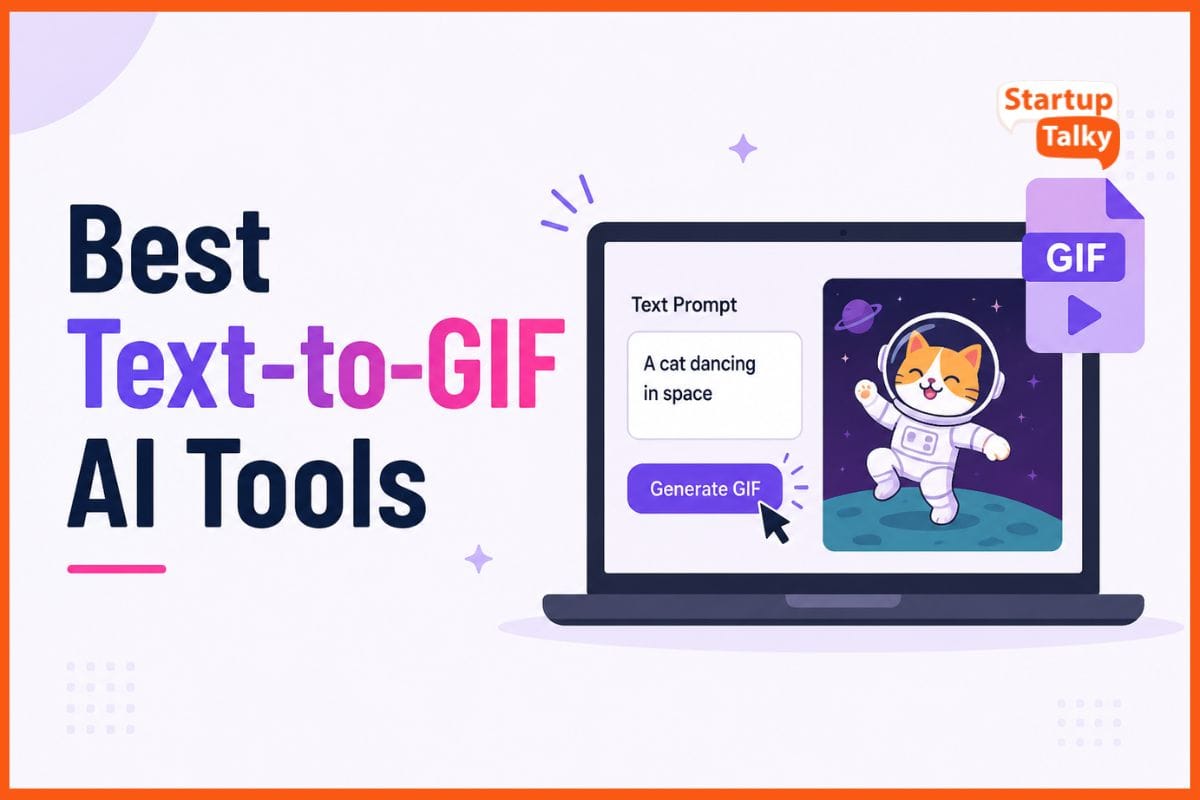
Text-to-GIF AI tools turn short text prompts into looping animations in seconds. You do not need design skills or editing software. Just describe an idea, feeling, or reaction, and the tool creates a GIF that is ready to share on social media, in messages, or in marketing campaigns.
The focus is on simple motion, smooth loops, and visuals that catch attention fast. These tools help creators test new ideas quickly and make everyday content feel more lively. Even a short message can become more memorable with movement, color, and animation, making it easier to connect with viewers.
Features to Look for in a Text-to-GIF AI Tool
| Feature | Why It Matters |
|---|---|
| Text Prompt | Faster creation |
| Templates | Saves time |
| AI Animation | Better quality |
| Export Quality | Social media ready |
| Customization | Branding |
| Browser Editor | No software needed |
| Commercial License | Business use |
Best Text-to-GIF AI Tools at a Glance
| Tool | Best For | Free Plan | Starting Price |
|---|---|---|---|
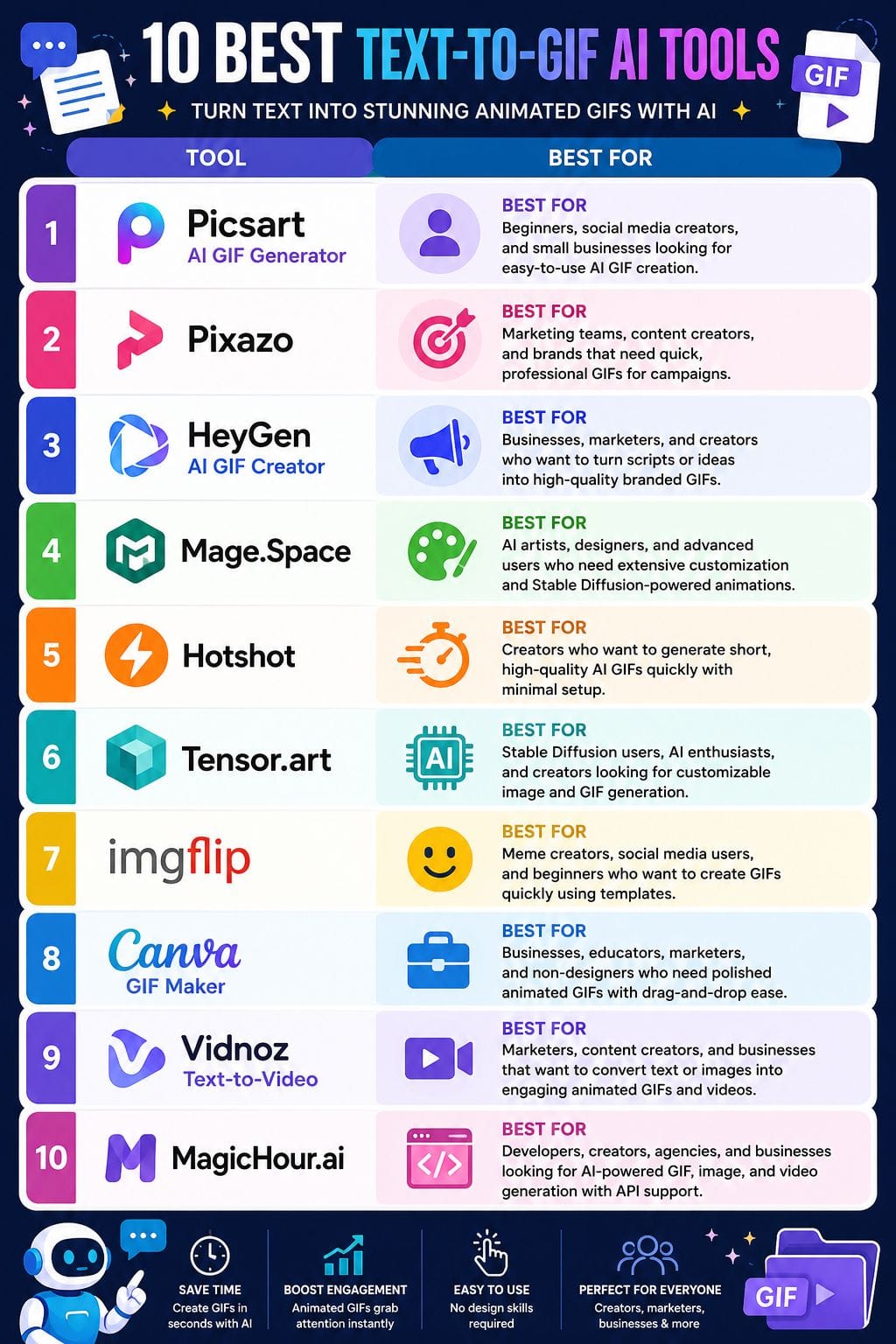
| Picsart | Beginners | Yes | $15/month |
| Pixazo | Marketing Teams | No | $15/month |
| HeyGen | Brand Content | Limited | $29/month |
| Mage.Space | AI Artists | Yes | $10/month |
| Hotshot | Quick GIF Creation | Yes | Free |
| Tensor.art | Stable Diffusion Users | Yes | $9.90/month |
| Imgflip | Memes & Social Media | Yes | $4.95/month |
| Canva | Businesses | Yes | $18/month |
| Vidnoz | Text-to-Video | Yes | $12.99/month |
| MagicHour.ai | Developers & Creators | Limited | $15/month |
Picsart AI GIF Generator
Picsart’s AI GIF Generator helps you create looping GIFs from a short text prompt. You can make eye-catching GIFs for social media, chats, or marketing in just a few minutes. It includes style presets, filters, stickers, and text overlays, so you can customize the look without extra tools.
Because it is part of the Picsart platform, you can also crop images, change colors, and add effects in the same browser window. The editor works on both web and mobile with simple drag-and-drop controls. Finished GIFs are optimized for social platforms and messaging apps, making them easy to share quickly.
Pros
- Very easy to use for non-designers
- Fast workflow from idea to finished GIF
- Rich effects and stickers for memes and marketing
Cons
- Advanced features sit behind paid plans
- Fine control over frames and timing is limited
Pricing
| Plan | Price |
|---|---|
| Pro | $15/month |
| Ultra | $75/month |
| Enterprise | Custom Pricing |
Pixazo
Pixazo helps you create clean, looping GIFs from short text prompts. You can also turn images or videos into GIFs in the same tool. It is built for marketers, social media managers, and creators who need quick content for posts, ads, banners, and chat reactions.
The platform includes ready-made templates for common campaign formats, so you can create a GIF in a few minutes. Simple controls let you adjust timing, motion, and style without using complex animation software. The interface is easy to use, making it a good choice for people who want polished GIFs without design.
Pros
- Very easy for marketing and social teams
- Covers GIFs plus broader image/video/animation needs
- Good for quick, branded visuals at scale
Cons
- Web-based workflow may feel limited for advanced motion design
- Best for short, simple loops rather than complex cinematic GIFs
Pricing
| Plan | Price |
|---|---|
| Pro Monthly | $15/month |
| Pro Yearly | $120/year |
HeyGen AI GIF Creator
HeyGen’s AI GIF Creator turns short text prompts into smooth looping GIFs for social media, email, and chat. It uses the same AI engine as HeyGen’s video and animation tools, so the results look sharp and professional.
Teams can create GIFs from a script, a video idea, or campaign copy in minutes without needing design skills. The browser-based editor is simple to use and includes ready-made templates and quick export options.
Because it connects with HeyGen’s avatar, animation, and voice tools, users can create branded GIFs and other marketing content from one platform, making content production faster.
Pros
- Very fast to go from script or idea to a ready-to-share GIF
- Tight alignment with HeyGen’s video tools, so assets can reuse avatars and styles
- Beginner-friendly workflow that suits marketers and non-designers
Cons
- Creative control and fine-tuning are lighter than full motion design tools
- Emotional nuance and complex, highly expressive scenes can still feel a bit flat
Pricing
| Plan | Price |
|---|---|
| Creator | $29/month |
| Pro | $49/month |
 Vivek Dev Jacob
Mage.Space
Mage.space helps you create animated GIFs from short text prompts in a simple browser workspace. It uses Stable Diffusion and other AI models to generate images and smooth looping animations.
You can control the style, motion, quality, aspect ratio, guidance scale, steps, and seed values for more accurate results. The platform also supports LoRAs, which help create specific looks or subjects.
You can export GIFs for social media, marketing, or creative projects. Since it supports image and video generation as well, it works well as part of a larger AI content creation workflow.
Pros
- Strong mix of static, GIF, and video generation in one platform
- Unlimited creation on the free tier for testing and experimentation
- Deep model library ideal for niche aesthetics and branded looks
Cons
- GIF creation and some advanced models locked behind paid plans
- Interface and controls can feel complex for beginners
Pricing
| Plan | Price |
|---|---|
| Basic | $10/month |
| Pro | $30/month |
| Pro Plus | $60/month |
| Max | $200/month |
Hotshot
Hotshot is an AI tool that turns short text prompts into fast, looping GIFs. It works well with image models such as Stable Diffusion XL, which helps create richer visuals and gives users more control over style and composition.
The tool supports different aspect ratios, so creators can make GIFs for social media, ads, websites, and presentations. It also runs on modest hardware, which means users do not need an expensive GPU to use it.
This makes Hotshot a practical option for marketers, designers, and content creators who want quick, eye-catching animations from simple text prompts.
Pros
- Works alongside advanced image models, giving strong visual quality and style control
- Can generate short GIFs quickly, even on modest hardware
- Good for reaction, meme, and branded GIFs with minimal setup
Cons
- Focused on very short clips, not full video
- Still improving at complex scenes and perfect realism
Pricing
| Plan | Price |
|---|---|
| Free | Free |
Tensor.art
Tensor.art helps you create images and short GIF-style animations from simple text prompts. It works directly in your browser, so you do not need a powerful computer or a local GPU.
You can generate new images, edit existing ones, upscale visuals, remove backgrounds, and explore a wide range of community-built models. With tools like LoRA controls, you can fine-tune results and create more unique designs.
Whether you need quick social media visuals or polished brand content, Tensor.art gives creators an easy way to experiment, improve, and bring ideas to life.
Pros
- Generous free daily credits, enough for regular GIF and image use
- Huge community model library with Stable Diffusion, SDXL, FLUX, and more
- Browser-based workflow, no GPU or heavy hardware needed
Cons
- Interface and options can feel dense for new non-technical users
- GIF/video features are evolving and may lag behind dedicated video tools
Pricing
| Plan | Price |
|---|---|
| Pro | $9.90/month |
| 10000 Credits | $29.90 |
| 30000 Credits | $59.90 |
Vivek Dev Jacob
Imgflip
Imgflip helps you create GIFs from text, images, and videos with simple editing tools. You can add captions, stickers, filters, and effects to make engaging GIFs for social media, chats, or marketing.
The platform works directly in your browser and is easy to use, even if you have no design experience. It also offers a large collection of meme and GIF templates created by its active community.
Users can create GIFs from images, videos, or YouTube links. AI features like caption suggestions and background removal make creating content faster and easier.
Pros
- Very easy to use, even for quick, low-effort GIFs
- Massive template pool and social community boost discoverability
- Supports both classic meme GIFs and custom uploads
Cons
- Free tier adds a watermark to GIFs
- Advanced controls and better quality locked behind paid plans
Pricing
| Plan | Price |
|---|---|
| Basic | $4.95/month |
| Pro | $11.95/month |
Canva GIF Maker
Canva GIF Maker helps you create simple animated GIFs using text, images, and short videos. It comes with easy drag-and-drop tools, ready-made motion effects, and page animations that make the process quick.
You do not need design skills to create clean and engaging visuals. It is useful for social media posts, branded stickers, product promotions, and short marketing clips.
With Canva GIF Maker, anyone can turn basic ideas into polished animations in a few steps. It is a practical tool for creators, businesses, and marketers who want fast and professional-looking content.
Pros
- Very easy drag-and-drop workflow
- Huge library of fonts, stickers, and templates
- Can animate text and elements on different pages
Cons
- No fine, frame-by-frame control
- Large GIFs may lose quality
Pricing
| Plan | Price |
|---|---|
| Pro | $18/month |
| Business | $25/month |
| Enterprise | Contact Sales |
Vidnoz (Image/Text to Video)
Vidnoz helps you turn images and text ideas into short animated clips that can be used as GIFs for social media, ads, and memes. It uses simple templates, AI-powered motion, and automatic scene creation to help you create engaging visuals without needing editing skills.
You can start with a script, image, or concept and quickly turn it into a ready-to-share animation. The platform also lets you choose different styles, formats, durations, and voice options.
It is useful for creators, marketers, and brands that need fast, repeatable content without spending hours on production.
Pros
- Very beginner-friendly
- Strong image/text to video automation
- Good style and ratio controls
Cons
- Heavy reliance on presets for look and pacing
- Best suited to short, simple loops, not complex stories
Pricing
| Plan | Price |
|---|---|
| 180 Credits | $12.99/month |
| 500 Credits | $24.99/month |
| 800 Credits | $29.99/month |
Vivek Dev Jacob
MagicHour.ai
MagicHour.ai helps you create custom animated GIFs from simple text prompts or images within your browser. It turns ideas into smooth, looping animations in seconds, without the need for any software installation.
The platform has an easy-to-use interface and offers free credits so users can try it before upgrading. Beyond GIF creation, it also supports advanced video, image, and face-swap tools.
Developers can use its API and SDK options to build creative solutions. Whether you are a creator, marketer, or developer, MagicHour.ai makes animation creation faster and more accessible.
Pros
- Very easy to start, even for non‑designers
- Fast GIF generation for quick experiments
- One platform for GIFs, images, and video
Cons
- Credit system can feel tight for heavy use
- Fine control over animation details is limited
Pricing
| Plan | Price |
|---|---|
| Creator | $15/month |
| Pro | $39/month |
| Business | $99/month |
Free vs Paid Text-to-GIF AI Tools
| Free | Paid |
|---|---|
| Basic exports | HD exports |
| Watermarks | No watermark |
| Limited credits | Unlimited generation |
| Few templates | Premium assets |
How to Choose the Best Text-to-GIF AI Tool
With so many AI GIF generators available, choosing the right one depends on your needs, budget, and creative goals. Before selecting a tool, consider the following factors to ensure it matches your workflow and delivers the best results.
| Factor | Why It Matters |
|---|---|
| Budget | Compare free and paid plans to find a tool that offers the features you need without exceeding your budget. |
| Ease of Use | Choose a platform with an intuitive interface, especially if you're a beginner or want to create GIFs quickly. |
| Customization | Look for options to edit styles, colors, motion, text, effects, and animation settings to create unique GIFs. |
| AI Output Quality | High-quality AI models generate smoother animations, better visuals, and more accurate results from text prompts. |
| Export Options | Ensure the tool supports multiple export formats, high-resolution downloads, and social media-friendly aspect ratios. |
| Commercial Usage | If you're creating GIFs for business or client projects, verify that the tool allows commercial use under its licensing terms. |
| Templates & Presets | Ready-made templates and animation presets help speed up content creation and maintain a professional look. |
| Generation Speed | Fast rendering allows you to create and test multiple GIFs quickly, making the workflow more efficient for marketing and social media campaigns. |
Pro Tip: If you're a beginner, prioritize ease of use and templates. If you're a designer or marketer, look for advanced customization, commercial licensing, and high-quality AI output. Businesses and agencies should also consider export quality, collaboration features, and pricing before choosing a Text-to-GIF AI tool.
Conclusion
Text-to-GIF AI tools are becoming a key part of modern communication. They help people turn simple ideas into short, engaging animations in minutes. Teams can quickly test new ideas, join trends, and create content without waiting for long design cycles.
These tools reduce the need for advanced design skills and make it easier for small brands to create fun, eye-catching visuals. In a world where people scroll quickly and attention is limited, simple GIFs can help messages stand out, stay memorable, and drive more engagement through clicks, shares, and conversations.
FAQs
What is a Text-to-GIF AI tool?
A Text-to-GIF AI tool creates animated GIFs from simple text prompts using artificial intelligence.
Are AI GIF generators free?
Many AI GIF generators offer free plans or trial credits, while advanced features require a paid subscription.
Which Text-to-GIF AI tool is best for beginners?
Picsart, Canva GIF Maker, and Imgflip are great choices for beginners due to their simple interfaces.
Can I create GIFs for commercial use?
Yes, many tools allow commercial use, but you should review their licensing terms before using GIFs for business purposes.
Which tool offers the best customization?
Mage.Space and Tensor.art provide the most advanced customization with AI models, style controls, and animation settings.
Can AI generate GIFs from images?
Yes, several tools, including Pixazo, Vidnoz, Tensor.art, and MagicHour.ai, can turn images into animated GIFs.
Are AI GIFs copyright-free?
Not always. Copyright depends on the tool's license, the assets used, and how the GIF is created.
Which tool is best for marketers?
HeyGen, Canva GIF Maker, Pixazo, and Vidnoz are excellent options for creating branded marketing GIFs quickly.