Best Project Management Tools in 2026: Features, Pricing & Comparison
Discover the best project management tools in 2026. Compare features, pricing, AI capabilities, pros and cons to find the right software for startups and businesses.

Project management is the key to delivering successful projects. It involves utilizing various resources and techniques to plan, organize, and control the work necessary to meet project goals, within a specified timeframe and budget. From allocating resources and setting schedules, to tracking progress and ensuring quality standards are met, effective project management ensures a project is completed on time, on budget, and to the required standards. The goal of project management is to bring together all the elements necessary to meet project objectives and deliver a successful outcome.
Project management continues to play an important role in business strategy and execution. In 2026, organizations are increasingly dealing with complex projects, changing priorities and AI-driven workflows. PMI's latest research found that professionals who effectively manage project complexity are five times more likely to deliver successful projects.
Wellingtone's State of Project Management 2026 report also highlights continued reliance on manual processes. 22% of respondents still use Excel for project planning, while 11% report having no project management solution. In addition, 42% spend at least one day manually compiling project reports.
These findings show why businesses are increasingly looking for project management platforms that combine task management, collaboration, automation, reporting, resource management and AI capabilities.
Project management can be a complex and challenging task, especially for large and multi-disciplinary projects. Fortunately, there are a multitude of tools available that can make the process smoother, more organized, and efficient. In this blog, we will be showcasing the best project management tools available in the market, covering their features, pricing, pros and cons. Whether you're a small start-up or a large corporation, you're sure to find a tool that can help streamline your project management process.
Project Management Statistics 2026
| Statistic | 2026 Finding |
|---|---|
| Project professionals managing complexity | Those who manage complexity effectively are 5× more likely to deliver successful projects |
| Organizations still using Excel for project planning | 22% |
| Organizations reporting no project management solution | 11% |
| Professionals spending at least one day manually compiling project reports | 42% |
| PMO leaders expecting their responsibilities to expand | 72% |
Source: Wellingtone State of Project Management 2026 and PMI Pulse of the Profession 2026.
How AI Is Changing Project Management Software in 2026
AI is becoming a core feature of modern project management platforms. Depending on the software, AI can help teams create tasks, summarize discussions, generate project updates, identify potential risks, automate workflows and prioritize work.
The shift is also visible in broader workplace research. Atlassian's 2026 State of Teams research found that teams using AI effectively were more likely to report improvements in planning, prioritization and collaboration.
However, AI should complement project managers rather than replace human decision-making. Organizations should also consider data privacy, security, accuracy, permissions and AI governance before enabling AI features across projects.
Features of Project Management Tools:
Some common features of project management tools include:
- Task and project tracking: Project management tools allow teams to create and track tasks and milestones, assign deadlines and resources, and monitor progress.
- Collaboration: Many project management tools have features that allow teams to communicate and collaborate in real-time, such as chat, file sharing, and task assignment.
- Resource management: Some project management tools have features that help teams plan and allocate resources, such as budgeting, time tracking, and resource scheduling.
- Reporting and analysis: Many project management tools have built-in reporting and analysis capabilities, allowing teams to track key performance indicators (KPIs) and make data-driven decisions.
Things to Consider When Choosing a Project Management Tool
The right project management software can be a powerful asset for any project team. It brings focus to project goals, increases collaboration and communication, and helps teams stay organized, saving time and money. With so many options available to project teams today, it can be difficult to choose the best project management software. Therefore, you should consider these factors before finalizing a project management tool:
- Easy to use is an important factor for selection because all your team members should be well equipped with the PMS to make the processes simpler.
- You must consider the size of your team as it will help you in selecting the appropriate plan.
- Make sure the PMS has sufficient file storage capacity.
- Security is crucial so that your data and ultimately your project is in safe hands.
- Clear dashboard view.
- Project management tools should have accounting tools.
- Ability to share files externally.
- Customization abilities should be verified so you can make minor changes and present the same information to your stakeholders.
- Integration with other apps.
- Scheduling ability is crucial so that your projects can be managed efficiently with the help of Gantt charts.
- Task management efficiency.
- Real-time reporting helps in saving time and collecting information from all the places and generating reports that reflect the live data.
Best Project Management Tools for Startups
There are many different project management tools for small businesses available, ranging from simple task management tools to more comprehensive project management platforms. The right tool for your team will depend on the size and complexity of your projects, as well as your team's specific needs and preferences.
Project management software features, pricing, plans, free trials and availability can change frequently. The pricing and plan information mentioned for individual tools should be verified on the respective provider's official website before making a purchase.
So, here we've listed the best project management software tools:
| S. No. | Tool | Key Features | Best For |
|---|---|---|---|
| 1 | Kissflow Project | Visual project boards, workflow automation, collaboration tools | Small to medium teams wanting easy workflow automation |
| 2 | Microsoft Project | Advanced scheduling, Gantt charts, resource management | Enterprises and professional project managers |
| 3 | Zoho Projects | Task automation, time tracking, Gantt charts, integrations | Small businesses and teams already using Zoho suite |
| 4 | ClickUp | Customizable dashboards, task dependencies, docs & goals | Agile teams and startups needing flexibility |
| 5 | Scoro | All-in-one project, CRM, billing, and reporting | Service-based businesses and consultancies |
| 6 | ProofHub | Centralized task management, file proofing, team chat | Creative teams and agencies |
| 7 | Basecamp | Simple task management, message boards, to-do lists | Small teams and freelancers |
| 8 | GanttPRO | Gantt charts, workload management, resource planning | Project managers who prefer timeline planning |
| 9 | Redbooth | Task assignments, time tracking, HD video meetings | Distributed teams needing communication + task tools |
| 10 | nTask | Task tracking, risk management, meeting tools | Startups and small teams managing multiple projects |
| 11 | Celoxis | Project portfolio management, resource allocation, analytics | Enterprises handling large project portfolios |
| 12 | Cage | Creative feedback, approvals, media collaboration | Designers and creative agencies |
| 13 | Asana | Task management, workflow automation, project timelines | Teams of all sizes needing structured collaboration |
| 14 | Wrike | Custom dashboards, real-time collaboration, advanced analytics | Marketing teams and large organizations |
| 15 | Trello | Kanban boards, power-ups, drag-and-drop simplicity | Individuals and teams needing easy task tracking |
| 16 | MeisterTask | Kanban workflows, automation, time tracking | Small agile teams |
| 17 | Teamwork | Project templates, billing, client collaboration | Agencies and client-service businesses |
| 18 | Airtable | Spreadsheet + database hybrid, integrations, automation | Teams wanting flexible data-driven project tracking |
| 19 | Paymo | Task lists, invoicing, time tracking, project templates | Freelancers and small businesses |
| 20 | Monday.com | Custom workflows, dashboards, automation, integrations | All team sizes needing an all-in-one work OS |
| 21 | Jira | Agile boards, bug tracking, sprint planning, reporting | Software development and agile teams |
Kissflow Project
| Website | Kissflow.com |
|---|---|
| Rating | 4.3/5 |
| Free Trial | 15-day |
| Platforms supported | Web, Android, iPhone/iPad |

Kissflow is a cutting-edge project management platform designed to streamline an organization's operational processes. It offers streamlined automation, simple and user-friendly operations, advanced analytics, and global scalability. With Kissflow, companies have the ability to manage and collaborate on departmental projects easily in real-time. This includes assigning tasks, setting goals, tracking progress and completion of tasks, newsletters or company announcements, tracking project budgets much more. Kissflow also comes with a visual workflow designer for organizing tasks into automated workflows optimized for efficiency. Furthermore, all activity is monitored and accounted for in the built-in audit trail feature that is available on all modules, making changes in process models easier than ever. Overall, Kissflow provides companies with the tools they need to ensure successful operations while harnessing their data within a single system!
Features of Kissflow
- The kissflow project management tool features an array of features designed to make multi-team collaboration quick and effortless.
- This feature seamlessly integrates with other important business tools such as Slack, G Suite, Microsoft Office, Outlook, and more.
- It enables efficient task management, project tracking, team communication, and real-time monitoring of key performance metrics.
- Users have the ability to create custom workflows and set milestones for projects with ease.
| Pros | Cons |
|---|---|
| Works for any project size and industry | Project setup can be time-consuming |
| Drag-and-drop interface for customization | Interface may be complex for non-technical users |
| Multiple views on a single dashboard | Difficulty exporting reports |
| Affordable pricing starting at $19/month | Delayed technical support; limited access to older POs |
Pricing Packages of Kissflow:
Kissflow has three plans Small Business plan for Smaller teams, a Corporate plan for Growing companies, and Enterprise Plan for large organizations. Pricing details of each package are given below:
| Plan | Pricing |
|---|---|
| Small Business | $18 per month, 20 users minimum/billed annually |
| Corporate | $20 per month, 100 users minimum/ billed annually |
| Enterprise | Custom plan |
 Ashwini
Microsoft Project
| Website | www.microsoft.com/en-in/microsoft-365/project/project-management-software |
|---|---|
| Rating | 4.4/5 |
| Free Trial | 30-days |
| Platforms supported | Web |

Microsoft Project is a powerful yet easy-to-use PMS tool designed to help businesses and individuals track their projects and gain insight into their progress. It is the go-to program for creating detailed task lists, scheduling tasks for completion, tracking resource availability and utilization, assigning budgeting to tasks, and you can even see how much longer your project will take if something changes! Microsoft Project provides an array of features that make it one of the leading project management platforms. You can define milestones and goals, as well as monitor individual tasks. Instantly view reports like critical path analysis to keep you informed about task duration and have a visual representation of the entire project timeline. With all this user-friendly yet detailed data at your fingertips, you'll never worry about missing any important details like budget or due dates when managing your projects!
Features of Microsoft Project
- It features robust task and resource tracking, with features such as grouping tasks and overviews of resources used in task assignments.
- It also features a Gantt chart view for visualizing project timelines and dependencies, as well as features for budgeting, forecasting, and cost analysis.
- With Microsoft Project's features, organizations can have better visibility into their project status and make timely adjustments according to cost or timeline pressures.
| Pros | Cons |
|---|---|
| Flexible and user-friendly interface | Overwhelming for beginners |
| Tracks tasks, progress, and costs | Requires learning project terms |
| Automates tasks with reminders & alerts | Limited reporting options |
| Real-time collaboration: tasks, files, comments | Poor third-party integrations |
Pricing Packages of Microsoft Project:
Microsoft Project has divided its pricing plans into two categories i.e. Cloud Based Solutions and On-Premise Solutions. Plans and pricing details for each category are given below:
Cloud-Based Solutions:
| Plan | Pricing |
|---|---|
| Project Plan 1 | $10.00 user/month |
| Project Plan 3 | $30.00 user/month |
| Project Plan 5 | $55.00 user/month |
On-Premise Solutions:
| Plan | Pricing |
|---|---|
| Project Standard 2021 | $679.99 |
| Project Professional 2021 | $1,129.99 |
| Project Server | Custom Plan |
Rishabh Rathi
Zoho Projects
| Website | www.zoho.com/projects/ |
|---|---|
| Rating | 4.3/5 |
| Free Trial | 10-days |
| Platforms supported | Web, Android, iPhone/iPad |

Zoho is the most popular brand to provide different kinds of tools for startups. Their Zoho Projects stands out as one of the best and simplest project management tools. It helps you plan your projects, track work efficiently, and collaborate with your team, wherever they are. It can be very helpful for streamlining upcoming work with just a few clicks. The best part of Zoho Projects is that it can be integrated with Zoho CRM and another tool to manage all the aspects of the agency in one system.
Features of Zoho Projects
- With its range of powerful, customizable tools, it is easy to create websites, store files securely, automate processes, and collaborate with colleagues.
- Features such as Message Boards allow users to engage in discussions across multiple channels.
- Zoho offers a Price Calculator feature that helps customers easily calculate pricing plans scaled to their needs.
- Customers have access to customer support services for any issues or concerns that might arise during their usage.
- Beyond these features though, more than 80 intuitively designed third-party apps integrate seamlessly with Zoho's infrastructure so that all your digital needs can always be met.
| Pros | Cons |
|---|---|
| Works on any platform or device | Limited third-party integrations |
| 24/7 customer support with tutorials | Requires choosing between Zoho or other apps |
| Multiple data backups for secure storage | Occasional bugs and glitches |
Pricing Packages of Zoho Projects:
Zoho Projects has three plans Free, Premium, and Enterprise which are extremely affordable. Pricing details of each package are given below:
| Plan | Pricing |
|---|---|
| Free | INR 0, Up to 3 users |
| Premium | INR 280, Up to 50 users/billed annually |
| Enterprise | INR 630, Unlimited Users users/billed annually |
ClickUp
| Website | Clickup.com |
|---|---|
| Rating | 4.7/5 |
| Free Trial | Free Forever |
| Platforms supported | Web, Android, iPhone/iPad |

ClickUp is a project management platform that aims to help teams organize and manage their work more effectively. It is one of the best project management tools used by a lot of companies and startups. It provides a range of features to help teams plan, track, and collaborate on projects, including task management, project planning and scheduling, real-time communication, and document sharing which makes it a must-have project management tool for teams.
Intro to ClickUp - Project Management Tool
Features of Clickup
- With Clickup PMS you can easily create and update tasks.
- You can assign or reassign tasks, set due dates and tags, prioritize tasks with checklists, organize projects with boards and lists, and track progress with dashboards.
- You can easily log time directly from the task lists, generate automated reports to track the performance of your team, add comments or documents to tasks, delegate responsibility for every task, and much more.
| Pros | Cons |
|---|---|
| Efficient task and workflow tracking | Steep learning curve |
| Automates reminders, milestones, and tasks | Difficult to navigate |
| User-friendly interface for all teammates | Limited customization on some plans |
| Offers templates for workflow customization | Integration issues with other apps |
Pricing Packages of ClickUp:
ClickUp has a Free plan which is limited up to 100MB storage. Paid plans include Unlimited - best for small teams, Business - best for mid-sized teams, Business Plus - best for multiple teams, and Enterprise - best for many large teams. Pricing details of each package are given below:
| Plan | Pricing |
|---|---|
| Free | Free Forever |
| Unlimited | $5, billed annually |
| Business | $12, billed annually |
| Business Plus | $19, billed annually |
| Enterprise | Custom Plans |
Scoro
| Website | www.scoro.com |
|---|---|
| Rating | 4.5/5 |
| Free Trial | 14 days |
| Platforms supported | Web, Android, iPhone/iPad |

Scoro is a project management and productivity software that helps businesses streamline their work processes, track time and expenses, and manage projects and tasks. It also has a time management tool that includes team calendars, shared tasks, timesheets, automated time tracking, and plans and optimizes the team's time usage for projects. Its other features include projects with sub-tasks and deadlines, detailed reports of progress and finances, real-time KPI dashboard. The tool is designed to help businesses improve their efficiency and productivity, enabling them to complete tasks and projects more quickly and effectively.
Features of Scoro
- Scoro is a revolutionary project management and works automation platform that helps you bring structure and order to your processes.
- It seamlessly integrates all of your business needs, from lead management and billing to CRM and reporting, into one powerful system.
- Its key features include task automation, real-time reporting, full team visibility, online file storage, custom branding settings, and more.
- With its intuitive design, you can maximize efficiency while tracking budges and time limits with ease.
| Pros | Cons |
|---|---|
| Flexible for various industries | Occasional downtime and user errors |
| Customizable workflows | Complicated interface to navigate |
| Advanced task management, timesheets, reporting | Higher price for freelancers |
| Smooth user experience tailored to business needs | Outdated design for some users |
Pricing Packages of Scoro:
Scoro has four pricing plans, Essential at $26 per user/month, Standard at $37 per user/month, Pro at $63 per user/month, and Ultimate has a custom pricing model. All of these plans come with a free trial period. Pricing details of each package are given below:
| Plan | Pricing |
|---|---|
| Essential | $26 per user/month, billed annually |
| Standard | $37 per user/month, billed annually |
| Pro | $63 per user/month, billed annually |
| Ultimate | Custom Plans |
ProofHub
| Website | www.proofhub.com |
|---|---|
| Rating | 4.5/5 |
| Free Trial | 14 days |
| Platforms supported | Web, Android, iPhone/iPad |

ProofHub is a versatile project management system used by leading organizations like NASA, Disney, Taco Bell, and many more popular firms. ProofHub has all the features your team can collaborate, plan and organize to deliver a project on time. The features include assigned user roles, online team discussions and chats, task delegating, and assignments. ProofHub has all the right tools under one roof that your team need to work together in the easiest, fastest and smartest way to complete a project.
Features of ProofHub
- Proofhub is an efficient, user-friendly program that features such as automated workflow management, document collaboration features, tasks and reminders organization, time tracking features, and a client portal.
- With Proofhub you can manage several projects as well as collaborate with remote teams.
- This feature-rich program comes with a great user interface which makes it appealing to all users.
- You also have the ability to designate permission settings for other team members so everyone can access the information they need quickly and easily.
- By adding checklists and custom statuses within tasks, you can be sure that everyone is on the same page when it comes to updates on each project.
- As you can see all these features help make Proofhub an invaluable organizational tool for any business organization.
| Pros | Cons |
|---|---|
| All-in-one project management and collaboration | Limited set of features |
| Assign tasks, deadlines, track progress, comment | Missing team chat or calendar |
| Customizable tools for workflow | Slow customer support response |
| Intuitive interface for beginners and managers | Relatively high subscription fee |
Pricing Packages of ProofHub:
ProofHub has two pricing plans, Essential at $45 per month and Ultimate Control at $89 per month. The Essential plan is limited up to 40 projects whereas Ultimate Control offers ultimate projects. ProofHub offers flat pricing. No per-user fee in both of its packages. ProofHub has made task management less stressful for teams. It is also available for Android and iOS users. Pricing details of each package are given below:
| Plan | Pricing |
|---|---|
| Essential | $45 per month, billed annually |
| Unlimited Control | $89 per month, billed annually |
Ansh Mehrey
Basecamp
| Website | Basecamp.com |
|---|---|
| Rating | 4.1/5 |
| Free Trial | 30 Days |
| Platforms supported | Web, Android, iPhone/iPad |

Basecamp is a web-based project management and collaboration tool, preferred by thousands of project management teams because of its modern social-media-like interface. Basecamp has all the tools that a team needs to boost productivity at work. It provides a variety of tools and features to help teams plan, track, and collaborate on projects, including to-do lists, file storage, message boards, and scheduling tools. Basecamp is designed to be simple and easy to use, with a focus on keeping teams organized and on track.
How Basecamp Works - A Quick Overview
Features of Basecamp
- Basecamp is a great tool for project management and collaboration.
- It features a versatile platform, allowing users to keep track of tasks, messages, and timelines with ease.
- Basecamp also features tools such as To-Do lists, scheduling tools, team collaboration tools, and file sharing capabilities.
- It also provides users with secure storage for their data to ensure the contents remain safe from unauthorized access.
- It makes team collaboration easier and more efficient which cuts down cost-wise without having to exchange documents through emails or in person.
| Pros | Cons |
|---|---|
| Simple and intuitive interface | Subscription cost based on users/groups |
| Clear task assignments for all members | Limited customization options |
| Facilitates team communication | Can be complex for new users |
| Works across devices for remote collaboration | — |
Pricing Packages of Basecamp:
Basecamp has 2 pricing plan that is Basecamp and Basecamp Pro. A free trial of Basecamp is also available.
| Plan | Pricing |
|---|---|
| Basecamp | $15/month/user |
| Basecamp Pro | $299/month, billed annually |
Niku Mandal
GanttPRO
| Website | Ganttpro.com |
|---|---|
| Rating | 4.8/5 |
| Free Trial | 14 Days |
| Platforms supported | Web, Android, iPhone/iPad |

GanttPRO is one of the best project management software that allows teams to plan, schedule, and track projects using Gantt charts. It has been appreciated by 500K+ project managers all across the globe. GanttPRO allows users to create and edit Gantt charts, assign tasks to team members, and track the progress of projects. It is a useful PMS tool for saving time, rise teamwork efficiency, less missed deadlines, and also saving expenses on project management. The best features of the GanttPRO include keeping all resources engaged and balanced, keeping all the comments, attachments, and notifications, and also offering project templates for an easy start.
Features of Ganttpro
- Ganttpro PMS offers features to help project managers and teams immensely. With Ganttpro, you can map out projects from start to finish with a visually appealing Gantt chart that shows each task and its place in the overall timeline.
- It's incredibly easy to add tasks, create dependencies between them, or adjust the duration of any task.
- Ganttpro also features resource management capabilities for accurate tracking of people assigned to tasks and an impressive array of customizable export options for collaboration purposes.
- By using these features, project leads can save time managing their team and maximize efficiency in executing the project.
| Pros | Cons |
|---|---|
| Tracks progress, tasks, and resources | Can be buggy with task conflicts or missing files |
| Easy drag-and-drop interface | Troubleshooting can be time-consuming |
| Customizable reporting and analytics | High monthly fee for some features |
| Real-time team collaboration | Limited customization of project style |
Pricing Packages of GnattPRO:
GnattPRO has four pricing packages Basic, Pro, Business, and Enterprise. The basic plan is for small teams looking for basic project management features. The Pro plan is for teams who are looking to streamline their teamwork and automate the project planning process. The business plan is for companies who are working on comprehensive projects and need to optimize resource workloads. The Enterprise plan is for organizations that are looking for advanced security, control, and support options. Pricing details of each package are given below:
| Plan | Pricing |
|---|---|
| Basic | $7.99 per user per month, when billed annually |
| Pro | $12.99 per user per month, when billed annually |
| Business | $19.99 per user per month, when billed annually |
| Enterprise | Custom Plans |
Redbooth
| Website | Redbooth.com |
|---|---|
| Rating | 4.4/5 |
| Free Trial | 14 Days |
| Platforms supported | Web, Android, iPhone/iPad |

Redbooth is an easy-to-use project management software that allows managing projects the way one wants including kanban boards or lists to organize tasks and time tracking to see how the time spends. Redbooth also has a library of project templates to start the projects out with a click. The features include project and task planning, share virtual team workplaces, and HD video conferencing for collaboration. Redbooth is also available for iOS and Android users. In addition, it offers detailed productivity reports, direct messaging, visual project timelines, and business chats to keep all the work on schedule.
Features of Redbooth
- Redbooth is an online collaboration platform designed to help teams work better together and get more done.
- It features a powerful task management system for creating tasks and organizing them into projects.
- Task creation features include the ability to assign specific tasks to team members, attach files from Dropbox or other shared folders, and categorize tasks within projects.
- It sets due dates with notifications and reminders, assigns workflow rules based on features, labels, or assignees, tracks time against project tasks, and much more.
- Redbooth also features great communication tools with options such as real-time messaging between team members in individual rooms or open chats with all project members at once.
- With Redbooth integrations available like Zapier, IFTTT, and Bitium users can further increase the efficiency of their projects by automating processes across multiple services.
| Pros | Cons |
|---|---|
| Improves communication and task visibility | Interface can feel clunky |
| Intuitive task assignment and due dates | Basic features require premium plan |
| Centralized project file storage | SMS notifications need extra add-on |
| Keeps teams coordinated and organized | — |
Pricing Packages of Redbooth:
Redbooth has three pricing plans which are Pro at $9 per month and Business at $15 per month per user when billed annually. The Enterprise plan offers custom pricing.
| Plan | Pricing |
|---|---|
| Pro | $9 per month, billed annually |
| Business | $15 per month, billed annually |
| Enterprise | Custom Plans |
nTask
| Website | www.ntaskmanager.com |
|---|---|
| Rating | 4.4/5 |
| Free Trial | 7 Days |
| Platforms supported | Web, Android, iPhone/iPad |

nTask is a popular project management software that is specially designed for smart teams. It is an online collaboration platform and has all the tools a team needs to complete a specific project. nTask is one of the best project management tools as it has many features which include tasks and project management, time tracking, and more. nTask can also be used as an online meeting software for productive team meetings.
Features of nTask
- nTask is a great project management tool that features loads of features to help you work smarter.
- It includes features such as an activity log with a time tracker to monitor your progress, multilingual support, and task categories to categorize tasks and easily keep track of them.
- nTask PMS also features collaboration features so you can share files, assign tasks right from the app, sync other task-related applications, and see changes or updates in real time.
- It has powerful customizable reports with crucial data on a project timeline, cost, resource availability and utilization, and much more. With nTask's features, you have complete control over your projects without any hiccups!
| Pros | Cons |
|---|---|
| Comprehensive project and task management | Full features require paid subscription |
| Organize tasks, assign members, set deadlines, track progress | May be too complex for small teams |
| Smooth, intuitive, and responsive UX | Some templates are hard to modify |
| Central dashboard with real-time collaboration | — |
Pricing Packages of nTask:
nTask offers one of the most affordable pricing plans in the industry. It has three pricing plans, a Premium plan for startups who just getting started with project management, a Business plan for teams who are looking to create projects and plans with confidence, and a third plan Enterprise for teams who are looking for customizations, enterprise-grade security, and advanced features. Pricing details of each plan are given below:
| Plan | Pricing |
|---|---|
| Premium | $3 per month, billed yearly |
| Business | $8 per month, billed yearly |
| Enterprise | Custom Plans |
 Niku Mandal
Celoxis
| Website | www.celoxis.com |
|---|---|
| Rating | 4.3/5 |
| Free Trial | 30 Days |
| Platforms supported | Web |

Celoxis is an award-winning all-in-one project management tool that combines classic project management methodologies with modern agile approaches and workflow automation. Many organizations use Celoxis to plan and track their projects. It is also used for resource management, project accounting, and portfolio management. The features include all-in-one management tools, easy collaborations, easy customization, an advanced reporting engine, and more. Celoxis easily allocates resources to tasks based on availability, demand, and skills. It is known for its flexibility and customization options, allowing users to tailor the software to their specific needs and workflows.
Getting started with Celoxis
Features of Celoxis
- Celoxis PMS features a comprehensive suite of project management features for businesses of any size.
- Its features allow businesses to manage activities such as resource allocation, project scheduling, budgeting, reporting, collaboration, and more.
- By having features tailored to each organization's specific needs, Celoxis helps teams effectively plan projects from start to finish.
- With features like dashboards and activity feeds, Celoxis provides real-time visibility into every aspect of project progress and provides useful insight into different parts of both a single project and multiple projects.
| Pros | Cons |
|---|---|
| Smooth and efficient project management | Cost can increase due to add-ons |
| Task/resource tracking, risk management, budget monitoring, detailed reporting | Requires extensive training |
| Can be used on-premise or via cloud | Occasionally slow customer support |
| Automation reduces mundane tasks | — |
Pricing Packages of Celoxis:
Celoxis offers two pricing packages i.e. Cloud and On-Premise. The pricing is $22.50 per month for Cloud and on-premise is a custom plan. You will get the best-unmatched features, at a fraction of the cost.
| Plan | Pricing |
|---|---|
| Cloud | $22.50 per month, billed yearly |
| On-Premise | Custom Plans |
Cage
| Website | Cageapp.com |
|---|---|
| Rating | 3.5/5 |
| Free Trial | Free Forever |
| Platforms supported | Web |

Cage is a project management tool that is all about improving the way creative teams collaborate and work. It helps the team to manage the project and have active discussions. The top features include managing and creating projects, making notes and comments under tasks, keeping track of all revisions, getting approval from clients, having video conversations, and also having password protection for the projects. It also helps in saving time, facilitating design feedback, managing deliverables, organizing projects, and also track the progress of the work to check what's going on.
Features of Cage
- Cage is a powerful tool that offers features to help developers quickly build and deploy applications.
- It features a runtime environment with the ability to detect and correct misconfigurations, memory leaks, misuse of system resources, potential attacks, and other coding errors.
- The tool also features an intelligent editor that can detect coding errors before they become a problem in production.
- Cage app features an integrated web console that provides administrative features and analytics that are easy to use and understand.
- The tool also features a robust API which allows developers to easily integrate it into their existing development pipelines.
| Pros | Cons |
|---|---|
| Simplifies development for complex projects | Complex and time-consuming for beginners |
| Detailed insights into architecture and functionality | Expensive licenses |
| Supports multiple languages, frameworks, databases | High maintenance and update costs |
| Enables collaborative work and task division | — |
| Saves time and increases flexibility | — |
Pricing Packages of Cage:
Cage combines project management and efficient collaboration. It offers one Free plan, perfect for anyone just wanting to try Cage, and two paid plans one of which is the Standard plan, perfect for freelancers and small teams, and the Professional plan, ideal for teams or agencies looking to consolidate their media collaboration and project management in one place.
| Plan | Pricing |
|---|---|
| Free | For 1 User |
| Standard | $8 per user, per month |
| Professional | $14 per user, per month |
Anagha S
Asana
| Website | Asana.com |
|---|---|
| Rating | 4.3/5 |
| Free Trial | 30 Days |
| Platforms supported | Web, Android, iPhone/iPad |

Asana is an innovative tool for project management and task tracking. It is one of the most popular web-based applications available today. Asana’s key features include collaboration among team members, time and productivity tracking, email integration, cost management, and task assignment capabilities. With Asana, managers can easily assign tasks to their respective teams as well as receive updates on progress made. In addition, they can also set deadlines and set priority levels for individual projects or tasks. This user-friendly platform ensures that everyone is accountable and on track with their tasks while enabling collaboration between team members. Asana offers a great way to stay organized and take control of projects in a structured manner - making it an ideal tool for both businesses and teams alike!
Features of Asana
- Asana features offer unlimited potential for collaboration. With features such as project plans, tasks, notifications, comments, and conversations – Asana provides individuals and teams with all the tools they need to plan and manage projects of any complexity or scale.
- Asana’s flexibility also makes it a great resource for tracking all kinds of critical day-to-day operations as well.
- Team members can attach files, integrate with other popular apps, create custom workflows, collaborate in real-time, and view their work in a visually appealing layout.
| Pros | Cons |
|---|---|
| Track project progress with dependencies and deadlines | Free version limited to small teams |
| Collaboration tools: threads and calendars | Can become unorganized for large teams |
| Integrated analytics for team performance | Status-based restrictions limit some actions |
| Clear task overview and versatile collaboration | — |
Pricing Packages of Asana:
It offers one Basic Free plan, perfect for individuals or teams just getting started with project management, and two paid plans one of which is the Premium plan, perfect for teams that need to create project plans with confidence, and the Business plan, ideal for teams and companies that need to manage work across initiatives.
| Plan | Pricing |
|---|---|
| Basic | US$0, Free Forever |
| Premium | US$10.99 Per user, per month, billed annually |
| Business | US$24.99 Per user, per month, billed annually |
Wrike
| Website | www.wrike.com |
|---|---|
| Rating | 4.2/5 |
| Free Trial | 15 Days |
| Platforms supported | Web, Android, iPhone/iPad |

Wrike is an online collaboration and project management software. It makes it easy to organize and manage tasks and projects, with its powerful dashboard that enables users to view assigned responsibilities, access project timelines, log comments and reviews, and submit progress reports. It also helps teams to collaborate better with powerful communication tools such as private/public chat threads, group video/voice calls, live document editing, and more. Wrike is perfect for teams of any size that value efficient communication and task delegation for the on-time completion of projects.
Features of Wrike
- Wrike is a popular project management software, and it offers features that help make project coordination simpler.
- With Wrike's task assignments, users can keep tabs on who’s been assigned what tasks.
- Users can also share files amongst team members and view documents collaboratively.
- Integrating with third-party applications such as Dropbox and Google Drive makes it easy to monitor progress across a variety of platforms and stay up to date on deliverables.
| Pros | Cons |
|---|---|
| Easy task creation, assignment, and tracking | Steep learning curve |
| Real-time calendars for team members | Mastering all features can be difficult |
| Integrated commenting for instant feedback | Unique conventions may overwhelm new users |
Pricing Packages of Wrike:
It offers a Free plan, best for teams getting started, and four paid plans i.e. a Team plan, best for growing teams, Business plan, best for all teams across an organization, an Enterprise plan, best for large teams, and the Pinnacle plan, ideal for teams with complex work needs. Pricing details of each plan are given below:
| Plan | Pricing |
|---|---|
| Free | $0 user/ month |
| Team | $9.80 user/ month |
| Business | $24.80 user/ month |
| Enterprise | Custom Plan |
| Pinnacle | Custom Plan |
Trello
| Website | Trello.com |
|---|---|
| Rating | 4.4/5 |
| Free Trial | 14 Days |
| Platforms supported | Web, Android, iPhone/iPad |

Trello is a fantastic PMS tool to help organize and manage projects of any type. It consists of boards, lists, and cards that allow you to create visuals around the progress of your project. At the top of each board is a description, allowing users to easily understand the scope and goal of that particular project. Underneath that description, there are lists, which can be titled whatever the user wishes - such as “To Do” or “In Progress”. Within each list, there are cards, which basically act as tasks for you or your team members to complete for that list. Each card contains various fields like description, due dates, labels, and comments to efficiently track any progress with each task. Trello allows you to collaborate easily with your team by assigning them cards directly or simply having them check in on their progress in one convenient location.
Features of Trello
- It provides features such as boards and lists, cards with checklists and due dates, the addition of members and observers, file attachment capability, ability to add annotations to boards and cards, integration of other applications such as Slack or GitHub, and real-time notifications.
- These features make it easy for teams to collaborate efficiently on tasks that need to get done on time.
- With Trello, users can create project boards with features such as assigning members to tasks, setting timelines, and receiving progress emails.
- Trello provides users with an effective platform for organizing their projects in order to reach their goals in a professional manner.
| Pros | Cons |
|---|---|
| Robust and user-friendly, saves time | Hard to track changes with equal user privileges |
| Coordinates tasks, tracks progress, organizes resources | Difficult for larger teams without grouping options |
| Collaboration: boards, calendar, comments | Free version lacks key features |
| — | Task clutter can reduce visibility of priorities |
Pricing Packages of Trello:
Trello offers a Free plan, best for individuals or teams looking to organize any project, and three paid plans i.e. a Standard plan, best for small teams that need to manage work and scale collaboration, a Premium plan, best for teams that need to track and visualize multiple projects, and the Enterprise plan, ideal for organizations that need to connect work across teams with more security and controls. Pricing details of each plan are given below:
| Plan | Pricing |
|---|---|
| Free | $0 |
| Standard | $5 per month when billed annually/ $6 when billed monthly |
| Premium | $10 per month when billed annually/ $12.50 when billed monthly |
| Enterprise | $17.50 when billed annually for 50 users (Custom plan depending on no. of users) |
MeisterTask
| Website | www.meistertask.com |
|---|---|
| Rating | 4.6/5 |
| Free Trial | 30 Days Free Trial Available |
| Platforms supported | Web, Android, iPhone/iPad |

MeisterTask is a web-based project management software that enables teams to track and organize their tasks. The intuitive interface makes it easy to set up projects with customized categories and labels, while the drag-and-drop feature allows users to quickly assign tasks and deadlines on the main task board. With integrated calendar views and other collaboration tools, MeisterTask promotes an efficient workflow perfect for both individual freelancers and teams working together. Moreover, its robust integration with many popular applications lets users extend its features as much as needed. In short, MeisterTask stands out as one of the most flexible and capable project management solutions in today's market.
Features of Meistertask
- Meistertask offers features that make it easier for businesses of all sizes to work collaboratively and efficiently.
- One of the features it provides is real-time task tracking, which enables team members to keep tabs on progress and deadlines in one place, quickly and easily.
- Project boards can be customized for each project or team, giving users even more insight into how their projects are progressing.
| Pros | Cons |
|---|---|
| Assign, track, and prioritize tasks collaboratively | Subscription-based service |
| Visual task boards with assignees and due dates | Limited customization and integrations |
| Activity reports for quick updates | Counterintuitive user interface at times |
| Drag-and-drop task organization | — |
Pricing Packages of MeisterTask:
MeisterTask offers a Basic Plan which is a free plan for a single user, and three paid plans i.e. a Pro plan for small teams, a Business plan best for large teams, and the Enterprise plan for large companies with specific requirements. Pricing details of each plan are given below:
| Plan | Pricing |
|---|---|
| Basic | $0 |
| Pro | $4.19 per month |
| Business | $10.39 per month |
| Enterprise | Custom Plan |
Teamwork
| Website | www.teamwork.com |
|---|---|
| Rating | 4.5/5 |
| Free Trial | 30 Days (upto 5 users per plan) |
| Platforms supported | Web, Android, iPhone/iPad |

Teamwork PMS software is an invaluable resource for organizations looking to achieve efficient and successful teamwork. It provides an innovative management tool that allows teams to collaborate, centralize data, assign tasks, prioritize goals, and track progress in real-time. By giving team members the ability to quickly access and update project progress on a platform, it makes it much easier for everyone to stay organized and on top of the workload without any manual overhead or added complexity. Additionally, with features like analytics monitoring and customized reporting insights added into the mix, users have at their disposal the ability to better understand the efficacy of their team’s efforts. Teamwork project management software is an invaluable resource that can help businesses maximize their productivity and keep groups from becoming disorganized.
Features of Teamwork
- The TeamWork project management tool is incredibly powerful and allows teams to collaborate more effectively than ever before.
- With features such as task tracking and assignment, budgeting and time tracking, team chat, and document management, this type of software allows teams to increase efficiency in all areas of their project.
- It also features a visually engaging dashboard which allows you to easily check progress and assign tasks with ease.
- One of the main features is the ability for multiple users to access the same documents at once, allowing for greater collaboration between members of a team.
| Pros | Cons |
|---|---|
| Clear communication, organization, and structure | Requires reliable internet |
| Internal messaging and task lists | Limited progress without access to files |
| Assign and track tasks in real-time | Data vulnerability with cloud storage |
| Collaborative document sharing | Compatibility issues between systems |
| Promotes accountability and efficient workflow | — |
Pricing Packages of TeamWork :
TeamWork offers a Free Forever Plan which is a free plan for Up to 5 users, and three paid plans i.e. a Deliver, Grow, and Scale plan. Pricing details of each plan are given below:
| Plan | Pricing |
|---|---|
| Free Forever | $0, Up to 5 users |
| Deliver | $9.99 per user per month billed annually, 3 users minimum |
| Grow | $17.99 per user per month when billed annually, 5 users minimum |
| Scale | Custom Plan |
Airtable
| Website | www.airtable.com |
|---|---|
| Rating | 4.6/5 |
| Free Trial | Free for forever |
| Platforms supported | Web, Android, iPhone/iPad |

Airtable is a relatively new project management tool for collaboration and organization. It's a cloud-based platform for entering and storing data, organizing information, automating workflows, and building apps. Airtable has become incredibly popular as people have realized its potential to automate processes and make them easier to manage. It also boasts an impressive array of customizable features that offer users the opportunity to tailor their experience to meet their particular needs - whether they're tracking large projects, small tasks, or anything in between. Airtable differs from other productivity tools since it works more like a spreadsheet but with the added benefit of being collaborative - allowing multiple users to easily access, view, and edit information from different computers. It serves as a powerful solution for those looking for an efficient way to manage workflows or keep track of information.
Features of Airtable
- Airtable is a flexible and powerful tool for organizing data.
- It features an intuitive and easy-to-use interface, enabling users to quickly set up databases with structured tables of text, images, videos, and more.
- Its features are built around flexibility and collaboration - its powerful sorting capabilities allow users to find exactly what they're looking for quickly and easily, while its collaborative features enable teams of any size to work together seamlessly on any project.
| Pros | Cons |
|---|---|
| Intuitive and easy-to-use interface | Free plan limits premium features |
| Powerful search, automation, collaboration tools | Some integrations require paid subscription |
| Custom views with filtering, sorting, grouping | Mobile app has limited features |
| Advanced scripting for productivity | Updates cannot be opted out of |
Pricing Packages of Airtable :
Airtable offers a Free Plan for individuals or very small teams just getting started with Airtable, and three paid plans i.e. a Plus, Pro, and Enterprise plan. Pricing details of each plan are given below:
| Plan | Pricing |
|---|---|
| Free | $0 |
| Plus | $10 per seat per month when billed annually |
| Pro | $ 20 per seat per month when billed monthly |
| Enterprise | Custom Plan |
Paymo
| Website | www.paymoapp.com |
|---|---|
| Rating | 4.7/5 |
| Free Trial | 15 Days |
| Platforms supported | Web, Android, iPhone/iPad |

Paymo is a popular online project management system that helps teams plan, track, and invoice their work. With Paymo, users can create projects and break them down into tasks, assign them to team members, set deadlines, and track progress. The time tracking feature allows users to record the time they spend on each task, which can then be used to generate invoices for clients. The team collaboration feature allows users to communicate with each other, share files, and collaborate on tasks in real time.
Features of Paymo
- Task management
- Time tracking
- Planning & scheduling
- Resource management
- File management
- Financial management
- Client & team collaboration
- Customization
- Mobile solutions
- Analytics & reporting
- Invoicing & online payments
- Profitability tracking
| Pros | Cons |
|---|---|
| Customizable interface with fields and reports | Wide range of features can overwhelm beginners |
| Mobile apps for iOS and Android | Customization options may be limited |
| Integrates with Google Calendar, Trello | Fewer integrations compared to other tools |
Pricing Packages of Paymo:
Paymo offers a Free Plan for personal use, and three paid plans i.e. a Starter Plan - A complete suite for freelancers, Small Office Plan - For small teams & departments, and a Business plan - For medium & large teams. Pricing details of each plan are given below:
| Plan | Pricing |
|---|---|
| Free | $0 / user / month |
| Starter | $4.95 / user / month when billed annually |
| Small Office | $9.95 / user / month when billed monthly |
| Business | $20.79 / user / month when billed monthly |
Monday.com
| Website | Monday.com |
|---|---|
| Rating | 4.6/5 |
| Free Trial | 14 Days |
| Platforms supported | Web, Android, iPhone/iPad |

Organize your enterprise assets with ease using Monday.com which is a is a cloud-based Work OS - a customizable project management platform. With monday.com, you can manage not only your physical assets but also streamline workflows and increase productivity through features such as no-code automations and integrations. Visual boards ensure teamwork alignment and effective collaboration, while dashboards provide a clear overview of progress and outcomes. It has a user interface resembling an Excel spreadsheet and provides robust capabilities for organizing and monitoring daily work processes.
Features of Monday.com
- A monday.com board is a digital table used to organize tasks.
- Monday's checklists break down larger tasks into manageable sub-tasks.
- Monday offers automation for tasks, including recurring tasks, and improves work processes.
- Monday integrates with various external apps to improve data sharing and teamwork within your workplace software.
- Monitor and visualize key data and KPIs with Monday's graphics and tracking features.
Project Management, a quick tutorial | monday.com tutorials
| Pros | Cons |
|---|---|
| Forever free plan available | Difficulty in tracking project goals |
| Built-in time tracking feature | No option to assign comments to team members |
| Various board views | Insufficient task dependency capabilities |
| Monitor progress with Gantt charts | Restricted activity log |
| Mobile app for remote management | No idea management tools |
Pricing Packages of Monday.com:
Monday.com offers a Free Plan, and four paid plans i.e. Basic, Standard, Pro and Enterprise. Pricing details of each plan are given below:
| Plan | Pricing |
|---|---|
| Individual | $0 Free Forever |
| Basic | $8 / seat / month when billed annually |
| Standard | $10 / seat / month when billed annually |
| Pro | $16 / seat / month when billed annually |
| Enterprise | Custom Price |
Jira
| Website | Jira |
|---|---|
| Rating | 4.5/5 |
| Free Trial | 7 Days |
| Platforms Supported | Web, Android, iPhone/iPad |
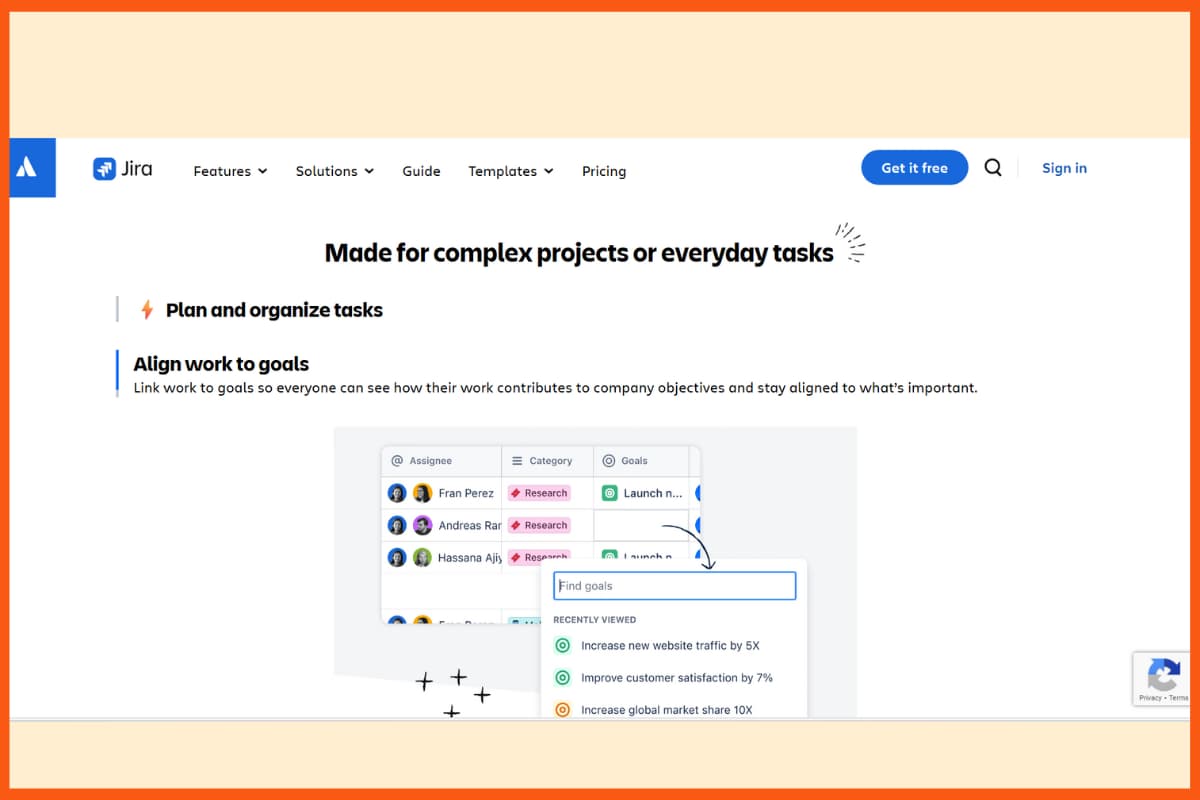
Jira, part of Atlassian, is a top project and issue-tracking tool for development and technical teams. It helps users plan, track, and complete tasks efficiently, including recurring tasks.
The free plan supports up to 10 users, while paid plans offer AI features to simplify tracking and collaboration. Jira provides multiple views—lists, boards, timelines, and calendars—and includes drag-and-drop forms, automation rules, and many integrations for flexibility.
With mobile apps, you can manage tasks, create issues, track progress, and collaborate from anywhere, with the same features as the web version.
Features of Jira:
- Task and project management with support for recurring tasks
- Multiple workflow views: lists, boards, timelines, and calendars
- AI-powered automation for task tracking and collaboration
- Drag-and-drop form builder for custom workflows
- Extensive library of integrations with other tools
| Pros | Cons |
|---|---|
| Powerful task and project management | Can be complex for beginners |
| Multiple views: lists, boards, timelines, calendars | Steep learning curve for advanced features |
| AI-powered automation for tracking and collaboration | Can feel overwhelming for small teams |
| Drag-and-drop form builder for custom workflows | Pricing can be high for larger teams |
| Extensive integrations with other tools | Some features require paid plans |
| Mobile apps for on-the-go project management | — |
| Customizable dashboards and reporting | — |
Pricing Packages of Jira:
| Plan | Pricing |
|---|---|
| Free | $0 for up to 10 users |
| Standard | $7 / user / month when billed annually |
| Premium | $14 / user / month when billed annually |
| Enterprise | Custom pricing |
Best Project Management Tools by Use Case
| Use Case | Recommended Tools |
|---|---|
| Best for startups | Zoho Projects, ClickUp, monday.com |
| Best for freelancers | Paymo, Trello, Asana |
| Best for software teams | Jira, ClickUp |
| Best for enterprise projects | Microsoft Project, Wrike, Celoxis |
| Best for simple project management | Trello, Basecamp |
| Best for agencies | Teamwork, ProofHub, Paymo |
| Best for visual project management | Trello, MeisterTask |
| Best for workflow automation | Kissflow, monday.com, ClickUp |
| Best for resource management | Microsoft Project, Celoxis, Scoro |
| Best for AI-powered workflows | ClickUp, monday.com, Jira, Asana |
Conclusion
Whether you are a new startup or a freelancer you must need a project management tool to accomplish your short-term goals. There are many different project management tools available, and the right one for your team will depend on the size and complexity of your projects, as well as your team's specific needs and preferences. Ultimately, the right project management tool can help teams work more efficiently, stay organized, and deliver projects on time and within budget.
FAQ's
What are the best project management tools in 2026?
Some popular project management tools in 2026 include ClickUp, Asana, monday.com, Jira, Zoho Projects, Trello, Microsoft Project, Wrike and Teamwork. The best option depends on the team's size, workflow, budget and project complexity.
Is AI important in project management software in 2026?
Yes. AI is becoming an important feature in project management software, helping with task creation, summaries, automation, reporting, prioritization and project insights.
What is the best free project management tool in 2026?
The best free option depends on your requirements. Trello, ClickUp, Asana, Jira and monday.com offer free plans with different limitations and features.
Which project management tool is best for startups?
Startups can consider Zoho Projects, ClickUp, Trello, Asana and monday.com because they offer flexible workflows and plans that can scale as the team grows.
What should businesses look for in project management software in 2026?
Businesses should consider AI capabilities, automation, task management, collaboration, reporting, resource management, integrations, security, ease of use and scalability before selecting a platform.
What are the three main types of project management software?
Three types of project management software include standalone project management software, integrated project management software, and collaboration software.
Is project management software secure?
In general, project management software is designed to be secure and protect the confidentiality and integrity of your data. However, it is important to follow best practices such as using strong passwords, enabling two-factor authentication, and using encrypted connections to ensure that your data is secure.
What is project management software for?
Project management software is designed to help businesses and individuals track projects, tasks, and schedules.